An Islamic website template gives a modest marketplace its shape before the first order ever arrives: aisles for thobes and attar, a place for Hajj and Umrah kits, room for several merchants and a checkout that local buyers trust. This guide is for Bangladeshi shop owners who already sell prayer mats, dates, kufi or books from a market stall or a Facebook page and now want one online bazaar that holds all of it under a single name.
A marketplace of this kind is busy by nature. One family buys honey and black seed, another wants a white panjabi for Jumu'ah, and a third needs a full Umrah kit. If your site treats all of that like one long product list, people give up before they find what they came for. Good planning makes the shop feel like a calm bazaar, not a crowded storeroom.
We use Mihrab – Islamic Bazaar WordPress Theme as the worked example. It is built for shops that stock goods from many merchants, from thobes, lungi and kufi to attar, dates, lanterns, Quran stands, miswak and tasbih, in a maroon, brass and parchment style. Before we look at its blocks, though, let us sort out what a modest marketplace really needs from its website.
Why a Modest Marketplace Needs More Than a Basic Shop
A boutique sells a small, tidy range from one brand. A marketplace sells a wide range from several suppliers, and its customers like to wander. Someone who comes for attar may also pick up a pack of miswak and a small tasbih. Your website has to support that kind of browsing: clear aisles, quick search, and small, cheap add-on items placed where people notice them on the way to the cart.
Trust matters just as much. Buyers of honey, dates, oils and attar worry about purity and freshness, and buyers of clothing worry about fit. When goods come from several merchants, customers want to know who made or packed what. Showing merchant names and logos, writing honest product notes and keeping clear return rules all reduce doubt. A plain theme with no space for merchants hides exactly the information that makes people comfortable enough to pay.
Finally, an Islamic shop follows a calendar. Ramadan, the two Eids, Jumu'ah and the Hajj season change what people buy and when. Many shoppers also like to see salah times or a short reminder on the page. A general store theme rarely has a place for any of this, which is why a dedicated Islamic website template saves so much forcing and patching later.
Planning Your Islamic Online Shop Before Choosing a Template
Write down every product group you sell and then group them the way a shopper walks a real bazaar. Clothing such as thobes, kurta, pajama and lungi sits together. Caps and kufi can share an aisle. Attar, oud and bakhoor make a scents section, while dates, honey and black seed form a pantry. Lanterns, prayer mats and Quran stands belong in a home section. Keep the top menu to about eight or nine groups so it stays readable on a phone.
Map your merchants and their stock
If you sell for several suppliers, list each one with a short note about what they make, where they are based and who handles packing. Decide whether you will feature one merchant at a time, perhaps every month, to give each supplier a fair turn at the front of the shop. It also keeps good suppliers loyal to your Islamic online shop.
Plan the year around Ramadan, Eid and Hajj
Mark Ramadan, Eid ul-Fitr, Eid ul-Adha and the months before Hajj on a calendar, and decide what each season will push. Before Ramadan, dates, honey and lanterns usually lead. Before Eid, clothing and attar take over. Before the Hajj and Umrah season, ready-made kits are the main draw. Shoot photos and write product notes a few weeks early, because suppliers and couriers both get busy close to these dates and late listings lose the best days.
How Mihrab Works as an Islamic Website Template
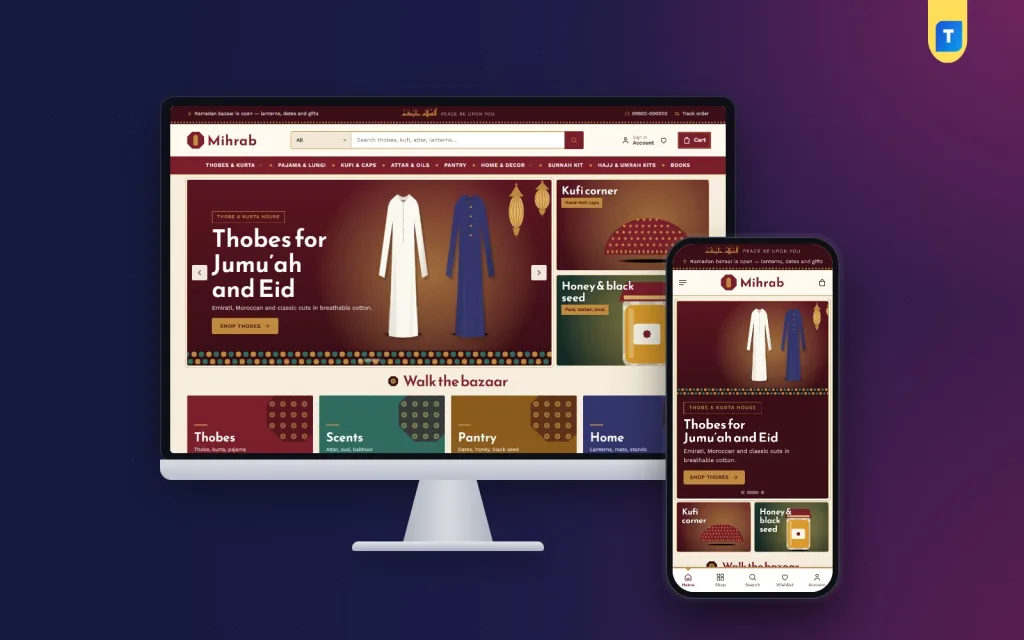
Mihrab treats the homepage like a walk through a bazaar. It has 22 homepage blocks, and each one can be switched off or dragged up or down in Theme Options, or moved with arrows on a phone. In the demo, a deep maroon top bar carries a Salam greeting in Arabic with "Peace be upon you" beside it, a short Ramadan bazaar message, a helpline number and a Track order link.
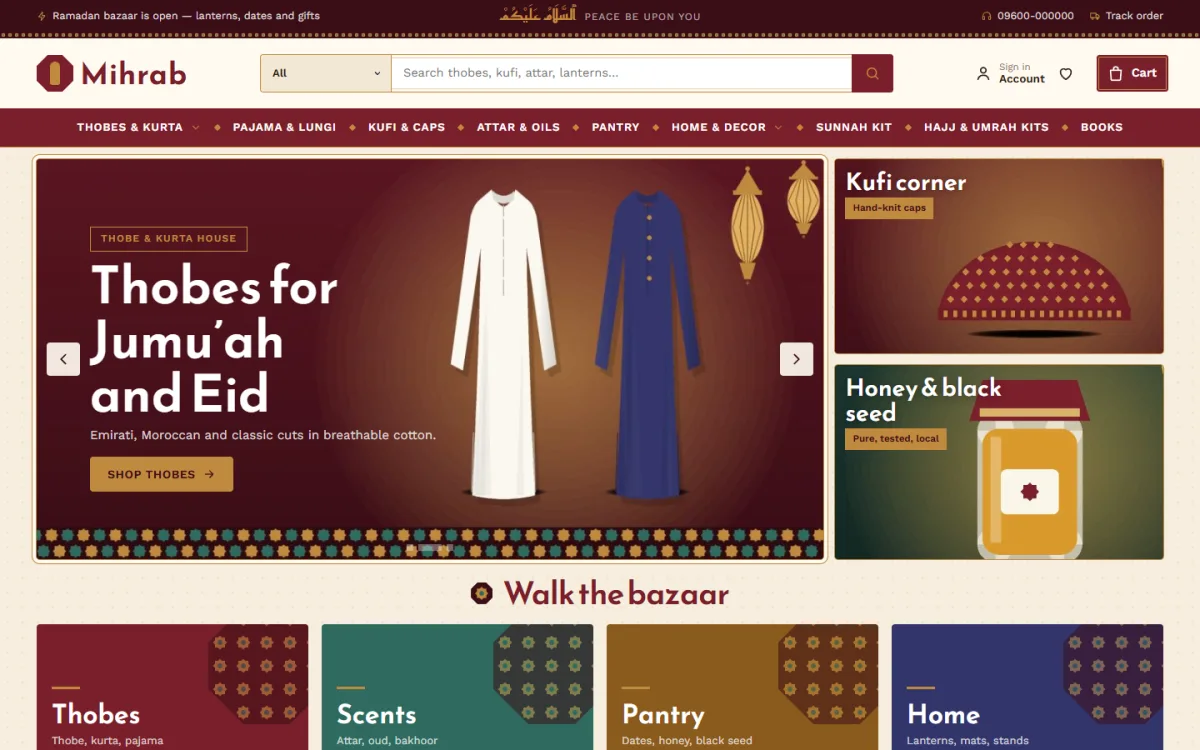
Below the logo, a wide search bar has a category picker next to it, so a buyer can search only inside one aisle. The demo menu runs across Thobes & Kurta, Pajama & Lungi, Kufi & Caps, Attar & Oils, Pantry, Home & Decor, Sunnah Kit, Hajj & Umrah Kits and Books. The hero slider in the demo promotes thobes for Jumu'ah and Eid, with two side cards for a kufi corner and for honey and black seed.
Blocks that keep the bazaar feeling
Walk the bazaar offers four large tiles that lead into your main sections; in the demo they read Thobes, Scents, Pantry and Home. Bazaar aisles then shows your categories as octagon tiles. The Salah times block is a simple ledger of the five daily prayers plus Jumu'ah. You type the times yourself, so nothing comes from an outside service. A daily reminder block shares a short hadith or ayah with its reference.
A Hajj & Umrah kits block places a banner beside your ready-made kits, and Through the year adds four seasonal picture cards for Ramadan, Eid, Jumu'ah and the journey. Bazaar deal adds a countdown with stock bars for a limited offer. These blocks let one Islamic website template change its mood each season without a rebuild.
Selling blocks for many merchants
Merchants shows a row of supplier logos, and Merchant of the month features one supplier with their products. Fresh in the bazaar shows two rows of new stock, Best of the bazaar uses category tabs, and Everyone's buying is a sliding row of best sellers. A low-price corner pairs price tiles with products for small add-on buys. Three department blocks each pair a banner with eight products, and a promise strip covers delivery, cash on delivery, exchange and original goods.
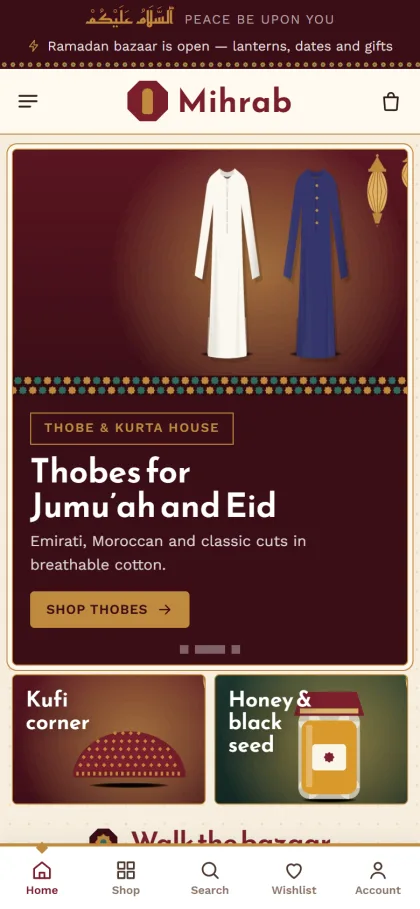
On a phone, the header shrinks to the menu, logo and cart, and product cards stay compact so a long page is easy to scroll with one thumb. The mobile screenshot of the demo also shows a bottom bar with Home, Shop, Search, Wishlist and Account. On the product page, a size guide covers thobes by length and kufi by head size, shoppers can save items to a wishlist, and a sign-in popup lets them log in without losing their place.
Setting Up the Store From Theme to First Order
Mihrab runs on WordPress 6.0 or newer with PHP 7.4 or newer, and has been tested up to WordPress 7.1. Go to Appearance, Themes, Add New, Upload Theme, choose the Mihrab file and activate it. Then open Mihrab, Setup and install Themeve Commerce in one click, since it comes bundled. Enter the license key from My Account, Licenses under Mihrab, License so that updates reach you. If WordPress itself is new to you, the WordPress documentation explains pages, menus and media.
Next, run Mihrab, Demo Import. It brings in 39 sample products from 6 merchants, posts, menus and every page, including About, Contact, Delivery, FAQ, From the Bazaar, Size Guide, Returns & Exchange, Track Order, Wishlist, Our Stores, Terms and Privacy Policy. All artwork and merchant names are samples, so swap them for your real suppliers, photos and product notes before you open. Start with one aisle, finish it properly, and then move to the next.
Then open Mihrab, Theme Options. Settings are grouped into tabs for the homepage, design and pages, with a search box, a sticky save bar, a reset button and export or import for backups. Choose one of five palettes, Maroon & brass, Teal tile, Indigo night, Saffron or Ink & sand, and one of four font pairs led by Reem Kufi with Work Sans. Salah times and reminder text sit in simple fields, and the Live Customizer is there if you like to watch changes as you make them.
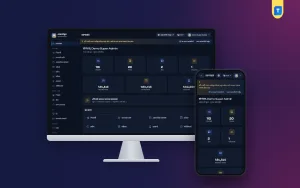
Before you commit, spend a few minutes in the live demo on your own phone. Search inside one aisle, open a thobe, read the size guide and walk through checkout as a buyer would. Then open the demo dashboard to see where products, orders and settings live. That short test shows you how daily work will feel far better than any feature list.
Payments, Couriers and Trust for Bangladeshi Buyers
Themeve Commerce adds a Shop menu to your dashboard. Buyers can pay by bKash, Nagad, SSLCommerz, cash on delivery or manual payment, and parcels go out through Steadfast and Pathao courier. Checkout is a single page, an Order placed popup confirms each order, and the Track Order page shows customers where their parcel is. Coupons, invoices, SMS and OTP codes, back-in-stock, offers, returns and a store locator are handled from the same menu.
Cash on delivery remains the safest choice for many first-time buyers, but it brings refused parcels. Call or message to confirm larger orders before booking the courier, and ask for a small advance by mobile payment on high-value items such as Umrah kits. New-order alerts can reach you on Telegram, which helps when you are away from the shop during Ramadan nights.
Most Islamic online shop owners in Bangladesh still find buyers on Facebook. Mihrab includes Facebook Pixel with the Conversion API, so you can see which ads bring real orders. Point Ramadan ads at the pantry aisle, Eid ads at clothing and attar, and Hajj ads at your kits, rather than sending everyone to the homepage. Write Bangla captions with clear product names and answer questions in the comments quickly, because shoppers watch how sellers reply.
Mistakes to Avoid With an Islamic Website Template
The first mistake is copying the demo and opening without changing it. Sample merchants and artwork are there to show the layout, not to sell. The second is filling the menu with twenty categories because you have twenty suppliers; group them into aisles instead. The third is leaving salah times and reminder text untouched for months. If you show prayer times, keep them correct for your city, or hide the block rather than show wrong information.
Another common slip is ignoring the phone. Most buyers will never see the desktop layout, so test search, the size guide and checkout on a real handset using mobile data. Sellers also forget clear return rules for food and clothing. Finally, do not let any Islamic website template carry the shop on one big seasonal sale; steady new stock, a monthly merchant feature and small add-on items keep it busy all year.
Frequently Asked Questions
Can I run Mihrab without writing code?
Yes. Homepage blocks, palettes, fonts, salah times and reminder text are all set in Mihrab, Theme Options with switches, fields and drag and drop. You can reorder or hide blocks before each season and change the look without hiring a developer for every small update.
Do the salah times update by themselves?
No. You type them into Theme Options and the theme shows exactly what you enter. Nothing is pulled from an outside service, so it is a good habit to update them when the times shift through the year, especially around Ramadan.
Is there a calmer option for a single-brand shop?
If you sell your own goods rather than stock from many merchants, look at Barakah – Islamic Store WordPress Theme, which offers prayer times and gift boxes in a quieter layout. Mihrab is built for the busier case, with merchant logos, many aisles and a lot of products on one page.
Which couriers and payments can I offer?
Through the bundled Themeve Commerce plugin you can accept bKash, Nagad, SSLCommerz, cash on delivery and manual payment, and send parcels with Steadfast or Pathao. Customers can follow their order on the Track Order page, which cuts down on calls asking where a parcel is.
Final Thoughts
A modest marketplace works online when shoppers can find their aisle quickly, see who supplies each item, pay the way they prefer and track their parcel without stress. Plan your aisles, merchants and seasons first, then pick an Islamic website template that already has room for all of them. If you run a lively shop with many suppliers under one roof, start your build with Mihrab – Islamic Bazaar WordPress Theme and open your first aisle this season.