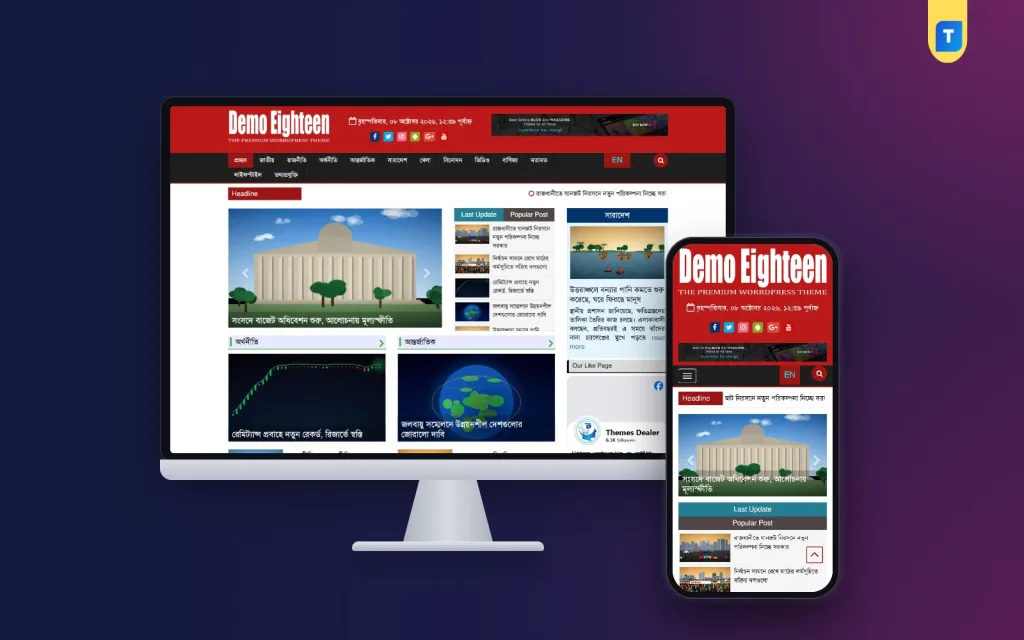
Searching for a news website builder usually leads to drag-and-drop services that promise a site in an hour. For a Bangla portal that will publish every day for years, there is a better way to think about it: WordPress is the builder, a news theme is the template, and categories, widgets and menus are the bricks. This guide shows how to put those pieces together, step by step, for founders, bloggers and freelancers in Bangladesh who want to build a news site without writing code.
The idea is simple. You do not design a homepage from blank boxes. You pick a template that already knows what a newspaper looks like, with a ticker, a lead story, section blocks and ad spaces, and then you fill it with your own sections, logo, colours and stories. Done this way, a small team can go from an empty domain to a working portal in a weekend and still own every part of the site.
Our template in this guide is the Premium Bangla News Theme, a responsive, SEO-optimized and AdSense-ready theme for Bangla online newspapers, blogs and magazines. It comes with a one-click demo import, so the building starts from a finished layout rather than an empty page.
Hosted Builders or WordPress for a News Site?
Hosted site builders are easy to start with. You sign up, pick a template and publish. For a shop window or a small company page that can be enough. A news portal is different. It needs thousands of posts, user roles for reporters and editors, category archives, ad code in many places, and a way to move everything elsewhere if the business grows. On a hosted builder you rent all of that, and the templates are rarely designed for Bangla news.
WordPress turns the relationship around. The software is free, you choose your own hosting, and you can install any theme or plugin you need. Your stories sit in a standard database you can back up and move. The WordPress documentation covers every core screen, and many local developers know the system if you need help later. For a news website builder that has to grow with a newsroom, that freedom matters more than an hour saved on day one.
The Parts of a News Website Builder
It helps to see the whole kit before you start, so you know which part solves which problem. Think of it in three layers: the ground the site stands on, the template that gives it shape, and the pieces you arrange inside that template every day.
The foundation: domain, hosting and WordPress
Pick a short domain that is easy to say in Bangla and English and renew it for several years. Choose hosting with enough storage for years of photos, daily backups and good speed for readers in Bangladesh. Most hosts install WordPress in one click. Set the site language, the Dhaka time zone and post name permalinks on the first day, before anything else is added.
The template and the bricks
The news theme decides the look: header, menu, ticker, homepage blocks, article page and footer. Inside it you work with WordPress building blocks. Categories become sections and menu items, widgets fill the sidebar and footer, and menus tie it all together. A few plugins add what every portal needs, such as SEO, caching, backups and security. That is the whole builder, and every part can be swapped without losing your stories.
Sketch the Homepage Before You Build
Take a sheet of paper and draw your homepage from top to bottom. What sits in the header? Where does breaking news go? Which story leads, and which sections follow? A typical Bangla news website runs a ticker at the top, a lead story or slider, latest and popular lists, then section blocks for national, countrywide, economy, international, sports and entertainment, with ad spaces between them.
Next to each block, write how many stories you will publish there each week. Blocks you cannot fill should not be on the homepage at launch. Then list the pages you need outside the news: About, Contact, Advertise, Privacy Policy and an editorial policy. This sketch becomes your build plan, and it stops you from adding sections just because the template allows them.
Premium Bangla News Theme as Your Starting Template
With the sketch ready, compare it with the template. The Premium Bangla News Theme offers dynamic homepage layouts that show categories such as Breaking News, Top Headlines, Entertainment and Sports in a clean, modern interface. It includes photo and video gallery support for multimedia stories, and it is described as fresh, lightweight and free from unnecessary code, which helps both speed and search ranking.
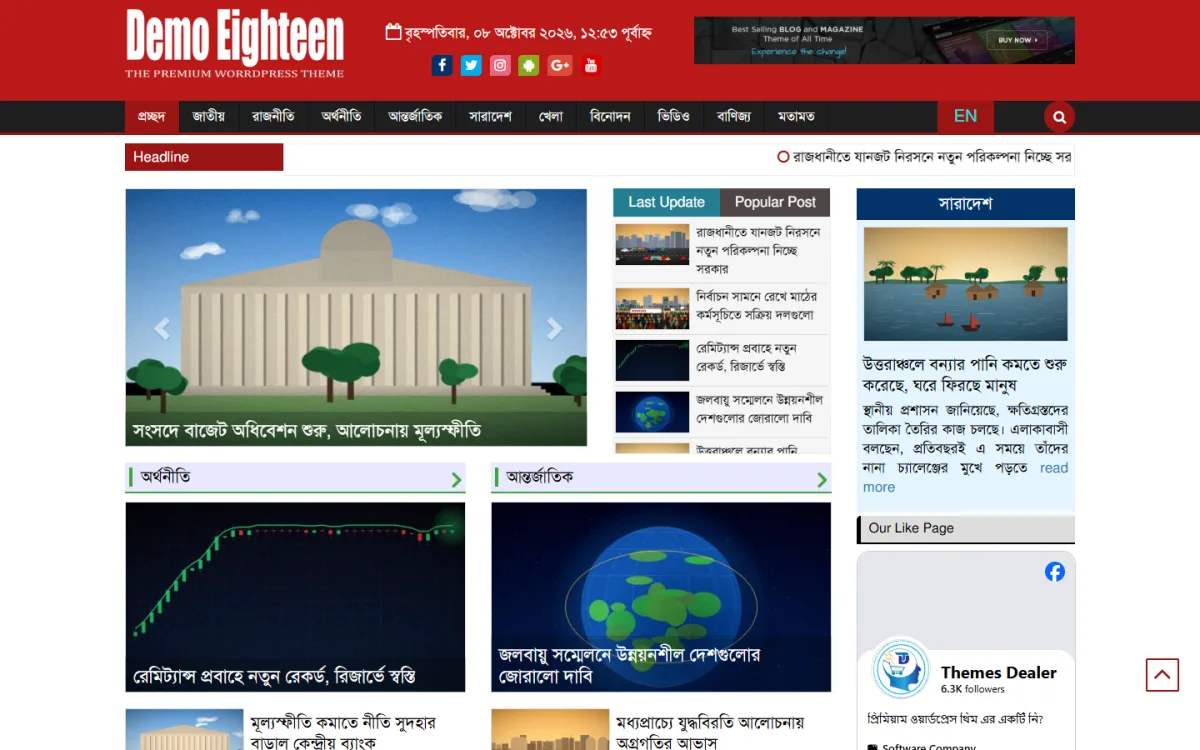
The screenshot shows one of its demos built out. A red header holds a white logo, the Bangla date with a calendar icon, a row of coloured social icons and a banner space on the right. A dark menu bar lists the sections and ends with an EN button and a round red search button. A red Headline label starts the ticker. Below, a large slider with arrows carries the lead story, next to tabbed Last Update and Popular Post lists with thumbnails.
On the right, a countrywide block has its own blue title bar, photo, headline and excerpt with a read more link, and an Our Like Page box shows the site's Facebook page. Under the slider, economy and international blocks open with title bars and small green arrows that lead to the full section. A back-to-top button sits at the bottom corner. Every block you sketched on paper has a matching place here.
Building the Site Block by Block
Upload the theme under Appearance, Themes, Add New and activate it. Run the one-click demo import, which sets up the whole site in minutes so you can see each block with sample content. Now work from the top of your sketch downward. Upload your logo, then change the colours and fonts to match your brand. All of this, including the footer credits, is done from the dashboard without code.
Create your categories next, using the names readers expect, and delete demo categories you will not use. Build the main menu from your categories and a small footer menu from your pages. Assign each homepage block a category, so the slider, the countrywide block and the sports block pull the right stories. Add your Facebook page to the sidebar widget, and place your ad code in the header and between sections.
Finally, fill the site. Write the About, Contact and Advertise pages, then publish at least a week of real stories so every block is full. Replace sample photos with your own, cropped to the same shape. Install a backup plugin and an SEO plugin, submit your sitemap to Google Search Console, and create accounts for your reporters and editors with the right roles.
Making the Bangla News Website Work on Phones

Most of your readers will see the phone version, so build for it on purpose. The theme is fully mobile responsive. On a phone the red header stacks the logo, the Bangla date, the social icons and the banner, and a dark bar below holds the menu button, the EN button and the search button. The ticker comes next, then the slider and the stacked Last Update and Popular Post tabs, so the lead story appears before anything else.
The ads also adapt to different devices and screen sizes, so a banner that fits the desktop header does not break the phone layout. Still, test on real devices. Open the homepage, a category page and a long article on two or three budget Android phones over mobile data. Check that long Bangla headlines wrap neatly and that no ad pushes the first story below the screen.
Keeping the Site Healthy After Launch
A news website builder is not finished on launch day. Update WordPress, the theme and plugins regularly, but take a backup first. Keep the plugin list short, because each extra plugin adds weight and something else to update. Compress photos before upload and add a caching plugin so pages stay quick when a big story brings a rush of readers.
Grow traffic where Bangla readers already are. Share each story on your Facebook page with a short Bangla summary and a clear photo, and reply to comments. Publish at fixed times so readers learn your rhythm. Apply for AdSense once you have original stories and complete About and Contact pages. If you later start a second portal, the lifetime licence covers unlimited websites with no renewal, and Themeve offers WhatsApp support if you get stuck.
Builder Mistakes to Avoid
The first mistake is building without a sketch and keeping every demo block, which leaves half the homepage showing old sample stories. Another is mixing photo shapes, so the grid looks broken. Some builders skip mobile testing entirely or paste ad code into every possible spot, which slows the page and annoys readers. Others share one admin login with the whole team, so nobody knows who changed what.
Avoid nulled themes and plugins from unknown download sites. They often carry hidden code, they never update, and a hacked news site loses reader trust quickly. Finally, do not change your permalink structure after launch. Every link already shared on Facebook would break, and search engines would have to learn your site again from the start.
Frequently Asked Questions
Can I use WordPress as a news website builder without coding?
Yes. With a news theme and its one-click demo import, the layout is ready, and you change the logo, colours, fonts and footer credits from the dashboard. You build by creating categories, menus and widgets, which needs no code at all.
Is this suitable for a small blog as well as a big portal?
The Premium Bangla News Theme is meant for both, from a small blog to a national news portal. Start with a few sections and add more homepage blocks only when you have the stories to keep them fresh every day.
Which other templates should I compare?
For a magazine feel with featured sliders and tickers, look at the Bangla Express News Theme 2025. For a fast and modern AdSense-optimized design, see the Bangla Newspaper Theme, and lay each demo next to your homepage sketch to see which one fits your Bangla news website best.
Start Building Your Portal
WordPress makes a strong news website builder for a Bangla portal: you own the site, you can move it anywhere, and a news theme gives you a finished newspaper layout to start from. Sketch your homepage, build it block by block, test it on phones and keep it light after launch. If you want a responsive, AdSense-ready template with dynamic homepage layouts and galleries, start with the Premium Bangla News Theme.