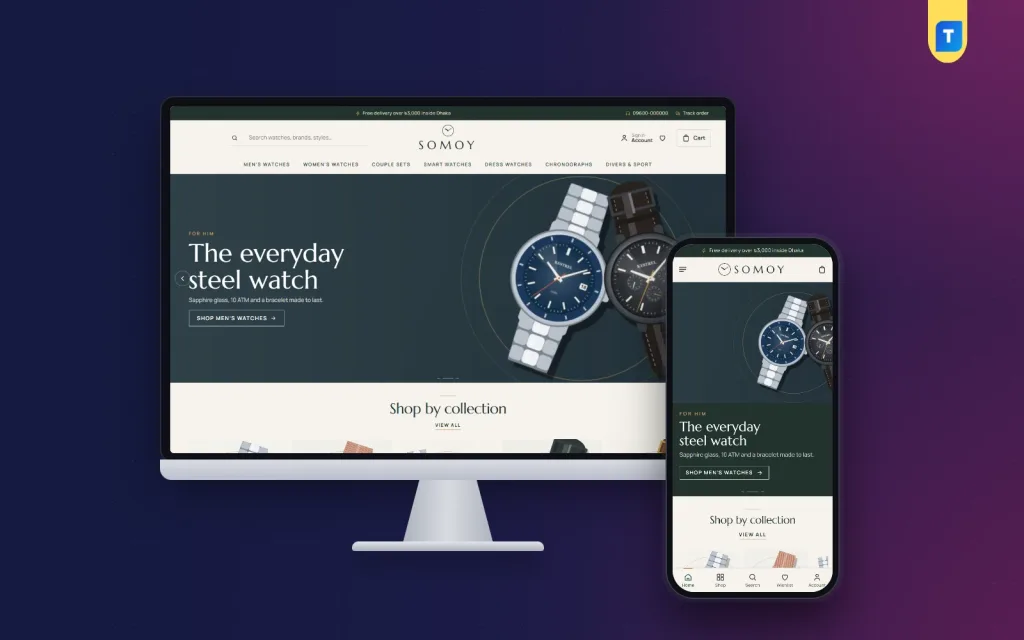
A good watch website template has to do something most shop designs never attempt: slow the buyer down in a good way. This guide is for premium watch boutiques in Bangladesh, from authorised dealers carrying a few brands to pre-owned specialists and gift shops known for couple sets, who want their online store to feel like a calm showroom rather than a flash-sale page.
A watch is a considered purchase. Buyers compare case sizes, check the movement, read about water resistance and often think about it overnight before they pay. Many will visit your store page several times, alone and then with a spouse or friend. A site that shouts offers and hides the details loses these buyers, while a site that lays out specs clearly and lets them compare models wins their trust and their order.
As our example we use Somoy – Watch Boutique WordPress Theme, made for men's and women's watches, couple sets, smart watches, dress watches, chronographs and divers. It uses ivory, pine green and brass with Marcellus capitals, so it reads like a quiet showroom. Before we look at it, let us cover what a boutique really needs from its website.
What a Premium Watch Boutique Needs Online
The first need is space. Expensive watches look cheap when they are crammed six to a row with red sale badges. A premium boutique needs wide photos, plenty of white space and product tiles that show only what matters. The second need is detail: case size, movement, glass, water resistance, strap material and warranty must be easy to find, because these are exactly what a serious buyer checks before paying a large amount.
The third need is reassurance. Buyers worry about fakes, grey imports and what happens if the watch stops after a month. Your site should state warranty terms, explain exchange rules and show your physical store if you have one. Finally, a boutique needs ways to help undecided buyers, such as a guided finder or a compare page, because a customer who cannot choose between two models often ends up buying neither.
Planning Your Collections and Product Data
Arrange your stock the way buyers search for it. Most start with who the watch is for, men or women, then move to a style such as dress, chronograph, diver or smart. Couple sets deserve their own section in Bangladesh, where they are a popular wedding and anniversary gift. Keep the main menu to about seven entries so it stays tidy on a phone and does not overwhelm a first visit.
Write specs the same way every time
Make a simple spreadsheet before you upload anything. For each watch note the maker, model, case size, case material, movement, glass, water resistance, strap or bracelet, and warranty period. Use the same units and words every time, so 40 mm is never written as 4 cm on another page. Consistent data makes compare tables meaningful and helps buyers trust that you know your stock.
Photos and authenticity
Shoot each watch from the front, the side and the back, plus one on the wrist for scale. Show the box and papers if they come with it. For pre-owned pieces, photograph any marks honestly and describe the service history. If you are an authorised dealer, say so plainly and explain how warranty claims work. Clear, honest photos are the best answer to the fear of fakes.
How Somoy Works as a Watch Website Template
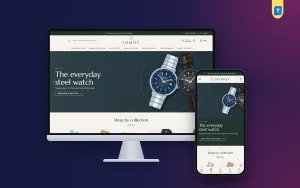
Somoy gives your watches room to breathe. On a desktop, the logo sits in the centre with an underline search on the left, account and bag on the right, and a menu row in spaced capitals. In the demo that menu lists Men's Watches, Women's Watches, Couple Sets, Smart Watches, Dress Watches, Chronographs and Divers & Sport, and a thin top bar carries a short note, a helpline number and a Track order link.
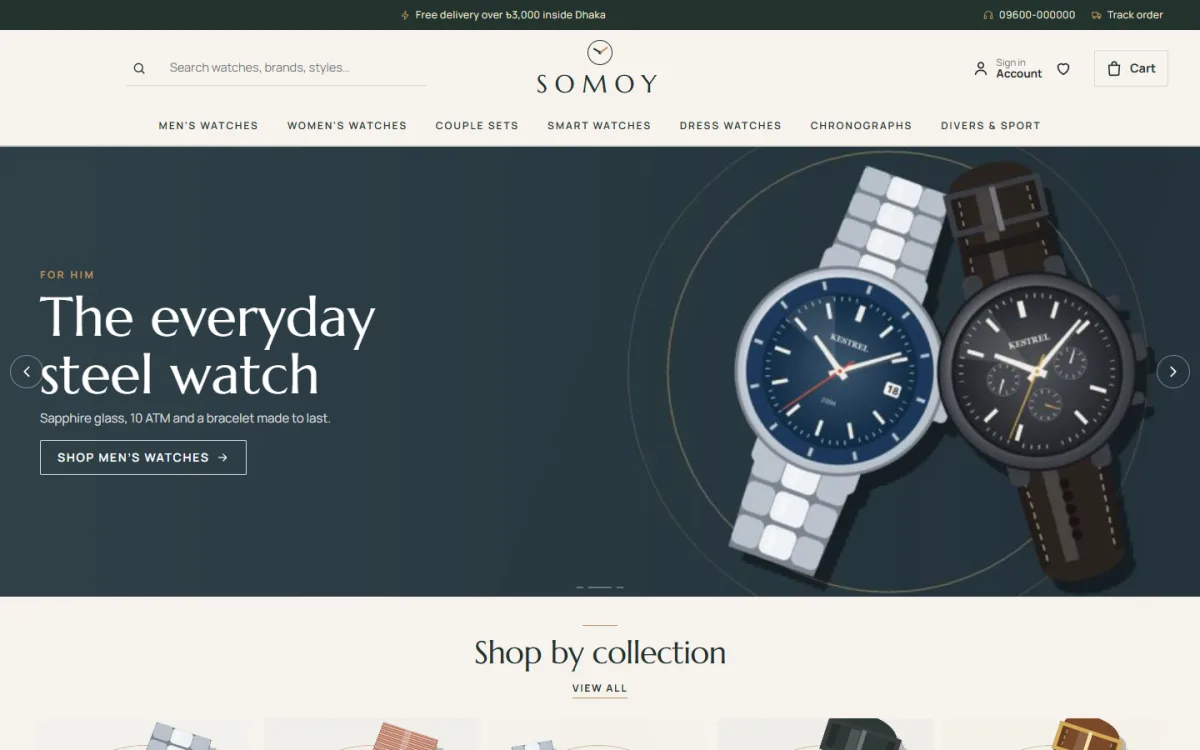
The hero slider uses wide editorial slides. In the demo screenshot, a slide for him shows two steel watches on a dark background with a short line about sapphire glass and water resistance and a button to shop men's watches. Below it, Shop by collection sets out picture tiles with a View all link. The overall effect is closer to a magazine spread than a busy marketplace, which is exactly the point.
Find your watch and watch of the month
Find your watch gives buyers three rows of choices: for whom, style and budget. One tap opens the shop already filtered, and you set the collections and budget steps in Theme Options. Watch of the month puts one model on stage with a big picture, key specs, price, warranty and an Add to cart button. Change it monthly to promote a new arrival or move a slow seller.
Calm tiles and side-by-side compare
Each product tile shows the watchmaker, the name, the case size and movement, and the price. Bigger prices can show an EMI from line. Compare sits on every tile, with a compare bar that collects choices and a Compare Watches page that lines models up side by side. For a buyer torn between a diver and a chronograph, this page often settles the decision without a single phone call.
Somoy ships with 24 homepage blocks, 14 switched on in the demo and ten more waiting in Theme Options. Every block can be switched off and moved. The main run includes New arrivals, Best sellers in tabs by collection, two collection blocks with a banner and eight watches each, a gift guide with four picture cards, seasonal offers with a countdown, a watchmakers logo row, a one-line promise, journal posts and a promise strip.
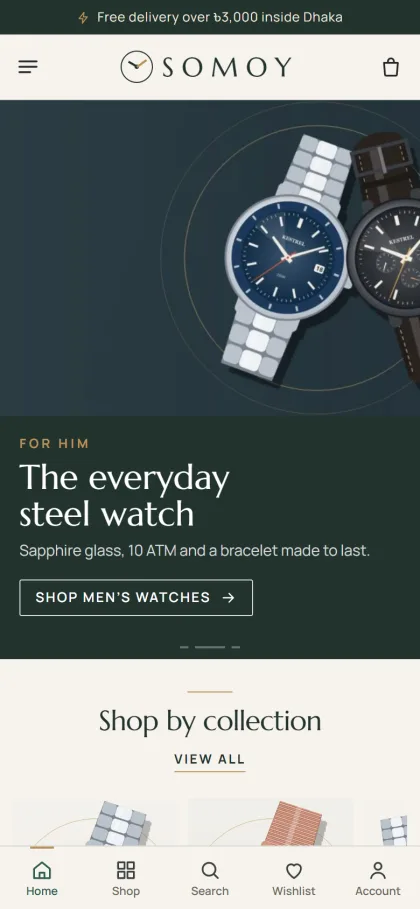
On a phone, the header shrinks to menu, logo and cart, and product cards stay compact. The mobile screenshot of the demo also shows a bottom bar with Home, Shop, Search, Wishlist and Account. On the product page, a key specs box shows warranty, EMI and compare, specifications are open by default, and delivery and warranty details sit right below. Buyers saving up for a model can keep it in their wishlist, and sold-out pieces get back-in-stock.
Setting Up Your Boutique Store
Somoy runs on WordPress 6.0 or newer with PHP 7.4 or newer, tested up to WordPress 7.1. Go to Appearance, Themes, Add New, Upload Theme, pick the Somoy file and click Activate. Open Somoy, Setup to install the bundled Themeve Commerce plugin in one click, then enter the license key from My Account, Licenses in Somoy, License. If you are new to WordPress, the official WordPress documentation covers menus, pages and media.
Run Somoy, Demo Import to add 32 sample watches from 5 watchmakers, with journal posts, menus and every page, including Compare Watches, Strap Sizing, Warranty & Exchange, Delivery, FAQ, Journal, Track Order, Wishlist and Our Stores. Every watchmaker name and picture is invented, so replace them with your real stock and rewrite the warranty and delivery pages with your own terms.
In Somoy, Theme Options, set your collections and budget steps for the finder, then choose one of five palettes, Pine & brass, Midnight navy, Burgundy, Graphite or Olive, and one of four font pairs led by Marcellus with Manrope. A search box finds any setting, a sticky save bar keeps Save in reach, and you can reset or export and import settings. The Live Customizer in the Somoy menu handles visual tweaks.
Before you decide, browse the live demo as a buyer would. Use the finder, add two watches to compare and open the Compare Watches page. Then visit the demo dashboard to see where orders, products and settings sit. Ten minutes of testing will show you whether this watch website template matches the way your boutique sells.
How to Sell Watches Online in Bangladesh With Confidence
Orders sit under Shop in your dashboard. Buyers pay through bKash, Nagad, SSLCommerz, cash on delivery or manual payment, and parcels go out with Steadfast or Pathao courier. Checkout is a single page that ends with an Order placed popup, and each order has its own place on the Track Order page. Coupons, invoices, SMS and OTP and new-order alerts on Telegram come from the same plugin.
For premium pieces, consider limiting cash on delivery to lower-priced models and asking for an advance or full online payment on expensive ones. Call to confirm large orders, pack the watch in its box inside a padded mailer, and photograph the sealed parcel before handing it to the courier. Many buyers will still want to see the watch first, so list your showroom on the Our Stores page and invite them to visit.
Knowing how to sell watches online also means knowing where buyers browse. Facebook and Instagram remain the main places, and Somoy works with Facebook Pixel and the Conversion API so you can measure which posts bring orders. Share wrist shots, short videos of the dial in daylight and honest comparisons between two models. Point ads at a single collection, such as couple sets before wedding season, rather than at your homepage.
Common Mistakes With a Watch Website Template
The first mistake is treating a boutique like a discount store: too many banners, flashing countdowns everywhere and no room for the watches themselves. Use seasonal offers sparingly. The second is incomplete specs. A buyer who cannot find the case size or water resistance will either message you and wait, or leave. The third is vague warranty wording, which feeds the fear of fakes instead of easing it.
Other slips include low-quality photos taken under yellow shop lights, prices that differ between Facebook and the website, and skipping the phone test. Most buyers will first see your watch website template on a mobile screen, so check the finder, compare page and checkout on a real handset using mobile data before you advertise.
Frequently Asked Questions
How does the Find your watch finder work?
Buyers choose for whom, a style and a budget, and the shop opens already filtered to those choices. You decide the collections and budget steps in Somoy, Theme Options, so the finder always matches your real stock and the way your customers think about price.
Can customers compare two watches?
Yes. Every tile has a Compare button, a compare bar collects the picks, and the Compare Watches page shows them side by side. This is especially useful for chronographs and divers, where small differences in size and movement matter to the buyer.
Is there a brighter theme for smartwatches and kids' watches?
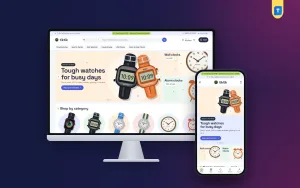
If your shop leans toward smartwatches, sport watches, kids' watches and clocks, look at Tiktik – Watch Shop WordPress Theme, which has a livelier, gadget-style look. Somoy suits the quieter, premium end of the market.
Final Thoughts
A premium watch boutique sells on detail, patience and trust. Give each watch space, write specs consistently, explain warranty and exchange clearly, and let buyers compare before they commit. When you are ready to bring that showroom feeling online, start with Somoy – Watch Boutique WordPress Theme and build a store where nobody feels rushed.