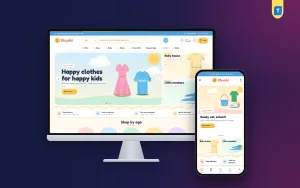
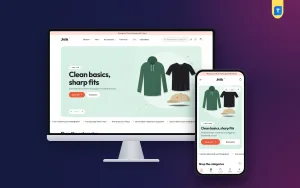
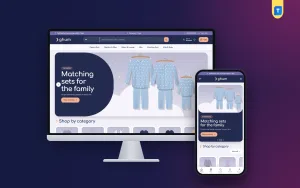
Selling kids clothes online looks simple from the outside: cute photos, a Facebook page and a few orders a day. In practice it is a business of sizes, ages and trust. This guide is for kidswear sellers, mothers who started a small page from home, and freelancers who build shops for them. It explains how parents actually shop, how to plan sizes by age, and how to set up a store that parents feel safe ordering from.
Kidswear differs from adult fashion in one important way: the buyer is not the wearer. A parent, an aunt or a grandparent is choosing for a child who keeps growing, and they often shop for a birthday, Eid or the first day of school. They know the child's age far better than any size number. A good clothing website meets them there, with clear age groups, honest size charts and easy exchanges.
As the example in this guide we use Khushi – Kids Fashion WordPress Theme, a cheerful theme for kidswear and family stores that sell frocks, tees, baby sets, school shoes, bags and matching mum and me outfits. It starts the shop with age instead of a long menu. The planning still comes first, though, because a theme can only show what you have prepared.
Why Parents Shop for Kidswear Differently
A busy parent usually shops on a phone, often late at night after the children are asleep. They tend to know three things: the age, a rough budget and maybe the occasion. They do not want to read a long size table or dig through twenty categories. If the store makes them guess, they send you a message instead, and many never come back.
Trust is the other half of the story. Parents worry about fabric against soft skin, colours that run in the first wash and sizes that turn out too small. When the outfit is a gift, they also worry about the parcel arriving in time. Every answer you put on the site, whether a fabric note, a size chart or an exchange rule, removes one reason to hesitate. Selling kids clothes online is mostly about answering those worries before the parent has to ask.
Planning Sizes and Age Groups Before You Build
Start with age groups that match how your stock is actually cut. Many kidswear sellers use bands such as newborn, infant, toddler, younger kids and older kids, but follow whatever fits your suppliers. Keep the number small, around five, so the choice is easy on a phone screen. Then map every product to one age group and one size label, and write down the real measurements that sit behind each label.
Write size charts a parent can use
Age alone is not enough, because two five-year-olds can be very different heights. Give chest, length and waist measurements in inches for each size, plus a short honest note such as "runs small, choose one size up" when that is true. Keep one chart per product type, since a frock, a panjabi and a pair of school shoes are measured in different ways. Place the chart close to the size choice, not hidden in the footer.
Group products the way families shop
Besides age, parents look by occasion and by budget. Plan a few occasion groups such as Eid, birthdays, school and winter, and a set of small low-cost add-ons like socks, hair clips and caps. Matching mother and child outfits are another group worth planning, because they sell well around Eid and family events. Decide these groups before you upload a single product, so your tags and categories stay tidy.
Building Trust When You Sell Kids Clothes Online
Photos come first. Shoot each piece flat on the same background and, if you can, on a child, with one close-up of the fabric and the stitching. Write the fabric type and the care instructions on every product page. Parents also read reviews closely, so ask your first customers for honest feedback and reply politely to every comment, including the unhappy ones.
Then write three short pages: delivery, exchange and returns, and a size guide. A clear size exchange promise is one of the strongest trust signals in kidswear, because children outgrow clothes quickly and parents fear being stuck with the wrong size. Show your phone number and an order tracking link where they are easy to find. A store that looks reachable feels safer than one that hides behind a contact form.
How Khushi Shapes a Kids Clothing Website
Khushi is built around the ideas above. The design uses a cream page with coral, sky, sunshine and mint colours, rounded type and wavy edges, so the shop feels friendly from the first scroll. In the demo, a colour-dotted menu runs through Girls, Boys, Baby, Shoes, Mum & Me, Bags & Caps, Offers and Notes, and a wide search bar invites parents to look for frocks, school shoes or baby sets.
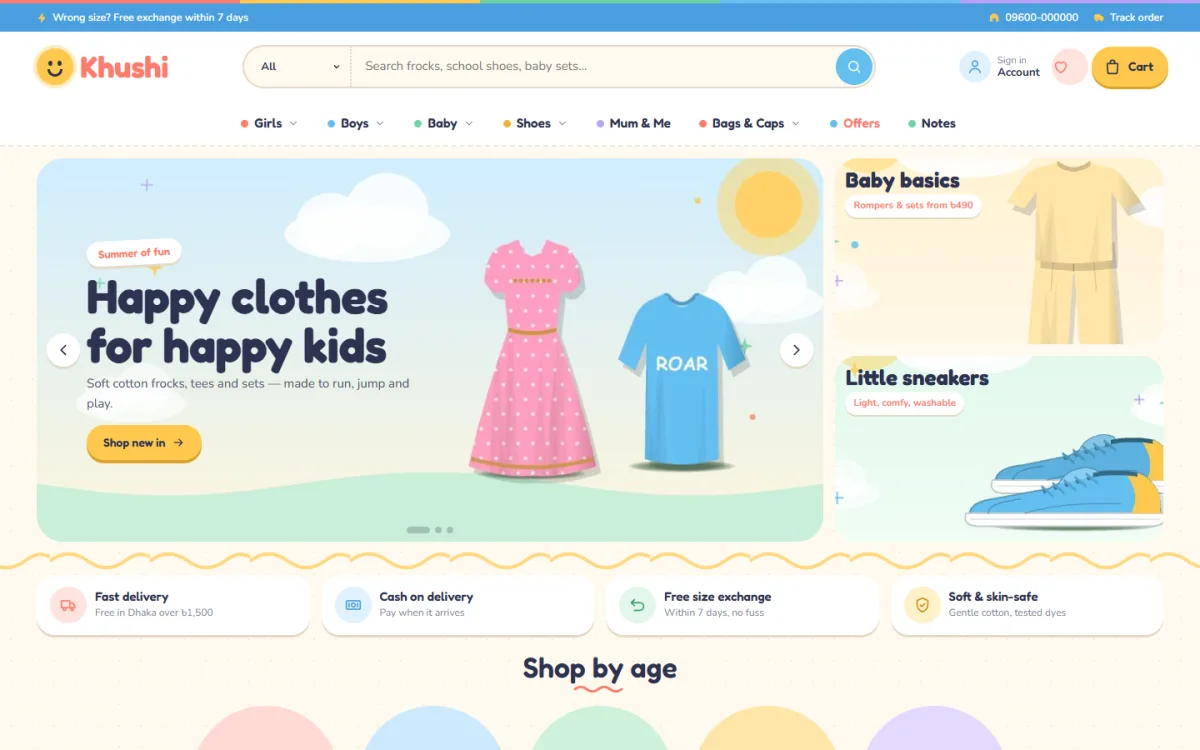
The homepage is made of 20 blocks that you can hide, show and drag into any order under Homepage layout, with small arrows doing the job on phones. The demo opens with a hero slider of sky slides and two side cards, followed by a promise strip that covers delivery, cash on delivery, size exchange and soft fabrics. Right below sits Shop by age: five colourful age bubbles that take a parent straight to the right group.
Age, price and occasion on one homepage
After the age bubbles, category bubbles with round pictures, price bubbles and occasion cards narrow the choice further. You set all of them in Theme Options under Ages, categories, deals & promos. Pocket-money picks pair the price bubbles with low-cost products such as hair clips and socks, which works nicely as a quick add-on. Occasions shows four picture cards, and Parents' favourites lists the highest rated pieces in the shop.
Twinning sets, daily deals and notes
The Twinning sets block places a big mum and me banner next to matching sets, so both outfits go into the cart together. Deal of the day runs a countdown with stock bars, Just arrived fills two rows with new pieces, and Bestsellers sit in tabs by category. You also get three promo cards, three departments with a banner and eight products each, Trending, a Brands logo row, Brand spotlight, More happy finds with a Load more button, and Notes for your three latest posts.
Shopping on the Phone, Where Parents Are
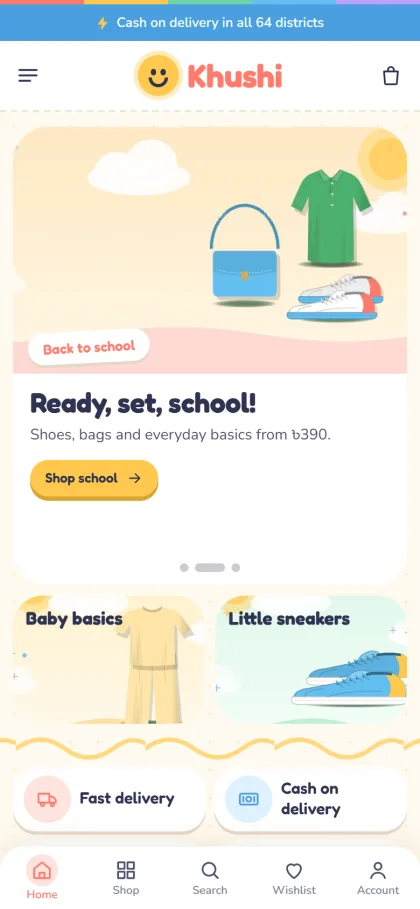
On a phone the header keeps only the menu, logo and cart, and the product cards stay compact so more frocks and tees fit on one screen. In the mobile screenshot you can see a top bar about cash on delivery, a Back to school slide, the two side cards stacked below it, and a bottom bar with Home, Shop, Search, Wishlist and Account. The footer folds away neatly and ends on a playful wavy edge.
Parents can log in or sign up through a quick popup without losing their place. The size guide feature is switched on, reviews sit folded below each product, and a popup invites the first review when a product has none yet. The wishlist is handy for birthday lists and later buys. Checkout takes a single page and ends with an Order placed popup, and order tracking shows parents where the parcel has reached.
Setting Up Your Kids Clothes Online Store Step by Step
Khushi runs on WordPress 6.0 or newer with PHP 7.4 or newer, and it is tested with WordPress 7.1. In your dashboard open Appearance, Themes, Add New, Upload Theme, choose the Khushi zip and activate it. Then go to Khushi, Setup and install the bundled Themeve Commerce plugin with one click; it handles the cart, payment and delivery side. Enter the licence key from My Account, Licenses under Khushi, License so new versions reach you.
Next, import the Kids & Family demo from Khushi, Demo Import. It loads 41 sample products from 6 brands across girls, boys, baby, shoes, mum and me and bags, together with shop by age, twinning sets, pocket-money picks, occasions, menus and pages such as About Khushi, Size Guide, Delivery, Exchange & Returns, Notes, Our Stores and Track Order. The brands and artwork are invented, so swap in your own stock and photos before launch.
Then pick your look in Khushi, Theme Options or in the Live Customizer. There are five palettes, Sunshine, Bubblegum, Ocean, Mint and Lavender, and four rounded font pairs called Playful, Round, Sunny and Storybook. A search box finds settings, the save bar follows you down the page, and you can reset, export or import your settings. If menus and pages are new to you, the WordPress documentation is a good place to start.
Before deciding, open the live demo on your own phone and tap through Shop by age, a product page and the checkout the way a parent would. Then look around the demo dashboard, where everything store-related sits under Shop. That short test shows whether the flow suits your stock.
Payments, Delivery and Ads for Kidswear in Bangladesh
Parents can pay with bKash, Nagad, SSLCommerz, manual payment or cash when the parcel arrives, and Steadfast and Pathao courier handle delivery. Coupons, invoices and back-in-stock come with the platform. Back-in-stock matters a lot in kidswear, where the most popular size of a frock often sells out days before the others.
Cash on delivery is still the first choice for many new customers, but it also brings returned parcels. Confirm larger orders by phone or message before handing them to the courier, and double-check the size with the parent during the same call. That one minute prevents many wrong-size returns. New orders can reach you on Telegram, while SMS and OTP help with customer messages.
Most kidswear sales in Bangladesh still start on Facebook. Khushi includes Facebook Pixel and the Conversion API, so you can see which ads lead to real orders. Run ads for one age group or one occasion at a time and send them to the matching page, not the homepage. Short Bangla captions with the age range and fabric work well. Before Eid and the new school year, post early, because parents who buy kids clothes online tend to plan weeks ahead.
Common Mistakes Kidswear Sellers Make
The first mistake is listing sizes without measurements. A label like 4-5Y means little on its own, and every wrong guess costs a courier trip in each direction. The second is too many categories: parents do not want to choose between twelve menu items, and age, type and occasion are usually enough. The third is leaving old campaign banners and sold-out sizes on the homepage long after the season has ended.
Other mistakes are quieter. Sellers skip the fabric note, use photos with different lighting so colours look different in person, or never test checkout on a slow mobile connection. Some never reply to reviews at all. Each of these chips away at the trust a kidswear shop depends on. Fixing them costs very little time and usually pays back in repeat orders from the same families.
Frequently Asked Questions
How should I organise sizes on a kids clothing website?
Use a small set of age groups for browsing, then give each product a size chart with real measurements in inches. Keep separate charts for clothes and shoes. In Khushi, the Shop by age bubbles handle browsing, and the size guide feature, with its own Size Guide page in the demo, holds your measurements.
Can parents buy matching mother and child outfits together?
Yes. The Twinning sets block shows a mum and me banner beside the matching sets, so a parent can add both outfits in one visit. You can use the same block for any matching family pieces you stock, which is helpful around Eid and family weddings.
Do I need coding skills to run Khushi?
No. Colours, fonts, homepage blocks and the age bubbles are all set in Theme Options or the Live Customizer. You can fine-tune single colours by hand and switch off Google Fonts without touching any code, so the store stays in your own hands.
Which other Themeve themes suit clothing shops?
If you also run a seasonal winter range, take a look at Kantha – Winter Wear WordPress Theme. For wedding outfits, Kone – Bridal Wear WordPress Theme is the closer match. Khushi remains the right pick when children and their parents are your main buyers.
Final Thoughts
To sell kids clothes online with confidence, plan your age groups, write honest size charts, show your exchange rules and keep checkout simple for a parent holding a phone in one hand. Your theme should carry that plan rather than fight it. If your shop sells frocks, tees, baby sets and school shoes, start with Khushi – Kids Fashion WordPress Theme and build your first age-based collection on it.