Choosing a mobile shop website template is easy until you ask one awkward question: how will buyers tell an official phone from an unofficial one? In Bangladesh almost every phone shop sells both, and confusion between them causes more angry calls than any late parcel. This guide is for phone boutique owners, brand-store managers and freelancers who build sites for them, and it puts that question at the centre of the plan.
We will cover what official and unofficial really mean for your buyer, how to structure and label your stock, how to price trade-ins and EMI, and how to set up payments and courier delivery. The second half shows how a calm, premium layout handles it, using Alap – Mobile Phone Shop WordPress Theme as the example. Alap means a conversation, and the theme sells phones that way: quietly, one good question at a time.
Official vs Unofficial Phones: What Buyers Need to Know
An official phone comes through the brand's local distributor, carries the brand's local warranty and is serviced at authorised service centres. An unofficial phone is imported through other channels, often at a lower price, and usually carries only the shop's own warranty, if any. Both can be perfectly good handsets. The problem is not the phone itself; it is a buyer who paid for one and thinks they got the other.
Rules on handset registration in Bangladesh have changed more than once in recent years, so check the current position with the regulator before you list unofficial stock, and tell buyers plainly what it means for them. A shop that explains this openly builds a reputation for honesty that is hard for rivals to copy. A shop that hides it gets one-star reviews and lost repeat customers within months.
Planning a Mobile Shop Website That Labels Stock Honestly
Start with a simple rule: every product page must say, in its first lines, whether the handset is official or unofficial and whose warranty it carries. Put it in the product name too, so it appears in search results and on cards. Something like the model name followed by Official or Unofficial is enough. Consistency matters more than wording; once buyers learn your pattern, they trust it.
Structure your categories by price band
Phone buyers usually shop by budget first and brand second. A clear menu of Flagship, Mid-range, Budget and Basic Phones, plus Accessories, works well, and it is the menu used in the Alap demo. Inside each band you can tag official and unofficial models, so a shopper can filter quickly without having to read every description first.
Write warranty and returns pages first
Before you add a single product, write two short pages: one for warranty, explaining the difference between brand and shop warranty, and one for returns and replacement. Link them from every product page. Then decide on trade-in rules: which brands you accept, how you judge condition and how you pay out credit. Having this written down stops staff from improvising different answers for different customers.
What a Mobile Shop Website Template Should Handle
A good mobile shop website template should help buyers compare a few models side by side, show storage and colour choices with the right price for each, make warranty and EMI visible near the buy button, and explain trade-in without a phone call. It should also look calm and trustworthy, because a phone is often the most expensive thing a customer buys all year.
It needs to work well on phones, obviously. A buyer comparing two handsets is usually holding a third one. That means a short header, large tap targets, compact cards and a checkout that fits on one screen. Finally, the template should support accessories, since cases, chargers, earbuds and power banks are where much of a phone shop's margin comes from.
How Alap Presents Phones Like a Brand Store
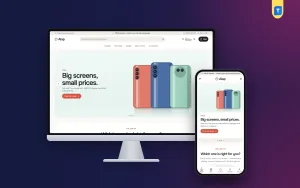
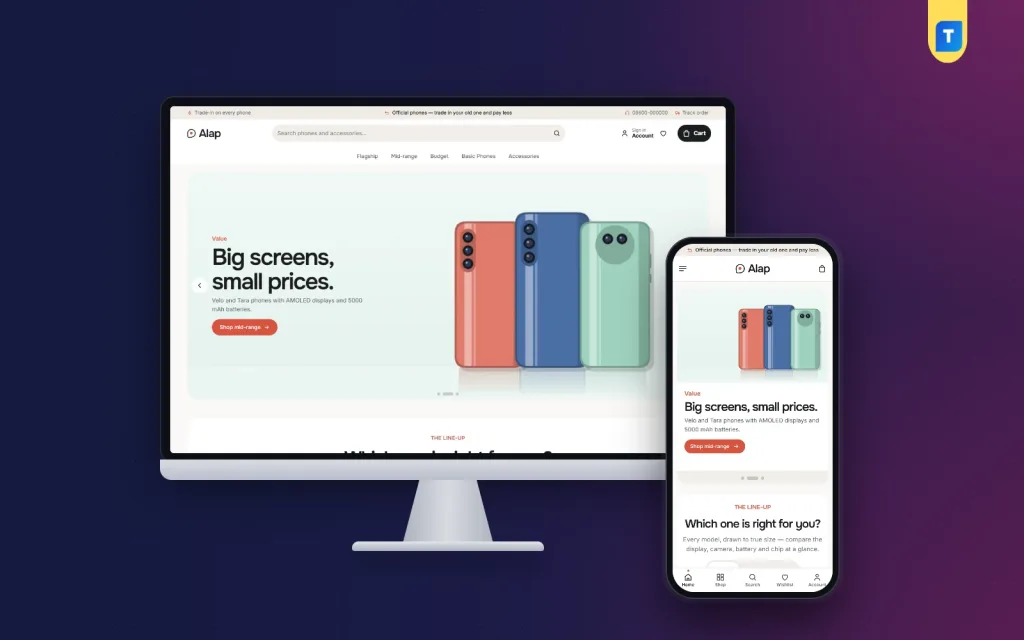
Alap's look is ink, warm white and coral with Onest headings and a light linen footer. In the live demo, a thin top strip carries trade-in and official-phones messages beside a support line and a Track order link. The header holds a rounded search for phones and accessories, an account link, a wishlist heart and a dark Cart button, with the price-band menu underneath.
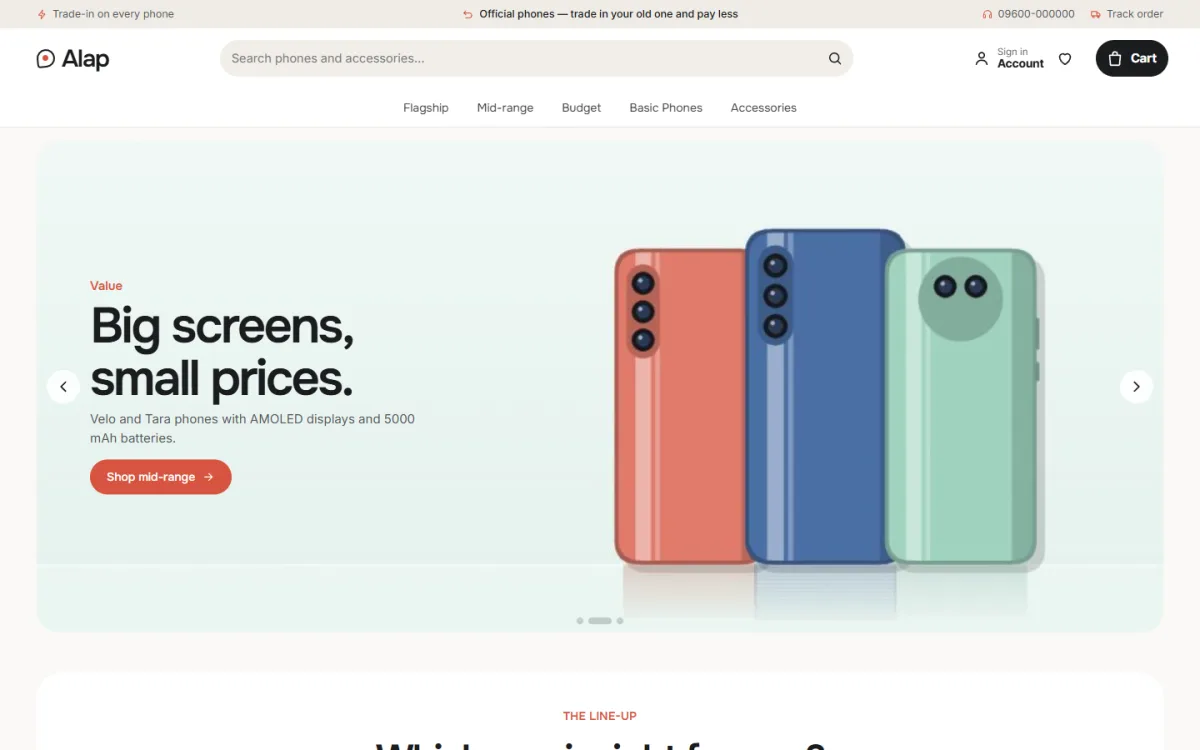
The hero slider sets calm line-ups on a colour wash. In the screenshot, a slide tagged Value shows three phones in coral, blue and mint with a Shop mid-range button. Every phone in the demo is shot on a wash of its own colour, from the front, the back and every side, with a camera close-up, which gives each product the feel of a brand launch page instead of a crowded listing.
Which one is right for you?
This is the block many shops will choose Alap for. Shoppers tap a brand tab and see that brand's line-up with every phone drawn to its true relative size, worked out from its screen size, so a 6.1-inch phone really looks smaller than a 6.8-inch one. Under each phone sit colour dots, the starting price, a Buy button and four key facts: display, camera, battery and chip. You choose the brand tabs in Theme Options.
Trade in your old phone
The Trade in block asks for the old phone's brand, its age and its condition, then shows an estimated credit. Next to it, three phones you choose show their price after that credit. The values, the phones and the small print are all set in Theme Options, so the estimates match the deals you actually offer at the counter. Keep the small print clear: the final value depends on inspection.
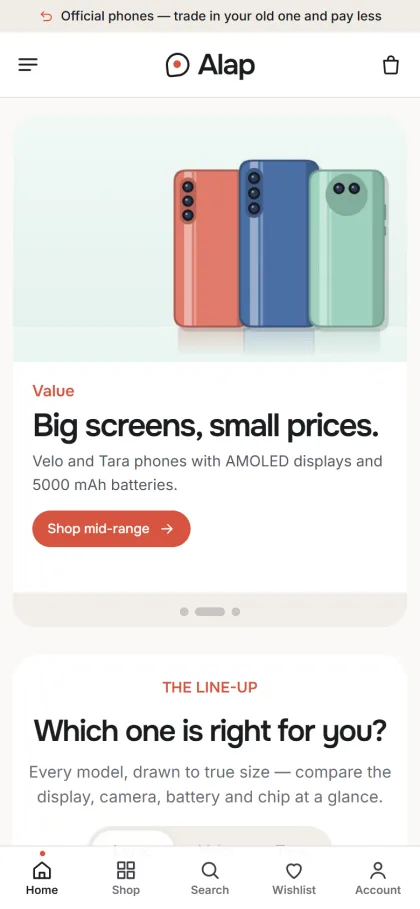
On phones, the header keeps to menu, logo and cart, and the mobile screenshot shows a bottom bar with Home, Shop, Search, Wishlist and Account. Cards are borderless and centred on a soft sand well, with a spec line, colour dots and a coral outline Add to cart. Storage and colour options carry stepped prices, so the figure changes as soon as a buyer picks a variant.
Product Pages, EMI and Checkout
The product page adds key-spec tiles, a box with the warranty and a 0% EMI line, and a delivery date. Use the product name and description to state official or unofficial status and the warranty source right beside that box. Reviews are tucked in a fold, with a popup inviting the first review. The homepage carries 24 blocks, 17 on by default, including New arrivals, Best sellers, Offers with a countdown, Shop by budget, Brands, Stories and a promise strip for official warranty, trade-in, EMI and delivery.
Checkout fits on a single page, followed by an Order placed popup, and sign in opens in a popup. Shoppers pay through bKash, Nagad, SSLCommerz, cash on delivery or manual payment. Phones ship with Steadfast or Pathao courier, and an order tracking page lets buyers check on them. The bundled Themeve Commerce plugin also brings a wishlist, coupons, invoices, SMS, OTP, Telegram order alerts and Facebook Pixel with the Conversion API.
Phones are a favourite target for fake cash on delivery orders. Call every new phone order before dispatch and ask for a small advance by mobile payment on high-value handsets. Seal boxes with your own tape and record the IMEI on the invoice, so a returned box can be checked quickly against what you sent.
Setting Up Alap Step by Step
Alap needs WordPress 6.0 or newer and PHP 7.4 or higher, and it is tested up to WordPress 7.1. Upload the zip under Appearance, Themes, Add New, Upload Theme and activate it. Go to Alap, Setup to install Themeve Commerce in one click, then activate your licence under Alap, License with the key from My Account, Licenses on Themeve. The WordPress documentation explains menus and pages if you need a refresher.
Run Alap, Demo Import to load a flagship phone boutique: 22 products from 5 invented brands, with storage and colour variants, accessories, the line-up, the trade-in estimator, stories, menus and every page, including Our Stores. Replace the samples with your own stock and photos. You can also browse the demo dashboard to see where the settings live before you start.
In Alap, Theme Options, which also works on a phone, set the line-up brands and trade-in values, then choose a palette: Ink & coral, Ink & blue, Sage, Plum or Graphite, or pick your own colours. Fonts come as Onest with Inter, Manrope, Figtree or DM Sans. A settings search, export, reset and a sticky save bar make long edits easier, and no code is needed.
Common Mistakes Phone Shops Make Online
The most damaging mistake is vague labelling. Writing Original on an unofficial phone is not a lie, but it misleads, and buyers remember. Say official or unofficial every time. The second mistake is stale prices; phone prices move often, so check your top sellers weekly. The third is promising trade-in values online that staff then cut at the counter. Keep the estimator in line with what you really pay.
Another mistake is ignoring search. Buyers type exact model names and storage sizes, so use them in titles and descriptions, and read Google's Search Central documentation on how product pages appear in results. Finally, do not let a busy homepage bury your best line-up. A calm mobile shop website template works because it gives each phone space; filling every block defeats the point.
Frequently Asked Questions
Can Alap show official and unofficial phones?
Alap does not decide this for you; you label each handset yourself in its name and description and can group models with categories and tags. The product page then shows your warranty box, EMI line and delivery date, so the buyer sees the full picture before adding to cart.
Can I set my own trade-in values?
Yes. The old-phone values, the three new phones shown after the credit and the small print are all set in Alap, Theme Options. Update them when your counter rates change so online estimates and in-shop offers always match.
Is Alap only for phones?
No. The demo also includes cases, chargers, earbuds, a watch and power banks, so accessories sit comfortably next to the phones. If you want a busier store for many brands and high volume, compare Jogajog – Phone Marketplace WordPress Theme.
Does the store work well on mobile?
Yes. It is fully responsive, with a phone header of menu, logo and cart and compact cards. Even the Theme Options dashboard works on a phone, which is handy when you update a price from the shop floor.
Final Thoughts
A phone shop online lives or dies on trust. Label official and unofficial stock every time, explain warranty in plain words, keep trade-in values honest and confirm orders before they leave the shop. Your mobile shop website should feel like your best counter: calm, clear and patient. To start with a layout built for that kind of conversation, look at Alap – Mobile Phone Shop WordPress Theme.