A good jeans website template does one job better than any other: it helps a buyer pick the right pair before the parcel ever leaves your warehouse. This guide is for Bangladeshi denim sellers who run a Facebook page, small jeans brands moving from wholesale to retail, and freelancers who set up clothing stores for clients. We cover why denim is tricky to sell online, how to plan fits, washes and sizes, and how to handle payment and delivery the way local buyers like.
Jeans are not like T-shirts. A tee in the wrong size is a small problem, but a pair of jeans that pinches at the waist or looks two shades lighter than the photo goes straight back. Each return costs you two courier trips, a repacked parcel and often a customer who never orders again. The way your store explains fit and colour decides how many of those returns you see each month.
To keep the advice practical, we use Neel – Denim Store WordPress Theme as the example. It is made for shops that sell men's and women's jeans, denim jackets, shirts, skirts, shorts and kids denim, and its look comes from an old workwear shop: a raw-cream pegboard background, indigo twill bands, rust contrast stitching, leather-patch labels and copper rivets. First, the planning that every denim seller needs.
Why Jeans Are Hard to Sell Online
Ask people why they returned a pair of jeans and you mostly hear two answers. The fit was wrong, or the colour looked different in person. Everything else, from late delivery to packaging, comes far behind. That means a denim store has to answer two questions on every product page: will this cut suit my body, and what will this wash really look like on me after a few months of wear?
Size charts alone rarely solve this. Most buyers do not measure themselves, and many have worn the same size from the same local market for years, even though waist and rise differ from brand to brand. A store that explains cuts in plain words, shows wash shades honestly and adds simple care notes will get fewer complaints than one that just lists 28 to 40 and hopes for the best.
Planning a Denim Brand Store Before You Pick a Jeans Website Template
Start by listing your range the way buyers see it: men's jeans, women's jeans, denim jackets, shirts and tees, skirts and shorts, and kids denim. Inside each group, decide which fits you really stock. Most shops carry three or four cuts, not ten. Writing them down helps you choose a jeans website template that groups products clearly instead of burying a slim fit and a relaxed fit in the same long list.
Name your fits and washes once
Pick one name for each cut, such as skinny, slim, straight, relaxed and wide, and one name for each wash, such as raw, dark, mid, light and black. Use those same words in product titles, photos, Facebook posts and your size chart. When a customer knows that your straight fit is always called straight fit, reordering becomes easy, and your support messages get shorter because the language is shared.
Measure every pair the same way
For each style, measure waist, hip, thigh, rise, inseam and leg opening on a flat pair, and keep the numbers in one sheet. Note fabric weight, stretch and whether the wash will fade. Photograph each wash in daylight on the same background, with one close-up of the fabric. This takes a weekend at the start, but it saves weeks of answering questions and handling exchanges later in the year.
Plan hemming, exchange and delivery rules
Length is a special problem in Bangladesh, where many buyers need a shorter inseam than the stock size. Decide whether you offer hemming, how buyers tell you their length, and how many days they have for a size exchange. Write these rules on a short delivery page and a returns page. A clear denim brand policy is often what turns a curious visitor into a first order.
How Neel Works as a Jeans Website Template
Neel is built around the two reasons jeans come back. One homepage block finds the fit, another explains the wash, and the product page backs both up with details. The theme ships with 24 homepage blocks, 17 switched on in the demo and 7 kept in reserve. Under Homepage layout you turn blocks on or off and drag them into order, or tap arrows when you are working from a phone.
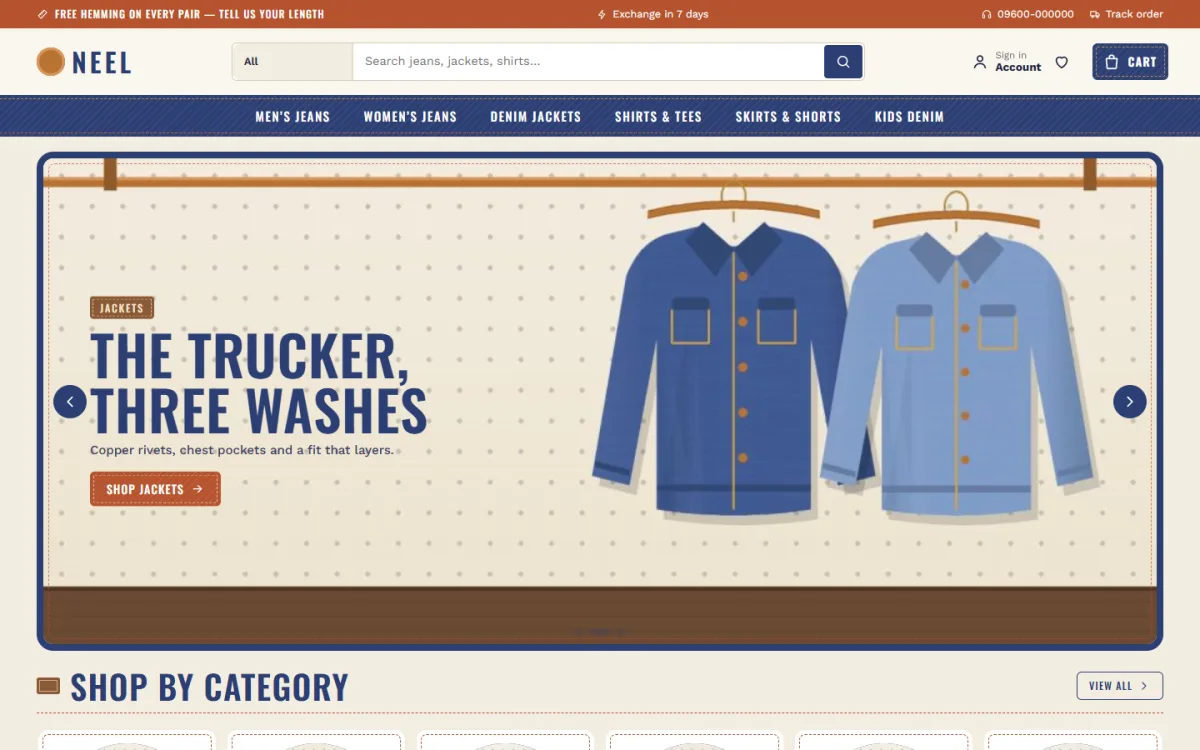
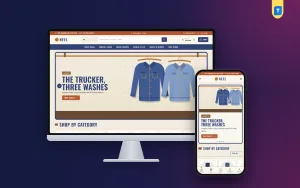
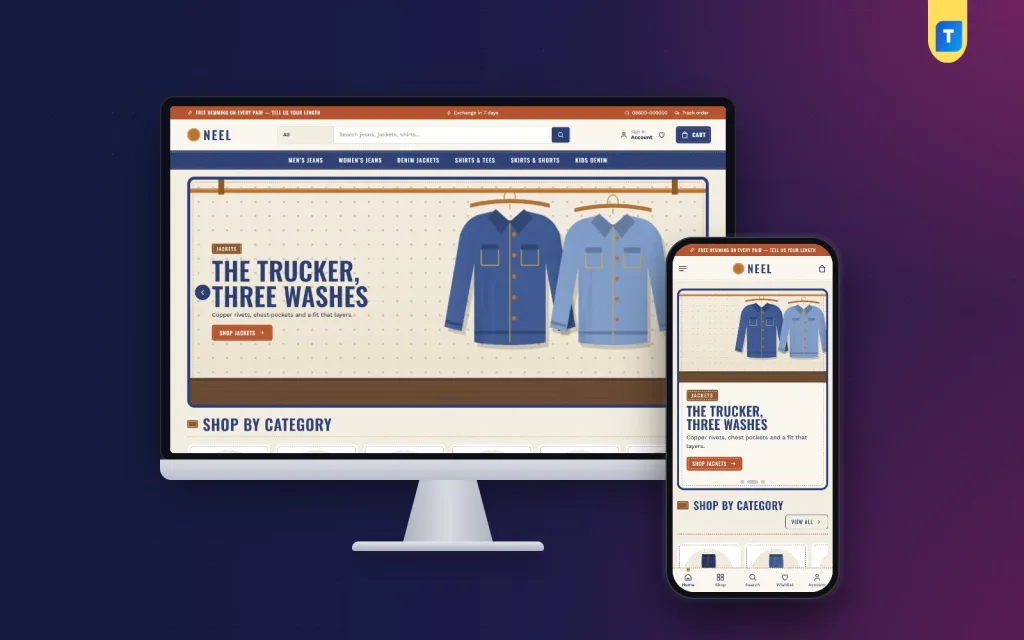
The demo shows the workwear mood clearly. A rust top bar carries a free hemming message, a seven-day exchange note, a hotline number and a Track order link. Below the logo and search box, an indigo menu bar lists Men's Jeans, Women's Jeans, Denim Jackets, Shirts and Tees, Skirts and Shorts, and Kids Denim. The hero slider puts denim slides inside a stitched frame, and Shop by category uses leather-patch tiles.
The Fit finder
The Fit finder asks the shopper two things: their build and the look they like. From that it names one of five fits, skinny, slim, straight, relaxed or wide, draws the leg shape and lists the jeans you have tagged in that fit. A customer who has worn the same straight cut for years can try a relaxed pair with more confidence, and a first-time buyer gets a clear starting point instead of a guess.
The Wash guide
The Wash guide has five tabs: raw, dark, mid, light and black. Each tab shows an indigo swatch, explains how that wash fades over time, says who it suits and lists the pieces in it. Raw denim fans learn how their pair will age, and office buyers see why a dark wash sits well with a formal shirt. On the product page, a fit meter, denim and care details and an expected delivery date finish the picture.
Sales, budget rows and the journal
Mill sale runs a countdown with stock bars, which suits a weekend clearance or an Eid offer. New arrivals shows two rows of fresh stock, Best sellers sits in tabs by category, Shop by style offers four cards, and three departments each get a banner with eight products. Shop by budget pairs price tiles with products. Trending now, Top rated, a Mills and labels logo row, the Denim journal with your latest three posts and a promise strip for hemming, exchange, delivery and COD complete the page.
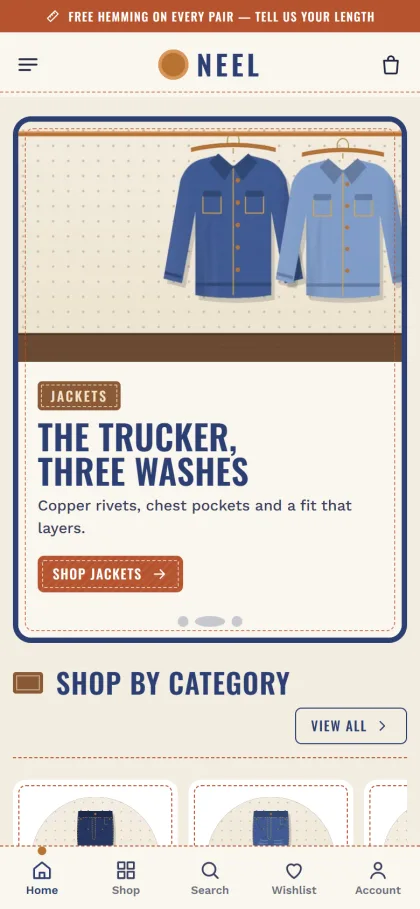
Most denim buyers in Bangladesh will see your shop on a phone. Neel keeps the mobile header to menu, logo and cart, and product cards stay compact so several pairs fit on one screen. The demo also shows a bar at the bottom for Home, Shop, Search, Wishlist and Account. The theme is responsive from small phones to wide desktops, and the dashboard works on phones too, which helps when you update stock from the shop floor.
Setting Up Your Denim Store Step by Step
Neel needs WordPress 6.0 or higher and PHP 7.4 or higher, and is tested up to WordPress 7.1. Go to Appearance, Themes, Add New, Upload Theme, choose the Neel zip and activate it. In Neel, Setup, install the included Themeve Commerce plugin with one click. Then add the licence key from your Themeve account in Neel, License, so updates arrive through that account. The WordPress documentation is a good reference if themes and menus are new to you.
Next, load the Denim House demo through Neel, Demo Import. It brings in 26 products from 2 labels: jeans in five fits and five washes, plus jackets, shirts, skirts, shorts and kids denim. The fit finder, wash guide, denim journal, menus and pages come with it, including About Neel, Delivery, Denim Journal, FAQ, Our Stores, Returns and Exchange, and Track Order. Labels and artwork are invented samples, so replace them with your own photos and names.
Then open Neel, Theme Options, or the Live Customizer for a preview. Five palettes come ready: Indigo and rust, Black denim, Light wash, Ecru and olive, and Chambray, with every colour editable. Font pairs include Oswald with Work Sans, Roboto Slab with Roboto, Bebas Neue with Karla, or DM Sans alone. Setting search, a sticky save bar, reset, export and import, and a switch to turn off Google Fonts are all there. No code is needed.
Before you decide, spend a few minutes in the live demo on your own phone. Try the fit finder with your own build, open each wash tab and walk through checkout as a buyer. Then sign in to the demo dashboard to see the Shop menu where orders, products and store tools live. This hands-on check shows how the store will feel day to day.
Payments, Courier and Ads for a Bangladeshi Denim Brand
Neel runs on Themeve Commerce, which is bundled and handles everything from the cart to the courier. A login popup takes care of sign-in and new accounts on the same page. Reviews sit in a fold under each product, with a popup asking for the first one, and the wishlist keeps favourite pairs for later. Checkout runs on one page and ends with an Order placed popup, and a Track Order page lets buyers follow delivery.
Buyers can pay with bKash, Nagad, SSLCommerz, cash on delivery or manual payment, and Steadfast and Pathao courier carry the parcels. Coupons and invoices are built in, and size guide, back-in-stock, offers and returns are switched on, which is handy when a 32 waist sells out. For COD orders on more than one pair, a quick confirmation call before booking the courier saves a lot of returned parcels.
Facebook and Instagram ads are where most denim brand owners in Bangladesh find buyers. Neel supports the Facebook Pixel with Conversion API, so you can see which ads bring orders and not just clicks. Point ads at a single fit or wash rather than the homepage, and show the jeans on a real person. New orders can arrive in Telegram right away, and SMS and OTP handle customer contact and order checks.
Common Mistakes When Selling Jeans Online
The biggest mistake is copying size charts from a supplier without measuring your own stock. Factory charts are often wrong by an inch or more, and buyers notice. The second is editing wash photos until every pair looks the same deep blue. When a mid wash arrives looking lighter than the picture, the buyer feels misled. Honest daylight photos sell better in the long run than heavily filtered ones.
Other mistakes include no hemming or length option, mixing fits under one product so buyers cannot filter, and ignoring kids and women's denim when families shop together before Eid. Some sellers pick a general jeans website template and then bolt on separate plugins for size charts, payments and couriers, which makes updates risky. Finally, test checkout on a cheap Android phone with mobile data, because that is how many of your customers will order.
Frequently Asked Questions
What should a jeans website template include?
At minimum, clear categories by gender and product type, a way to explain fits and washes, a size guide, a phone-friendly checkout and local payment and courier options. Neel adds a Fit finder, a Wash guide, a fit meter on product pages and an expected delivery date, which target the two main reasons for returns.
Can I change colours and fonts without coding?
Yes. Neel, Theme Options offers five palettes and four font pairs, and every colour can be set by hand. The Live Customizer shows changes as you make them, so you can match the store to your own label colours in an afternoon.
Does Neel suit jackets and kids denim too?
Yes. The demo covers jackets, shirts, skirts, shorts and kids denim alongside jeans in five fits and five washes, so a shop that sells the whole denim family can use it as it is. Switch off any department you do not stock in Homepage layout.
Which themes suit other kinds of clothing shops?
If you sell abayas, hijabs and prayer wear, look at Noor – Modest Wear WordPress Theme. If your shop covers clothing for the whole family across many departments, Poshak – Family Department Store WordPress Theme is a closer fit than a denim-focused store.
Final Thoughts
Selling jeans online comes down to fit, wash and trust. Measure your stock carefully, name cuts and shades the same way everywhere, write clear hemming and exchange rules, and offer the payments and couriers your buyers already use. Then choose a store that explains denim the way a good shop assistant would. For a Bangladeshi denim label that wants buyers to get the fit right the first time, Neel – Denim Store WordPress Theme is a strong base to build on.