An organic food website template has one job above all: to make a stranger believe your food is what you say it is. This guide is for farm-to-door sellers, small organic brands that started on Facebook, and freelancers who build fresh market shops in Bangladesh. It explains what buyers of organic produce look for, how to plan your farms, prices and baskets, and how a ready theme puts all of it on one page.
Organic food sells on trust more than on price. A customer paying extra for red rice, ghani-pressed mustard oil or raw honey wants to know who grew it, when it was harvested and why it costs what it does. Generic shop layouts treat honey like a phone charger, with a photo, a price and a button. Farm-fresh products need room for the story, the season and the daily market.
In this guide we use Tazaa – Organic Grocery WordPress Theme as the example. It was made for vegetables and fruit, organic rice, dal, cold-pressed oils, ghee, raw honey, eggs, spices and weekly baskets, and it looks like a morning market stall: cream paper, a wooden board, olive green and a touch of tomato orange. Before the theme, though, comes the groundwork.
What Buyers Expect From an Organic Food Shop
Start with your customer. Many people who buy from an organic food shop in Bangladesh are families with young children, people watching their health and returning expats who miss village food. They read labels, ask questions in comments and compare you with the bazar price. They accept a slightly higher price if you are open about where the food comes from, and they leave quickly if anything feels hidden.
Three things build that confidence. The first is the source: names of farms, beekeepers or oil presses, ideally with photos. The second is freshness: harvest days, what is in season and how quickly orders arrive. The third is fair pricing: a clear reason why ghani oil costs more than bottled oil, and a sense that prices follow the market instead of jumping at random. A good website shows all three without the buyer having to ask.
Planning Your Farm-Fresh Range Before You Choose a Design
Map your farms and makers
List every supplier you work with, what they grow or make and when. A mustard oil press may produce all year, while a honey supplier has one or two harvest windows. Ask each supplier for permission to use their name and a few photos. These small details become your farm profiles and your most persuasive marketing, far stronger than any slogan about purity on a banner.
Decide on units, packs and baskets
Fresh produce is sold by weight, but honey, ghee and oil are sold in fixed packs. Decide the pack sizes you will keep, such as 500 g and 1 kg, and stick to them so photos and labels stay consistent. Then design two or three weekly baskets for busy households. A basket of seasonal vegetables, eggs and one staple turns a one-time buyer into a weekly customer.
Plan how you will show prices
Vegetable and fruit prices move with the season and sometimes every day. Pick one time each morning to check wholesale rates and update your own. Customers notice when a site still shows last week's tomato price. Being the shop that is open about daily prices is a strong reason for buyers to trust you over sellers who only post offers on social media.
Why Tazaa Works as an Organic Food Website Template
Tazaa gives each of those needs a block of its own. Farms and makers get a logo row, a farm of the month block and a large grid of more products from the same farms. Young Serif headings add a hand-lettered market feel, and the whole layout reads like a stall at a weekly haat rather than a supermarket shelf. That tone suits sellers who know their farmers by name.
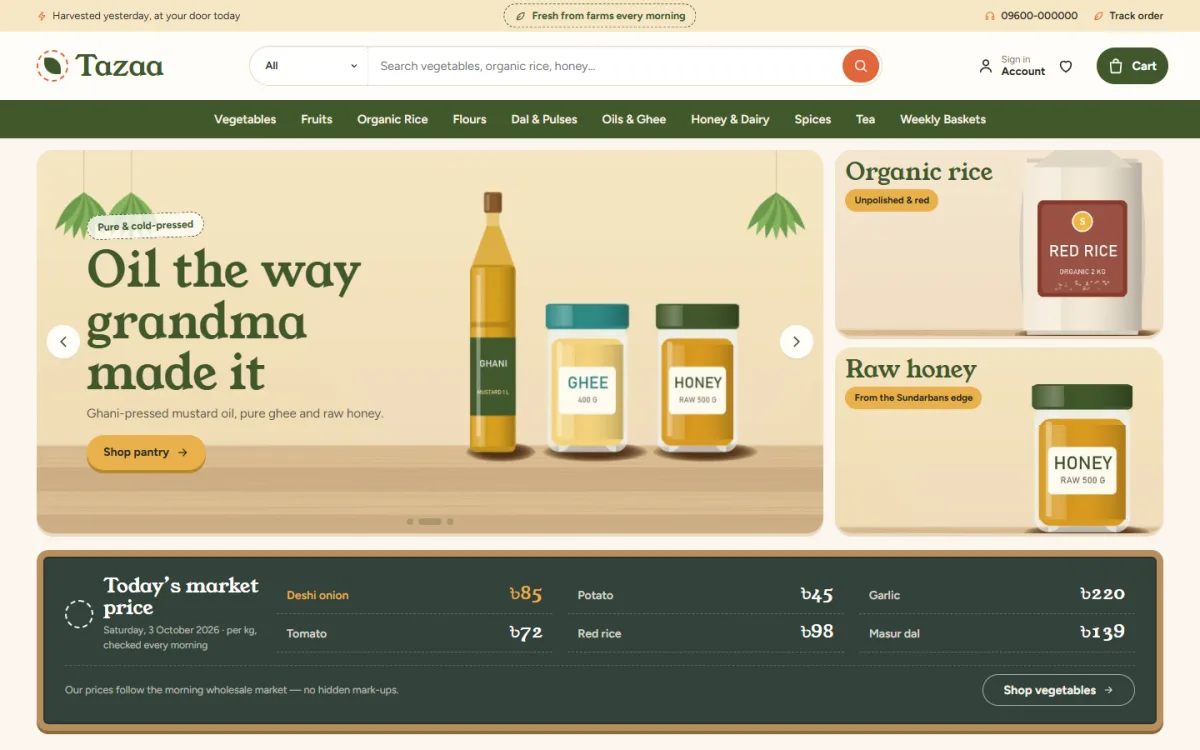
The desktop screenshot shows the demo set-up. A cream top bar carries short notes about harvest and farm freshness, and the header has a round search with a category picker, a sign-in link, a wishlist and a dark green cart button. The olive menu bar lists Vegetables, Fruits, Organic Rice, Flours, Dal and Pulses, Oils and Ghee, Honey and Dairy, Spices, Tea and Weekly Baskets. The hero slide shows mustard oil, ghee and honey on a wooden shelf, with side cards for organic rice and raw honey.
The market price board
Below the slider sits the block regular buyers look at first. A chalkboard lists up to six items with today's price per kg, the date, a short note and a button. You type the prices in Tazaa, Theme Options each morning, so nothing changes without you and there is no outside service to connect. Next to it, seasonal picks show six items in season with links, so shoppers see what is good this week before they search.
This matters more than it seems. A board you update every morning tells buyers you watch the market for them. In the demo, the note under the board talks about following the morning wholesale market, which is exactly the kind of promise you should only make if you can keep it. Edit the wording so it matches how you really set your prices.
Baskets, Farms and Cards That Suit Fresh Produce
Weekly baskets come with their own banner block, and the demo includes sample baskets to start from. Farm of the month gives one supplier the spotlight, the farm logos row shows everyone you work with, and From the same farms gathers more of their products in one grid. Together these blocks let your organic food shop talk about people instead of only products.
Grocery cards show the pack size and a quantity stepper. Tap Add, then minus, one, plus to change the amount, and the count stays in sync everywhere the product appears on the page. On phones the cards stay compact, so more of the harvest fits on one screen. Reviews sit in a fold on the product page, with a wishlist and back-in-stock there for shoppers too.
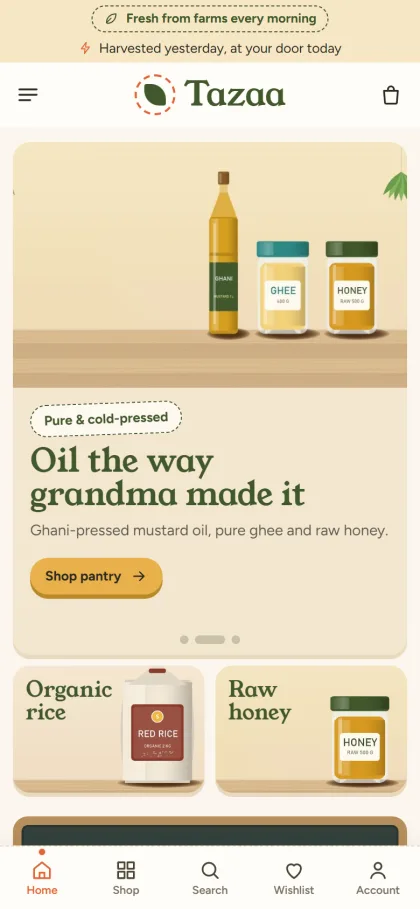
The homepage has 23 blocks in total. Market slides, the price board and seasonal picks open the page. Why Tazaa adds four promise cards, browse the market shows round board tiles, Market deals runs a countdown with stock bars, and New at the market shares tabs with this week's harvest. Three departments get a banner and eight products each, shop by budget uses price tiles, and market notes pull in your blog posts. Switch off what you do not need, then drag the rest into place, or use arrows on a phone.
Setting Up Tazaa in Five Steps
Tazaa needs WordPress 6.0 or newer and PHP 7.4 or newer, and it is tested up to WordPress 7.1. Upload the zip under Appearance, Themes, Add New, Upload Theme and activate it. Go to Tazaa, Setup to install the bundled Themeve Commerce plugin with one click, then activate your licence in Tazaa, License with the details from My Account, Licenses on your Themeve account.
Next, import the Fresh Market demo from Tazaa, Demo Import. One click brings in 39 products from 6 invented farms and makers, market notes posts, menus and every page, including Delivery, Freshness Promise, FAQ, Our Stores and Track Order. Then open Tazaa, Theme Options to type today's prices and choose a palette: Market, Olive grove, Beetroot, Turmeric or Monsoon. The WordPress documentation helps if menus or pages are new to you.
The Start here tab in Theme Options controls the homepage layout, and each block has its own settings below it. Font pairs include Young Serif with Figtree, Bitter with Work Sans, Fraunces with Karla, and Domine with Source Sans 3. Settings search, a sticky save bar, export, import and reset are all there, and the Live Customizer works too. Open the live demo and the demo dashboard to see these screens before you start.
Payments, Delivery and Marketing in Bangladesh
Shoppers sign in or register in a popup, then pay on a one-page checkout with bKash, Nagad, SSLCommerz, cash on delivery or manual payment. An Order placed popup confirms the order, and the Track Order page takes it from there. Orders can travel with Steadfast and Pathao courier, coupons, invoices, SMS and OTP are built in, and new-order alerts arrive on Telegram.
Fresh produce does not travel well, so keep vegetables and eggs to your own delivery area and send honey, ghee, oil and rice further by courier. Pack liquids in sealed bottles inside a second bag. Facebook Pixel and Conversion API are included, so you can see which posts bring real orders. Share short videos from the farm, write captions in Bangla, and link to the weekly basket rather than the homepage.
Mistakes That Hurt Organic Food Sellers
The most damaging mistake is claiming more than you can prove. Words like pure, chemical-free and certified need to be true and, where possible, backed by a test report or a farm visit. The demo promise strip mentions farm fresh, cash on delivery, fair price and a freshness promise. Edit it to say only what your shop truly stands behind, and use the Freshness Promise page to explain the details.
Other common mistakes are stale prices, product photos borrowed from other sites and no plan for the day a jar leaks or vegetables arrive bruised. Using a generic layout that hides the farm story is another. Choose an organic food website template that gives sourcing, freshness and fair prices their own space, then keep that space up to date every single week.
Frequently Asked Questions
Does the market price board update itself?
No, and that is on purpose. You type up to six items with their price per kg, the date and a short note in Tazaa, Theme Options. The board always shows your own prices, so a sudden change in the wholesale market never appears on your site until you decide it should.
Can I sell weekly baskets with Tazaa?
Yes. The Weekly baskets block shows a banner with your basket products, and the demo includes sample baskets you can rename and refill. Many organic sellers find baskets are the easiest way to build steady weekly orders, because the customer decides once and you plan the harvest around it.
Can I make the design look less rustic?
Yes. Switch to the Monsoon or Olive grove palette, set your own colours by hand, or choose the Domine and Source Sans 3 font pair for a cleaner look. Every change happens in Tazaa, Theme Options or the Live Customizer, so you do not need to write any code at all.
Which theme suits a full supermarket instead?
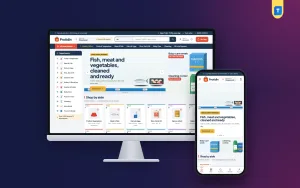
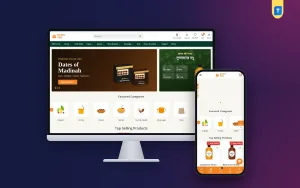
If you plan to stock everything from fish to cleaning products, Protidin – Supermarket WordPress Theme is built for many departments. For a classic neighbourhood grocery look, compare Mudi – Grocery Shop WordPress Theme. Tazaa is the better fit when your range is organic, seasonal and tied to named farms.
Final Thoughts
Farm-fresh food sells when buyers can see the farm, the season and a fair price. Plan your suppliers, pack sizes and baskets first, then pick an organic food website template that keeps those details in front of every visitor. If that sounds like your business, start with Tazaa – Organic Grocery WordPress Theme, write today's prices on the board and open your stall online.