−50%
−50%
Mail & SMTP – WordPress SMTP Plugin
 −50%
−50%
✦ Key features
- Every WordPress email through SMTP
- Order, form and password reset emails
- Host and port settings
- TLS or SSL encryption
- Username and password login
- Your own From address
- Test email button
- Works with WooCommerce and Themeve Commerce
- Covers plugins using WordPress mail
- Works on any WordPress site
Overview
Mail & SMTP is a WordPress SMTP plugin that sends every WordPress email, from order emails to password resets, through your SMTP server, with a test email button.
Mail & SMTP is a WordPress SMTP plugin that makes your site's emails arrive. It sends every WordPress email, including order confirmations, contact form messages and password resets, through your own SMTP server instead of the hosting server's basic mail function.
It works on any WordPress site, with WooCommerce, Themeve Commerce or no shop at all.
Why WordPress emails go missing
By default, WordPress hands emails to your hosting server, which sends them with little proof of who you are. Many email providers treat those messages with suspicion. Some land in spam; others are silently dropped. You rarely find out until a customer says they never got their order confirmation.
Sending through SMTP is like sending a letter through a proper post office with your return address, instead of slipping it under a door.
Every email, through your server
Once Mail & SMTP is set up, every email WordPress sends goes through the SMTP server you choose. That includes shop order emails, contact form messages, new user emails, password resets and admin notifications. Plugins that use the normal WordPress mail function are covered too.
The settings you need
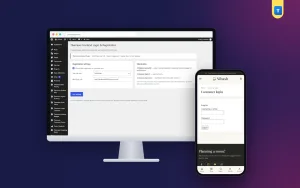
Enter your SMTP host, port, encryption (TLS or SSL), username and password, and the From address your emails should come from. These details come from your email or hosting provider, usually in their help pages or control panel.
Send a test email
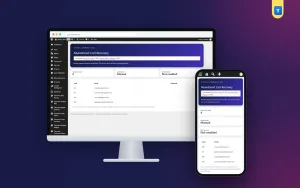
After saving, use the test email button on the settings screen. Enter an address, press send, and check that the message arrives. If it does not, the screen tells you something went wrong, so you can check the details before real customers are affected.
Test again whenever you change email provider, password or hosting.
Who needs a WordPress SMTP plugin
Online shops, where order and status emails are part of the service. Sites with contact forms, where a lost message is a lost customer. Membership and course sites, where password reset emails must arrive. Any site where the owner has ever heard I never got your email.
If your site sends emails that matter, it needs reliable delivery.
Choosing an SMTP provider
If you already have business email with your domain, use its SMTP details. Many hosting plans include email accounts with SMTP. Use a From address on your own domain, such as orders@yourshop.com, which looks more trustworthy than a free email address.
How it fits with other tools
Many Themeve plugins send email through WordPress. Contact Form emails each message to you with Reply-To set to the sender. Smart Order Automation can email the admin or the customer when orders change. With SMTP set up, those emails arrive reliably.
To learn how WordPress sends email, see the WordPress documentation.
A quick example
A cosmetics shop hears from several buyers that they never got order confirmations. The owner installs Mail & SMTP, enters the SMTP details from the shop's business email, and sends a test email to a personal address. It arrives in the inbox, not spam. The next day, order emails start reaching customers again.
Keep your details safe
Your SMTP password is sensitive. Only administrators should be able to see the settings screen. If staff change, change the email password and update it in the plugin.
Signs you need SMTP
Customers say they never got their order confirmation. Contact form messages stop arriving, but visitors say they sent them. Staff cannot reset their passwords because the reset email never comes. Your own test orders land in the spam folder.
Any one of these is a sign that your site's emails are not trusted by receiving servers. Setting up a WordPress SMTP plugin is usually the first and most effective fix, and it takes only a few minutes once you have your details.
Test the emails that matter
After the test email works, place a test order, send a contact form message and request a password reset for a test account. Check that each one arrives. These are the emails your visitors depend on.
Licence, updates and setup
Mail & SMTP needs an active Themeve licence key. Without it, emails are not routed through SMTP and only the lock screen and License screen open. Enter the key from My Account › Licenses and the settings become available. Updates arrive in Dashboard › Updates while the licence is active.
Settings live under Settings › Themeve Mail & SMTP. Enter your details, save, and send a test email.
When the test arrives, your WordPress SMTP plugin is quietly making sure every email your site sends reaches the people who need it.
Reviews
0.0
Write a review
★★★★★
0 reviews from buyersNo reviews yet — be the first to share your experience after buying.
Frequently Asked Questions
01Which emails go through SMTP?
Every email WordPress sends, including order emails, contact form messages, password resets and admin notifications.
02Where do I get SMTP details?
From your email or hosting provider, usually in their control panel or help pages.
03Can I test the settings?
Yes. Send a test email from the settings screen.
04Does it support TLS and SSL?
Yes. Choose the encryption your provider requires.
05Will it fix all spam problems?
SMTP makes delivery much more reliable, but your provider's own rules still apply. Use a From address on your own domain.
06Does it work without a shop?
Yes. It works on any WordPress site.
07Does it need a licence?
Yes. Without an active Themeve licence key emails are not routed through SMTP and only the lock and License screens open.
Delivery & Support
1Place your orderAdd to cart, sign in and pay with bKash, Nagad or Rocket.
2Payment verified automaticallyEnter your Transaction ID — the payment is matched automatically, usually within seconds.
3Get your productYour license key and download appear in My Account → Licenses.
- Secure automatic payment verification
- Delivery to your account & e-mail
- Friendly WhatsApp support
Refund Policy
This policy applies to every product in our store.
You get a refund when the product does not work as described and we cannot fix it, when your license will not activate your website, or when a manually delivered product is late and you cancel before delivery. A working license, or a single license already used on a live domain, is not refundable. Approved refunds go back to the number you paid from within one working day, minus the Send Money charge.
More items
View all →