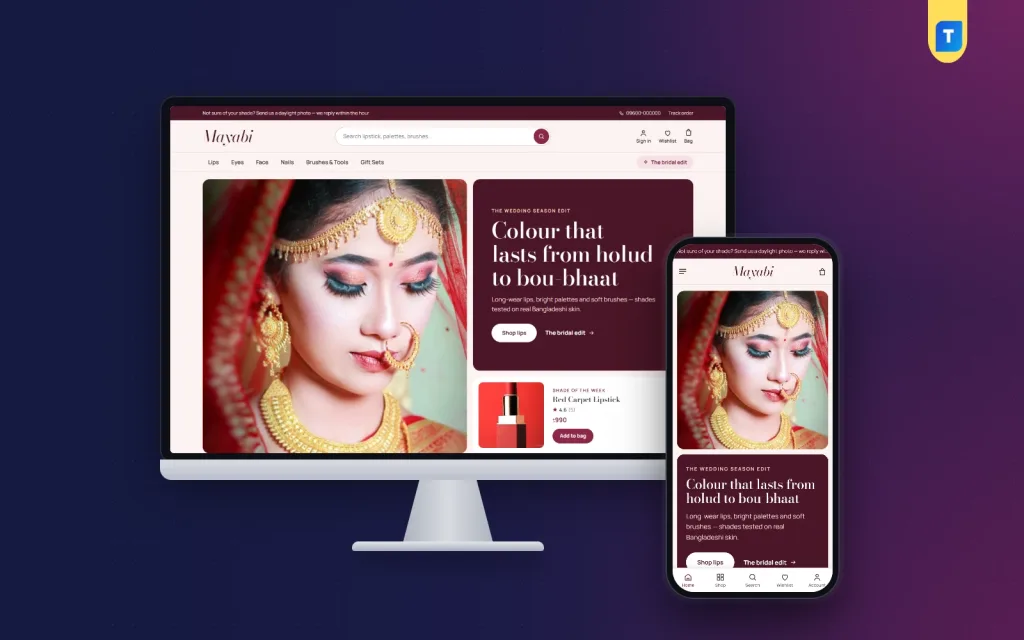
A good beauty website template does more than look pretty. For a make-up shop, it has to answer the one question every buyer asks before she pays: which shade will suit me? This guide is for small make-up sellers in Bangladesh who sell lipsticks, palettes, blush, foundation and nail colour through Facebook and want a proper shop that sells lips, eyes and face by shade.
We will cover how to plan a make-up shop, how to photograph and name shades, what to put on each product page, how to handle payments and delivery, and the mistakes that cost new sellers money. The example tool is Mayabi – Beauty Store WordPress Theme, a blush and berry theme with shop by shade, a Shade of the week card, get-the-look steps and a one-page checkout with bKash, Nagad and cash on delivery.
Why Make-up Needs a Different Kind of Shop
Clothes have sizes, but make-up has shades, finishes and undertones. A buyer cannot swatch a lipstick on her wrist through a phone screen, so she relies on your photos, your shade names and other buyers' reviews. When that information is missing, she either messages you and waits, or orders the wrong shade and feels let down. Both cost you sales and goodwill.
Trust is the other big issue. Many buyers worry about fake or expired products when they shop for make-up online. Most online makeup stores in Bangladesh still run from a Facebook page, where it is hard to show your full range, your policies and your reviews in one place. A shop of your own, with clear product pages and reviews attached to each product, answers those worries before the buyer even asks.
Planning Your Make-up Shop
Start with the business basics. Choose a shop name you can use on Facebook, Instagram and a domain, and keep it easy to spell. Keep business money separate with its own bKash or Nagad merchant number or bank account. A trade licence helps when you apply for payment gateways later. Write down your return rule for cosmetics now, because opened make-up usually cannot be resold, and buyers need to know the rule before they order.
Choose a focused range
You do not need every category on day one. Many sellers start with lips, because lipsticks and glosses are easy to photograph, popular as gifts and simple to ship. Add eyes, face and nails once the first range sells steadily. Brushes and gift sets work well as add-ons that raise the order value, especially before weddings, Eid and birthdays, when buyers are shopping for someone else.
Source carefully and record batches
Buy from distributors or suppliers you can trace, and keep every invoice. Record batch numbers and expiry dates for each product and sell the oldest stock first. Show the expiry date or shelf life on the product page where you can. Honest sourcing is the strongest answer to the fake-product fear, and your records protect you if a buyer ever complains.
Photograph and name every shade
Shade photos are your most important content. Shoot swatches in daylight against a plain background and, if you can, on two or three different skin tones. Keep the same light and angle for every shade so they compare fairly on screen. Give each shade a clear name and a short description such as warm brick red or soft pink nude, and add each one as a colour in your shop so buyers can filter by it.
What a Beauty Website Template Should Do
For a make-up shop, a beauty website template has three main jobs. It must let buyers browse by shade as easily as by category. It must show colour honestly on the product card and the product page. And it must make ordering on a phone quick, because most buyers arrive from a Facebook post or an ad on their phones, often late in the evening.
Beyond that, look for room to tell a look, not just list products: a photo with the products used in it, step by step. Gift ideas by budget help before weddings and festivals. Reviews should show the product they belong to, and the shop should feel like your own beauty counter.
How Mayabi Works as a Beauty Website Template
Mayabi, which means enchanting, is made for make-up and beauty shops selling lipsticks, glosses, eyeshadow palettes, mascara, blush, foundation, nail colour, brushes and gift sets. The look is blush and berry with Bodoni Moda headings. The header has a round search field, sign in, wishlist and bag, and in the demo the menu bar lists Lips, Eyes, Face, Nails, Brushes & Tools and Gift Sets.
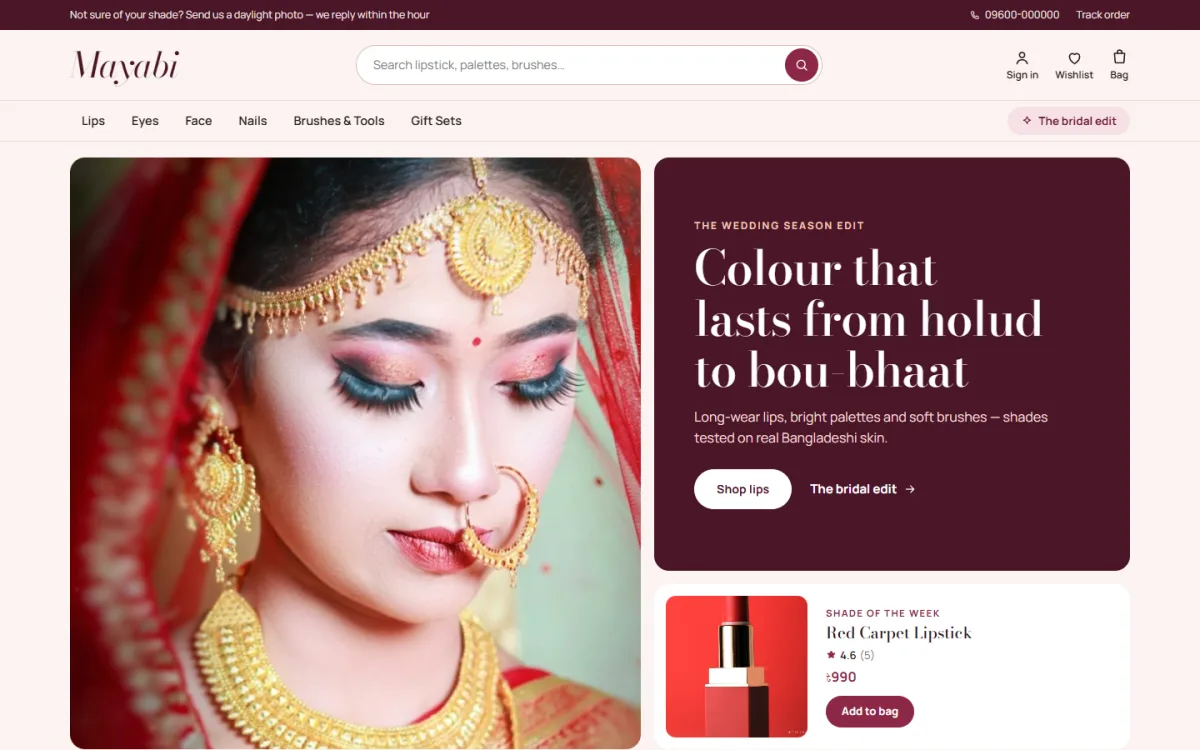
The hero is a collage. A big look photo sits on one side, a berry panel carries your headline and two buttons, and a Shade of the week card shows one product with its star rating, price and a one-tap add to bag. You pick that product yourself in Theme Options, so it can change every week. In the demo, the top bar invites buyers to send a daylight photo for shade advice; that line is sample text, so keep it only if you will really reply.
Shop by shade and Get the look
Shop by shade turns every colour in your Colour attribute into a dot on the homepage. Tap a deep red and the shop opens filtered to that shade. This is where the shade names and colours you set up during planning pay off. Get the look shows one photo and the products used in it as numbered steps, so a buyer who loves a bridal or holud look can follow it and pick up each piece.
The other homepage blocks
The homepage has 17 blocks, and each can be switched off or moved. Round category photos follow the hero, Just in slides through the newest products, and Bestsellers groups favourites into tabs by category. Two edits are wide photo links for a bridal or festive edit, and Beauty steals is a berry band with a countdown and sale pieces. Make-up for the moment uses four photo cards with your own titles and links.
Two department blocks each pair a photo with products. Reviews shows the latest five-star reviews, each with the product it was written for. Gifts by budget lines up price links with a row of finds, You may also like is a big grid with “Load more”, Why Mayabi pairs a photo with a short signed note, Beauty notes shows your latest three posts, and a service line covers delivery, cash on delivery and returns. The footer carries a “Talk to a make-up artist” card.
Product cards and the product page
Cards are soft and white, with star ratings, shade dots and a full-width add button. On hover the shades rise up, so a buyer picks her colour and adds it in one tap. On the product page, delivery charges and times come from your store settings, and you write the return text and care instructions once in Theme Options. A “Frequently bought together” row suggests products with the same tags from other categories, such as a brush beside a palette.
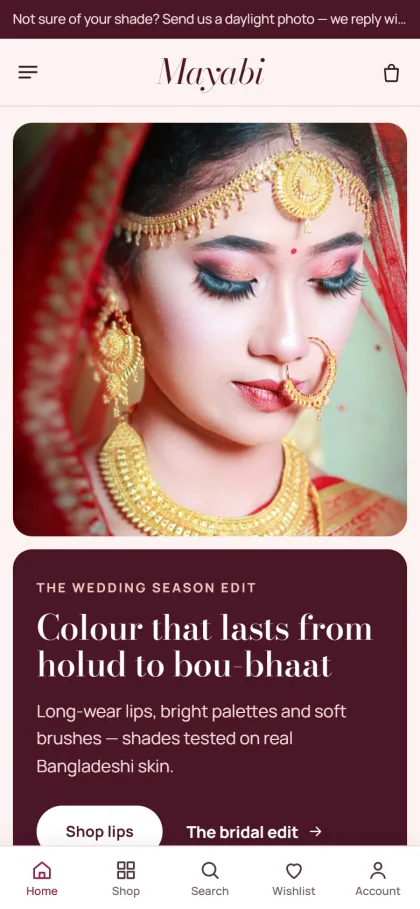
Cards stay compact on phones. Sign in and register open in a popup, so the bag stays where it was. Reviews sit in a fold with a popup that invites the first review, and back-in-stock alerts let a buyer wait for a sold-out shade instead of buying it somewhere else.
Orders, Payments and Delivery
Mayabi runs on Themeve Commerce, a plugin bundled with the theme and installed in one click from Mayabi → Setup. Checkout is one page, with bKash, Nagad, SSLCommerz, cash on delivery and manual payment. An “Order placed” popup confirms each order, the Track Order page follows it, and Steadfast or Pathao courier delivers it. In the dashboard, store tools sit under a menu called Shop.
The plugin also adds coupons and offers for sale days, invoices, returns, a wishlist and a store locator for an Our Stores page if you have a counter. New-order alerts can reach you on Telegram, and the Facebook Pixel with the Conversion API shows which ads bring real orders. Pack glass bottles and compacts with care, because a broken palette on delivery day means a refund and a bad review.
Setting Up Mayabi Step by Step
Mayabi needs WordPress 6.0 or newer and PHP 7.4 or newer, and it is tested up to WordPress 7.1. Upload the zip under Appearance → Themes → Add New → Upload Theme and activate it. Open Mayabi → Setup to install Themeve Commerce, then enter the license key from My Account → Licenses on your Themeve account. The WordPress documentation explains pages, menus and media if you need help.
Run Mayabi → Demo Import. One click brings in “Mayabi — Make-up & Beauty”: 35 products, from lipsticks, glosses and palettes to mascara, blush, foundation, nail colour, brushes and gift sets, with reviews, journal posts, menus and every page, including Beauty Notes and Track Order. The demo photos and brand names are samples to replace with your own product photos.
Then open Mayabi → Theme Options, which also works on a phone. Choose one of four palettes, Berry & blush, Plum & lilac, Coral & sand or Nude & espresso, or set each colour yourself. Pick from six font pairs, starting with Bodoni Moda and Manrope. There is a Main menu plus two footer menus, Shop and Help.
Try the live demo on your phone: tap a shade dot and watch the shop filter, then open the demo dashboard to see how Shade of the week is set.
Selling Make-up Online in Bangladesh
Facebook and Instagram remain the main shop windows for online makeup stores, so post short swatch videos and daylight photos and link each post to the product page instead of asking buyers to message. Write captions in Bangla and name the shade in every post. Wedding season, Eid and Pohela Boishakh bring big gift and bridal demand, so plan gift sets and a bridal edit a few weeks ahead.
Confirm cash on delivery orders by phone before dispatch, especially large gift orders. For buyers outside Dhaka, many sellers take the delivery charge in advance through bKash or Nagad. Keep promises modest: describe colour, finish and wear honestly, and never claim a product will change or cure skin. After delivery, ask buyers for a review with a photo of the shade on their own skin.
Common Mistakes to Avoid
The most common mistake is edited shade photos that look nothing like the real product, which leads straight to disappointed buyers and returns. The second is selling stock without checking expiry dates or the source. The third is a vague return rule for opened products, which turns into arguments in the comments. A fourth is hiding the delivery charge until the last step of checkout.
New sellers also list too many brands and shades at once and run out of cash before they learn what sells. Others never place a test order on a cheap phone with mobile data before spending on ads. And reply to messages quickly: even with a good beauty website template, a fast human answer still wins the first order.
Frequently Asked Questions
How does shop by shade work in Mayabi?
Every colour in your Colour attribute shows as a dot on the homepage. Tapping a dot opens the shop filtered to that shade, so name your shades carefully and add each one to the right products when you build your range.
Do I need coding skills?
No. Blocks, colours, fonts, photos and texts are all changed in Mayabi → Theme Options or the Live Customizer, and Theme Options works on a phone. Products, shades and prices are added in the WordPress dashboard like in any other online shop.
Which payments and couriers can I offer?
Buyers can pay with bKash, Nagad, SSLCommerz, cash on delivery or manual payment, and orders ship with Steadfast or Pathao courier. Each order gets an “Order placed” popup, and buyers can follow it on the Track Order page.
Are there other themes for cosmetics shops?
Yes. For a different make-up store look, see Rongin – Makeup Store WordPress Theme. For a big range across many cosmetics categories, Poush – Cosmetics Megastore WordPress Theme may fit better.
Final Thoughts
A make-up shop wins on honest shade photos, clear names, traceable stock, a fair return rule and fast replies. The right beauty website template puts all of that on the buyer's phone and lets her shop by colour, not guesswork. To open a make-up shop with shop by shade, get-the-look steps and a one-page checkout, start with Mayabi – Beauty Store WordPress Theme.