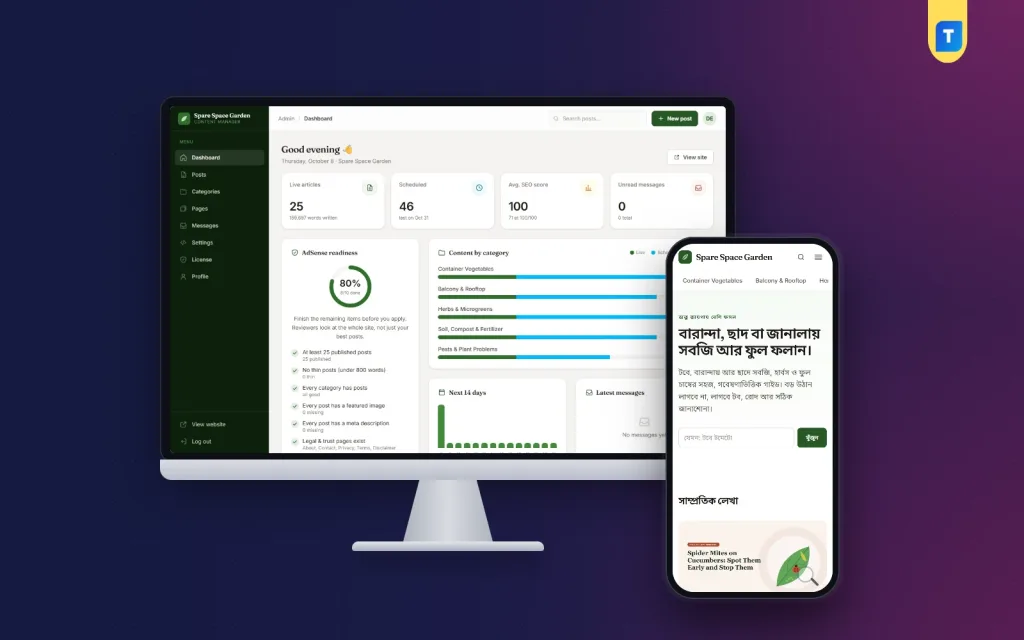
An AdSense approval checklist is the list of things Google's reviewers expect to find before they let a new blog show ads: useful original posts, clear pages about who runs the site, a working technical setup and no policy problems. This guide walks through each item for bloggers, freelancers and small publishers in Bangladesh preparing a first application or trying again after a rejection.
One point first: no checklist, plugin, theme or CMS can promise approval. Google decides for itself, and your content carries most of the weight. A good setup only removes the avoidable reasons for a rejection, such as a missing privacy page.
As a working example we use the AdSense Blog CMS, a Laravel blog system that you install on your own hosting and domain. It covers the technical and page checklist reviewers look at, while approval still depends on your content and Google's review. The screenshots come from its demo content, a blog about growing food in small spaces.
What AdSense Reviewers Look At on a New Blog
Google publishes no scorecard, but its program policies and the rejection messages publishers receive point to the same areas: a clear topic, enough original content to be useful, pages that say who is behind the site, simple navigation and nothing that breaks the policies. The reviewer also has to be able to reach the site, and a blocking robots.txt file stops that more often than you would think.
Think of it from the reviewer's side. They open your home page, click a few posts, look for an About page and a privacy policy, and try the site on a phone. A real blog run by a real person passes that visit; a template full of short or copied posts does not. Google describes the program on the Google AdSense site.
Content: Enough Useful Posts and No Thin Pages
Content is the part of an AdSense approval checklist only you can do. Each post should answer a real question better than a quick search result, in your own words and with your own examples. Rewritten, spun or translated articles are a common reason Bangladeshi blogs receive a "low value content" message. Pick one topic you know well and stay with it.
How much is enough? Google gives no fixed number. A common rule of thumb among publishers is 20 to 30 solid posts and no thin pages: short posts that say little, empty categories or archives with one item. Ten useful guides beat forty short notes.
Trust Pages, Navigation and Real Author Information
A blog website for AdSense needs a small set of trust pages: About, Contact, Privacy Policy, Terms and Conditions and a Disclaimer. The privacy policy matters most, because AdSense asks publishers to tell visitors that third parties, including Google, use cookies to serve ads, and how to opt out. The About page should say who writes the site and why, in plain words.
Navigation should let a first-time visitor reach every section in one or two clicks: a category menu, a search box and footer links to the trust pages. Add real author information too. A name, short bio, background and ideally a photo show that a person stands behind the advice, which fits what Google Search Central says about helpful, people-first content.
Technical Checks: Indexing, Sitemap, Robots.txt and ads.txt
The technical side of an AdSense approval checklist starts with indexing: check that Google can crawl your site. Add it to Google Search Console, submit your sitemap and run a site: search to see which posts appear. A robots.txt file that blocks crawlers or pages marked noindex stop the reviewer just as they stop search. Use a proper domain with HTTPS.
The ads.txt file is a small text file at the root of your domain that lists who may sell ads on it. AdSense shows a warning when it is missing, and earnings can be at risk until you fix it. Google's line contains your publisher ID, so you can add it as soon as you have an account.
Policy Basics: Own Clicks, Consent and Ad Placement
Never click your own ads, and never ask friends, family or a Facebook group to click them. Google treats this as invalid traffic, and it is one of the fastest ways to lose an account after approval. The same goes for bought traffic and auto-refresh or traffic exchange sites.
If you get visitors from the European Economic Area, the UK or Switzerland, Google expects a consent message from a Google-certified consent management platform before personalised ads are shown. AdSense has its own Privacy & messaging tool for this. Place ads where nobody can mistake them for menus or download buttons, and keep the content free of copied material, adult content and misleading claims.
An AdSense Approval Checklist Inside Your Dashboard
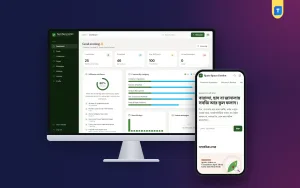
The CMS turns most of these page and technical items into an AdSense readiness card on the admin dashboard. A progress ring shows the percentage and how many of ten checks are done: at least 25 published posts, no thin posts under 800 words, every category has posts, every post has a featured image and a meta description, all five legal and trust pages exist, the author bio is filled in, the site email is set, production mode is on and a publisher ID is entered.
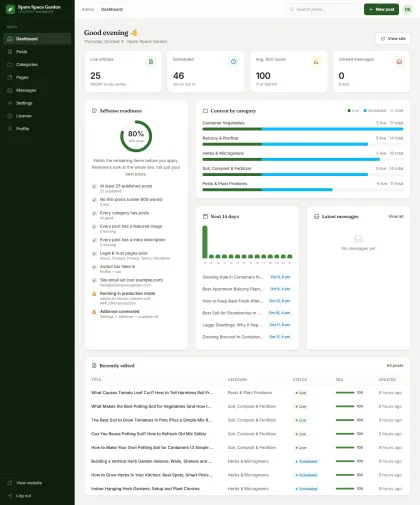
Treat the card as a self-check, not a verdict. It confirms that the pieces a reviewer looks for exist, but it cannot judge whether your posts are useful or original. Beside it, a bar per category shows live, scheduled and draft posts, so you see where the site is still thin.
The five trust pages (About Us, Contact Us, Privacy Policy, Terms and Conditions and Disclaimer) are created during installation, with placeholders for your site name, email and web address. The privacy policy already covers cookies, AdSense advertising cookies with opt-out links, the EEA and UK consent message and GDPR rights. Replace the About text with your own story. Contact messages are saved under Messages in the admin, not e-mailed.
Technical SEO and Author Pages Built In
The CMS builds /sitemap.xml automatically from live posts, categories, trust pages and authors. The /robots.txt file allows crawling only in production mode and blocks everything otherwise, which is why production mode is a readiness check. The /ads.txt file is generated from your publisher ID or your own text, with a preview. Every page gets a title, meta description, canonical and Open Graph tags, and posts carry BlogPosting and BreadcrumbList JSON-LD.
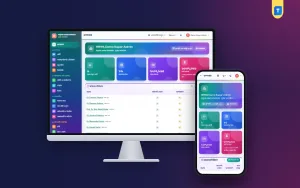
Author details come from your Profile: name, job title, bio and photo. They feed the author box under each post, a public author page and Person schema. Before you apply, run php artisan site:audit. It crawls every public page and reports HTTP errors, duplicate titles, stray noindex tags, missing alt text, invalid JSON-LD, broken internal links and pages missing from the sitemap.
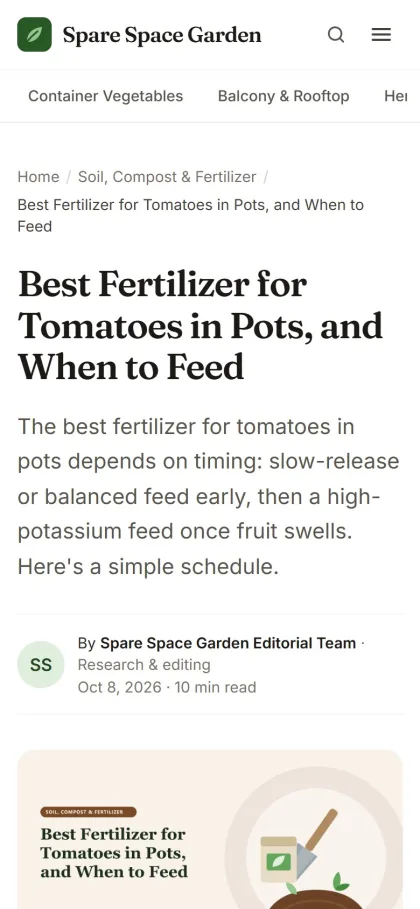
Writing Posts That Pass the 17-Point SEO Score
The post editor uses Markdown with a live word count, an Insert image button that converts uploads to WebP, and fields for focus keyword, meta title and meta description. Once a post is saved, an SEO score panel runs 17 checks, from the keyword in the title, slug, introduction and subheadings to 1,000+ words, four H2 sections, internal and outbound links and a featured image with the keyword in its alt text.
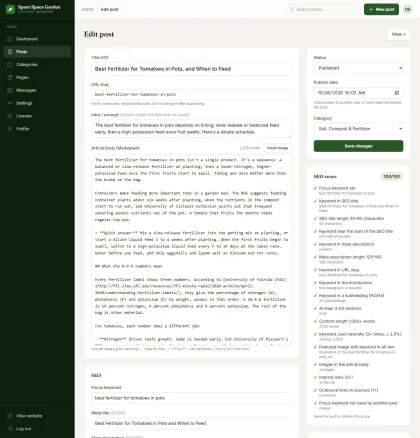
The score keeps posts consistent and warns you when two posts target the same focus keyword. Use it as a writing aid, not a goal: a post that scores 100 but repeats every other site will not help your application. It reads English and Bangla keywords alike.
Ads, Placements and Scheduled Publishing
When you add your site in AdSense you get a publisher ID. Enter it under Settings, on the AdSense tab, and the CMS adds the google-adsense-account meta tag and the AdSense script to every public page. Auto ads need nothing more. For manual units, switch on Show manual ad units and paste code into any of six placements: under the title, twice inside the text, at the end of the article, between home page sections and above category lists.
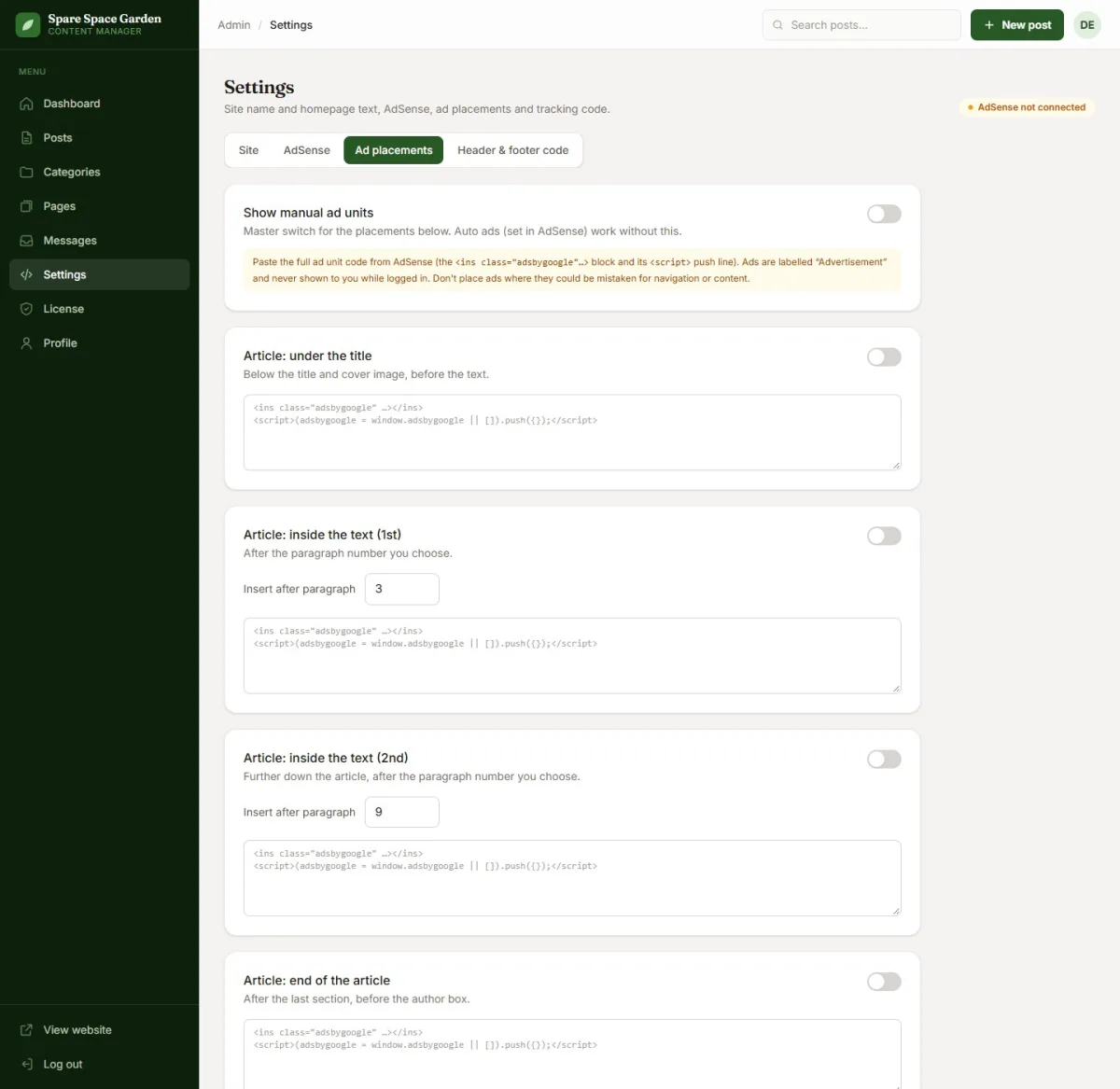
In-text ads go after paragraphs 3 and 9 by default and never land inside a list, table, quote or tip box, and every unit is labelled Advertisement (বিজ্ঞাপন on Bangla sites). Hide ads while I am logged in is on by default, so your own visits as the admin create no impressions and no accidental clicks.
Scheduling keeps a steady rhythm. Set the status to Published with a future date and the post goes live on its own, then appears in the sitemap and RSS feed. Links to it show as plain text until then. Times follow your .env time zone, such as Asia/Dhaka.
Setting Up the Blog Before You Apply
The CMS needs PHP 8.3 or newer, MySQL or MariaDB, an HTTPS domain (ideally with the document root on the public folder), terminal access and a cron job. Set your domain, time zone and website language in .env, run the migrations, create your admin and activate your licence key from your Themeve account under License. Then fill in Settings, add categories and complete your Profile. Back up with your hosting tools.
Tips for Bangladeshi Publishers
Many Bangladeshi bloggers write in English for readers in the US, UK and other English-speaking countries, where advertisers usually pay more per click. Write simple, natural English and choose topics you know from experience, such as gardening, cooking or freelancing. A blog website for AdSense built this way reads as genuine. Writing for Bangla readers? Switch the website language to Bangla.
Use your own photos wherever you can. A phone picture of your own balcony plants beats a stock image everyone uses, and it avoids copyright trouble. Keep the name and address in your AdSense account the same as on your official documents, because Google posts a PIN to verify your address once earnings reach the threshold.
Finally, be patient. A review can take from a few days to several weeks. Keep publishing while you wait, and after a rejection read the reason Google gives, fix it, add a few good posts and only then apply again.
Common Mistakes That Delay Approval
The most common mistake is applying too early: a two-week-old site with ten short posts and a default About page. Next come copied or lightly rewritten articles, posts in several languages on one small site, and empty categories made for future topics. Going through an AdSense approval checklist catches the empty categories and short posts, but only you can judge whether the writing is original and useful.
Technical mistakes are just as common: the site left in development mode with robots.txt blocking Google, a privacy policy that still names another company, a broken contact form or huge images slowing every page. Fix these before you apply.
Frequently asked questions
Can any tool or CMS guarantee AdSense approval?
No. No plugin, theme or CMS, including this one, can guarantee approval. A tool can check the technical and page items on an AdSense approval checklist, such as trust pages, the sitemap, ads.txt and post length, but the decision depends on your content and on Google's own review. Treat any product that promises approval as a warning sign.
How many posts should I publish before applying?
Google sets no fixed number. The CMS uses 25 published posts and no posts under 800 words as its own readiness target, a sensible minimum for a focused blog. What matters more is that every post is original and useful, and that every category in your menu has content.
Can I run a Bangla blog or news site with it?
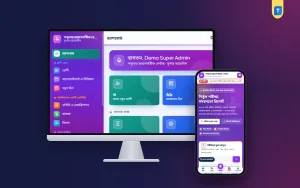
A Bangla blog, yes: switch the website language to Bangla in Settings and the buttons, labels and dates turn Bangla, and the SEO score reads Bangla keywords. For a full Bangla news portal, a WordPress news theme such as the Best Bangla News Theme or the Digital Newspaper Theme fits better.
Where can I see a blog built with it?
Open the demo site, a small-space gardening blog built with the CMS, with sections on container vegetables, balcony and rooftop gardens, herbs, soil and compost, and plant pests. The screenshots in this guide come from the same content.
Conclusion
An AdSense approval checklist is really a description of a good small website: useful original posts, honest trust pages, a real author, a clean technical setup and ads that respect readers. Get the content right and give Google time. For a blog website for AdSense that covers the technical and page items from the start, see the AdSense Blog CMS. AdSense is a trademark of Google LLC; Themeve and AdSense Blog CMS are not affiliated with Google.