Diagnostic lab management is the daily work of moving every sample from the billing counter to a signed report without losing it, mixing it up or keeping the patient waiting. This guide is for owners and lab managers of diagnostic centers in Bangladesh who want to plan that work properly, cut the usual errors and choose software that fits how a lab really runs.
Most centers here start with a cash counter, a collection room and a pathology bench, then add ultrasound, X-ray and a few consultant chambers. Patients come back in the evening for reports, and the phone rings all day with the same question. When the bill book, lab register and report file live apart, small mistakes become daily arguments.
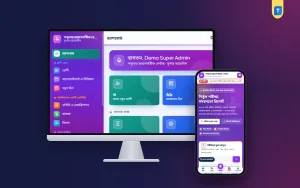
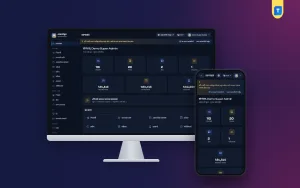
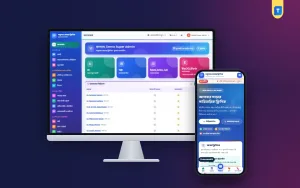
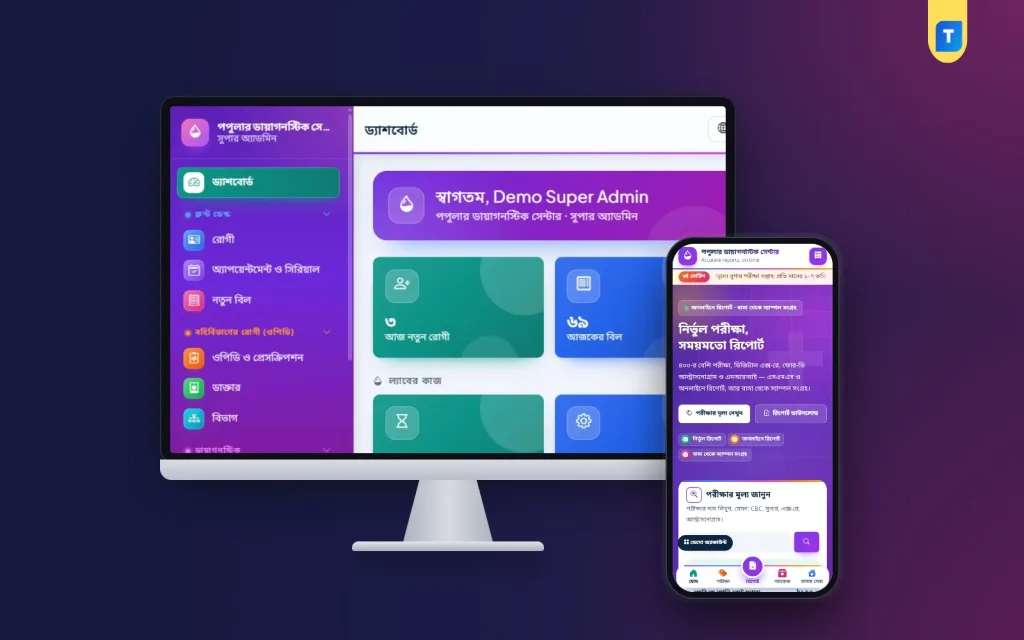
As a working example we use the Diagnostic Centre Management Software – Lab & Reports, a Laravel web app that runs on your own hosting and domain. It is built for tests, reports, imaging and outpatient work, and it comes with a public website and a patient portal in Bangla and English.
What Diagnostic Lab Management Really Covers
Follow one patient and the job becomes clear. They pay for a CBC and a lipid profile, give blood into two tubes and leave. The tubes go to the bench, a technician types in the numbers, a pathologist checks and signs, and the report is printed or sent. Every hand-off in that chain is a place where a sample can wait, a name can be wrong or a report can leave unsigned.
Money runs alongside the samples. Some patients pay in part, some get a discount, and many were sent by a doctor or an agent who expects a referral commission at the end of the month. Good diagnostic lab management keeps the sample trail and the money trail joined, so the owner can answer two questions at any moment: where is this sample, and who has been paid what.
The balance differs from center to center. A pathology-heavy lab lives on test volume and turnaround time. An imaging center lives on ultrasound and X-ray slots and on report templates. Many centers also rent chambers to consultants, which adds serials and prescriptions to the day.
Planning Your Lab Before You Choose Software
Start with people. Write down every role in the center: receptionist, cashier, sample collector, lab technician, pathologist, the doctors who sit in chambers, the pharmacist if you keep a medicine counter, and the accountant. For each role decide what they may see and change, and who alone may give a discount or a refund. Discounts are where a lab quietly loses money, so they should need a permission and leave a record.
Next, clean your test master. Every test needs a section, a sample type, a container, units and normal ranges, with separate ranges for men and women where the test needs them. Fix the price list at the same time, agree commission rules with referring doctors in writing, and prepare standard imaging report templates. No software can do this homework for you.
Then check the practical side. A web-based system needs hosting with SSL, a database, one cron job for scheduled tasks and an SMS account for patient messages. Decide where labels will be printed, who switches on the queue TV in the morning, and who checks the backup each week. These small decisions matter more on a busy Friday than any single feature.
Sample Tracking and Barcode Labels
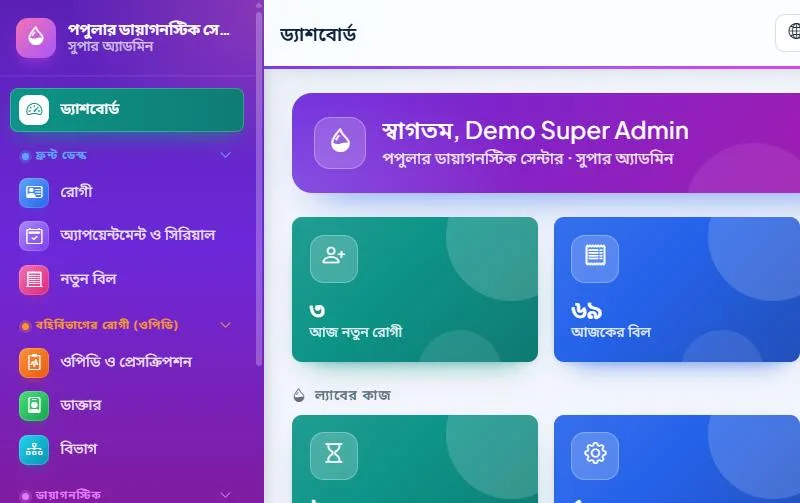
In the example software every test sits on a lab worklist with tabs for waiting, collected, processing, verify, ready, delivered and cancelled. The collection room marks a sample as collected or rejected, the bench moves it to processing, and the front desk can see the same status without walking over. When a patient phones, the receptionist looks at one screen instead of shouting down the corridor.
As soon as a bill is made, the lab can print barcode tube labels in Code 39, sized 50 by 25 mm on an A4 sheet, so a normal office printer with label sheets is enough. Tests on one bill that share a tube share one label, which saves both tubes and confusion. A labelled tube that scans to the right patient is the cheapest error check a lab can buy.
Result Entry, Verification and Report Delivery
When technicians enter results, each value is compared with the normal range for that patient's sex. Anything outside gets an H or L flag, tests can use formulas, and the patient's previous result is shown beside the new one. That last detail catches a lot of typing slips, because a sugar value that jumped tenfold since last month usually means a wrong key, not a medical miracle.
Good pathology lab software should make verification a firm step, not an optional one. Here no report is ready until the pathologist verifies it, and they can approve it or send it back to the bench. The verifier's name prints on the A4 report together with a QR code. Anyone who scans that code sees that the report is genuine, with the patient's initials, the test and the report number, but never the results themselves.
Delivery is where patients judge you. Once a report is verified, the patient gets a report-ready SMS with a download link. They can also download it from your website with their bill number and mobile number, or from the patient portal. Imaging works the same way: X-ray, ultrasound, Doppler, ECG, echo, CT, MRI, mammography and endoscopy reports start from templates for findings and impression, go through approval, and print on A4 with the same QR check.
Referral Commission Without Arguments
Referral commission is a fact of life for many diagnostic centers in Bangladesh, and the trouble usually comes from memory, not from the money. A doctor remembers twenty patients, your register shows fourteen, and nobody can prove either number. Strong diagnostic lab management puts every referral on the bill at the moment of billing, so the end-of-month statement is a printout, not a negotiation.
The example software lets you set commission per service as a percent or a fixed amount, or per referrer, and you can choose to count only fully paid bills. Each referring doctor, agent or other hospital gets a statement with opening balance, bills, payments and closing balance, every payout prints as a voucher, and the Referral Commission Summary report shows the whole month in one place. Payouts are booked in Accounts automatically.
The Front Desk, Chambers and Medicine Counter
A patient is registered once and receives an ID-card size patient card with a QR code holding the patient number. Bills take tests and services from your price list, with discount, VAT, part payment, dues, refunds and a printed money receipt. A discount needs a permission and a reason and is logged, and the Due List with Ageing report shows who owes what and for how long.
If consultants sit in your center, each doctor gets a weekly chamber schedule with slot length, a patient limit and leave days. The desk gives walk-in and phone serials, patients can book online, and a waiting-room TV can show the serial being seen and the next five. Tests advised on a prescription go straight to an unpaid bill, so the patient walks from the doctor to your counter, not to a lab across the road.
A medicine counter is optional but common. The pharmacy POS sells by barcode scan, takes stock from the batch that expires first and never sells expired medicine, with expiry alerts at 30, 60 and 90 days. Tubes, reagents and other supplies can be kept in store and inventory, and Accounts keeps a cash book, vouchers and a daily closing sheet to print and sign.
Your Website, SMS and Online Payment in Bangladesh
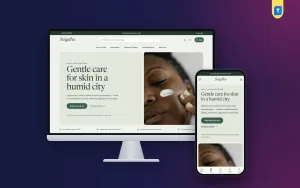
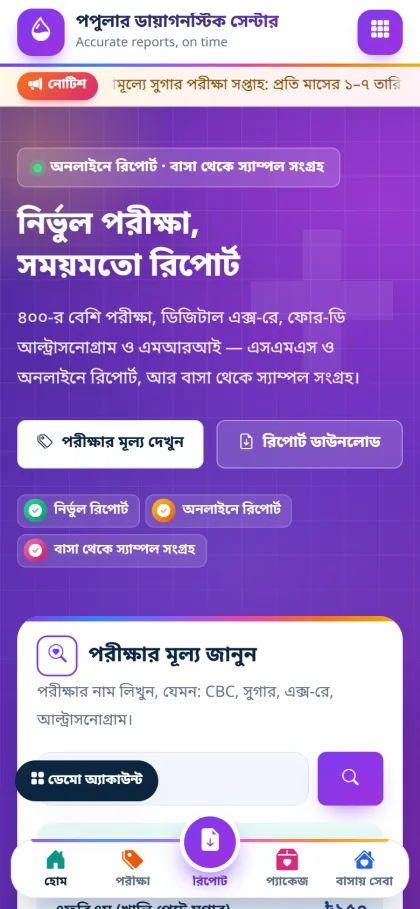
For a diagnostic center the website has one main job: help patients find a test, see the price and get their report. The included website is built for phones first, in violet and magenta with diagonal shapes and outline icons. The header button says Download report, and the home page covers tests, home sample collection, health packages, imaging, a Tests & Prices page and a section for referring doctors.
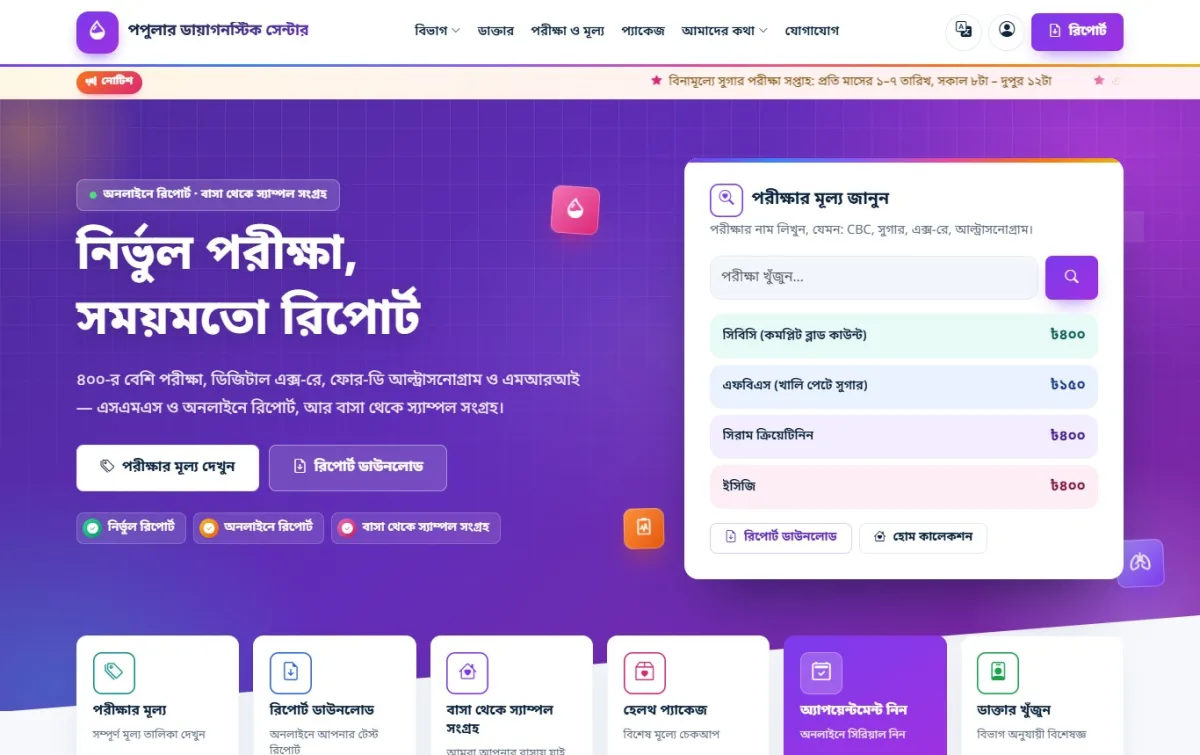
Patients here read SMS far more than e-mail, so use it well. The example software works with BulkSMSBD, Alpha SMS, Greenweb, ElitBuzz or any other company through a custom URL, and it has eight automatic messages, such as test report ready and due reminder, each with an on/off switch and editable text. Keep them short, in Bangla, and watch your SMS balance.
For online payment, patients pay their bills inside the patient portal through the bKash payment gateway, through SSLCommerz with card, bKash, Nagad, Rocket or bank, or by sending money and typing the TrxID for your staff to approve. Gateways need your own merchant accounts.
Setting Up the System Step by Step
The example software installs from a browser, with no terminal or SSH. Upload the zip in cPanel File Manager, extract it, move the files into your domain folder and create an empty database in the MySQL Database Wizard. When you open the domain, the installer at /install starts by itself with the Diagnostic Centre type already selected. You need PHP 8.2 or newer, MySQL or MariaDB, SSL and one cron job.
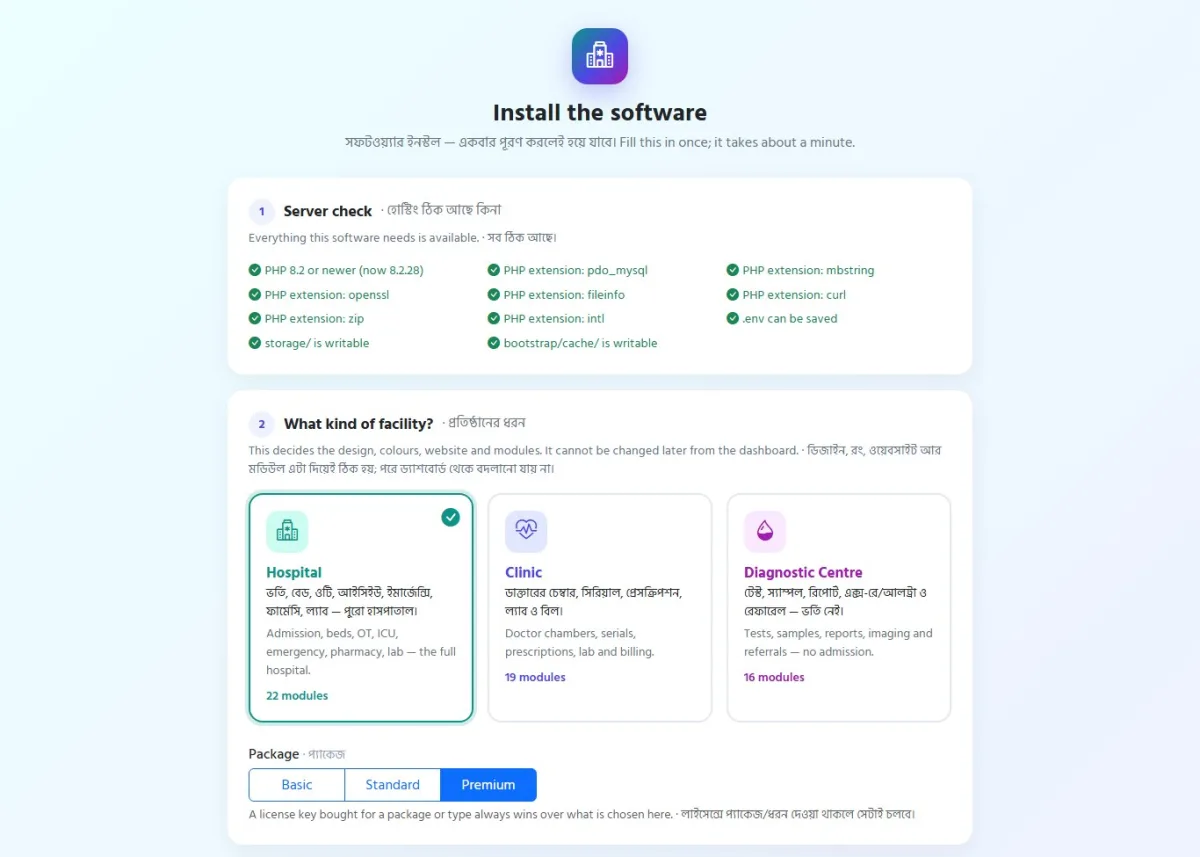
On one page the installer asks for your center's details, the database, the Super Admin and the license key, which you copy from My Account → Licenses on themeve.com or enter later on Dashboard → License. Press Install now and add the cron line it shows. Each license covers one domain, and a key from another product shows "This key belongs to a different product" and the site stays locked.
After the first login, fill in Settings, then load the test master, imaging templates, price list, doctors and referrers you prepared. Create users for each role, connect SMS, switch on the daily backup and run a mock day with a few test patients. Before you buy, try the live demo and the one-click logins on the demo login page; the data resets every 3 hours.
Common Mistakes in Diagnostic Lab Management
The most expensive mistake is releasing reports before verification "just this once" because a patient is in a hurry. Once that habit starts, the signature on your report means nothing. Keep verification as a fixed step, and make sure every report that leaves the building can be checked by its QR code.
The second mistake is shared logins. When three technicians use one account, nobody knows who entered a wrong value, so give everyone their own user and check the activity log. The third is skipping backups: the example software zips the database and files every night at 02:00, keeps seven copies and can send one to your own Google Drive, if the cron job runs.
Frequently Asked Questions
Is this pathology lab software suitable for a small lab?
Yes. A small lab can switch off modules it does not use, such as pharmacy or payroll, so this pathology lab software keeps a short menu. The core of registration, billing, lab worklist, verification and online report delivery works the same for ten patients a day or two hundred, and staff can switch the dashboard between Bangla and English.
Does it handle imaging reports as well as pathology?
Yes. Radiology and imaging has templates for X-ray, ultrasound, Doppler, ECG, echo, CT, MRI, mammography and endoscopy. Reports go through approval, print on A4 with a QR check and can be downloaded online the same way as lab reports, so patients learn one routine for both.
What if our center later grows into a clinic or hospital?
The same system also comes as Clinic Management Software and Hospital Management Software. To upgrade, buy the license of the product you need; all your patients, bills and reports are kept. That makes starting with diagnostic lab management alone a safe first step for a growing center.
Conclusion
Diagnostic lab management comes down to a clean chain: a correct bill, a labelled tube, a checked result, a signed report and a patient who gets it without queuing. Prepare your test master and roles first, keep verification and backups strict, and put referral commission on record from day one. When you are ready, see the Diagnostic Centre Management Software and run it on your own domain.