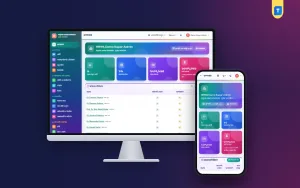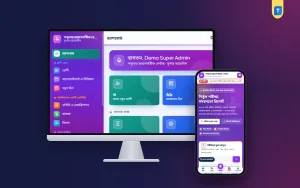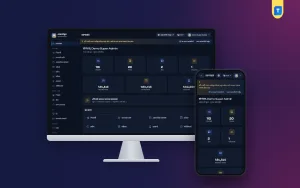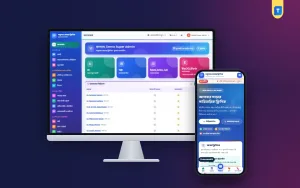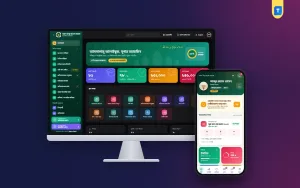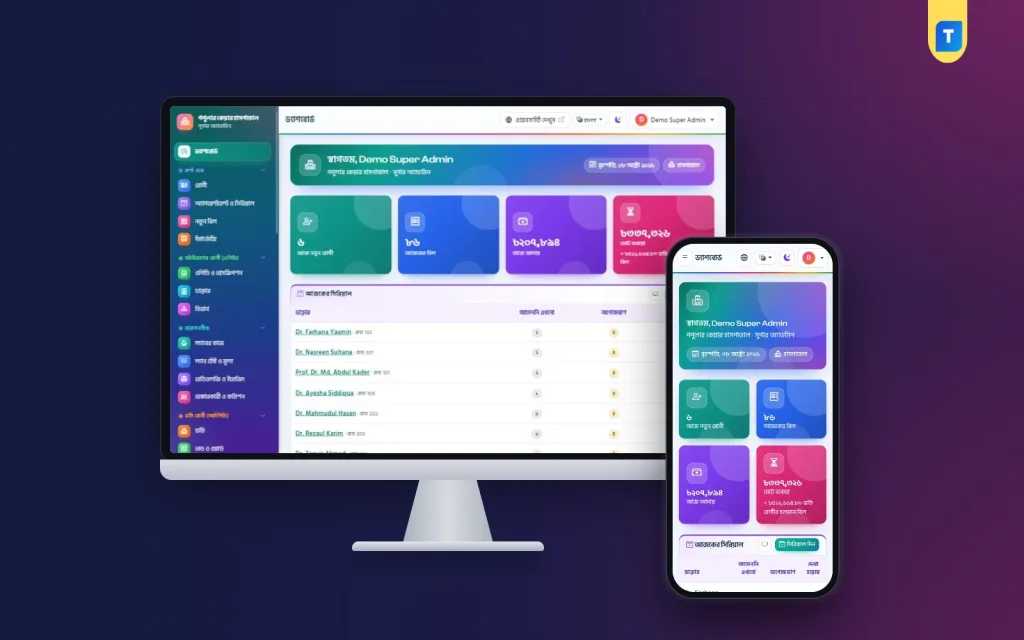
A hospital management system is the software that keeps patients, doctors, bills, lab reports, beds and medicines in one record, so the front desk, the lab and the accounts room stop copying the same details into separate registers. This guide is for owners and managers of private hospitals in Bangladesh who want to plan that move properly, avoid the usual mistakes and pick software that fits the way their hospital really works.
Most medical facilities here grow one counter at a time. First there is a reception desk with a serial book, then a pathology room with its own register, then a pharmacy with a separate stock sheet, then a few cabins and a cash box for advances. Each part works alone, so nobody can quickly say how much a patient owes across all counters, or which reports still wait for a signature.
As a working example we use the Hospital Management Software – Wards, OT, Lab & Pharmacy, a Laravel web app that installs on your own hosting and domain. It covers the whole hospital, from reception and the lab to wards, theatre, emergency and pharmacy, and it comes with a public website and a patient portal.
What a Hospital Management System Has to Handle
It helps to follow one patient through the building. They register at the front desk, take a serial for a doctor, wait, see the doctor, get a prescription with a few tests, pay at the cash counter, give a sample, and come back later for the report. If they are admitted, a bed is assigned, nurses record vitals, medicines go to the bill every day, and at the end the family needs a discharge summary and a final bill they can accept.
Every step creates information that another department needs. The lab needs to know which tests were paid for. The pharmacy needs to know whether a medicine goes on cash or on the admission bill. The accounts room needs one daily total that matches the drawer. A good hospital management system is mainly about these hand-offs: each person enters their part once, and everyone after them sees it without phoning down the corridor.
The type of facility changes the weight of each part. A diagnostic centre lives on test volume, sample tracking, report delivery and referral commission. A family clinic lives on doctor chambers, serials and prescriptions. A hospital adds wards, the operation theatre, emergency and often a blood bank and ambulances. Software built for only one of these usually feels wrong for the others. This guide is about the full hospital, where every part has to connect and where hospital billing software that only prints invoices is not enough.
Planning Before You Buy
Start with people, not screens. Write down every role in your facility: receptionist, cashier, accountant, lab technician, pathologist, nurse, pharmacist, doctor and manager. For each role decide what they may see, what they may change and who may give a discount or a refund. Discounts and refunds are where money quietly leaks, so they should need a permission and leave a record.
Next, collect your master data while you still have time. That means the list of departments and doctors with their chamber days, a clean service price list, lab tests with their units and normal ranges, wards with daily bed rates, and a medicine list with batch and expiry details. Clean data on day one saves weeks of corrections later, and it is the part no software can do for you.
Finally, check the technical side. A web-based system needs reliable hosting with SSL, a database, a cron job and an SMS account for patient messages. Plan for internet cuts too: a daily backup kept outside the server matters more than any single feature on the brochure.
How the Example Software Runs the Front Desk and OPD
In the example software, a patient is registered once and gets a patient ID and an ID-card size patient card with a QR code. The front desk is where it works as hospital billing software: bills take services from your price list and support discount, VAT, part payment, dues, refunds and a printed money receipt. A due collection page lists unpaid bills and can send a reminder SMS.
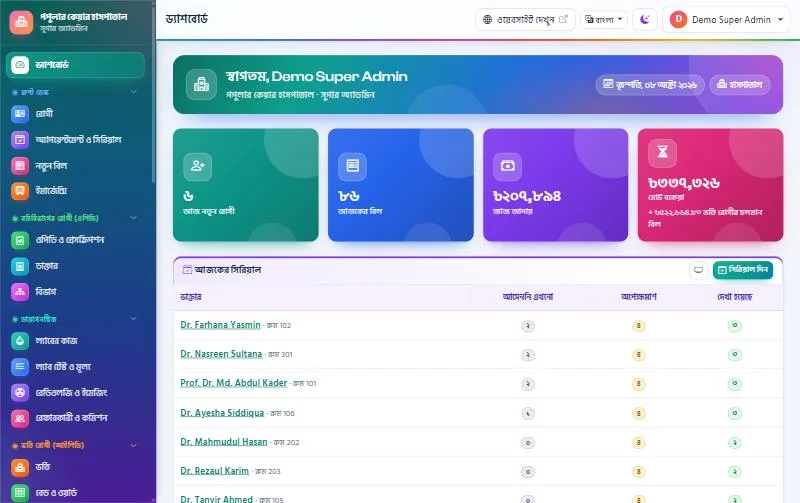
Each doctor has a weekly chamber schedule with slot length, a patient limit and leave days. The desk gives walk-in and phone serials, while patients can also book online from the website or the patient portal and get an SMS. A TV in the waiting room can open the queue screen, which shows the serial now being seen and the next five, using only serial numbers and first names.
The prescription writer is built for speed on the keyboard. Medicine names fill in as you type, each doctor can keep templates for common cases, and the patient's past prescriptions are shown while writing. The print comes out on A4 or A5 in Bangla or English with a QR code that anyone can scan to confirm the prescription, without seeing the medicines. Tests advised on the prescription become an unpaid bill at the counter, and the patient gets a follow-up reminder SMS the day before the next visit.
Lab Reports, Imaging and Referral Commission
For many facilities the lab is the busiest room and the biggest source of complaints. A sample gets mixed up, a report goes out unsigned, or a patient keeps asking whether it is ready. The example software prints barcode labels for sample tubes, so tests on one bill that share a tube share one label. Results outside the normal range get an H or L flag, with separate male and female ranges where needed, and the patient's previous result is shown beside the entry.
No report is ready until the pathologist verifies it, and the verifier's name prints on the A4 report together with a QR code that confirms the report is genuine without showing any results. Once verified, the patient gets a report-ready SMS with a link and can also download the report from your website using the bill number and mobile number. Imaging reports for X-ray, ultrasound, CT, MRI, ECG and more use templates for findings and impression.
Referral commission is a sensitive topic in Bangladesh, and a written record protects everyone. Commission is set per service as a percent or fixed amount, or per referrer, and you choose whether only fully paid bills count. Each referring doctor or agent gets a statement with opening balance, bills, payments and closing balance, and every payout prints as a voucher.
Wards, Theatre, Emergency and Pharmacy
Inpatient work is where a paper system breaks first, because charges pile up over days. The example software shows a colour-coded bed board with free, occupied, cleaning and closed beds, ward by ward, with an Admit button on every free bed. Admission takes an advance, every transfer is kept, and the running bill shows the bed charge so far. At discharge you print the discharge summary and the final bill.
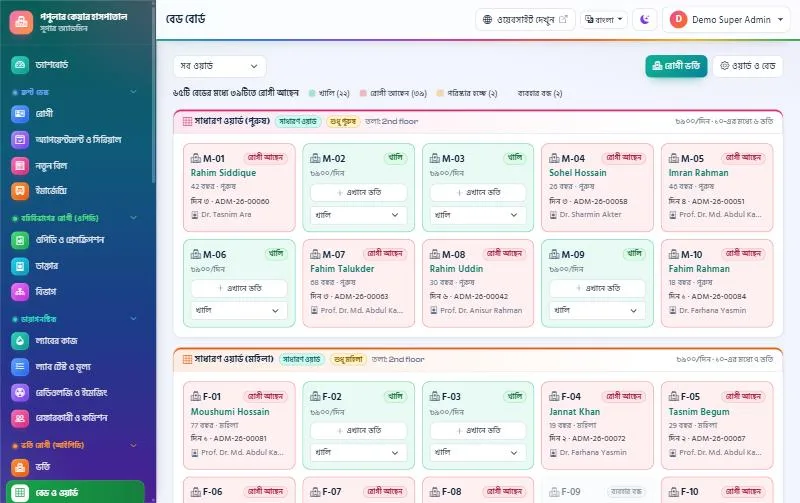
Nurses record vitals with a temperature and pulse chart, keep a medication chart with given, refused or missed doses, and write notes by shift. The operation theatre has a booking board, a pre-op checklist and one-time charges for surgeon, anaesthetist, theatre and consumables. Emergency uses a four-colour triage board, and the blood bank covers donors, screening, cross-match, compatible issue and stock by group.
The pharmacy counter sells by barcode scan, always takes stock from the batch that expires first and never sells expired medicine. It records purchases, supplier payments, customer returns and expiry alerts, and it can charge medicines to an admitted patient's bill. Because medicines, theatre, ambulance and bed charges all land on one admission bill, the final bill is ready at discharge instead of hours later, which is what good hospital billing software should do.
Setting Up a Hospital Management System Step by Step
The example software installs from a browser, with no terminal or SSH. Upload the zip in cPanel File Manager, create an empty database in the MySQL Database Wizard and open your domain. The web installer opens with the Hospital type already selected, checks the server, then asks for your hospital's details, the database and the Super Admin on one page. Your licence key works only for the hospital product and only on one domain. You need PHP 8.2 or newer, MySQL or MariaDB, SSL and one cron job.
After the first login, fill in Settings: the facility name in English and Bangla, logo, DGHS licence number, phone and emergency number, VAT percentage and the notes printed under bills, reports and prescriptions. Set the language, currency and date format, then switch off modules you do not use so the menu stays short for your staff.
Then load the master data you prepared: departments, doctors and schedules, the service price list, lab tests, wards and beds, and medicines. Create users for each role and check their permissions. Finally connect your SMS company, set up the daily backup to your own Google Drive and add your online payment details. Run a full mock day with a few test patients before you go live.
Bangladesh Tips: SMS, bKash and Your Website
Patients here respond to SMS far more than to e-mail. The example software works with BulkSMSBD, Alpha SMS, Greenweb, ElitBuzz or any other SMS company, and it has eight automatic messages, from appointment booked and report ready to admission, discharge and follow-up, each with an on/off switch and editable text. Keep the messages short and in Bangla, and watch your SMS balance.
For online payment, patients pay bills from the patient portal through the bKash payment gateway, through SSLCommerz with card, bKash, Nagad, Rocket or bank, or by sending money and typing the TrxID for your counter to approve. You need your own merchant accounts for the gateways.
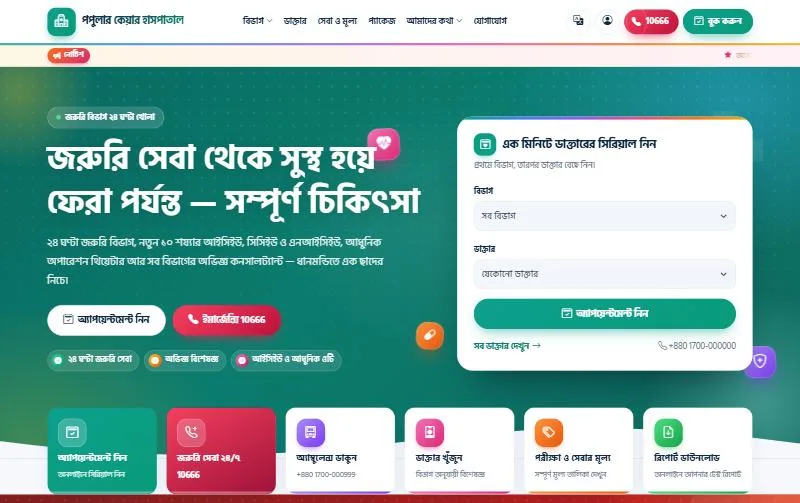
Your website is often the first place a family checks before visiting. The included website is built for phones first and shows departments, doctors, online appointment booking, a test and service price list, health packages, news, a gallery, contact details and national emergency help lines. Its hospital home page leads with emergency numbers, departments, doctors and rooms, and search tags and a sitemap are built in.
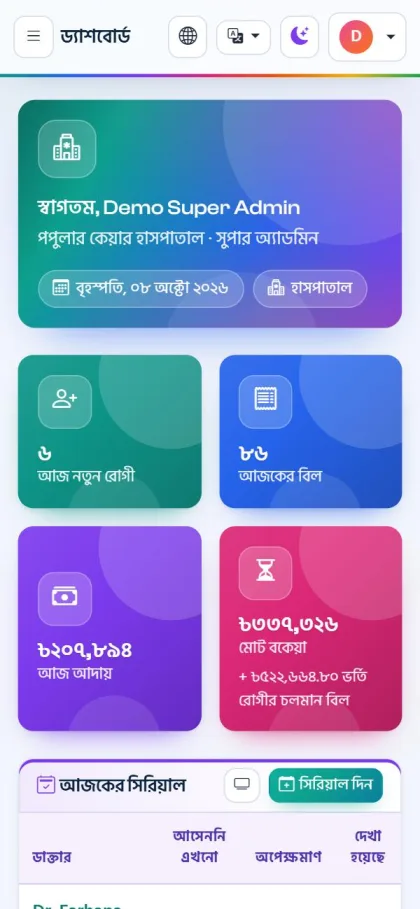
Common Mistakes When Going Digital
The first mistake is giving everyone full access. When every user can edit bills or delete records, nobody trusts the numbers. Use roles from day one, keep discount and refund permissions with a few people, and check the activity log, which records who did what and when.
The second mistake is skipping backups. A server problem or an expired hosting plan can wipe months of patient records. The example software zips the database and uploaded files every night, keeps the last seven copies and can send a copy to your own Google Drive, but only if the cron job is set and someone checks it.
The third mistake is going live without training. Spend an afternoon with each department in the live demo, then a mock day on your own installation. Staff who have practised make far fewer errors in the first busy week.
Frequently Asked Questions
What if we are a clinic or a diagnostic centre?
The same system is sold as Clinic Management Software, which keeps beds and theatre but leaves out emergency, blood bank and ambulance, and as Diagnostic Centre Management Software for test-focused centres without wards. If you grow into a hospital later, you buy the hospital licence and keep all your data.
Can we use it in English only?
Yes. Bangla can be turned off in Settings, which runs the dashboard and website in English only, and you can set your own currency, time zone and date format. That also makes it usable outside Bangladesh.
How can I try it before buying?
Open the live demo of the hospital version and use the one-click logins on the demo login page for roles from Super Admin to patient. The demo data resets every 3 hours.
Can one licence cover two hospitals?
No. Each licence is tied to one domain, so a second hospital with its own website needs its own licence. A key bought for the clinic or diagnostic product shows "This key belongs to a different product" on a hospital installation, and the site stays locked until the right key is entered.
Conclusion
A hospital management system pays off when it follows the patient from the front desk to the final bill and lets each department hand work to the next without paper. Plan your roles and master data first, protect your records with backups and permissions, and train your staff before the first busy day. When you are ready, see the Hospital Management Software and try it with your own team in the demo first.