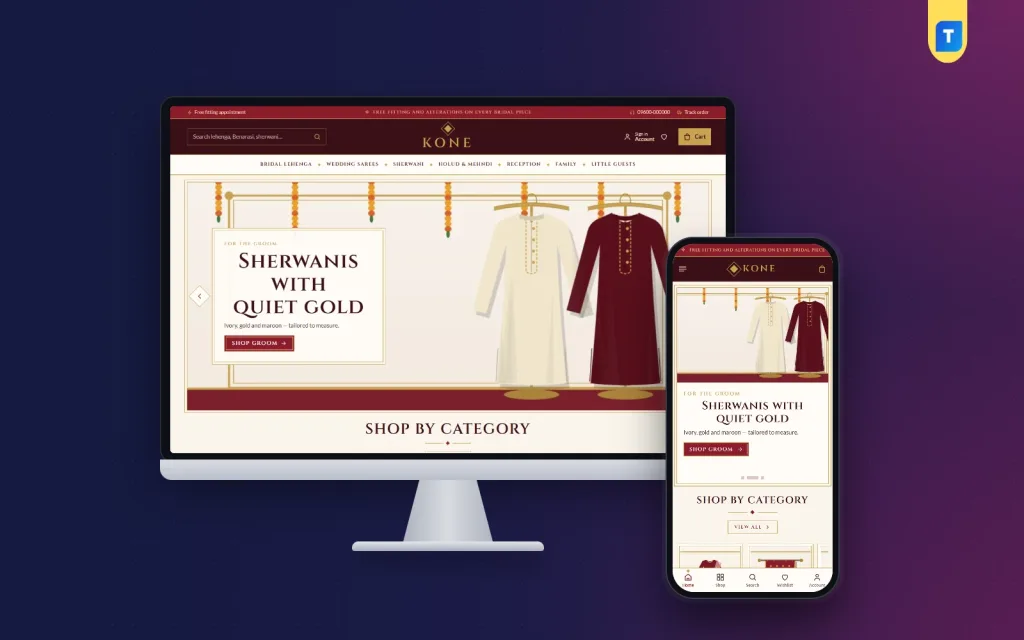
A bridal shop business in Bangladesh lives on trust, timing and family decisions, and all three can now start online long before anyone walks into your showroom. This guide is for wedding houses selling lehengas, Benarasi and Jamdani sarees and sherwanis, for boutiques adding a bridal line, and for freelancers who build stores for them. We look at how families shop for a wedding, how to plan your range and fittings, and how to sell and deliver without missing a date.
Weddings are the most planned purchase many families make. The shopping starts months early, often with a mother, an aunt and the bride scrolling through pages together on a phone in the evening. They shortlist, compare, ask questions and only then visit a shop or place an order. A good online store lets your shop be part of that shortlist, instead of one more Facebook page that is hard to browse.
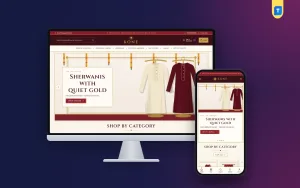
We use Kone – Bridal Wear WordPress Theme as the example. It is made for wedding houses that sell lehengas, Benarasi, Katan and Jamdani sarees, sherwanis, holud and mehndi outfits, reception wear and clothes for the whole family. Crimson, wine, gold and ivory, double gold frames, marigold garlands and Cinzel headings make it look like a wedding card you can shop from. First, the planning.
How Families Shop for a Bangladeshi Wedding
A Bangladeshi wedding is never one outfit. It runs for days. The bride needs a look for the gaye holud, another for the mehndi, a Benarasi or lehenga for the biye and something fresh for the bou-bhat. The groom, the parents and the little cousins need outfits too. A family may buy a dozen pieces across several events, and they want them to look right together in the photos.
This changes how you sell. A bride rarely buys a lehenga in one tap. She wants to see the weave, ask about the work, try it on and talk it over with her family. Online selling for a bridal shop business is therefore less about instant checkout and more about inspiration, shortlisting and getting the family through your door or onto a fitting call at the right time.
Planning Your Bridal Shop Business Online
Start with your categories, written the way families talk: bridal lehenga, wedding sarees, sherwani, holud and mehndi, reception, family and little guests. Then map each category to the wedding events it serves. A yellow or green saree belongs to the holud, a red Benarasi to the biye, a lighter gown or saree to the bou-bhat. Planning by event helps families see a complete wedding wardrobe instead of a pile of products.
Photos and details that sell bridal wear
Bridal pieces are expensive, so buyers study every detail. Photograph each piece in good light from the front and back, with close-ups of the weave, border, embroidery and stonework. For sarees, name the weave clearly, such as Benarasi, Katan or Jamdani, and say where it comes from if you know. For lehengas, list the pieces included, the fabric and the weight. Honest detail builds trust and cuts down on long chats.
Fittings, alterations and lead times
Decide how fittings work in your shop: which days, which time slots, how many people can come and how long a session takes. Write your alteration policy and the lead time for each kind of change. Most importantly, work backwards from wedding dates. If an alteration takes ten days and delivery takes three, tell the family plainly when they must order. Missing a wedding date is the one mistake no bridal shop recovers from easily.
The wedding season calendar
Wedding demand in Bangladesh rises sharply in the cooler months and around the two Eids. Plan stock, photos and offers before each peak, and keep a simple sheet of confirmed wedding dates for every order. Use the quieter months to shoot new pieces, write journal posts about styling and colours for each event, and build your list of past customers for referrals, which bring a large share of bridal sales.
How Kone Supports a Bridal Shop Business
Kone is a bridal website template planned around the whole wedding week rather than a single product. It has 24 homepage blocks, 17 shown in the demo and 7 extra blocks that stay off until you need them. Homepage layout lets you switch each one on or off and drag it into order, with arrow buttons on a phone. The hero slider comes in crimson and gold, and Shop by category uses framed tiles.
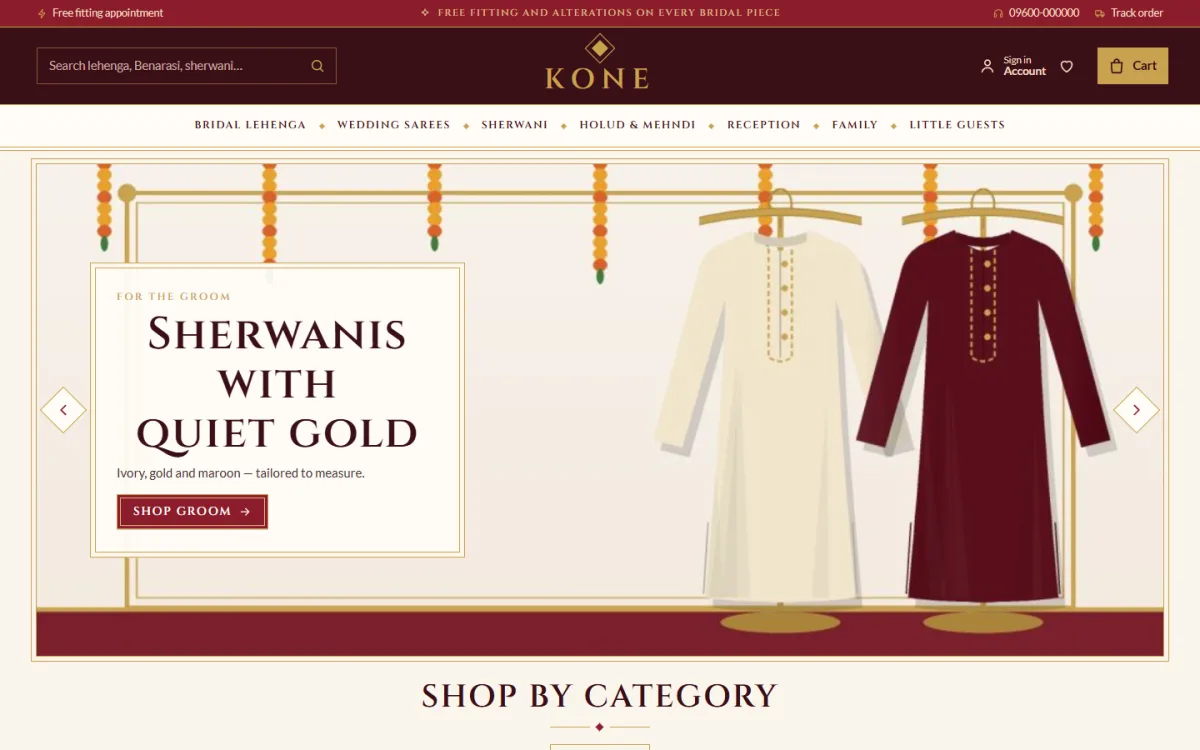
The demo sets the tone straight away. A crimson top bar offers a fitting appointment and mentions fittings and alterations on bridal pieces, next to a hotline and Track order. The search box suggests lehenga, Benarasi and sherwani, the gold logo sits in the centre, and the menu runs from Bridal Lehenga, Wedding Sarees and Sherwani to Holud and Mehndi, Reception, Family and Little Guests. The slide shown is a groom's sherwani under marigold garlands.
Dress every event
The Dress every event block walks through the wedding week in four tabs: gaye holud, mehndi, biye and bou-bhat. Each tab shows the colours of the day, notes on what the bride and the groom wear, and the pieces you have tagged for that event. A mother shopping for her daughter can open the holud tab, see the colours and choose from the right pieces without searching the whole catalogue.
Book a fitting, straight to WhatsApp
The Book a fitting block gives brides a 14-day date picker, time slots, a choice of who the fitting is for and how many people are coming. When they send it, the request opens on WhatsApp, where most wedding shops already chat with customers. You get a clear message with the date, time and group size instead of a vague question about whether you are open tomorrow, and you confirm it in the chat.
Offers, family outfits and the journal
New in the bridal room shows two rows of the newest pieces, and Best sellers sits in tabs by category. Wedding season offers runs a countdown with stock bars, For the whole family gives four picture cards, Shop by budget pairs price tiles with products, and three department blocks hold a banner and eight products each. Trending now, Most loved, a Weaving houses logo row, the Wedding journal and a promise strip for handwoven pieces, fittings, alterations and delivery follow.
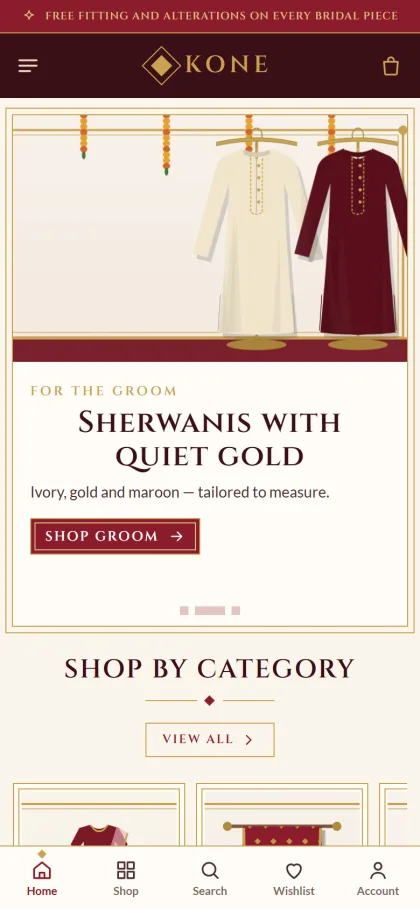
Families mostly browse on phones, often passing one phone around. Kone keeps the mobile header to menu, logo and cart, and product cards stay compact so a bride can compare several lehengas on one screen. The demo adds a bottom bar for Home, Shop, Search, Wishlist and Account, and the layout is fully responsive. Product pages show a fit meter, weave and work details and an expected delivery date, which matters when the wedding date cannot move.
Setting Up the Store Step by Step
Kone needs WordPress 6.0 or later and PHP 7.4 or later, and is tested up to WordPress 7.1. In Appearance, Themes, Add New, Upload Theme, select the Kone zip and press Activate. Go to Kone, Setup and install Themeve Commerce, which comes bundled, in one click. Paste the licence key from your Themeve account into Kone, License so new versions reach you. The WordPress documentation helps with menus and pages if you are new to WordPress.
Then bring in the Bridal and Wedding demo from Kone, Demo Import. It adds 26 products from 3 weaving houses: lehengas, wedding sarees, sherwanis, holud and mehndi wear, reception outfits, family and kids. It also builds the wedding-week guide, the fitting booking, the wedding journal, menus and pages such as About Kone, Delivery, FAQ, Our Stores, Returns and Alterations, Wedding Journal and Track Order. All artwork and house names are invented samples.
Next, adjust palettes, fonts, wedding events and fitting slots in Kone, Theme Options, or use the Live Customizer for a preview. The options dashboard works on a phone. Five palettes come ready, Crimson and gold, Emerald, Royal blue, Rose gold and Ivory and wine, and each colour can be changed. Font pairs are Cinzel with Lato, Cormorant SC with Lato, Marcellus SC with Mulish, or DM Sans on its own. No code is needed anywhere.
Before buying, open the live demo with a family member and try it the way a bride's family would: open each wedding event tab, book a pretend fitting, add a few pieces to the wishlist. Then look through the demo dashboard to see where products, orders and the fitting settings live. That short session shows how the store will feel in a busy wedding season.
Payments, Delivery and Marketing for Wedding Wear
Kone runs on Themeve Commerce. Customers sign in or register in a popup without leaving the page, reviews sit in a fold with a popup inviting the first one, and a wishlist helps a family shortlist outfits together. Checkout is one page and closes with an Order placed popup, and a Track Order page shows where the parcel is. Size guide, back-in-stock, offers and returns are switched on.
Payment options include bKash, Nagad, SSLCommerz, cash on delivery and manual payment, and Steadfast and Pathao courier handle delivery. Coupons and invoices are built in. For high-value bridal pieces, many shops take an advance before cutting or altering, with the rest on delivery or at the fitting. Say this clearly on your FAQ page so families are not surprised at checkout.
Marketing for a bridal shop business is visual and personal. Kone includes the Facebook Pixel with Conversion API, so wedding-season ads can be measured by orders and bookings. Post real brides, with their permission, styled for each event. Write journal posts about holud colours or choosing a Benarasi. New orders can ping your Telegram, and SMS and OTP help you stay in touch as the wedding date approaches.
Common Mistakes When Selling Bridal Wear Online
The biggest mistake is treating bridal wear like everyday fashion, with a buy button and nothing else. Families need fittings, conversations and reassurance. Another mistake is weak photography: a dark photo of a red lehenga hides the very work that justifies its price. Shops also often skip lead times, then rush alterations and courier bookings in the final week, which is exactly when stress runs highest for the family.
Other mistakes are ignoring the groom and family, leaving wedding season offers running after the season ends, and replying to fitting requests too slowly. A bridal website template with a clear event guide and booking flow helps, but the habits matter more: confirm every fitting quickly, keep a calendar of wedding dates, and never promise a delivery date you cannot meet with time to spare.
Frequently Asked Questions
Can brides book a fitting from the website?
Yes. The Book a fitting block offers a 14-day date picker, time slots, who the fitting is for and how many are coming. The request then opens on WhatsApp so you can confirm it there, in the same chat you already use with customers.
Can I sell groom and family outfits too?
Yes. The demo covers sherwanis, reception wear, family and kids, and the For the whole family block shows four cards for them. Families can then dress the whole wedding party, from the groom to the youngest cousin, in one order from one store.
Will buyers know when their outfit arrives?
Product pages show an expected delivery date, and after ordering customers can follow the parcel on the Track Order page. Add your own alteration lead times to the product text, so the date a family sees stays realistic even in the busiest weeks.
What about three-pieces or kids' party wear?
For a boutique selling salwar kameez and three-pieces for Eid and everyday wear, see Orna – Salwar Kameez WordPress Theme. If children's clothing is your main line, Khushi – Kids Fashion WordPress Theme focuses on kids. Kone suits houses that sell the whole celebration.
Final Thoughts
Growing a bridal shop business online is about guiding families through a long, emotional purchase. Show the weave and work honestly, plan by wedding event, make fittings easy to book, respect lead times and offer the payments families trust. Do that, and your store becomes part of the wedding plan from the very first shortlist. For a Bangladeshi wedding house, Kone – Bridal Wear WordPress Theme is a fitting place to start.