A consulting website template has one real job: to make a stranger trust your firm enough to send an enquiry. Clients of consultants, accountants, auditors, lawyers and technology advisers rarely buy on impulse. They read your pages, look for proof that you have solved problems like theirs, check who your people are, and only then pick up the phone. Your site is the meeting that happens before the meeting.
This guide is for founders of small and mid-sized advisory firms in Bangladesh, for professionals going independent after years at a big firm, and for freelancers who build company sites for them. If you are still working out how to start a consulting business, the planning sections will help you decide what to say about your firm before you worry about design. If your firm already exists, they will show you what is missing from your current site.
The example we use throughout is Shikhor – Corporate Consulting WordPress Theme, a design for advisory, technology and professional-services firms that want a website in the style of the large international firms. It covers services, industries, client stories, insights, careers and investors in one place. We will get to its features after the groundwork, because a layout only helps once you know what you want to say.
Why Trust Decides Whether a Consulting Website Template Works
A shop sells a product the buyer can see. A consultant sells judgement, which the buyer cannot see until after paying. That is why consulting sites are judged on signals: a clear list of what you do, the industries you know, named results from past work, articles that show how you think, and real people with real titles. A consulting website template that hides these behind stock photos and vague slogans makes even a strong firm look small.
Tone matters too. Senior buyers, such as a managing director at a garments group or the finance head of a bank, expect a calm and well-organised site that reads like a report, not like a sales flyer. Long pages should be comfortable to read. Navigation should let a visitor jump from a service to a related industry to a matching client story without hunting. Each of these small details tells the visitor that you work carefully.
Finally, the enquiry path has to be obvious and reliable. A visitor convinced by your client story should find a contact button on every page, and a message sent through the form must reach someone who answers it. Lost enquiries are the quiet killer of consulting websites, because nobody ever knows they happened.
How to Start a Consulting Business Website on the Right Foot
Whether you are learning how to start a consulting business from scratch or moving an established practice online, begin with three lists on paper: your services, the industries you serve, and the proof you can share. Keep the service list short and specific. Tax advisory for exporters says far more than general financial consulting. Six focused services usually beat twenty broad ones that all sound the same.
Map services against industries
Clients think in their own industry first. A pharmaceutical company wants to know whether you understand pharma, then which service fits. Draw a simple grid with services along one side and industries along the other, and mark where you have real experience. That grid becomes your site structure: a page for each service, a page for each industry, and client stories that link the two together.
Collect proof you are allowed to share
Client stories are your strongest pages, but in professional services confidentiality comes first. Ask past clients in writing whether you may name them. If not, describe the project without the name, such as a mid-sized textile exporter in Gazipur, and lead with the result in plain numbers you can defend. Gather short quotes, team photos and short bios for every partner. Write a few articles on topics your clients ask about every month.
What Shikhor Puts in Front of a Prospective Client
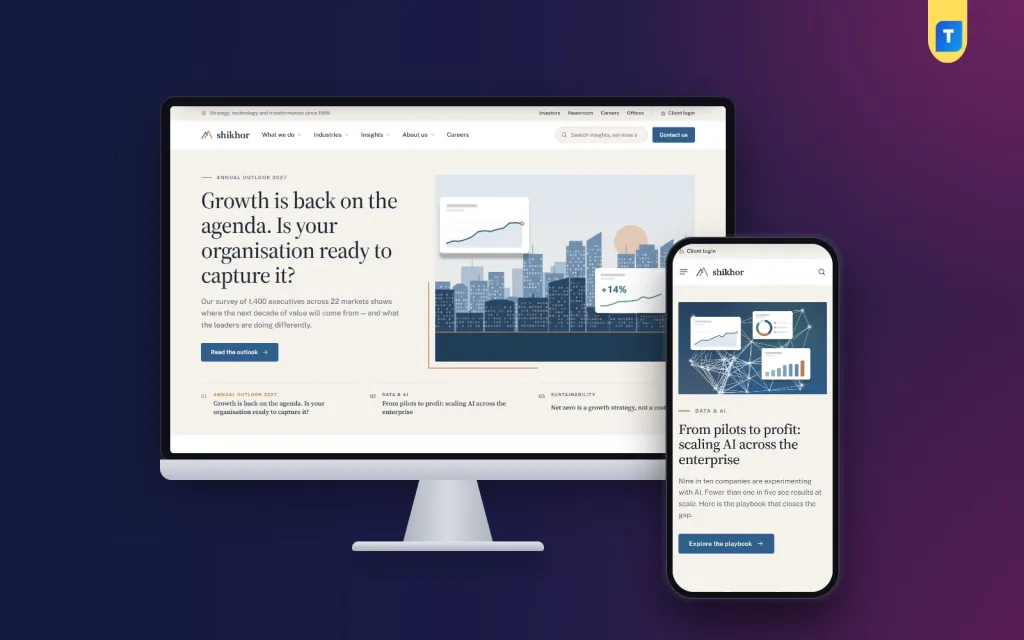
Shikhor's look is calm and editorial: a serif for headings, paper-coloured bands, fine hairlines and a copper accent, so long reading pages feel natural. It is a company website first, built around an enquiry form, offices, a newsroom and careers, with nothing extra to switch off before you start. That focus suits a firm whose visitors come to read rather than to shop, and it is what separates a real consulting website template from a general business theme.
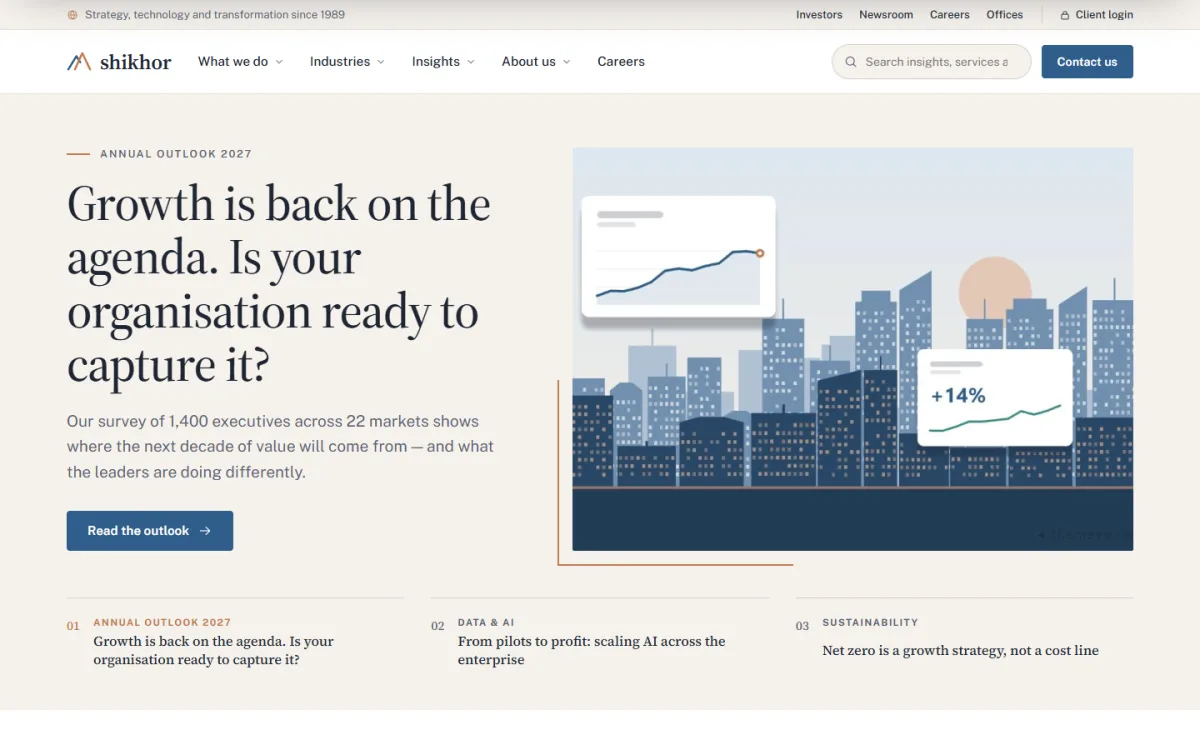
The screenshot shows the Featured stories block, which opens the homepage with a big headline, a picture and three story tabs. In the demo the lead story is an annual outlook report, which is exactly the kind of content that makes a firm look like it has a point of view. Below it, the homepage has 17 blocks in total, and each one can be switched off or dragged into a new order.
Those blocks follow the order of a good first conversation. A quiet row of client logos comes first, then Who we are pairs a statement with four key figures. What we do pulls service cards from your Services page, Industries sets a list beside a picture panel, and Client stories leads with each story's headline result. Further down sit Latest thinking with topic tabs, a leadership message with a portrait and quote, Commitments with progress bars, and Global presence with a dotted world map of offices.
The Finder, Client Stories and Insights
The block visitors tend to remember is the Where do you want to go next? finder. A visitor picks an industry and a priority, and Shikhor shows two matching services plus the newest client story tagged with that industry and priority. You choose the two services for each priority in Theme Options, and the stories come from your own posts, tagged in their Shikhor details box, so the finder grows each time you publish.
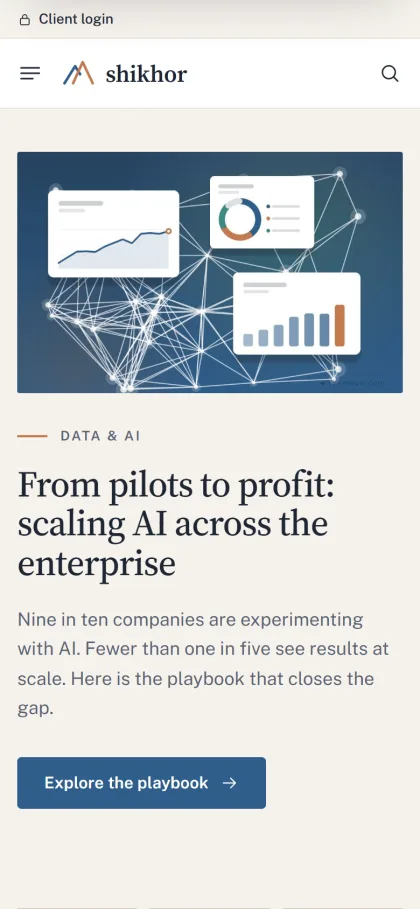
Insights get topic chips, a big lead article and a three-column grid. Articles carry share links and related reading, and client stories show an at a glance box with the result, client, service, industry and priority. For a consulting firm this is the engine of trust: each article proves expertise, and each client story proves delivery. On phones, the menu becomes a sheet that folds by section, and clients sign in or register in a popup.
Page Templates for Services, Careers and Contact
A good consulting website template should save you from designing every inner page by hand. Shikhor brings templates for the pages a firm actually needs. The Hub template lists its sub-pages, which suits Services and Industries. A Service or industry page carries key facts, an at a glance card, how we work and related client stories. The About template covers values, a timeline, the leadership team and offices.
Careers brings perks, open roles with a team filter, email applications and the hiring steps, which matters because good consultants check your site before they apply. Investors holds highlights, report downloads and a financial calendar for firms that need one. Contact has the enquiry form, head office and an offices map. The form sends without reloading the page, every message is emailed to you and also kept under Shikhor, Enquiries, and a shortcode places the same form on any page.
Setting Up Shikhor Step by Step
Upload the theme under Appearance, Themes, Add New, Upload Theme and activate it. Open Shikhor, Setup to install the bundled Themeve Commerce plugin in one click. Then run the demo import, which builds an invented global advisory firm with six services, six industries, six client stories, nine insights, five news releases, eight leaders and eleven offices on the world map. Browse the live demo and the demo dashboard to see the result before you start.
Next, replace the samples with your own content, because every company, client, person and figure in the demo is invented. Create service and industry pages under their parent pages and give each an icon and key facts in its Shikhor details box, and the homepage cards update. Type your offices in Theme Options one per line as City, Address and Phone, separated by a vertical bar. If menus, pages and users are new to you, the WordPress documentation explains them clearly.
Last, set the look. Shikhor, Theme Options includes six colour palettes, including Harbour blue, Evergreen and Burgundy, and five font pairs such as Source Serif 4 with Public Sans, or an all-sans option. Footer columns are built from menus, with each menu name used as the column title. Setting search, a sticky save bar, export and reset are built in, so you can try a palette and roll back easily.
Winning Clients in Bangladesh With Your Website
In Bangladesh many consulting contracts still begin with a referral, a LinkedIn message or a chat after a seminar. Your website does not replace those, but it is where every referral goes to check you out. Keep partner bios current, share each new insight on LinkedIn and your Facebook page with a link back to the full article, and mention the site on your business cards and proposals.
Write mainly in clear English, since most corporate buyers and foreign partners read it, but consider a Bangla summary on key service pages if you serve SMEs and family businesses. Answer enquiries within one working day, even if only to set up a call. Publish an insight at least once a month, so the Latest thinking block never looks stale. If your work is with factories and engineering groups instead, compare the bolder Bhitti – Industrial Corporate WordPress Theme.
Mistakes That Make a Consulting Site Look Unreliable
The biggest mistake with any consulting website template is publishing the demo content and forgetting parts of it. A sample office in a city you have never visited, or an invented figure left in a key statistic, destroys trust the moment a client notices. Go through every block before launch. The second mistake is claiming results you cannot back up. Senior buyers ask about them in meetings, and inflated numbers come back to hurt you.
Other common errors include a team page with no photos, a careers page with no open roles for a year, and a contact form that sends to an inbox nobody checks. Shikhor keeps every enquiry under its Enquiries screen as well as emailing it, but someone still has to read them. Finally, do not crowd the homepage. Switch off blocks you have no content for yet, and turn them on when you do.
Frequently Asked Questions
What kind of firm is Shikhor made for?
It is a company website for consulting, advisory, technology and professional-services firms, including management consultancies, auditors and law or engineering practices. It centres on services, industries, client stories, insights, careers, investors and enquiries rather than on selling products online, so every page supports the enquiry.
Where do contact form messages go?
Each message is emailed to you and also kept under Shikhor, Enquiries. The form sits on the Contact page, and a shortcode places it anywhere else, such as at the end of a service page or a client story, where interest is highest.
Is this guide useful if I am still learning how to start a consulting business?
Yes. The planning steps, choosing services, mapping industries and collecting proof, are the same thinking you need for the business itself. Doing them early also gives you the content your website needs on the day it goes live, instead of empty pages.
Can I change colours and fonts without code?
Yes. Pick one of six palettes or set each colour yourself, choose from five font pairs, and re-order the homepage blocks, all in Shikhor, Theme Options. Settings can be exported or reset, so you can try a new look for your firm and go back if partners prefer the old one.
Final Thoughts
Clients hire consultants they trust, and trust online comes from clear services, honest client stories, regular insights and people with names and faces. The right consulting website template gives that material a calm, well-organised home and makes sure no enquiry slips away. If that is the kind of site your firm needs, explore the Shikhor – Corporate Consulting WordPress Theme and start by writing your service list.