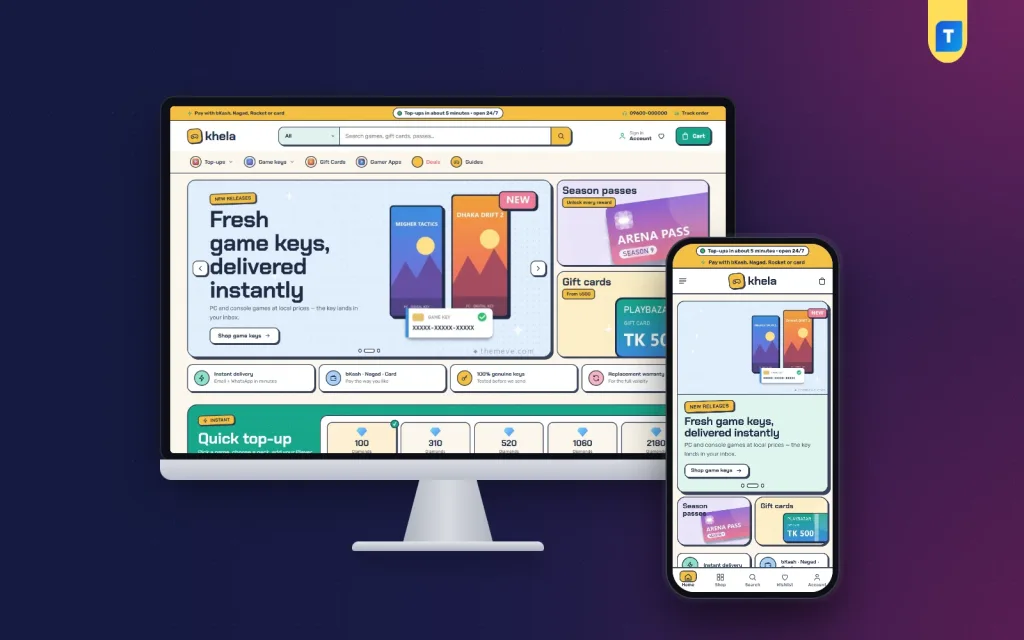
Running a game top up website is one of the most practical digital businesses a young seller in Bangladesh can start. Players buy diamonds, gems, passes and gift cards every week, they pay with bKash or Nagad from the same phone they game on, and they want the pack in their account quickly. This guide is for Facebook-page sellers who already take top-up orders in chat, and for freelancers who build these shops for clients.
Most sellers start the same way. A buyer sends a message, the seller asks which game and which pack, then asks for the Player ID, then waits for a payment screenshot, then checks the transaction in the wallet app. On a quiet day that works. On a Friday night, or when a new season starts, the inbox fills up, IDs get mixed up and buyers who waited too long go to the next page in their feed.
In this guide we use the Khela – Game Top-Up WordPress Theme as the working example. It is made for shops that sell mobile game diamonds and gems, in-game bundles, season passes, PC game keys, console credit, gift cards and gamer apps. First, though, we look at the business itself: what buyers expect, how to plan packs and payments, and where new sellers usually lose money.
What a Game Top Up Website Has to Get Right
The first job is the Player ID. A diamond pack sent to the wrong account is almost impossible to take back, and the buyer will still blame the shop. A good game top up website asks for the ID in a clear field, refuses to take the order without it, and keeps it on the order so the person doing the top-up never has to scroll back through a chat to find it.
The second job is speed. Top-up buyers are often in the middle of a match or waiting for an event to start, so they compare shops by how fast the pack arrives. You cannot make your supplier faster, but you can remove every slow step on your side: fewer questions, a short checkout, a clear order record and an instant alert when a new order lands.
The third job is trust. Many buyers are teenagers or students spending pocket money, and their first fear is paying and getting nothing. Clear pack names, a visible way to track an order, a contact number and an honest page that explains how top-ups work will calm that fear much better than flashy banners or big promises you cannot keep.
Planning Packs, Prices and the Payment Flow
Before you build anything, write down which games you will sell and which packs you can actually deliver every day. It is tempting to list every popular title, but each one needs a reliable source and someone who knows its top-up steps. Start with the two or three games your Facebook followers ask about most, plus a few gift cards, and add more only when orders and supply are steady.
Name packs the way players talk
Players search and think in pack sizes, such as 100 diamonds or a weekly membership, so use those exact words. Keep one product per game and add each pack as an option inside it. Write the region, the validity and what the buyer must provide right on the product. A clear name stops many of the questions that would otherwise arrive in your inbox before the buyer pays.
Decide how payments are checked
Next, decide how you will confirm payments. Many small shops start with personal bKash and Nagad accounts and match the transaction ID by hand, then move to a payment gateway as volume grows. Whatever you choose, write down who checks payments, during which hours, and what happens when a payment arrives but the order is missing. That one rule saves many arguments later.
Finally, set a refund and wrong-ID policy before your first order. Say clearly that the buyer is responsible for the ID they type, what you will do if the top-up fails on your side, and how long a refund takes. Put this on a page the buyer sees before checkout, in simple English or Bangla. A written policy feels professional and protects you when a dispute comes up.
How Khela Handles Player IDs and Quick Orders
With the plan ready, the theme has a clear role. Khela's main idea is the Player ID checkout. Any product with the specification line Needs: Player ID asks for the ID on the product page and again at checkout. It will not go into the cart without one, the ID is remembered for the buyer's next visit, and it is written on the order, so the person who delivers the pack sees it straight away.
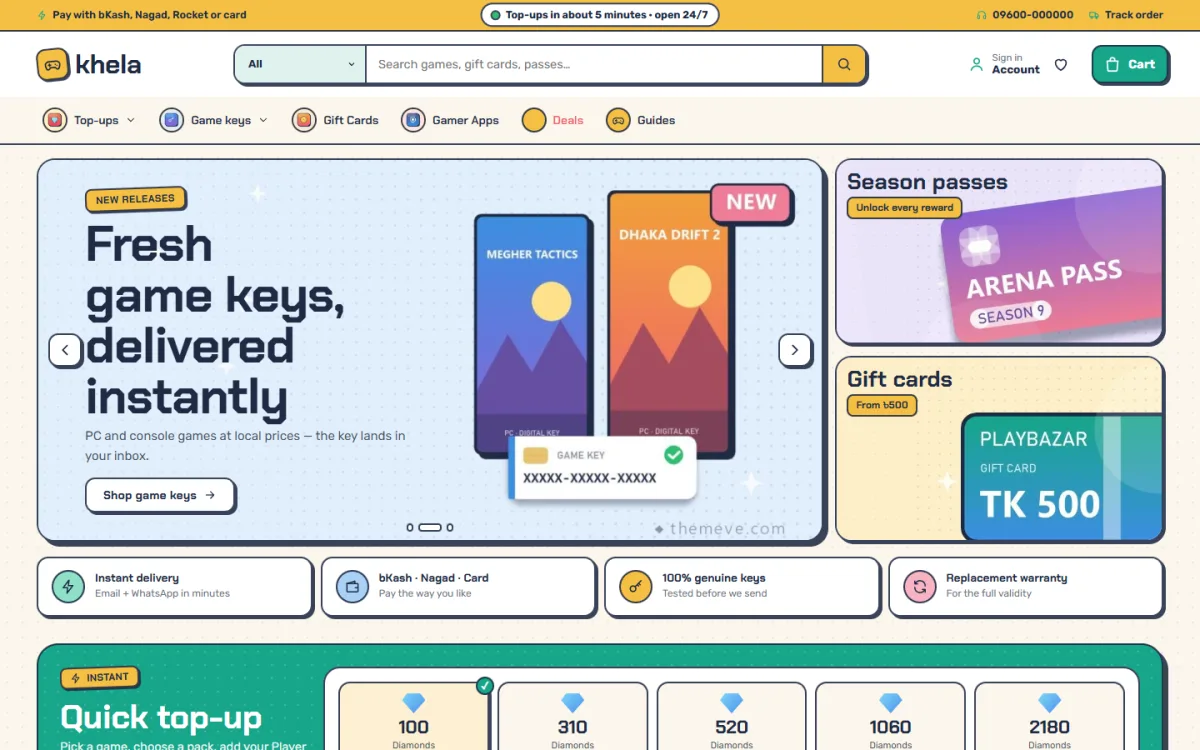
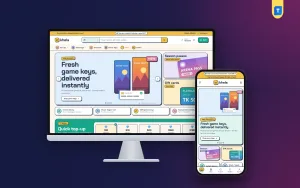
The homepage itself is built around fast orders. The quick top-up board puts game tabs across the top, each with its packs as big tiles. A player taps a pack, types the Player ID, sees the total and tops up in one click without opening a product page. In the demo screenshot you can see diamond packs lined up as tiles, with a payment note in the yellow top bar and a strip of trust badges under the hero.
Two more blocks help a seller who has many products. The weekly top 10 ranks the ten best sellers with gold, silver and bronze medals, which shows new visitors what other players buy. The gift card wall shows each card with its values as chips, so tapping a value puts that exact card in the cart. Cards across the store carry a delivery-time chip, platform chips and a Top up button for packs.
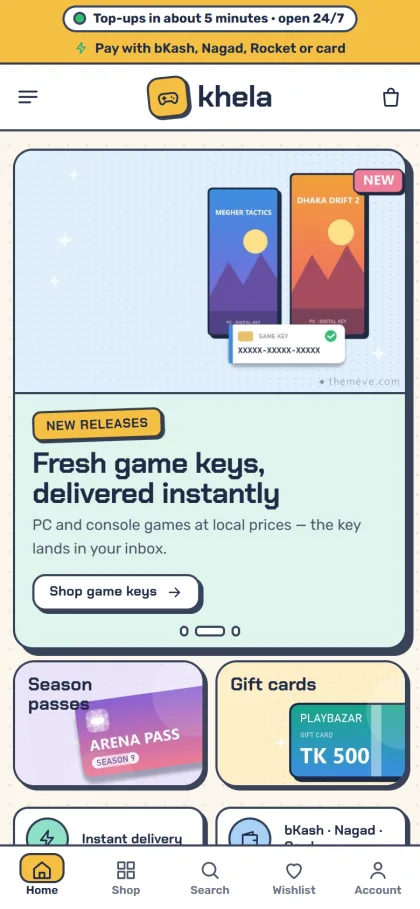
Phones matter most here, because almost every top-up buyer orders from one. On a small screen the Khela header shows only the menu, logo and cart, product cards stay compact, and a bottom bar handles the rest. The homepage has 28 blocks that you can switch off, drag into a new order, or move with arrows on a phone, so you can keep the mobile page short and put the top-up board near the top.
A Diamond Top Up Website With an Address-Free Checkout
Nobody ships a diamond pack, so asking for a home address only slows buyers down. Khela's checkout has no address and no delivery charge. It asks for name, mobile, a delivery email and the Player ID when the product needs one. That short form suits a diamond top up website, where most orders are small and repeat buyers come back every week or two.
Payments come from the bundled Themeve Commerce plugin, which supports bKash, Nagad, SSLCommerz and manual payment. The same plugin adds coupons, invoices, a Track Order page, SMS and OTP, new-order alerts on Telegram, and Facebook Pixel with Conversion API. Players sign in or register in a popup without leaving the pack they picked, and an Order placed popup confirms each purchase so nobody wonders whether the payment went through.
The Telegram alert deserves a mention for small teams. When one person handles orders from a phone, a ping for every new order means no buyer sits waiting while the inbox is closed. Combined with the Player ID saved on the order, the person on duty can open the order, copy the ID and finish the top-up in a few taps.
Setting Up the Store Step by Step
Start with a fresh WordPress install on decent hosting. Upload Khela under Appearance, Themes, Add New, Upload Theme and activate it. Then open Khela, Setup and install the Themeve Commerce plugin in one click. The WordPress documentation covers the basics of themes, menus and users if you are new to the dashboard.
Next, run the one-click demo import. It loads 32 products from 8 invented studios, with top-up packs, the Player ID checkout, the quick top-up board, the top 10, the gift card wall, guides, menus and every page, including How Top-ups Work. Every game and studio name is a sample, so replace them with the games you really sell. You can click through the live demo and the demo dashboard first to see how it all fits together.
Then add your own stock. Each pack is a variation, such as 100 Diamonds or Weekly Membership, and product facts come from specification lines like Needs: Player ID or Region: Bangladesh server. Finally, open Khela, Theme Options to choose the games on the top-up board, set up the top 10 and the gift wall, and pick one of six colour palettes and four font pairs. Setting search, a sticky save bar, export and reset are all in that panel.
Running Daily Orders With bKash and Nagad
Once the game top up website is live, the daily routine decides your reputation. Fix your working hours and show them clearly, and if you promise night-time service, make sure someone is actually awake to deliver. Check payments against orders at least every hour during busy times. A buyer who paid and heard nothing for three hours will post about it on your page, and other players read those comments.
Facebook stays your main sales channel even after the site launches. Post new packs and events on your page with a direct link to the product, and reply to comments with the link instead of asking buyers to message you. If you run boosted posts, the Facebook Pixel with Conversion API in the bundled plugin helps you see which ads bring actual orders, not just likes, so you can stop paying for posts that only bring chat.
Write product details in plain English and add a Bangla line where it helps, especially for younger buyers. Keep a simple guide post on how to find your Player ID in each game, because that question will come up again and again. The Game guides block on the homepage lists your latest posts, which gives those how-to articles a visible home.
Common Mistakes Top-Up Sellers Make
The most expensive mistake is delivering without checking the ID against the order. Even with a required field, double-check long numeric IDs before you send a big pack. Another common error is listing games you cannot supply reliably. One failed order on a popular title costs you more trust than having a short, dependable list that you can deliver every single day.
Other mistakes are hiding your contact details, changing pack names every week, and copying banners or artwork from game publishers without care. Use the sample images only as placeholders and replace them with your own simple graphics. Finally, do not run a game top up website on cheap, slow hosting. When a new season starts and traffic jumps, a slow checkout loses orders at the exact moment demand is highest.
Frequently Asked Questions
Can a buyer top up without opening a product page?
Yes. On Khela's quick top-up board the buyer picks a game, taps a pack, types the Player ID, sees the total and tops up in one click. Product pages are still there for buyers who want the full details, such as region, validity and how delivery works.
Which payment methods does the theme support?
bKash, Nagad, SSLCommerz and manual payment, through the bundled Themeve Commerce plugin. How you connect each one, and whether you use a merchant account or check payments by hand, depends on your own setup and the accounts you hold in your business name.
Do buyers need to give a delivery address?
No. The checkout asks for name, mobile, a delivery email and the Player ID when the product needs one, with no address and no delivery charge. That keeps the form short for repeat buyers who order every week or two from their phones.
What if I also sell software keys or subscriptions?
Khela already handles PC game keys, console credit and gift cards next to top-ups. If software licences are your main line, look at Chabi – Software Key Store WordPress Theme. For streaming and app subscriptions, compare Megh – AI Subscription Store WordPress Theme.
Final Thoughts
A successful top-up shop comes down to correct IDs, quick payment checks, honest delivery and a page buyers trust. The website should make each of those steps easier rather than add new ones. If you want a store where the Player ID is required, saved and printed on every order, with bKash and Nagad ready through the bundled plugin, take a closer look at the Khela – Game Top-Up WordPress Theme and plan your first games around it.