If you are working out how to start a gaming store, the good news is that you do not need a shop front, a warehouse or a delivery van. Players in Bangladesh buy diamonds, coins, season passes, game gift cards and PC or console keys online, pay from a mobile wallet and expect the item within a short time. What you need is a clear product range, dependable supply, fair prices and a website that makes ordering easy.
This guide is for gamers who want to turn a hobby into income, for small Facebook sellers ready to grow into a proper store, and for freelancers who build shops for them. We go through the business decisions first: what to sell, where to source it, how to price it and how to win trust. Then we show how a ready-made store design handles the parts that usually go wrong.
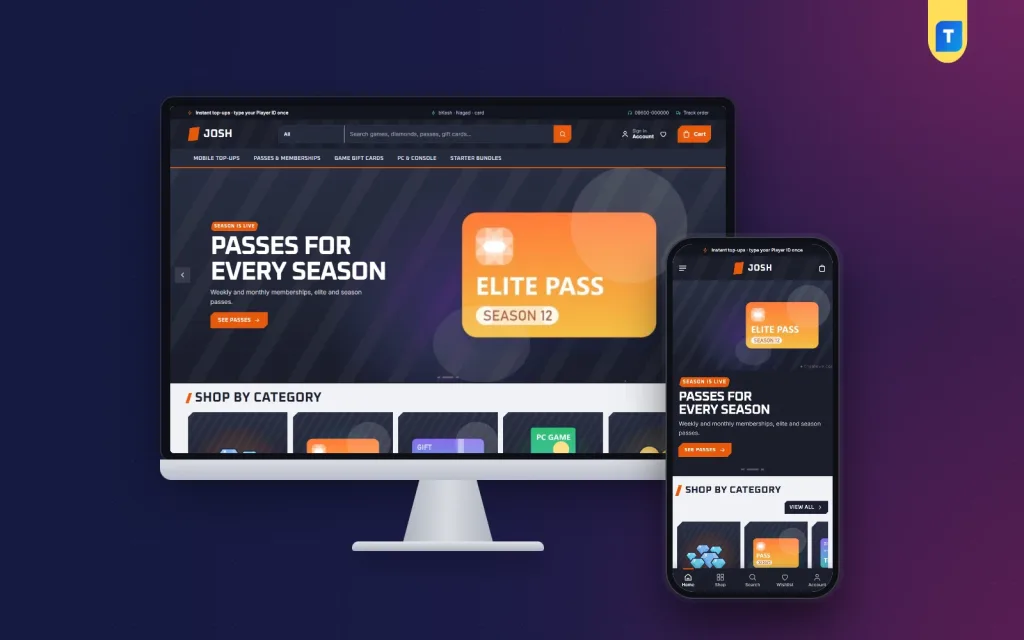
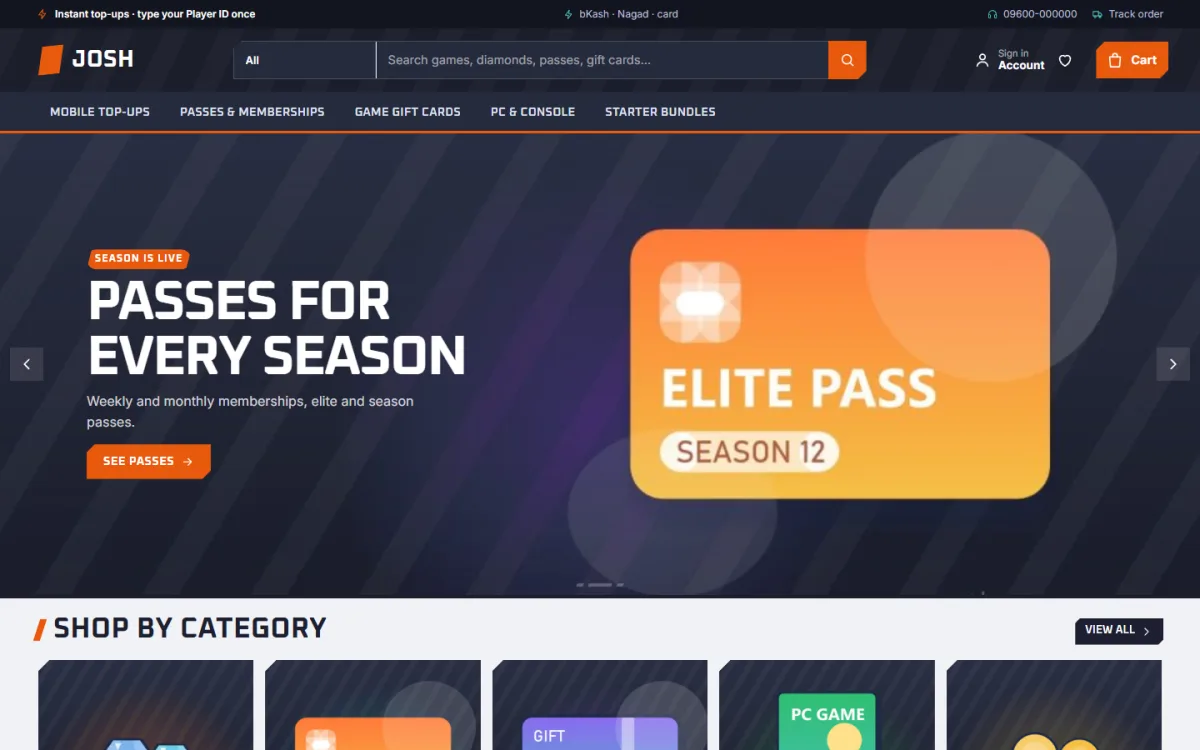
The example design is Josh – Gaming Store WordPress Theme, made for shops that sell what players buy with a phone in one hand: diamonds, coins and gems for mobile games, season passes, game gift cards, PC and console keys and starter bundles. Josh means energy, and its night slate look with tangerine and aqua highlights gives a store the feel of an arena after dark.
Is a Gaming Store a Good Business in Bangladesh?
Mobile gaming is huge among students and young workers here, and in-game purchases have become a normal monthly spend for many of them. Most of these players cannot pay game publishers directly with an international card, so they buy through local sellers who accept bKash, Nagad or bank cards. That gap is the opportunity. Demand peaks around new seasons, events, Eid holidays and exam breaks.
The catch is that margins per order are thin and competition is open. Anyone with a Facebook page can sell top-ups, so you win on speed, accuracy and trust rather than on being the cheapest. A store that delivers the right pack to the right ID every time, answers questions politely and looks professional will keep buyers for years, even when someone else is a few taka cheaper.
How to Start a Gaming Store: The Groundwork
Before any design work, settle the business basics. Choose a short brand name that is easy to type and search, open a Facebook page and a business messaging account under that name, and set up the wallet and bank accounts you will use for payments. If you plan to grow, talk to an accountant about a trade licence early, because payment gateways and partners usually ask for business documents.
Choose your product mix
Decide which lines you will carry at launch. Mobile top-ups bring the most frequent orders. Passes and memberships bring regular repeat buyers. Game gift cards and PC or console keys bring larger single orders but need careful sourcing. Starter bundles help new players spend once and come back. Most new stores do best starting with two or three games and one or two gift card types, then adding more.
Find dependable supply
Your supplier decides your delivery speed. Test two or three sources with small orders, measure how long each takes, and keep a backup for busy nights. Note which games need a Player ID, a server or a region, and write those requirements down. They will become the fields and notes on your product pages, so buyers give you everything you need in the first order.
Price for value, not just for cheapness
Players compare packs carefully, and many will happily pay for a bigger pack if it is clearly better value per unit. Set prices that leave a margin after payment fees and occasional failed orders, then make the value visible. Show which pack gives the most per unit instead of racing every competitor to the lowest possible figure.
What to Look for in a Game Store Website Template
Once the plan is clear, the website choice gets easier. A good game store website template asks for the Player ID before an order can be placed, skips the home address because nothing is shipped, works well on phones, and lets you split the range into clear departments. It should also make repeat orders quick, since your best buyers come back every week or two.
Josh covers each of those points. On the product page, the Player ID field must be filled before the pack can go into the bag. Quick facts show the game, platform, region and delivery right above it, with a short part explaining how delivery works. Checkout asks for name, mobile, a delivery email and the Player ID, with no address field and no delivery charge.
Inside Josh: Three-Step Top-Ups and Value Bars
The centre of the theme is the Top up in 3 steps block on the homepage. A shopper picks a game tile, types the Player ID once and taps a pack. The total follows every choice, and one button adds the pack to the bag. The ID is remembered, so it is already filled in at checkout and on the next visit, which turns a regular buyer's reorder into a few seconds of work.
The Best value packs block answers the pricing question from the planning stage. It has a tab for each game and draws every pack as a bar of its price per 100 units. The cheapest pack per unit is marked with how much it saves, so big spenders see the smart choice at a glance. This is a fair, open way to sell larger packs without pushy banners.
Payments are handled by the bundled Themeve Commerce plugin. bKash and Nagad Send Money are ready from day one, and the plugin also brings SSLCommerz and manual payment, coupons, invoices, SMS and OTP, a Track Order page and new-order alerts on Telegram. An Order placed popup confirms each purchase, so the buyer knows the order has reached you.
Departments, Homepage Blocks and Phone Shopping
Josh has 17 homepage blocks that you can switch off, drag into place or move with arrows on a phone. Arena slides open the page, followed by game tiles for each category. New drops, Best sellers tabbed by category and Flash deals with a countdown and stock bars come next. Shop by platform sorts the range into four cards, and Shop by budget pairs price tiles with products.
Three department blocks each carry a banner and eight products, which works well for splitting mobile top-ups, gift cards and keys. Top rated lists the items with the highest player ratings, Studios shows publisher logos, and Game guides pulls in your latest three posts. A promise strip closes the page with four short promises: instant, genuine, pay your way and help.
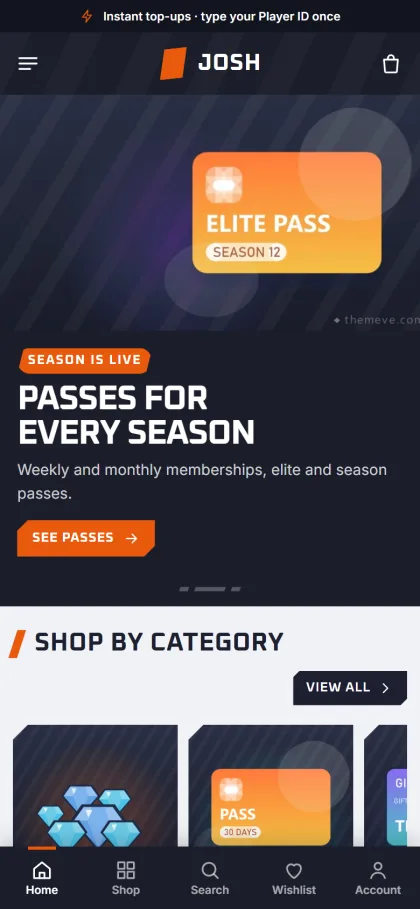
Cut-corner product cards keep one style in every grid and sliding row, and on phones they turn compact. Sign in and register open in a popup, so a player never loses the pack they were about to buy. Wishlist, one-page checkout and reviews in a fold on the product page are part of the plugin, with a popup inviting the first review.
Launch Checklist: From Install to First Order
Install WordPress on reliable hosting, then upload Josh under Appearance, Themes, Add New, Upload Theme and activate it. Open Josh, Setup to install Themeve Commerce in one click. Run the one-click demo import, which loads 25 products from 5 invented studios along with the 3-step top-up, best value packs, game guides, menus and pages such as How Delivery Works, Track Order, Our Stores, FAQ, Game Guides and Wishlist.
Walk through the live demo and the demo dashboard to see the finished layout. Then replace every sample name and image, because all artwork and brand names in the demo are placeholders. Add your games, set the packs and fill in quick facts for each product. The WordPress documentation helps if menus, pages or users are new to you.
Finally, set the look in Josh, Theme Options. Five palettes come ready, Arena, Jungle, Royal, Ember and Ice, and four font pairs are on offer, led by Oxanium with Inter. The dashboard works on a phone, so you can fix a banner from anywhere. Place a few test orders with each payment method before you announce the launch on Facebook.
Growing Sales After Launch
Your Facebook page remains the main source of buyers at first. Post new packs, season starts and flash deals with direct product links, and pin a post explaining how ordering works. Write short guides on topics players search for, such as where to find a Player ID in each game. The Game guides block puts those posts on the homepage, and each one can bring search visitors for months.
Watch which games and packs sell, and adjust the department blocks and best sellers to match. Reward regular buyers with occasional coupons. Keep your promise strip honest: if you say instant, staff the store during the hours you claim. Reliable service builds word of mouth in gaming groups, and that is still the cheapest marketing a new store can get.
Mistakes New Gaming Store Owners Make
The first mistake is listing every game on day one. Each one needs supply and knowledge, and a failed delivery on a popular title hurts your name fast. The second is competing only on price, which leaves no money for failed orders, payment fees or ads. The third is copying artwork and logos from game publishers without care. Use your own simple graphics wherever you can.
Many new owners also skip testing on real phones, forget to set working hours, and leave the demo pages unedited. Before launch, read every page, including How Delivery Works and the FAQ, and rewrite them to match your actual process. That simple review is part of learning how to start a gaming store properly.
Frequently Asked Questions
Does the buyer have to type the Player ID every time?
No. With Josh they type it once in the Top up in 3 steps block or on the product page, and it is remembered for checkout and for the next visit. Regular buyers can reorder their usual pack in seconds, which matters when a season starts.
Can I sell gift cards and console keys in the same shop?
Yes. The demo already mixes mobile top-ups, passes, game gift cards, PC and console keys and starter bundles, and the three department blocks help keep them apart on the homepage. Start with the lines you can supply well and switch on more departments later.
Which payments can players use?
bKash and Nagad Send Money are ready out of the box. SSLCommerz and manual payment are also available through the bundled Themeve Commerce plugin. You can read more about wallet options on the Nagad website before you open your accounts.
Can I change the dark look?
Yes. Choose from the five palettes or set each colour yourself, then pick one of four font pairs in Josh, Theme Options. No coding is needed, and settings can be exported, imported or reset if you want to try a new look before a big event.
Final Thoughts
Knowing how to start a gaming store comes down to a focused product range, reliable supply, fair value pricing and a store that gets every Player ID right. Plan those first, then choose a game store website template that supports them. If you want three-step top-ups, value bars that make bigger packs easy to sell and a checkout with no address, have a look at the Josh – Gaming Store WordPress Theme.