Running a furniture ecommerce website comes down to three jobs that never stop: taking photos that show real size, getting bulky pieces to the right flat without damage, and helping buyers pay for something that costs more than a month's shopping. This guide is for value furniture stores, factory outlets and Facebook sellers in Bangladesh who want an online shop that copes with that daily work instead of adding to it.
Most of your buyers live in flats with fixed walls and narrow stairs. Before they order a wardrobe, they want to know whether it fits beside the window and whether the delivery team can get it up to the fifth floor. When the answer is wrong, a return costs you a van trip both ways, a tired crew and often a scratched panel. Good planning prevents most of that, and the website is where the planning shows.
We use Shegun – Modern Furniture WordPress Theme as the example, a theme made for stores that furnish real city homes: compact sofas, storage beds, bunks, wardrobes, dining sets, desks, ergonomic chairs, bookcases, TV units, kids' furniture and decor. If you have been wondering how to sell furniture online without drowning in WhatsApp measurements, this walk-through is for you.
What Running a Furniture Ecommerce Website Really Involves
The shop window is only the start. Each order needs a confirmation call, a delivery slot, a crew or courier, sometimes assembly, and a follow-up if a drawer sticks. Write this chain down before launch and give each step an owner, even if that owner is you. When every order follows the same path, you can take more of them without mistakes multiplying, and customers notice that things happen when you said they would.
It also helps to look at your numbers per order rather than per month. A failed delivery for a bookcase eats the profit of several good ones. That is why the best stores spend effort before the sale, on measurements, photos and clear terms, rather than after it on refunds and repairs. Your site should help buyers choose the right size the first time.
Photos That Show Size, Not Just Style
A sofa photographed alone on white tells the buyer almost nothing about scale. Shoot each piece in a furnished room as well, next to a door, a window or a rug, so the eye can judge size. Add a straight front view, a side view and close-ups of the fabric, joints and hardware. Keep the same light for the whole range so colours match from page to page and buyers trust what they see.
Measure everything once, properly
Record width, depth and height for every piece, plus mattress size for beds and the number of seats for dining sets. Note whether a piece arrives flat-packed or assembled, because that changes how it gets through a doorway. These numbers drive your product pages and, in Shegun, they also power the fit checker, so a careful tape measure on day one saves dozens of messages later.
How Shegun Helps Buyers Measure Before They Buy
Shegun is bright and practical. Deep teal, mustard and greige carry the look, Red Hat Display sets the headings and arched category tiles show furnished rooms rather than lonely products on white. It was designed around one question every flat owner asks: will it actually fit? For a furniture ecommerce website selling to city homes, that question deserves a block of its own.
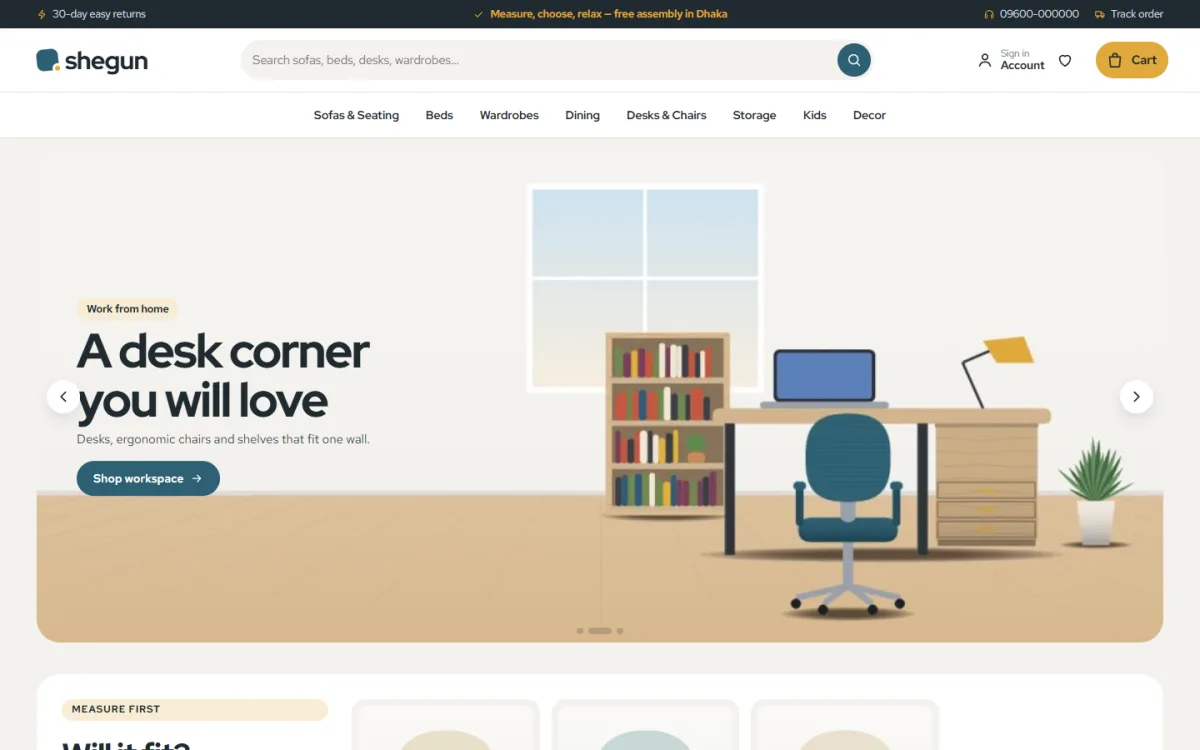
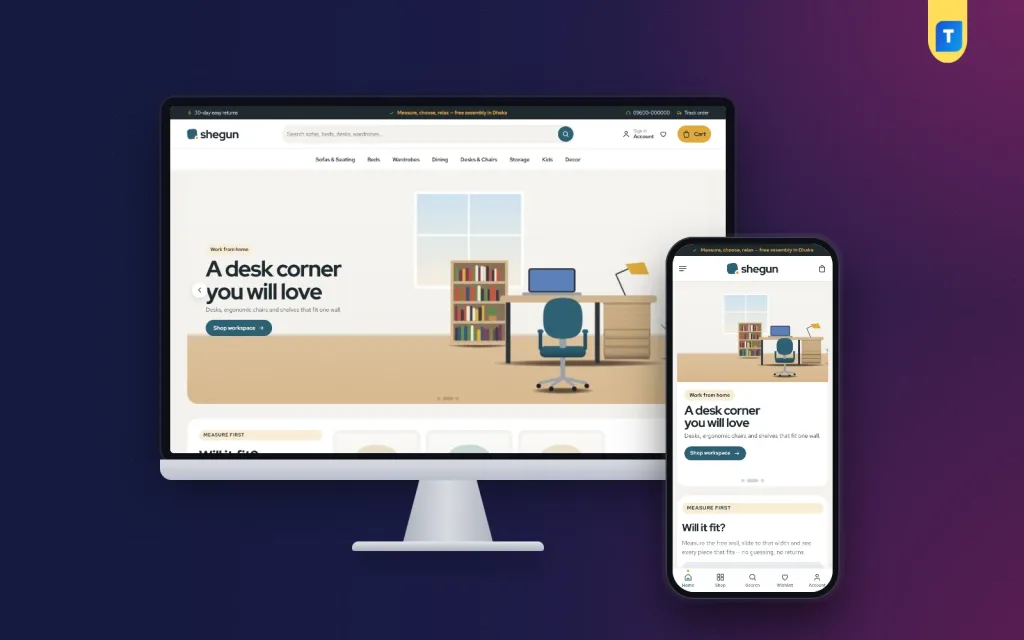
The desktop screenshot of the demo shows the store's practical tone. A dark top bar carries short service notes, a phone number and a Track order link, all sample text you replace with your own terms. A rounded search box suggests sofas, beds, desks and wardrobes. The menu runs Sofas & Seating, Beds, Wardrobes, Dining, Desks & Chairs, Storage, Kids and Decor, and the hero slide promotes a desk corner with an ergonomic chair and shelves that fit one wall. A Measure first label begins the next block.
The Will it fit? block
A shopper picks a category tab, slides to the free width of their wall in centimetres and instantly sees every piece that fits. Each result has a bar comparing the piece's width with the space left. The widths come from the measurements you enter on each product, and you choose which categories appear in Theme Options. No spreadsheet and no extra service are needed.
Buy the set
Room sets group pieces that belong together, such as a bed, two side tables and a wardrobe. The block lists every item, shows the set total and offers one button that puts the whole set in the bag. You build each set in Theme Options from a name and its products. For a young couple furnishing a first flat, one tap for a whole bedroom is far easier than four separate searches.
Cards and product pages that show the numbers
Product cards are rounded and white, with a W × D × H size chip and a teal pill Add to cart button. Every product page gets studio, room and close-up photos, a dimensions card, an assembly note and an expected delivery date, and the demo includes a bed size guide. Reviews sit in a fold with a popup that asks for the first one, and a wishlist holds pieces shoppers want to come back to.
Delivery and Assembly Without Headaches
Split your delivery plan by size. Large pieces such as wardrobes, beds and sofas usually go with your own van and fitters, booked into time slots by area. Smaller items like chairs, lamps and decor can travel by courier. Wrap corners and glass well, photograph each piece before it leaves, and ask buyers about stairs, lift size and parking when you confirm the order, not when the crew is already at the gate.
Shegun's bundled Themeve Commerce plugin handles the store side. Steadfast and Pathao courier are supported, the Track Order page keeps customers updated, and every product page shows an expected delivery date. Invoices, SMS and OTP are built in, and new-order alerts arrive on Telegram so the warehouse knows straight away. The demo's promise strip reads delivery, easy assembly, warranty and returns; change those words to match your own terms.
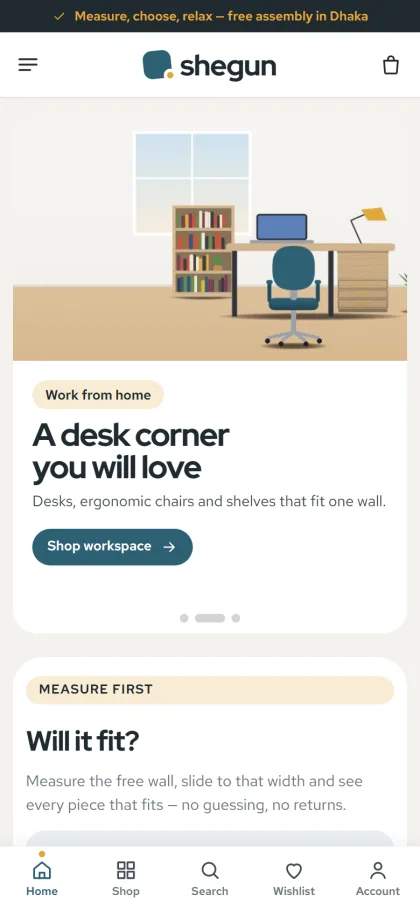
The mobile screenshot shows why this matters on small screens. After the hero, the Measure first card asks the shopper to measure the free wall and slide to that width to see what fits. The header keeps menu, logo and cart, and a bottom bar shown in the demo offers Home, Shop, Search, Wishlist and Account. Product cards stay compact on phones, so buyers compare more pieces with less scrolling.
Payments and EMI for Big-Ticket Pieces
Customers sign in or register in a popup and finish on a one-page checkout. Shegun supports bKash, Nagad, SSLCommerz, cash on delivery and manual payment, and an Order placed popup confirms each order. Coupons are built in, and the weekly deals block on the homepage runs with a countdown and stock bars.
Many buyers in Bangladesh ask for EMI on large pieces. Card instalment plans are normally arranged between your bank or payment provider and the card-issuing banks, so speak to them first and offer EMI only once it is live. EMI is not listed among Shegun's own features, so explain your terms clearly on a page. For cash on delivery orders of big items, a small advance by mobile payment protects you from wasted van trips.
How to Sell Furniture Online With Facebook and a Real Showroom
Facebook is where most furniture buyers first see you. Post short room videos, show a piece being assembled and write captions in Bangla with sizes in centimetres and feet. Send ads to a room set or a category, not the homepage. Shegun includes Facebook Pixel and the Conversion API so you can see which posts lead to orders, and an Our Stores page lists your branches for customers who want to sit on the sofa before they buy.
Setting Up Shegun Step by Step
Shegun runs on WordPress 6.0 or newer with PHP 7.4 or newer and is tested up to WordPress 7.1. Upload the zip from Appearance, Themes, Add New, Upload Theme and activate it. Open Shegun, Setup to add the bundled Themeve Commerce plugin in one click, then activate your license in Shegun, License using the details in your Themeve account. The WordPress documentation covers the basics if this is your first site.
Use Shegun, Demo Import to load Modern Furniture for Real Homes. It brings 32 pieces from 4 makers, home guides, menus and every page from Delivery & Assembly to Returns & Warranty. The makers and artwork are invented, so replace them with your own catalogue. Then set your fit-check categories, room sets and colours in Shegun, Theme Options, which also works on a phone.
There are 24 homepage blocks, seventeen on by default. Besides the fit checker and room sets you get new arrivals, best sellers in tabs, three departments with eight pieces each, home-type cards, weekly deals, shop by budget, trending, top rated, maker logos and home guides. Five palettes and four font pairs are included. Try the live demo with your own wall width, then open the demo admin to see the order screens.
Mistakes That Cost Furniture Sellers Money
The costliest mistake is missing measurements. A furniture ecommerce website without dimensions on every product invites returns and endless questions. Others include photos that hide scale, delivery dates promised before checking the crew's schedule, EMI advertised before it is set up, and policy pages copied from another shop. Keep your terms short, true and easy to find, and answer messages the same day.
Frequently Asked Questions
How does the Will it fit? block know a product's width?
It reads the width you enter on each product. You pick which categories show as tabs in Shegun, Theme Options, and shoppers slide to their free wall width to see matching pieces. Accurate measurements on every product are what make the block useful, so enter them carefully when you add stock.
Can customers add a full bedroom set at once?
Yes. The Buy the set block lists every piece in a set with the set total and one button that puts the whole set in the bag. You create each set in Theme Options from a name and its products, so you can build sets for bedrooms, dining corners or study spaces.
Will customers know when their furniture arrives?
Each product page shows an expected delivery date, and after ordering, buyers can check progress on the Track Order page. Pair that with a confirmation call for large pieces so you can agree on a time slot, floor and access before the van sets off.
Which theme suits a premium showroom instead?
If you sell high-end pieces with a slower, showroom feel, look at Nibash – Luxury Furniture WordPress Theme. Shegun is the better match for stores whose customers live in real flats and want practical, well-measured furniture for everyday living in compact rooms.
Wrapping Up
Learning how to sell furniture online is less about flashy design and more about steady habits: measure everything, photograph scale, plan delivery by size, set up payments properly and keep your promises honest. A furniture ecommerce website that does the measuring for your buyers takes a lot of that load off your team. To start yours, set up Shegun – Modern Furniture WordPress Theme and let your customers measure, then buy.