A mobile accessories business is one of the easiest retail ideas to start in Bangladesh and one of the hardest to stand out in. Every phone needs a charger, a cable, a cover and sooner or later a power bank, so demand never really stops. This guide is for accessory shop owners who want to sell beyond the counter, Facebook page sellers who are ready for a proper website, and freelancers who build stores for them.
The trouble is that buyers have plenty of choice and very little patience. They compare prices on three Facebook pages, ask the same question in every inbox and still worry whether the charger will actually suit their handset. Growing online means answering those questions before they are asked: clear specs, honest warranty terms, quick payment and delivery that turns up on time. A website you control does that job every hour of the day, even while the shop shutter is down.
In this guide we use Shokti – Tech Accessories WordPress Theme as the working example. It is built for shops that sell chargers, power banks, cables, earbuds, headphones, smart watches and car or desk gear, and it puts the numbers buyers care about, such as watts, ports and mAh, right on the page. First, though, let us look at what the business itself needs, because no theme can fix a weak plan.
Why a Mobile Accessories Business Needs Its Own Website
Selling only through Facebook works while the page is small. Once orders pick up, posts disappear down the feed within a day, product details get lost in comment threads and you answer the same compatibility question fifty times a week. A website keeps every product, spec and policy in one place. Buyers can search, compare and order on their own, and you can spend your time on stock and delivery instead of copy-pasting replies.
Trust is the second reason. The accessories trade has a reputation problem: copied chargers, swollen power banks and cables that stop working after a month. A shop with its own domain, a warranty page, a physical address and real reviews looks far more serious than a page with only a logo and a phone number. When a customer is about to plug something into a phone that cost them a month of savings, that trust decides the sale.
Third, a site gives you data. You can see which products people view, which searches return nothing and where shoppers drop out of checkout. With ad tracking in place you also learn which Facebook campaigns bring paying buyers rather than just likes. For a mobile accessories business working on thin margins, knowing where each taka of ad spend goes is often the difference between growing and standing still.
Planning Your Range Before You Build
Start narrow. A typical mobile accessories business earns most of its profit from a few fast-moving lines: fast chargers, cables, power banks and budget earbuds. List the twenty or thirty items you sell most often and build the store around them first. Add smart watches, speakers and mounts once the core pages work.
Write specs the way buyers check them
Charger buyers think in numbers. Note the wattage, the charging standard such as PD or GaN, the number and type of ports and which phones reach full speed. For power banks, list the capacity in mAh, the output and the input, and be honest about how many real phone charges it gives. For cables, give the length, connector type and supported wattage. Use the same format on every product so shoppers can compare at a glance.
Decide your warranty and return rules
Write down what you cover and for how long, how a customer makes a claim and who pays the courier both ways. Keep a simple process for checking returned items, because some faults are real and some come from a cheap wall socket. Put all of this on a dedicated warranty and returns page and link it from every product. Clear rules cut arguments and make first-time buyers far more willing to order.
Plan stock around the seasons
Demand in this trade follows the calendar. Power banks move fast during summer load-shedding, earbuds and smart watches sell as gifts before Eid, and chargers spike whenever a popular new phone lands in the market. Mark these periods in advance, order stock early and prepare banners and posts, so you are ready when the rush begins rather than a week after it has passed.
How Shokti Presents Chargers, Power Banks and Audio
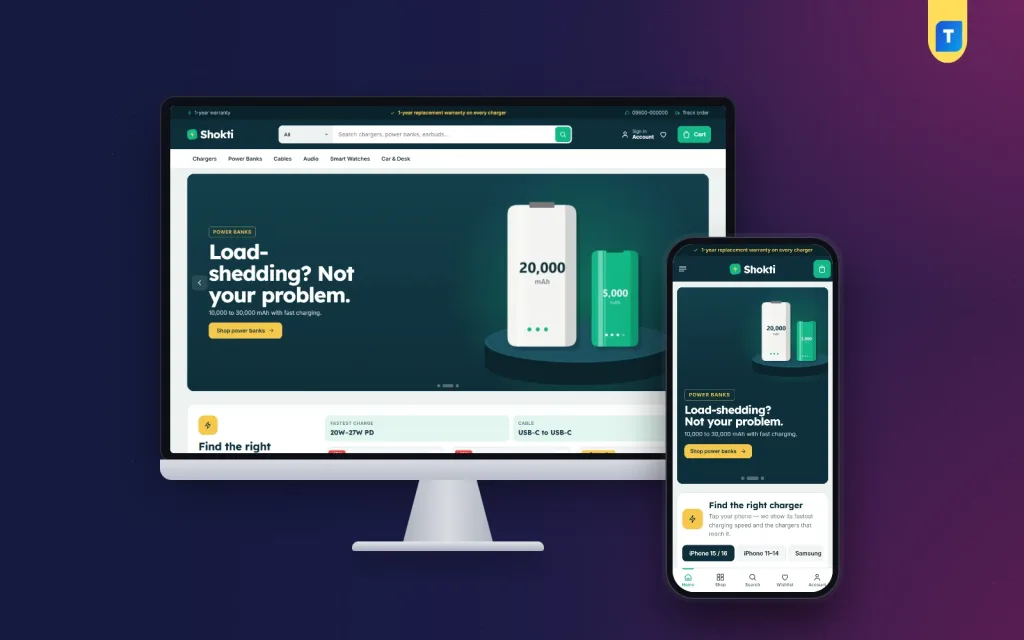
Shokti treats charger shopping as the numbers game it is. Section titles look like spec sheets with a small bolt mark, the hero is dark teal, and every product card carries a green spec pill such as 65W GaN with three ports, or 10,000 mAh. Ratings and a dark Add to cart button sit just below, so a buyer sees the key figure, the score and the button without opening the product.
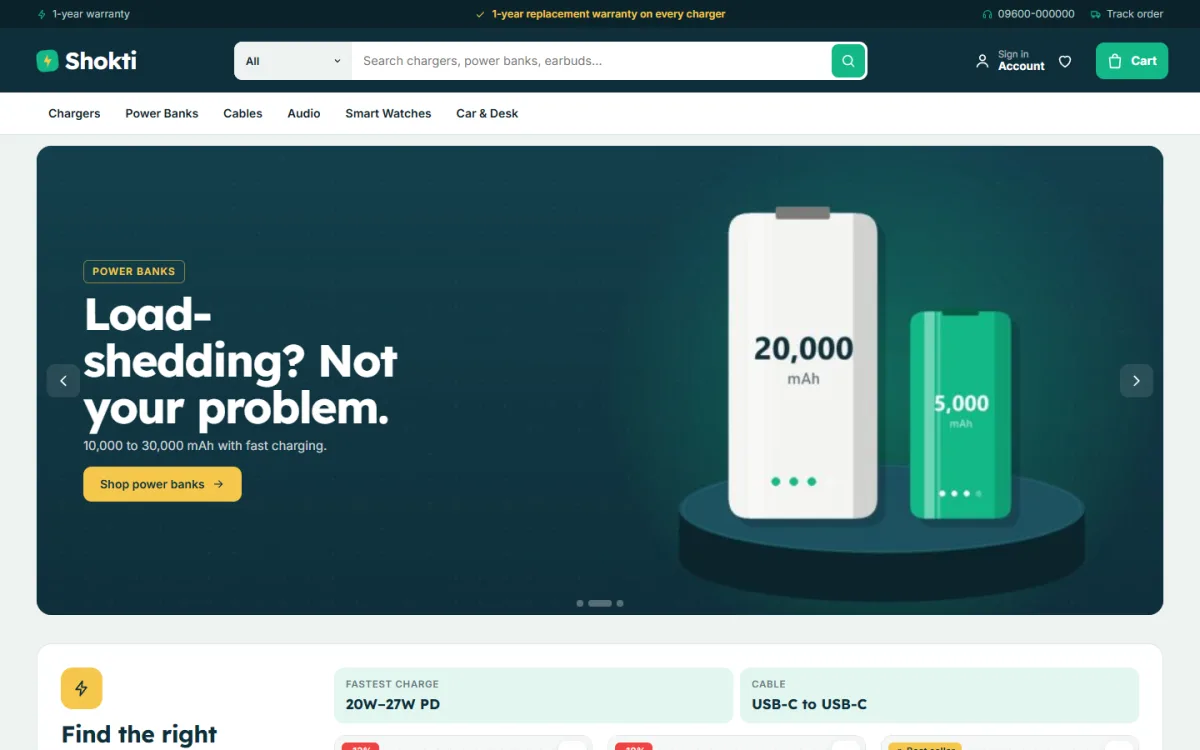
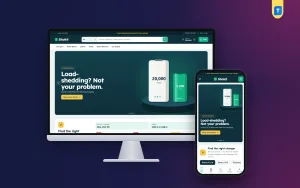
The demo homepage in the screenshot opens with a slim top strip and a search bar that suggests chargers, power banks and earbuds, followed by a menu for Chargers, Power Banks, Cables, Audio, Smart Watches and Car & Desk. The hero slide shown in the demo speaks straight to local life by pitching power banks against load-shedding, and the Find the right charger block begins just below it.
A charger matcher that answers the big question
The block most accessory sellers will love is the charger matcher. A visitor taps their phone and sees its fastest charging speed, the cable it needs and the chargers in your shop that reach that speed. You set the phone names, watts, cables and product tags yourself in Theme Options, so the matcher only points to stock you really carry. That one block can replace dozens of inbox questions every day.
Battery bars and a homepage you control
The How many charges? block turns every power bank into a battery bar showing its capacity, price and roughly how many full phone charges it gives; the demo covers banks from 5,000 to 30,000 mAh. Around it sit 24 homepage blocks, fourteen switched on in the demo and ten waiting in reserve. You can hide any block or drag it into a new order from Shokti, Theme Options.
The active blocks include the hero slider, Shop by category icon tiles, New in, Bestsellers in category tabs, Power for with four use cards, two department blocks, Flash deals with a countdown and stock bars, Shop by price, a Brands logo row, Charge guide for your latest three posts and a promise strip covering warranty, delivery, cash on delivery and original products. Top rated, Trending, Brand spotlight and Promo cards wait in reserve for campaign weeks.
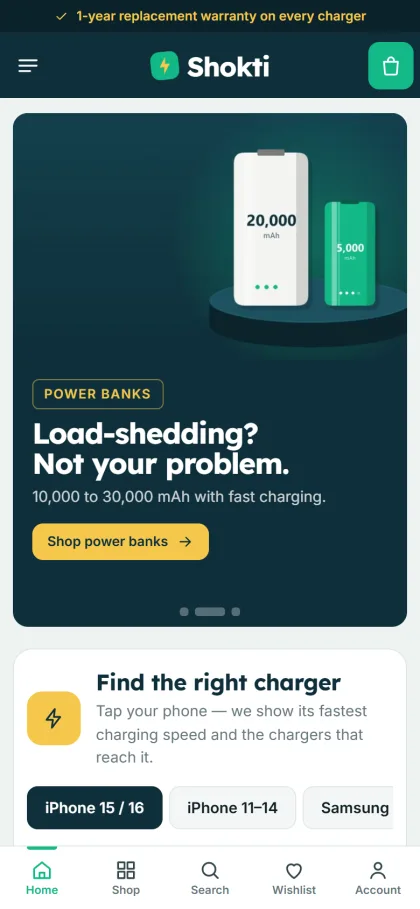
On a phone, which is where most accessory orders in Bangladesh begin, the header keeps only the menu, logo and cart. The mobile screenshot also shows phone tabs inside the charger matcher and a bottom bar with Home, Shop, Search, Wishlist and Account. Product cards stay compact so shoppers see more items per scroll, sign in and register open in a popup, and reviews sit in a fold with a popup that invites the first one.
Setting Up Your Mobile Accessories Website Template
Upload the Shokti zip under Appearance, Themes, Add New, Upload Theme and activate it. Then open Shokti, Setup and install the bundled Themeve Commerce plugin in one click; it runs the cart, checkout, payments, couriers and order tracking. Add the license key from My Account, Licenses under Shokti, License so updates arrive. The WordPress documentation explains themes, menus and pages if they are new to you.
Next, run Shokti, Demo Import. The Chargers, Power & Audio demo brings 36 products from 6 brands, the charger matcher setup, battery bars, charge guide posts, menus and pages such as Charge Guide, Our Stores, Warranty & Returns, Delivery, FAQ, Track Order, Wishlist, Cart, Checkout and My Account. Every brand name and image is an invented sample, so treat the import as a ready mobile accessories website template and replace it piece by piece with your own catalogue.
Then make it look like your shop in Shokti, Theme Options. Choose one of five palettes, Charge green, Electric blue, Volt orange, Violet or Graphite, and fine-tune any single colour. Pick a font pair such as Lexend with Inter or Chakra Petch with Inter. A settings search, a sticky save bar and export or import of all settings keep the work quick. Shokti needs WordPress 6.0 and PHP 7.4 or newer and is tested up to WordPress 7.1.
Before you decide, open the live demo on your own phone and try the charger matcher as a customer would. Then look around the demo dashboard to see where products, orders and settings live; the store menu there is simply called Shop.
Payments, Delivery and Promotion in Bangladesh
Local payment is ready from day one. Customers can pay with bKash, Nagad, SSLCommerz, cash on delivery or manual payment, and parcels go out through Steadfast or Pathao courier. Checkout fits on one page and ends with an Order placed popup, and buyers can follow their parcel on the order tracking page instead of calling you. Invoices, coupons, back-in-stock alerts, returns and a store locator are part of the package too.
Cash on delivery stays popular, but it brings refused parcels. For accessories, a simple rule helps: confirm larger COD orders by phone before handing them to the courier, and give buyers a reason to pay in advance by bKash or Nagad, such as same-day dispatch. Pack power banks and chargers firmly, put the warranty card in the box and keep the tracking number in the order so you can answer delivery questions in seconds.
Facebook is still where most accessory buyers discover new shops. Shokti includes the Facebook Pixel and the Conversion API, so you can measure which ads lead to real orders. Send ads to a category or a single product rather than the homepage, run short campaigns with the Flash deals block during busy weeks and post honest charge-test videos. Bangla captions with clear wattage and capacity figures work well, and new-order alerts on Telegram help you reply quickly.
Common Mistakes That Hold a Mobile Accessories Business Back
The biggest mistake is selling on vague claims. Words like original, super fast or long lasting mean nothing without numbers, and they invite returns when the product does not match the buyer's idea of fast. Put the real watts, mAh and compatibility on every listing. The second mistake is mixing genuine and copy stock without saying so; one angry review about a fake charger can undo months of careful work.
Other common problems are a catalogue that grows too big too early, product photos taken on a cluttered counter, no clear warranty page and a site that was only ever tested on a laptop. Check your product page, cart and checkout on a budget Android phone using mobile data before every campaign. Finally, do not let old flash deals linger. Switch campaign blocks off when an offer ends, so the homepage never promises a deal you no longer honour.
Frequently Asked Questions
Can I change the phones listed in the charger matcher?
Yes. Phone names, wattage, cables and the product tags that select matching chargers are all edited in Theme Options, so the matcher follows the stock you actually carry. When a new handset becomes popular, add it and tag the chargers that suit it.
Do I need coding skills to run the shop?
No. Block order, colours, fonts and the charger matcher are set in Shokti, Theme Options, and the Live Customizer shows changes as you make them. Products, orders and coupons are handled in the dashboard under the Shop menu, much like any other WordPress store.
Is there a theme for a shop that mostly sells phone covers?
Yes. If covers and cases are the main part of your range, look at Chhoya – Phone Case Shop WordPress Theme. Shokti suits shops where chargers, power banks, cables and audio make up most sales and buyers need the numbers before they decide.
Which payments and couriers are supported?
Customers can pay with bKash, Nagad, SSLCommerz, cash on delivery or manual payment. Deliveries go through Steadfast or Pathao courier, and buyers can follow each parcel on the order tracking page. SMS and OTP are built in for customer messages.
Final Thoughts
Growing a mobile accessories business online comes down to a few steady habits: stock what sells, show honest specs, explain your warranty, make payment easy and deliver on time. Your website should make each of those steps easier, not add work. If chargers, power banks, cables and audio are your trade, start with Shokti – Tech Accessories WordPress Theme and let the charger matcher answer the question your customers ask most.