An online shop website template saves a family fashion store months of work, but only if it is built for the way family shopping really happens. This guide is for clothing shop owners in Bangladesh who sell for men, women and kids under one roof, Facebook sellers moving to their own site, and freelancers who build stores for them. We look at how to plan departments, sizes, payments and delivery, and which features matter most.
A family clothing store has a special problem online. One buyer may want a saree, a shirt, a frock and school shoes in the same visit. If those items sit in one long, flat list, she gives up long before checkout. The store needs departments that open quickly, sizes that are easy to check and a checkout that works for cash on delivery buyers as well as bKash users.
As the working example we use Biponi – Fashion Mart WordPress Theme, a theme made for family fashion marts that sell men's, women's and kids' clothing, footwear, bags and accessories. It comes with department menus that open photo panels, a coral flash sale, shop by budget tiles and a one-click demo with 55 products. But first comes the planning, because no template can fix a catalogue that is badly organised.
Why a Family Fashion Mart Needs the Right Online Shop Website Template
A boutique with thirty pieces can live with almost any design. A family mart with hundreds of products across five departments cannot. When the catalogue is wide, the template decides how many taps it takes to reach a pair of kids' sandals, and every extra tap costs you buyers, especially on a slow mobile connection in the evening rush.
Think about how families shop. Before Eid or the start of the school year, one person usually buys for everyone. They jump between departments, compare a few price points and want to finish in one order with one delivery charge. An online shop website template for this kind of store has to support that jumping: a clear department menu, search that can narrow to one department, and product rows grouped by who the clothes are for.
Price matters too. Many family buyers start with a budget rather than a style, so a way to browse by price saves them time and saves you from answering the same question in the inbox. Trust is the last piece. Clear exchange rules, a size guide and a visible hotline make a first-time buyer comfortable enough to order without calling you first.
Planning Departments, Categories and Sizes
Start on paper. List your departments the way customers think about them, for example Men, Women, Kids, Footwear and Bags & Accessories. Under each one, write the sub-categories you actually stock: shirts, panjabi and trousers for men; sarees, kurtis and three-piece sets for women; frocks, sets and school wear for kids. Keep the list short enough that every sub-category has real products in it.
Size charts for every product type
Wrong sizes cause most fashion returns. Measure your real stock and write one size chart per product type, because a man's shirt, a child's frock and a shoe are measured in completely different ways. Put the chart close to the buy button, not hidden in a footer page. Note the fabric and care instructions as well, so buyers know exactly what they are getting before the parcel arrives.
Price bands and the selling calendar
Decide on three or four price bands that match your stock, such as under ৳500, under ৳1,000 and under ৳2,000. Then mark your selling calendar: the two Eids, Pohela Boishakh, Puja, winter and back-to-school. Plan which department leads each campaign and shoot photos early, because couriers and photo studios get busy right before every festival and late stock rarely sells at full price.
Policies and store information
Every family clothing store needs simple pages for delivery, returns and exchange, plus a size guide. If you have physical branches, list them with addresses and opening hours. Buyers who can see a real shop address trust an online order far more, and many will visit a branch to try a size before ordering online the next time.
How Biponi Turns the Template Into a Family Mart
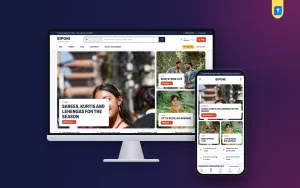
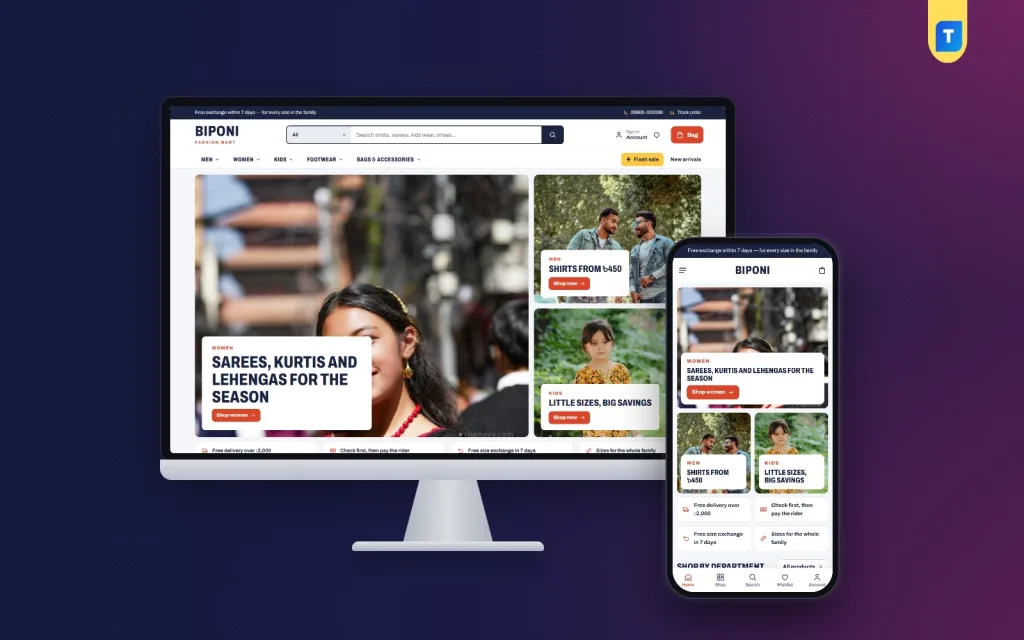
Biponi is built around departments. The header carries a wide search box with a department picker, and the main menu lists each department in bold condensed capitals. Hover on a department and a panel opens with its sub-categories and photos. You build those panels in Biponi → Menus → Main menu by placing sub-categories under each department, with no code at all.
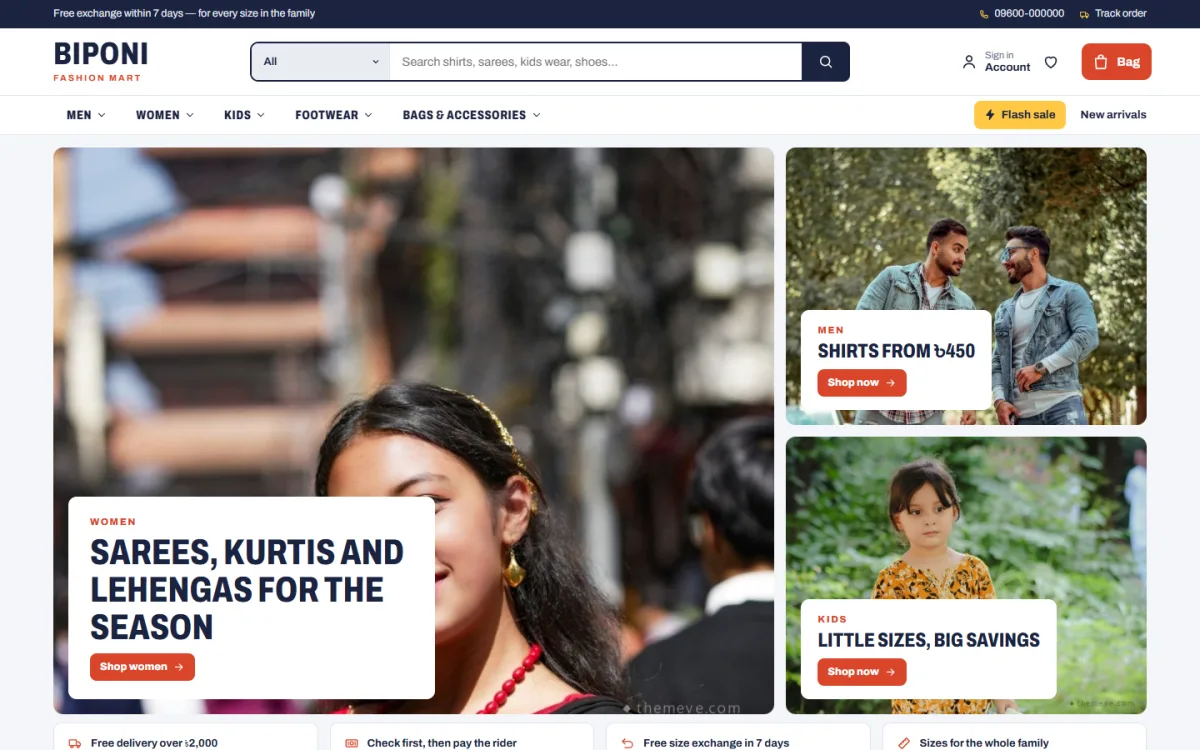
The homepage is made of 14 blocks that you can switch off or drag into a new order under Homepage layout. It opens with hero tiles, one big photo and two small ones, each with a label, a headline and a link. A service strip covers delivery, exchange and cash on delivery, and Shop by department shows a photo card for each department with sub-category links below it.
Department blocks, flash sale and shop by budget
Three department blocks are the heart of the layout. Each pairs a portrait photo with its sub-categories and a sliding row of products from the category you choose, so Men, Women and Kids each get their own corner of the homepage. Two wide banners and a Top sellers block with one tab per category sit between them.
The coral flash sale band pairs a countdown with sale products and stock bars, so buyers see the time left and how fast pieces are going. Shop by budget turns four price limits, set in taka, into tiles with matching finds below, which fits the price bands you planned earlier. New arrivals, five-star reviews, a big Just for you grid with Load more and the latest journal posts complete the page.
Product cards and the product page
Cards are compact for fast scrolling: a 3:4 photo, a yellow discount tag, the star rating, the number of units sold and a round bag button. On hover, sizes rise up for a one-tap add. The product page can show delivery charges and times from your store settings, a Frequently bought together row, return and exchange text and default care instructions. Size guides are switched on, and the demo includes guides for men, kids and shoes.
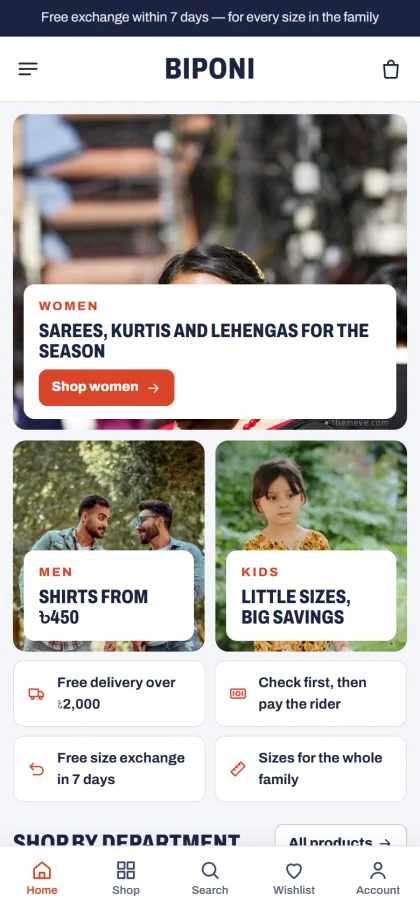
Most of your buyers will see the store on a phone. There, the header shrinks to menu, logo and bag, product cards get smaller so more fit on screen, and a bottom bar keeps Home, Shop, Search, Wishlist and Account within thumb reach. Sign in and register open in a popup, so nobody loses a half-filled cart while creating an account.
Setting Up Your Online Shop Website Template Step by Step
Biponi needs WordPress 6.0 or higher and PHP 7.4 or higher, and it is tested up to WordPress 7.1. Upload it under Appearance → Themes → Add New → Upload Theme and activate it. Then open Biponi → Setup and install the bundled Themeve Commerce plugin in one click. That plugin runs the cart, the one-page checkout, payments, couriers and the order tracking page.
Activate your license from your Themeve account (My Account → Licenses) under Biponi → License so updates arrive. Next, run Biponi → Demo Import. The Family Fashion Mart demo brings 55 products with brands across 18 categories, size guides, the flash sale, journal posts, menus and every page, including About Biponi, Delivery, Returns & Exchange, Size Guide, Our Stores, Track Order and Wishlist.
Demo photos are free stock photos for the preview, and every label and product name is invented, so replace them with your own photos and products before launch. Then open Biponi → Theme Options. Pick one of four palettes, Navy & coral, Forest & mango, Plum & lemon or Charcoal & red, or set each colour yourself, and choose one of six font pairs. Theme Options works well on a phone too, with a bottom bar and arrows to move blocks.
Before you decide, spend ten minutes in the live demo on your own phone and walk through a purchase as a buyer would. Then open the demo dashboard to see where products and orders sit under the Shop menu. If menus and pages are new to you, the WordPress documentation explains the basics clearly.
Payments, Delivery and Selling in Bangladesh
Checkout in Biponi takes one page and ends with an Order placed popup. Buyers can pay with bKash, Nagad, SSLCommerz, cash on delivery or manual payment, and you send parcels through Steadfast or Pathao courier. A Track Order page lets buyers check their parcel themselves, which cuts down the where-is-my-order calls during busy weeks.
Cash on delivery is still the first choice for many family buyers, and it also brings fake orders and refused parcels. Confirm larger COD orders by phone or message before handing them to the courier, and consider asking for a small advance by mobile payment on big multi-item orders. Set your delivery charges clearly for inside and outside Dhaka, so the total never surprises anyone at the door.
On your side, new-order alerts can arrive on Telegram, SMS and OTP help you reach customers, invoices are made for orders, and coupons are ready for festival offers. Facebook Pixel and the Conversion API are built in, so your ads can measure who visited and who bought. Send ads to a department page or the flash sale rather than the homepage, and write captions with clear sizes and prices.
Common Mistakes With a Family Clothing Store Website
The first mistake is copying the demo too closely. Model photos make any online shop website template look good, so picture your own photos and your real number of products inside it before you judge. The second is too many categories with only two or three products each. Empty-looking shelves make a mart feel closed, so merge thin categories until each one looks full.
Sellers also forget sizes and phones. Skipping the size guide on kids' clothing and shoes leads straight to exchanges, and testing only on a laptop hides problems that every phone buyer will hit. Check the menu, product page, cart and checkout on a real mobile with mobile data. Finally, leaving last month's sale up for weeks makes the store look neglected, so end each flash sale on time and replace its banner.
Frequently Asked Questions
Can one online shop website template handle men, women and kids?
Yes, if it is built around departments. In Biponi the main menu opens a photo panel of sub-categories for each department, and three homepage department blocks give each its own photo and sliding row of products. The demo spreads 55 products over 18 categories to show how the store looks when the shelves are full.
Do I need coding to change the homepage?
No. All 14 blocks are switched on or off and dragged into order in Biponi → Theme Options → Homepage layout. On a phone you use arrows instead of dragging. Hero tiles, department blocks, banners and budget tiles each have their own settings in the same place, so a festival refresh takes minutes.
Which payments and couriers can I offer?
Biponi works with bKash, Nagad, SSLCommerz, cash on delivery and manual payment through the bundled Themeve Commerce plugin. Parcels go out with Steadfast or Pathao courier, and buyers can follow them on the Track Order page without calling your shop for an update.
Are there other themes for family and big fashion stores?
Yes. For another theme built for family shopping, compare Poshak – Family Department Store WordPress Theme. For a large multi-brand shop with deal of the day and a budget store, look at Haat – Fashion Megastore WordPress Theme. Biponi suits a busy, friendly family mart built around departments.
Final Thoughts
A family fashion mart online succeeds with clear departments, honest sizes, prices buyers can browse by and a checkout that suits cash on delivery and mobile payment. Plan those first, then pick an online shop website template that already does the heavy lifting for you. If you sell for the whole family, start with Biponi – Fashion Mart WordPress Theme and build your first festival campaign around its departments.