 −27%
−27%
Blog CMS
2 products
−27%
 −36%
−36%
About Blog CMS
A Laravel blog CMS gives writers, small publishers and content teams a fast blog that they fully own, with a clean writing panel and a reading experience that keeps visitors on the page. In this category you will find two of them: Publisher Blog CMS and AdSense Blog CMS. Both come with full source code, an easy admin panel and a web installer that works on ordinary cPanel hosting.
Publisher Blog CMS for content teams
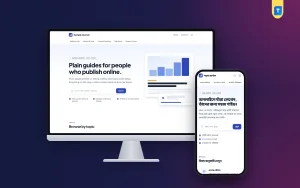
Publisher Blog CMS is made for a blog that publishes often and has more than one writer. Authors, categories, tags and featured posts are easy to manage, and the home page shows the latest and most important stories in a magazine-like layout. It suits a tech blog, a lifestyle site, a business magazine, a recipe site or a company blog that wants to grow an audience with useful articles.
AdSense Blog CMS for ad-supported blogs
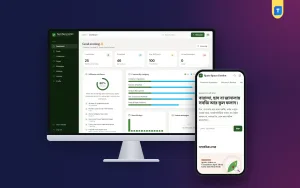
AdSense Blog CMS is built for bloggers who earn from display ads. It has ready ad spaces in sensible places, such as the header, inside articles and in the sidebar, which you fill from the admin without editing templates. The layout keeps ads tidy so the content stays easy to read, because readers who enjoy a page are more likely to return. Approval and earnings always depend on your own content and the ad network rules, but the script gives you a clean, organised base to build on.
Why choose a Laravel blog CMS
Many blogs become slow and hard to manage as plugins pile up. A Laravel blog CMS keeps things simple: the features you need are built in, pages load quickly and there is less to update or break. Since you own the code, you can change the design, add new sections or connect your own tools later. Clean URLs, proper titles and descriptions for each post, and tidy article markup help search engines understand your content.
Writing is comfortable. You get a clear editor for headings, images and links, can save drafts, schedule posts and set a featured image for each article. Both scripts support Bangla and English text well, so they work for a Bangla blog, an English blog or a mix of both.
Growing a blog takes steady, useful writing more than anything else. The CMS helps by keeping old posts easy to find through categories, tags and related articles, so a reader who arrives on one post can move to the next. Author pages let regular writers build their own following, and a simple settings area lets you change the site name, logo and menus whenever you like.
Easy installation and live demos
Upload the files, open the web installer in your browser, enter your database details and choose whether to import demo content. There is no command line. The demo shows a filled blog with sample posts so you can see the layout before writing your own. Each licence is for one domain, and documentation in English and Bangla walks you through setup and daily publishing.
Both blogs have live demos at their own demotheme.xyz address. Read a few posts on your phone, check how ads and images sit on the page, and choose Publisher Blog CMS or AdSense Blog CMS depending on how you plan to grow your blog.
