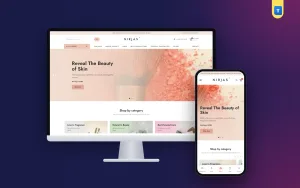
 −49%
−49%
Laravel Project
Nirjas – Cosmetic Shop Software for Beauty and Fragrance in Laravel
৳15,500
৳30,500Save −49%
4 products
−49%
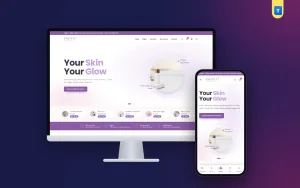 −51%
−51%
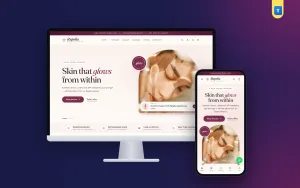 −59%
−59%
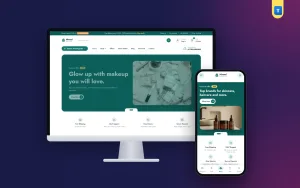 −50%
−50%
A Laravel cosmetics shop script helps a skincare, makeup or beauty brand sell from its own website with a look that builds trust. This category brings together four Laravel beauty stores: Prova, Nirjas, Rupsha and Nirmol. Each comes with full source code, a friendly admin panel and a web installer for cPanel hosting, so you can launch a proper beauty shop without hiring a developer.
Beauty buyers care about how a brand feels. Prova is light and airy, with soft tones and generous white space that suit skincare and natural products. Nirjas takes the opposite path with a dark, elegant style that makes perfume, makeup and premium items stand out. Rupsha uses a rich plum colour and gentle arch shapes for a feminine, boutique feel. Nirmol is built for health and beauty together, with a clean layout and a blog section where you can share skincare routines and product guides that bring visitors back.
Cosmetics buyers read before they buy. Every shop gives each product clear photos, a short description, ingredients or usage notes and related items, so a customer can decide with confidence. Categories such as face care, hair care, body care and makeup are easy to set up from the admin, and you can highlight offers, new arrivals and best sellers on the home page. Since the code is Laravel and you own it, the shop stays quick and you are free to change anything later.
Checkout is short and works well on a phone. Customers enter a name, phone number and address, choose a delivery area and pay with cash on delivery, bKash or Nagad, the methods most shoppers in Bangladesh already use. Orders appear in the admin with a clear status, and customers can create an account to follow their orders and buy their favourite products again.
Trust is everything when people buy something they will put on their skin. Clear photos of the real packaging, honest descriptions and visible contact details all help a new customer feel safe ordering for the first time. You can also group products by skin type or concern, such as oily skin, dry skin or hair fall, so shoppers find the right item faster and are less likely to return it.
Upload the files, open the web installer in your browser, enter your database details and choose whether to add demo content. There is no terminal or command line. The demo gives you a complete looking store with sample products and banners, which you then replace with your own range. Each licence covers one domain, and you get documentation in English and Bangla that walks through setup, products, payments and orders step by step.
Each beauty store has a live demo at its own demotheme.xyz address. Open Prova, Nirjas, Rupsha and Nirmol one after another on your phone, look at the product pages and the checkout, and think about which one matches the personality of your brand. A light, a dark, a boutique and a health-focused option give you a real choice. Our support team is always ready to help you choose and set up.
