 −50%
−50%
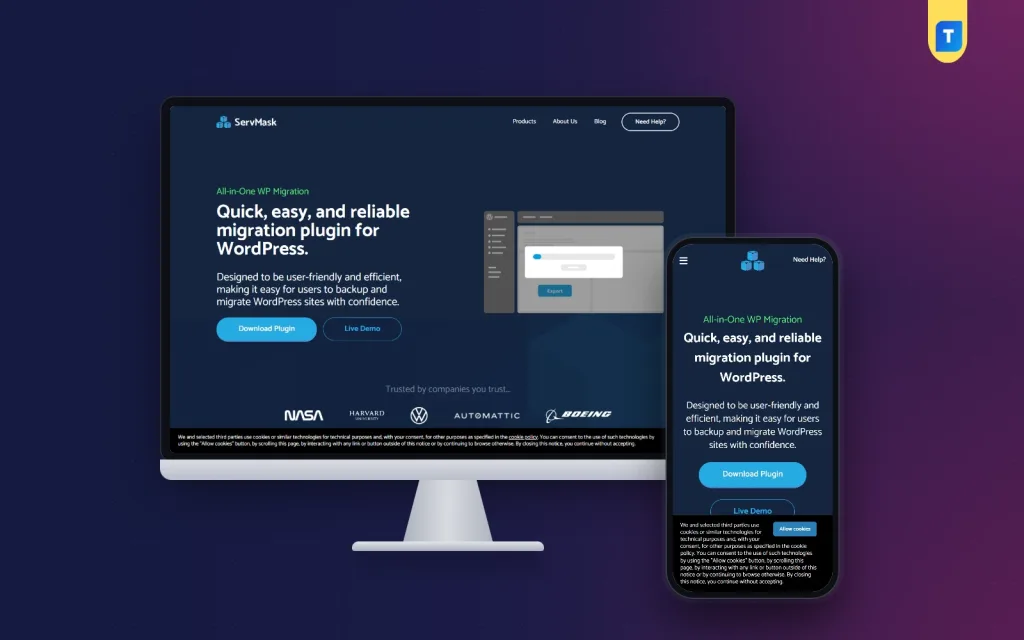
All in One WP Migration Pro – All In One WP Migration WordPress Plugin
✦ Key features
- Export the whole site into one package
- Files, themes, plugins, database and media included
- Import into any WordPress install
- Unlimited site size in the Pro version
- Automatic search and replace of URLs and paths
- Clone a live site for testing or staging
- Full backup and quick restore
- Works on shared, VPS, cloud and managed hosting
- Made for beginners, no command line
- Instant download and unlimited re-downloads
Overview
The All in One WP Migration Pro plugin is an all in one wp migration wordpress plugin that moves, clones, backs up and restores a full site in one package, with unlimited site size and no manual database work.
The All in One WP Migration Pro plugin is an all in one wp migration wordpress plugin for moving, cloning, backing up and restoring a WordPress website without touching a database by hand. You pack the whole site into one file, carry that file to another WordPress install, and bring everything back with a few clicks.
This Pro edition removes the size limit you meet in the free version. A small business site and a large online store go through the same steps. It suits site owners, freelancers, developers and agencies who move websites often and do not want to spend a day on each move.
Who can use this migration plugin
You do not need to be a developer. If you can log in to the WordPress dashboard and upload a file, you can use it. These people get the most from it:
- Site owners changing hosting. Move from a slow host to a better one without rebuilding the site.
- Freelancers and agencies. Build a client site on a local computer or a test server, then publish it on the client's live domain.
- Developers. Clone a live site into a staging copy, test updates there, and keep the live site safe.
- Online store owners. Move a shop with many products and a big media library, which usually fails on upload limits.
- Portfolio and business sites. Keep a full backup before a redesign or a big plugin change.
- Anyone recovering a broken site. Restore a clean backup after a hack, a crash or a server problem.
What this all in one wp migration wordpress plugin does
The plugin handles four jobs that website owners meet again and again. Each one follows the same simple idea: the site becomes a single package that you can store, move or restore.
Move a website
Export your site into one package. The package holds your files, themes, plugins, database and media. Import that package into any WordPress installation and the site appears there as it was.
Clone a website
Cloning is the same export and import, used for a different goal. You copy a live site to a second location so you can test changes, build a new version, or hand a copy to a client for review.
Back up a website
The package you export is also a full backup. Keep it on your computer or in storage you trust. If something goes wrong later, you have a clean copy of the whole site, not only the database.
Restore a website
If your site is hacked, crashes or hits a server problem, import a saved package and return to the last working state. This takes minutes, not hours.
Unlimited site size in the Pro version
The free version of this kind of tool limits how large a site you can import. The Pro version supports unlimited site size migration. That matters most for sites that grow:
- Online shops with thousands of images
- News and blog sites with years of media
- Business sites with large downloads and galleries
- Agency projects that include many plugins and a heavy database
You do not have to split the site into pieces or ask your host to raise limits just to finish one move.
Automatic search and replace
This is the part that causes most trouble in manual moves. When a site changes domain or server, the old address is stored in many places: links, image paths, file paths and database records. If any of them stay old, you get broken links and missing images.
During migration, the plugin handles the search-and-replace work for you. It adjusts URLs, file paths and database references to match the new location. You do not edit the database, and you do not run commands.
Hosting, themes and plugins: where this all in one wp migration wordpress plugin works
- Hosting: shared hosting, VPS, cloud hosting and managed WordPress hosting.
- Themes and page builders: popular themes and page builders move with the site without conflicts.
- Plugins: your installed plugins travel inside the package, together with their settings stored in the database.
- Server load: the process is built to keep server load low and to avoid timeouts, even on large websites.
Speed and lightness
The plugin is a tool you use when you need it. It does not add anything to your visitors' pages. The work happens inside the dashboard when you export or import. After the move, your site runs exactly as before, with no extra front-end code from the migration tool.
Front end: what visitors see
Nothing. The plugin has no public widget, no banner and no shortcode. Visitors only notice the result: the site is on the new host, the pages open, the images load and the links work. If you restore a backup after a problem, they see the last good version of your site.
Back end: what you control in the dashboard
All of the work is done from the WordPress admin. The plugin keeps the interface plain on purpose, so a beginner can finish a migration without training. There is no command line, no FTP step and no database editing.
Export
- Create one package of the entire site: files, themes, plugins, database and media.
- Save the package as a backup or take it to a new server.
Import
- Upload a package into a fresh or existing WordPress install.
- The site is rebuilt from the package, with URLs and paths updated to the new address.
Backup and restore
- Use a saved package to return a site to an earlier working state.
- Useful before major updates, redesigns or plugin tests.
Clone and staging
- Copy a live site to a test location and try changes safely.
- Move the finished work back to the live site when you are ready.
How it helps you work faster
A migration done by hand has many small steps: export the database, copy files over FTP, create a new database, edit the configuration file, fix the URLs, then check every page. Each step can fail, and each failure costs time.
With this tool the same job becomes a short routine. For an agency that delivers many sites, that adds up. You can set up a new client site by importing a ready package instead of installing everything from zero. A freelancer can keep a clean starter site as a package and deploy it for each new project.
- Fewer manual steps means fewer mistakes.
- A saved package gives you a way back before risky changes.
- Staging copies let you test updates away from the live store.
- Large sites do not need extra workarounds.
How to use it: setup steps
- Download the plugin zip from your account after purchase.
- On the source site, open Plugins, choose Add New, upload the zip and activate it.
- Export the site to a package. Wait until the package is ready, then download it.
- On the destination, install a fresh copy of WordPress and add the same plugin.
- Import the package. The plugin rebuilds files, database and media, and updates the addresses.
- Log in again, open a few pages, and check images, menus and forms.
- Keep the package as your backup until you are sure everything works.
Setup guidance is available if you get stuck on any step.
Why choose an all in one wp migration wordpress plugin over manual moves
A manual move needs database access, FTP access and patience. A single missed setting can leave the site half working. The Pro plugin replaces that work with one package and one import.
- Less technical work. No database exports, no config edits.
- No size worry. Large sites are covered by the Pro version.
- Fewer broken links. Addresses are updated automatically.
- Works almost everywhere. It runs on common hosting types and WordPress setups.
- Kept up to date. It is updated to stay compatible with new WordPress versions.
It is used on live production websites, so it is not only a tool for test sites. Take a full backup before any large move and keep the original site online until the new one is checked.
Safe habits for every migration
- Export a fresh package right before you start, not an old one.
- Keep the old site live until the new site passes your checks.
- Test the checkout, contact forms and login on the new host.
- Point the domain only after the new site looks correct.
- Store at least one backup package away from the web server.
A wordpress to wordpress migration plugin for repeat work
If you only move one site in your life, a manual method may be enough. If you manage several sites, a wordpress to wordpress migration plugin pays for itself fast. The same package works for a host change, a domain change, a local-to-live launch or a safety backup. You learn one routine and use it everywhere.
What is included
- All in One WP Migration Pro plugin, ready to upload from Plugins, Add New.
- Unlimited site size migration.
- Instant download after payment is verified.
- Unlimited re-downloads from your account.
- Setup guidance and friendly WhatsApp support.
Common migration jobs and how the plugin handles them
Changing to a new host
Export on the old host, import on the new one, then change the domain settings. The old site stays online while you test, so visitors never see a half-finished move.
Moving from a local computer to a live domain
Many developers build a site on a local machine. When the work is approved, the package carries the finished site to the live server, with all addresses updated to the real domain.
Changing the domain name
If your brand changes, the automatic search-and-replace step updates the old address across the content, so links and images keep working under the new name.
Making a safety copy before an update
Before you update a theme, change a plugin or edit a lot of pages, export a package. If the update breaks something, import the package and the site returns to its earlier state.
Handing a site to a client
Build the project on your own server, export it, and import it on the client hosting account. The client receives the complete site, not a list of instructions.
Who should buy it
Choose this all in one wp migration wordpress plugin if you move or back up WordPress sites more than once a year, if your current site is too large for the free version, or if you want a clean recovery option for a store that cannot afford long downtime. It reduces risk, saves time and keeps routine site work simple.
All in One WP Migration Pro is built on the official WordPress documentation standards, and you can browse more of our WordPress plugins.
Reviews
0.0
Write a review
★★★★★
0 reviews from buyersNo reviews yet — be the first to share your experience after buying.
Frequently Asked Questions
01What does the All in One WP Migration Pro plugin do?
It moves, clones, backs up and restores WordPress websites without technical knowledge. The site is saved as one package that you can import anywhere.
02Does the Pro version remove site size limits?
Yes. The Pro version supports unlimited site size migration.
03Is this all in one wp migration wordpress plugin suitable for beginners?
Yes. The interface is simple. You do not need FTP, a command line or database editing.
04Is it safe to use on a live website?
It is widely used on live production websites. Take a fresh backup package before any large move and keep the old site online until the new one is checked.
05Can I use it as a wordpress to wordpress migration plugin for a domain change?
Yes. It updates URLs, file paths and database references automatically, so links and images keep working on the new address.
06Which hosting types does it work with?
Shared hosting, VPS, cloud hosting and managed WordPress hosting.
07How do I receive the all in one wp migration wordpress plugin after payment?
Delivery is instant after payment is verified. The plugin appears in your account, and setup guidance is available.
Delivery & Support
1Place your orderAdd to cart, sign in and pay with bKash or Rocket.
2Payment verified automaticallyEnter your Transaction ID — the payment is matched automatically, usually within seconds.
3Get your productYour download and details appear in My Account and your e-mail.
- Secure automatic payment verification
- Delivery to your account & e-mail
- Friendly WhatsApp support
Refund Policy
This policy applies to every product in our store.
You get a refund when the product does not work as described and we cannot fix it, when your license will not activate your website, or when a manually delivered product is late and you cancel before delivery. A working license, or a single license already used on a live domain, is not refundable. Approved refunds go back to the number you paid from within one working day, minus the Send Money charge.
More items
View all →You may also like
−50%
 −50%
−50%
 −27%
−27%
Plugins
Elementor Pro Plugin 1 Year with Library Access – Elementor Pro Buy in Bangladesh
৳400
৳550Save −27%
 −50%
−50%
