 −50%
−50%
Auto News Sync – Best News Aggregator Plugin for WordPress
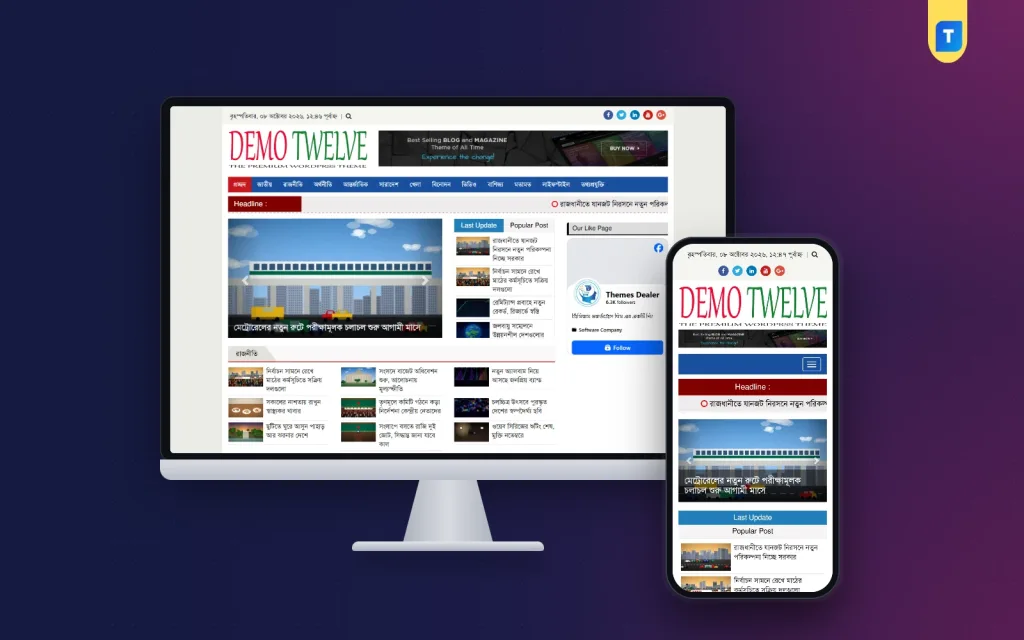
✦ Key features
- RSS feed, category page URL and WordPress REST API sources
- Works with news sites on any CMS, no login needed
- Per-category start time, end time, interval and daily limit
- Only today's news, oldest first
- Duplicate news protection
- Original headline kept
- Ads, scripts, share buttons and related blocks removed
- Smart paragraph detection
- Full-size featured images
- Source box linking to the original story
- One-click test and preview
- Dashboard, detailed logs and server cron support
- Responsive settings panel
Overview
Auto News Sync is the best news aggregator plugin for WordPress for sites that republish content they are allowed to use. It imports category-wise news from RSS, page URLs or REST API on a schedule, clean and with a source box.
If you run a news site, you are probably looking for the best news aggregator plugin for WordPress that saves your desk from copy and paste. Auto News Sync imports category-wise news into your site from RSS feeds, category page URLs or the WordPress REST API. Each story arrives clean, on a schedule you set, with a link back to the original.
It is built for news portals, media groups and freelancers who manage WordPress news sites, many of them in Bangladesh. It works with source sites built on any CMS, and the source site does not need to give you a login. Use it for content you have the right to republish, such as your own sites, agency copy you pay for and sources that have agreed to share.
Who Can Use This News Aggregator Plugin
- Media groups that run a main portal plus district or topic sites and share stories between them.
- Publishers with a syndication agreement with a news agency or a partner site.
- Companies that want their own press releases to appear on a partner site.
- Freelancers who build and maintain WordPress news portals for clients.
- Editors who want a steady flow of routine stories so they can spend time on original reports.
A word on permission first. A plugin can read almost any public feed, but that does not give you the right to republish. Import only from sources you own or have written permission to use. Keep that permission on file.
What the Plugin Imports and How
You pick a source type for each category. Three types are available.
- RSS feed: the most common choice. Most news sites publish a feed, often one for each category.
- Category page URL: for your own organisation's sites that have no feed. The plugin reads the stories from the category page.
- WordPress REST API: for sources that run on WordPress. It often gives cleaner data than a feed.
No password is needed for any of them. A feed or a page address is enough.
A Smart Auto Post Plugin for WordPress
As an auto post plugin for WordPress, Auto News Sync is not a bulk copier. It publishes on a calm, steady rhythm that you control, category by category.
- Only today's news is imported.
- Stories come in oldest first, so your category page keeps a natural time order.
- The same story never comes in twice.
- Every post keeps its original headline.
Back End: Settings You Control
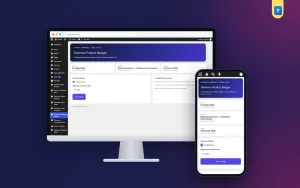
Auto News Sync has its own panel in the WordPress admin. The settings panel is fully responsive, so you can check it from a phone. Here is what you can set and see.
Per-category schedule
- Start time and end time: the hours when imports may run. For example, from 6 AM to 11 PM.
- Interval: the minutes between posts. For example, one post every 20 minutes.
- Daily limit: the most posts allowed in a day. Once it is reached, no more posts come in until the next day.
Each category has its own values. Let sports flow every half hour in the afternoon, while national news arrives more often in the morning. A calm flow looks more natural to readers than forty stories posted at once.
Source and category setup
- Choose the source type: RSS feed, category page URL or WordPress REST API.
- Paste the feed or page address.
- Match it to one of your own categories.
Keep the mapping simple. One source category feeding one of your categories is easy to check later.
One-click test and preview
Before you save a source, run the one-click test. It shows how a story will look: the headline, the paragraphs, the featured image and the source box. If something looks wrong, fix it now. Every future post from that source follows the same pattern.
Image handling
- Show from the source server: uses no space on your hosting.
- Download to your Media Library: keeps a copy on your own site.
Featured images are taken at full size, so they display neatly in your theme.
Dashboard and logs
- A dashboard shows what is running.
- Detailed logs record what was imported and when.
- A broken feed shows up quickly, because the log stops showing new posts.
Server cron support
By default, WordPress runs scheduled tasks when someone visits the site. On a quiet site, imports can stall overnight. Server cron support lets you run imports on a real schedule from your hosting control panel, so the flow continues at any hour.
Front End: What Readers See
Imported stories look like normal posts in your theme. Readers see these parts.
- The original headline of the story.
- Clean body text without ads, scripts, tags, share buttons or related-news blocks from the source site.
- Proper paragraphs. Smart paragraph detection rebuilds them even when a feed sends one long block of text.
- A full-size featured image that suits your theme.
- A source box that links to the original story and credits the publisher.
- A Read the rest button. If a source feed carries only a summary, readers get the summary with a link to the original.
If a feed has the full text and you have permission, you get the full text. If it has only a summary, you get the summary. The plugin does not go beyond what the source provides.
Why Cleaning Matters
Raw feeds are messy. They carry ads, tracking scripts, share buttons and boxes of related stories. Pasted into your own theme, they look broken and slow the page down. Auto News Sync removes these before the post is saved, so you do not edit each story by hand.
Clean posts also read better on phones, where most of your readers will see them. Good paragraphs, one image and one source box make a tidy page.
Why Many Publishers Call It the Best News Aggregator Plugin for WordPress
Every owner has different needs, so treat this as a checklist rather than a promise. A good tool in this class should offer the following.
- More than one source type, not only RSS.
- A schedule for each category, not one setting for the whole site.
- Duplicate protection, so no story appears twice.
- A cleaning step before anything is published.
- A test before you save.
- Logs that you can read.
- Server cron for steady imports.
Auto News Sync covers every point on the list. Together they make it a practical choice for a site that wants steady, tidy imports.
How It Helps Your Newsroom
The best news aggregator plugin for WordPress is the one that fits how your desk already works. Auto News Sync suits a small team because the rules are set once and then run alone. A desk editor can open the dashboard in the morning, read the logs and move on to real reporting.
It also suits a larger group. Each category has its own schedule, so the sports desk, the national desk and the district desk can all run at different speeds. You do not need a developer to change a time or a limit. Open the panel, edit the number and save.
- Time saved: no more copying headlines, pictures and text by hand.
- Fewer mistakes: hand copying often breaks headlines, images and formatting.
- Steady content: district and topic pages stay fresh through the day.
- Credit to the source: the source box keeps you honest and helps with syndication agreements.
- Control: a daily limit stops a source from flooding your homepage.
Treat imports as support for your newsroom, not a replacement. Search engines and ad networks both prefer sites with original reporting. Keep your own stories at the front of the homepage.
Setting Up the Best News Aggregator Plugin for WordPress
- Go to Plugins, then Add New, then Upload Plugin. Choose the plugin zip and click Install Now.
- Click Activate. If you can, do this first on a staging copy of the site.
- Open the Auto News Sync panel in the admin.
- Add one source for one category. Choose the source type and paste the address.
- Run the one-click test. Check the headline, paragraphs, featured image and source box.
- Choose how images are handled: show from the source or download to your Media Library.
- Set the start time, end time, interval and daily limit for the category.
- Save and watch the logs for a day.
- Add the next category, then the next, one at a time.
- Set up server cron in your hosting panel so imports do not depend on traffic.
The plugin needs WordPress 5.6 or newer and is tested up to WordPress 6.8.
Mistakes to Avoid
- Importing from publishers who never agreed to it. This invites copyright complaints and lost ad accounts.
- Turning on every source at full speed on day one.
- Skipping the test step and finding broken paragraphs after hundreds of posts.
- Never reading the logs.
- Removing the source credit to make stories look original.
Works With Your News Site
Imported posts are normal WordPress posts. They use your categories, your featured images and your theme, so the plugin works with any WordPress news theme. Many Bangla sources publish Unicode text, which imports well when your theme uses a proper Bangla font. Media groups that also publish a daily e-paper can let the e-paper plugin build editions from the stories that editors approve.
What Is Included
- The Auto News Sync plugin zip, ready to upload.
- RSS feed, category page URL and WordPress REST API sources.
- Per-category schedule, interval and daily limit.
- Cleaning, paragraph detection and full-size featured images.
- Source box on every imported post.
- Duplicate protection.
- One-click test and preview.
- Dashboard, detailed logs and server cron support.
- Updates for the life of your account.
Start with a single tested source from a site you own, and add more once the first one runs well.
Auto News Sync is built on the official WordPress documentation standards, and you can browse more of our WordPress plugins.
Reviews
0.0
Write a review
★★★★★
0 reviews from buyersNo reviews yet — be the first to share your experience after buying.
Frequently Asked Questions
01Which websites can I import news from?
Sites built on WordPress, a custom CMS or any other platform. If the site has an RSS feed, use the feed. For your own sites without a feed, use the category page URL.
02Do I need a login to the source site?
No. A feed or page address is enough.
03What makes it the best news aggregator plugin for WordPress for my site?
It offers three source types, a schedule per category, duplicate protection, cleaning, a test before saving, logs and server cron. Check these against your own needs.
04Will the full article be imported?
From your own sites or sites that gave written permission, yes if the feed carries full text. If a feed has only a summary, you get the summary and a Read the rest link.
05How often do posts come in?
You set it for each category: a start and end time, minutes between posts and a daily limit.
06Where are images stored?
Your choice. Show them from the source server, which uses no hosting space, or download them to your Media Library.
07Is it a good auto post plugin for WordPress?
Yes, if you use it for content you may republish and keep original reports on your homepage. Import only from sources you own or have permission to use.
Delivery & Support
1Place your orderAdd to cart, sign in and pay with bKash or Rocket.
2Payment verified automaticallyEnter your Transaction ID — the payment is matched automatically, usually within seconds.
3Get your productYour license key and download appear in My Account → Licenses.
- Secure automatic payment verification
- Delivery to your account & e-mail
- Friendly WhatsApp support
Refund Policy
This policy applies to every product in our store.
You get a refund when the product does not work as described and we cannot fix it, when your license will not activate your website, or when a manually delivered product is late and you cancel before delivery. A working license, or a single license already used on a live domain, is not refundable. Approved refunds go back to the number you paid from within one working day, minus the Send Money charge.
More items
View all →You may also like
−50%
 −50%
−50%
 −50%
−50%
 −50%
−50%
