 −50%
−50%
Advanced Search – WordPress Search Plugin
 −50%
−50%
✦ Key features
- Search form placed anywhere by shortcode
- Responsive on phones and computers
- Your own placeholder text
- Optional content-type choice
- Uses the normal WordPress search
- Results in your theme's style
- Public content only
- No outside search service
- Works with any WordPress theme
- Quick to set up
Overview
Advanced Search is a WordPress search plugin that places a responsive search form anywhere with one shortcode, with your own placeholder and an optional content-type choice.
Advanced Search is a WordPress search plugin for sites that want a search box exactly where visitors need it. Place a clean, responsive search form anywhere with one shortcode, write your own placeholder text, and optionally let visitors choose which type of content to search.
It works on any WordPress site, with any theme.
Why search placement matters
Visitors who search know what they want. They are often your most valuable visitors: a buyer looking for a specific product, a reader looking for a recipe, a client looking for a service. If they cannot find the search box, many give up and leave.
Many themes hide search in a small icon or a sidebar that disappears on phones. Putting a clear search form at the top of a page, on a category page or in a help section makes finding things much easier.
One shortcode, anywhere
Add the shortcode [themeve_advanced_search] to any page, post or widget area that accepts shortcodes, and the search form appears. Put it at the top of your homepage, on a blog index, on a help page or at the end of long articles.
The form is responsive, so it fits neatly on phones, tablets and computers.
Your own placeholder
The placeholder is the grey text inside the empty box. Make it helpful: Search sarees, panjabis and more, Find a recipe, or Search our services. A good placeholder tells visitors what they can find.
Optional content-type choice
If your site has several kinds of content, you can let visitors choose which type to search. That helps on sites that mix blog posts, pages and other content, so visitors get more relevant results.
How results work
Advanced Search uses the normal WordPress search to look through your public content. Results appear on your theme's search results page, in the same style as the rest of your site. Private and draft content is never shown.
Because it uses WordPress's own search, it works with any theme and needs no extra setup or outside service.
What this WordPress search plugin is, and is not
Advanced Search gives you a better-placed, clearer search form with a helpful placeholder and an optional content-type choice. It does not replace the WordPress search engine itself, and it does not add filters by price or attributes.
Search results improve most when your content has clear titles and good text, so visitors' words match yours.
Pair it with structured content
Search works best on well-organised content. Custom Content Types & Fields adds ready content types such as Services, Projects and Team Members. SEO Manager lets you write clear titles and descriptions for each page.
To learn how shortcodes work, see the WordPress documentation.
Who it suits
Blogs and news sites with many articles. Recipe, tutorial and help sites. Business sites with many service pages. Small shops whose theme hides the search box. Any site where visitors arrive looking for something specific.
A quick example
A cooking blog with three hundred recipes puts the search form at the top of its homepage with the placeholder Search 300 recipes. Readers who arrive looking for a biryani or a pitha recipe type it straight away instead of scrolling through categories, and they spend more time on the site.
Tips for better search
Use the words your visitors use in your titles. Add a short description to every page and product. Check what people search for in your site analytics, and write content for common searches that return no results.
Where to place the form
Put the form where visitors look for something specific: the top of the homepage, the top of a blog or news index, a help page, or the end of long articles. On phones, place it above large banners so it is visible without scrolling.
You do not need it on every page. Two or three well-chosen places are enough. A WordPress search plugin works best when the box sits exactly where the question comes up, and that is usually near the top of your busiest pages.
Licence, updates and setup
Advanced Search needs an active Themeve licence key. Without it, the form does not work and only the lock screen and License screen open. Enter the key from My Account › Licenses and the settings become available. Updates arrive in Dashboard › Updates while the licence is active.
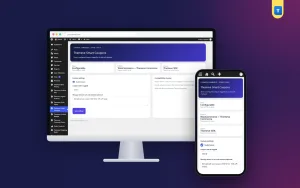
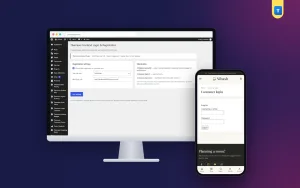
After activation, open Settings › Advanced Search & Filter, write your placeholder, decide on the content-type choice, and add the shortcode to a page.
Try a few searches yourself, and your WordPress search plugin is ready to help visitors find what they came for.
Reviews
0.0
Write a review
★★★★★
0 reviews from buyersNo reviews yet — be the first to share your experience after buying.
Frequently Asked Questions
01How do I add the search form?
Add the shortcode [themeve_advanced_search] to any page, post or widget area that accepts shortcodes.
02Can I change the placeholder text?
Yes. Write your own placeholder in the settings.
03Can visitors choose what to search?
Yes, if you turn on the optional content-type choice.
04Does it replace the WordPress search engine?
No. It uses the normal WordPress search to look through your public content.
05Does it add price or attribute filters?
No. It provides a clear search form with a placeholder and an optional content-type choice.
06Will results match my design?
Yes. Results appear on your theme's search results page.
07Does it need a licence?
Yes. Without an active Themeve licence key the form does not work and only the lock and License screens open.
Delivery & Support
1Place your orderAdd to cart, sign in and pay with bKash, Nagad or Rocket.
2Payment verified automaticallyEnter your Transaction ID — the payment is matched automatically, usually within seconds.
3Get your productYour license key and download appear in My Account → Licenses.
- Secure automatic payment verification
- Delivery to your account & e-mail
- Friendly WhatsApp support
Refund Policy
This policy applies to every product in our store.
You get a refund when the product does not work as described and we cannot fix it, when your license will not activate your website, or when a manually delivered product is late and you cancel before delivery. A working license, or a single license already used on a live domain, is not refundable. Approved refunds go back to the number you paid from within one working day, minus the Send Money charge.
More items
View all →