−50%
−50%
Custom Content Types & Fields – Custom Post Type Plugin
 −50%
−50%
✦ Key features
- Ready Services content type
- Ready Projects content type
- Ready Team Members content type
- Own admin menu for each type
- Archive page for each type
- Enable only the types you need
- Extra field box on content
- Your own label for the field
- Show the field anywhere by shortcode
- Works with any WordPress theme
Overview
Custom Content Types & Fields is a custom post type plugin that switches on ready Services, Projects and Team Members sections, plus an extra field you can show anywhere.
Custom Content Types & Fields is a custom post type plugin for business sites that need more than posts and pages. Switch on ready content types for Services, Projects and Team Members, each with its own admin menu and archive page, and add an extra information field to your content that you can show anywhere with a shortcode.
It works on any WordPress site, with any theme.
Why posts and pages are not enough
WordPress starts with posts for news and pages for fixed content. Business sites quickly outgrow that. Services end up mixed with blog posts. Portfolio projects become a long single page that is hard to update. Team members are squeezed into an About page.
Separate content types keep each kind of content in its own place, with its own list in the admin and its own page on the site.
Three ready content types
Services
Give every service its own page: tutoring subjects, design packages, repair services, catering menus. A Services archive lists them all, and each one can be linked from menus and ads.
Projects
Show your work one project at a time: a building, a website, an event, a wedding shoot. A Projects archive becomes your portfolio, easy to grow as new work is finished.
Team Members
Give each person on your team a page with their photo and role. A Team archive shows everyone together, which builds trust with new clients.
Switch on only what you need
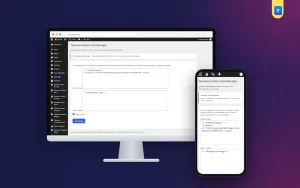
Open Settings › Custom Content Types & Fields and choose which of the three types to enable. Each enabled type gets its own admin menu, so staff add services, projects or team members just like writing a post.
If you only need Services, switch on Services. The others stay hidden until you want them.
An extra field, shown anywhere
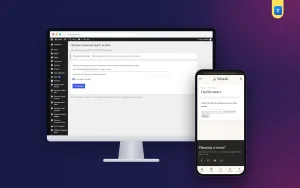
The plugin adds a structured field box to posts, pages and the three content types. Give it a label that suits your site, such as Price range, Duration or Location, and fill it in for each item. Then show the value anywhere in your content with the shortcode [themeve_custom_field].
This keeps a key detail in a consistent place for every service or project, instead of buried somewhere in the text.
What this custom post type plugin is, and is not
The three content types are fixed: Services, Projects and Team Members. You choose which to enable, but you cannot create new types with your own names. For most business sites, these three cover what is missing from standard WordPress.
How each archive and single page looks depends on your theme. Check them after enabling a type and adjust your menus.
Pair it with search and products
Once content is organised, it is easier to find. Advanced Search places a search form anywhere with an optional content-type choice. For online shops, Advanced Product Editor adds ready field sets to products.
To learn more about content types in WordPress, see the WordPress documentation.
Who it suits
Agencies, consultants and freelancers with services and portfolios. Construction, interior and event companies showing projects. Coaching centres and clinics introducing their team. Any business that wants a tidy, professional structure without custom development.
A quick example
An interior design studio enables Services and Projects. It adds four services with the extra field labelled Starting from, and twelve finished projects with photos. The homepage menu links to both archives, and each project page shows the location using the shortcode.
Tips
Use one featured image style for every project. Keep service titles short and clear. Link related services and projects to each other in the text.
Keep each section alive
Add a new project whenever you finish good work, update service pages when prices or details change, and refresh team pages when people join or leave.
A custom post type plugin gives your content a structure; regular, small updates are what make visitors trust it. A section that grows month by month shows a business that is busy and doing well.
Licence, updates and setup
Custom Content Types & Fields needs an active Themeve licence key. Without it, nothing is added and only the lock screen and License screen open. Enter the key from My Account › Licenses and the settings become available. Updates arrive in Dashboard › Updates while the licence is active.
After activation, enable the types you need, add your first items and put the archives in your menu. That is all it takes for a custom post type plugin to give your site a clear, professional structure.
Reviews
0.0
Write a review
★★★★★
0 reviews from buyersNo reviews yet — be the first to share your experience after buying.
Frequently Asked Questions
01Which content types are included?
Services, Projects and Team Members. You choose which to enable.
02Can I create my own content types?
No. The three types are fixed.
03Does each type have its own page on the site?
Yes. Each enabled type has an archive page and single pages, styled by your theme.
04What is the extra field?
A field box on posts, pages and the three types. Give it your own label and show its value with the shortcode [themeve_custom_field].
05Will it match my theme?
Archives and single pages use your theme's styling. Check them after enabling a type.
06Does it work with any theme?
Yes. It works on any WordPress site.
07Does it need a licence?
Yes. Without an active Themeve licence key nothing is added and only the lock and License screens open.
Delivery & Support
1Place your orderAdd to cart, sign in and pay with bKash, Nagad or Rocket.
2Payment verified automaticallyEnter your Transaction ID — the payment is matched automatically, usually within seconds.
3Get your productYour license key and download appear in My Account → Licenses.
- Secure automatic payment verification
- Delivery to your account & e-mail
- Friendly WhatsApp support
Refund Policy
This policy applies to every product in our store.
You get a refund when the product does not work as described and we cannot fix it, when your license will not activate your website, or when a manually delivered product is late and you cancel before delivery. A working license, or a single license already used on a live domain, is not refundable. Approved refunds go back to the number you paid from within one working day, minus the Send Money charge.
More items
View all →