Every summer, as load-shedding returns, thousands of families in Bangladesh search for a rechargeable fan online. For a seller, that means a short window of strong demand, tough questions about battery backup, and a lot of ad money that can either turn into orders or disappear into an inbox. This guide is for gadget importers, home appliance pages and small shops that want to sell one fan model well this season.
We will walk through choosing and testing the fan, planning sizes and stock, handling delivery of a bulky parcel, and building a single product website that answers questions before people type them. The example tool is Batash – Fan Landing Page WordPress Theme, a one-page theme with a backup calculator, picture cards that show where the fan fits, and an order form built into the page.
What Buyers Want When They Search for a Rechargeable Fan Online
When the power goes out on a hot night, people are not browsing for fun. They want one thing: a fan that keeps running until the power comes back. Their questions are always the same. How many hours does the battery last? Which size suits my room? How long does it take to charge? How much is delivery, and what if it arrives broken? A seller who answers those four clearly wins most of the sale.
Buyers also compare quickly. They have seen the same fan on several pages and often in a nearby market. What makes them choose you is trust: real photos, honest backup numbers, a visible warranty and a delivery charge they can see before ordering. Price matters, but a slightly higher price with a clear promise often beats a cheap listing that hides everything.
Choosing and Testing the Fan You Sell
Before you buy a full shipment, run a sample for several nights. Time the backup on low, medium and high speed, with the light on and off, starting from a full charge. Note how long a full charge takes and how hot the adapter gets. Listen to the motor noise at night, when the room is quiet. These are the numbers your buyers will check, so it is far better that you measure them first.
Backup claims you can defend
Supplier boxes often print the longest possible backup, measured at the lowest speed with the light off. If you advertise that number alone, buyers who run the fan at full speed will feel cheated. Give a range instead, and say which setting gives which result. Backup hours also fall as a battery ages, so mention how the battery is replaced and whether you stock spares.
Sizes, stock and timing
Most sellers do well with two or three sizes, such as a small table fan for study and a larger one for a bedroom. Order stock before the hottest weeks, because supply often runs short just when demand peaks. Decide your warranty terms, what the warranty covers and how a buyer sends a faulty fan back, and write it down before your first ad goes live.
Why a Single Product Website Sells Fans Better
A fan buyer who taps an ad wants to see that fan, not a catalogue. A single product website keeps them on one product from headline to order form, with each section answering the next question. It is also easier for you to manage in a rush season: one page to update, one offer to change, one product to track. When you add a second model, you add a second page.
The best order for the page is simple. Lead with the promise and the order button, then the backup answer, then where the fan fits in daily life, the sizes, specifications, photos and video, reviews, a comparison, delivery charges, your guarantee and finally the form. Keep the form to name, mobile, address and district. On a phone with a weak signal, short forms are what turn interest into orders.
How Batash Handles a Fan Page
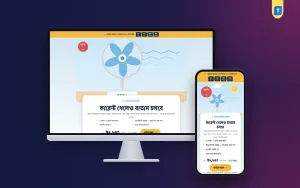
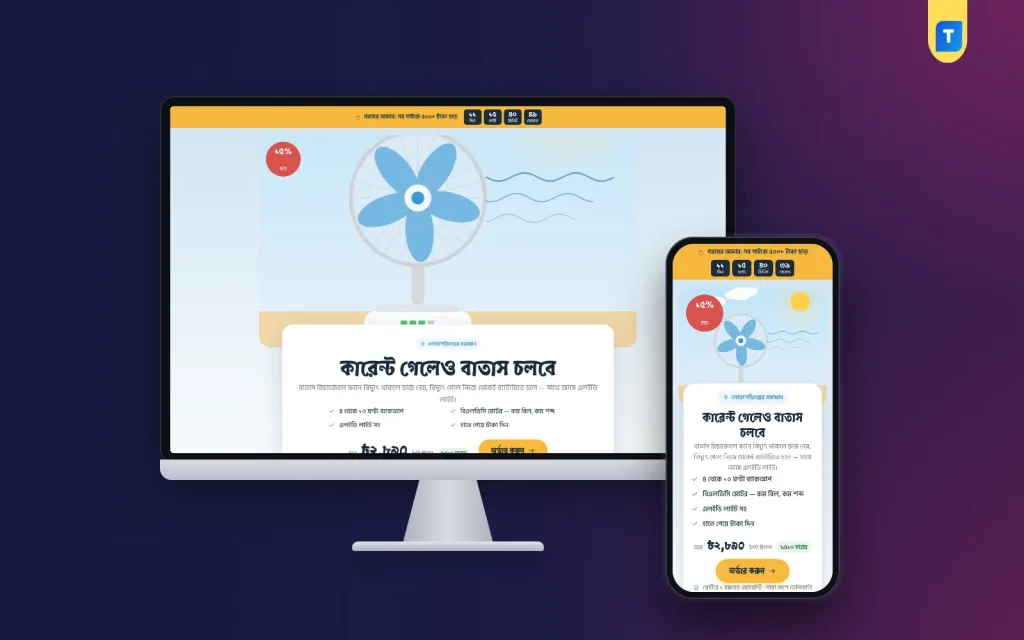
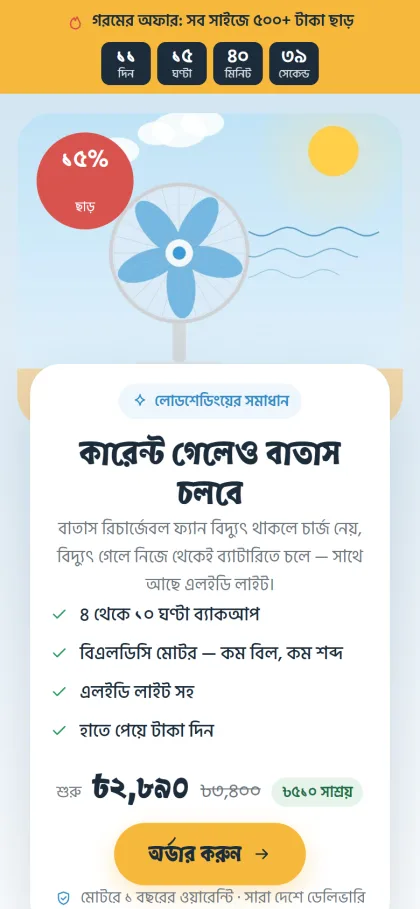
Batash is one long page with no site header or footer. The buyer reads, picks a size and orders from the form inside the page without leaving it. The design feels like a breezy summer afternoon, with sky gradients, a big product picture with the offer card sitting on top, sunny buttons and round Atma headings.
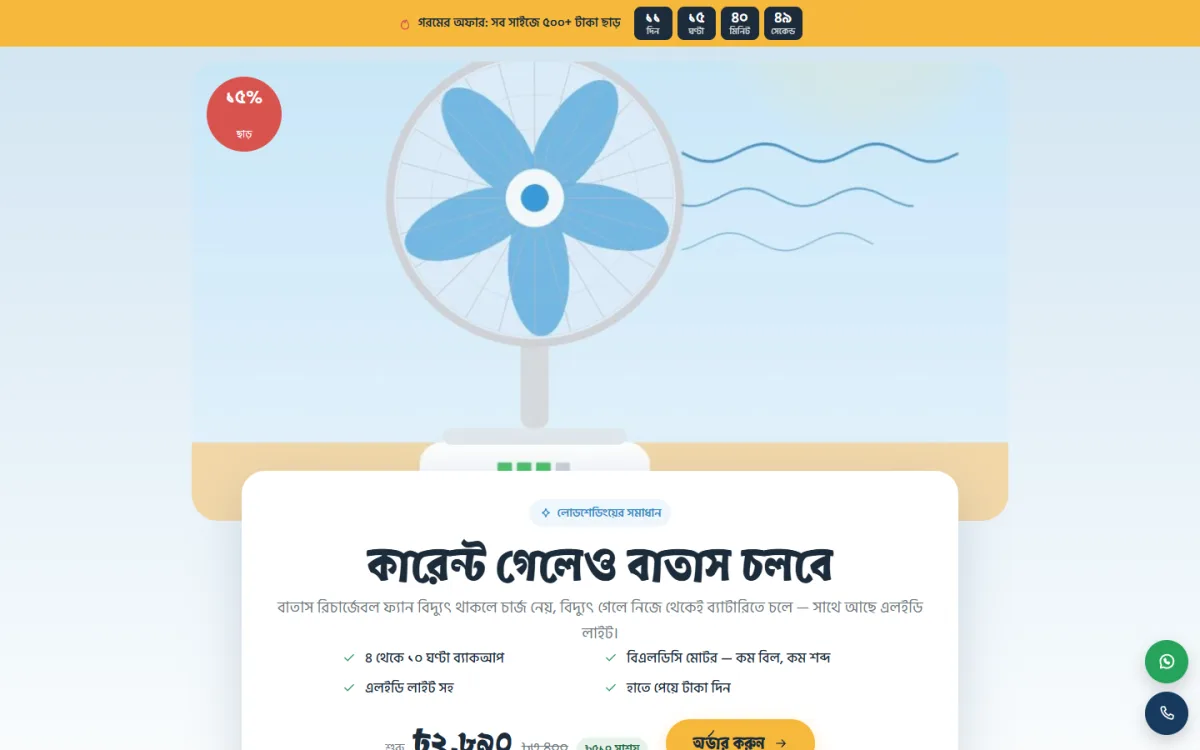
In the demo, the headline card carries a Bangla line about the breeze continuing when the power goes, with four check marks covering backup hours, the motor, an LED light and paying on delivery, plus a warranty and delivery note under the button. Those lines are sample text shown in the demo, not facts about any real fan, so replace them with figures from your own tests and your own warranty terms.
The backup calculator
This is the block that answers the number one question. The buyer picks the fan size, the speed and whether the light is on, and the block shows how many hours the fan runs on battery, with a battery that fills up and a note when it lasts the whole night. Feed it the numbers you measured during testing, and it will answer buyers honestly while your inbox stays quiet.
Where to use it
Three picture cards show the fan at home, at the study table and in a shop, each with a short line. They help buyers picture the fan in their own day, and they let you speak to families, students and shopkeepers on the same page. The demo pictures and text are samples, so use your own photos of the fan running in real rooms.
Sixteen sections you control
The page has 16 sections: hero, problem and answer, backup calculator, benefits, where to use it, packages, specifications, photos, video, reviews, comparison, steps, delivery charges, guarantee, FAQ and the order form. Edit the page in Pages and use the "Landing page" box to turn each one on or off and change the order. If reviews start pouring in, move them up and let buyers convince each other.
Almost every buyer comes from a phone, so Batash puts the small screen first. A sticky order bar shows up once the top of the page is passed and steps aside at the form. Call and WhatsApp buttons float within easy thumb reach for anyone who wants to ask about backup or warranty before ordering.
Sizes, Orders and Payments in Batash
The demo fan comes in 12, 14 and 16 inch sizes. Each size is a product variation, shown as a package card and again as a picker in the order form, and the checkout of the bundled plugin updates the price and delivery charge live when the buyer switches size. Run the offer line with a countdown during a heat wave, and keep delivery charges visible on the page rather than hidden at the end.
Payment is cash on delivery, or bKash and Nagad Send Money to your numbers, and orders appear under Shop in the WordPress dashboard. Themeve Commerce comes bundled and runs the store side: Telegram alerts for each new order, SMS and OTP, invoices, coupons, an order tracking page, and Steadfast or Pathao courier for delivery. Connect the Facebook Pixel and the Conversion API, and every order is reported back to your ad account.
Setting Up Batash Step by Step
Batash runs on WordPress 6.0 or newer with PHP 7.4 or newer, and it is tested up to WordPress 7.1. Upload the zip in Appearance, Themes, Add New, Upload Theme and activate it. Open Batash, Setup to add Themeve Commerce in one click, then enter your license key from My Account, Licenses on themeve.com in Batash, License. The WordPress documentation explains pages and settings if you need a refresher.
Run Batash, Demo Import to load the fan in three sizes with photos and reviews, the landing page as your front page, and policy pages for privacy, terms, and returns and replacement, along with order tracking, checkout and thank-you pages. Then edit the page in Pages and add your bKash and Nagad numbers in the store's payment settings. Batash, Theme Options has 4 palettes, Summer sky, Mint breeze, Night and Sunset, and fonts in Atma, Baloo Da 2 or Anek Bangla.
Before you buy, open the live demo on your own phone and try the backup calculator with different settings. Then look through the demo dashboard to see where the fan sizes and orders are kept.
Delivery and Payment Tips for Fan Sellers
Fans are bulky and have parts that break easily, so packing matters. Keep the original carton, add padding around the guard and blades, and seal it well. Charge each fan and run it briefly before dispatch, and record a short video. If a buyer later says it arrived dead, the video settles things calmly. Tell buyers the delivery window plainly and send a message when the parcel leaves.
Cash on delivery brings most first orders, but returned fans cost you two courier trips. Call to confirm each order, and for distant districts ask for the delivery charge in advance through bKash or Nagad. Buyers who search for a rechargeable fan online at midnight during a power cut are serious, so reply to messages quickly at night too.
Mistakes to Avoid When Selling a Rechargeable Fan Online
The most common mistake is quoting only the best-case backup figure. The second is running out of the popular size in the middle of a heat wave while ads keep spending. The third is hiding a larger delivery charge for bigger sizes until checkout. A fourth is skipping a written warranty, which turns every complaint into an argument and every argument into a bad review.
Sellers also lean too hard on supplier renders. Buyers trust a short video of the fan running in a dark room far more than a perfect studio image. Finally, many keep the same summer offer running long after it should end. A countdown only works if the deadline is real, so change the offer when the timer runs out.
Frequently Asked Questions
Can I sell other gadgets with Batash?
Yes. Any page can become a landing page for any product, so a rechargeable light or a power bank can get its own page with the same setup. Pick the product in the "Landing page" box, and the single product website idea carries straight over.
Is there a similar page for air conditioners?
Yes. Himel – AC Landing Page WordPress Theme is the sister page for an inverter AC. If you would rather run a full shop with many home electronics, look at Taranga – Home Electronics WordPress Theme.
Will the page work on cheap phones?
The page is built phone first, with a sticky order bar that hides at the form and floating call and WhatsApp buttons. Keep your photos compressed and your video short, and the page stays quick even on a weak mobile connection.
Final Thoughts
To sell a rechargeable fan online, you need tested backup numbers, the right sizes in stock, careful packing and a page that answers the big questions on a phone. Summer is short and ad money is not cheap, so give every click a clear page and a quick way to order. Start with Batash – Fan Landing Page WordPress Theme and have it ready before the first heat wave.