A CCTV business in Bangladesh earns from two things at once: the equipment you sell and the installation work that follows. Customers rarely buy a camera on impulse. They compare brands, ask how many days of recording they will get, and want someone they trust to fit it. This guide is for security shop owners, installers who sell their own gear, and freelancers who build sites for them, and it shows how an online catalogue can bring in more quote requests.
Most of your buyers now do their research on a phone before they call anyone. A shop owner wants to see what a four-camera kit includes, an office manager wants to check router and switch options, and an apartment committee wants to know whether you handle a whole building. When your products, packages and service areas are online, those people arrive already half-decided, and your phone calls turn into quotes instead of long first explanations.
We use Drishti – CCTV Shop WordPress Theme as the example throughout. It is a navy and signal-blue theme for stores that sell and install security cameras, NVRs, Wi-Fi and mesh routers, PoE switches, UPS, printers, scanners, projectors and office accessories. First, though, let us look at how the work itself comes in.
Where a CCTV Business Finds Its Customers
Security work comes from a handful of groups. Homeowners want a few cameras and a doorbell. Shop and showroom owners want cameras over the shutter and the cash counter. Offices, schools and clinics need cameras plus networking, and factories or apartment buildings need larger systems with recorders and backup power. Each group asks different questions, so your website should speak to them separately rather than mixing everything into one long product list.
Referrals still bring a large share of jobs, and a website makes referrals stronger. When a happy client shares your link, the new prospect sees your range, your packages and your contact details at once. Facebook pages bring the rest, but posts disappear quickly. A proper catalogue gives every enquiry a place to land, and it shows that your CCTV business is a real company with a shop, a team and a warranty policy.
Building an Online Catalogue Buyers Can Trust
Start with clear departments. Most security sellers can group their range into CCTV and security, networking, printers and scanners, displays and projectors, power and backup, and office accessories. Under CCTV, split by type: IP cameras, dome cameras, Wi-Fi cameras, recorders, camera kits and doorbells. Buyers who know what they want go straight to the right shelf, while beginners can browse the kits first.
Specs that matter to security buyers
Every camera listing should show resolution, night vision range, indoor or outdoor use, and the type of connection. Recorders need channel count and the hard disk size they support. Routers and switches need port counts and speeds, and printers need print speed and type. Put these near the top of the page in the same order each time. Clear specs help a client compare quickly, and they help you defend your recommendation when a cheaper option appears.
Packages make quoting easier
Many clients do not want to build a system from parts. Offer a few ready packages, such as a two-camera home kit, a four-camera shop kit and an eight-camera office kit, and explain what each includes: cameras, recorder, disk, cables and installation. Packages give buyers a starting point, and they make your quotes faster because you adjust a known setup instead of starting from zero each time.
Turning Website Visits Into Quotes and Site Surveys
For a CCTV business, the website is often the first step, not the whole sale. Larger jobs need a site visit, a cable plan and a written quote. Make that next step easy. Put your phone number in the header, add a clear contact page that asks for the area and the number of cameras needed, and explain how quickly you reply. People who fill in a short message with those details are usually serious buyers.
Drishti gives you places to say this without any code. The demo uses one of its two wide banners for a free site survey offer and the other for business orders, and its About the store block takes a title and a few lines with ticks, which suits your installation team, service areas or years in business. The demo also includes Delivery & Installation and Setup Guides pages, ready to be rewritten with your real process and coverage.
How Drishti Presents a Security and Office Store
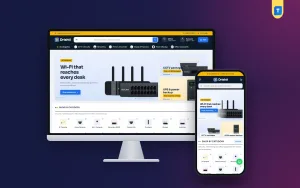
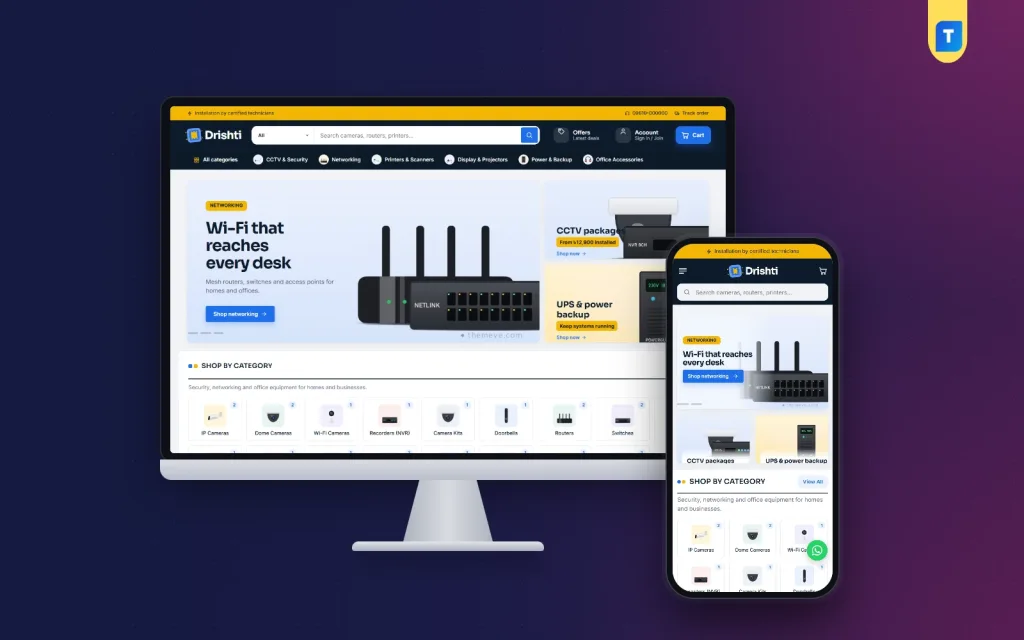
The Drishti demo opens with a gold strip carrying a short service line, a phone number and a Track order link. Below it, a dark navy header holds the logo, a long search box with a category picker, and Offers, Account and Cart buttons. A dark category bar then lists All categories next to CCTV & Security, Networking, Printers & Scanners, Display & Projectors, Power & Backup and Office Accessories, each with a small icon.
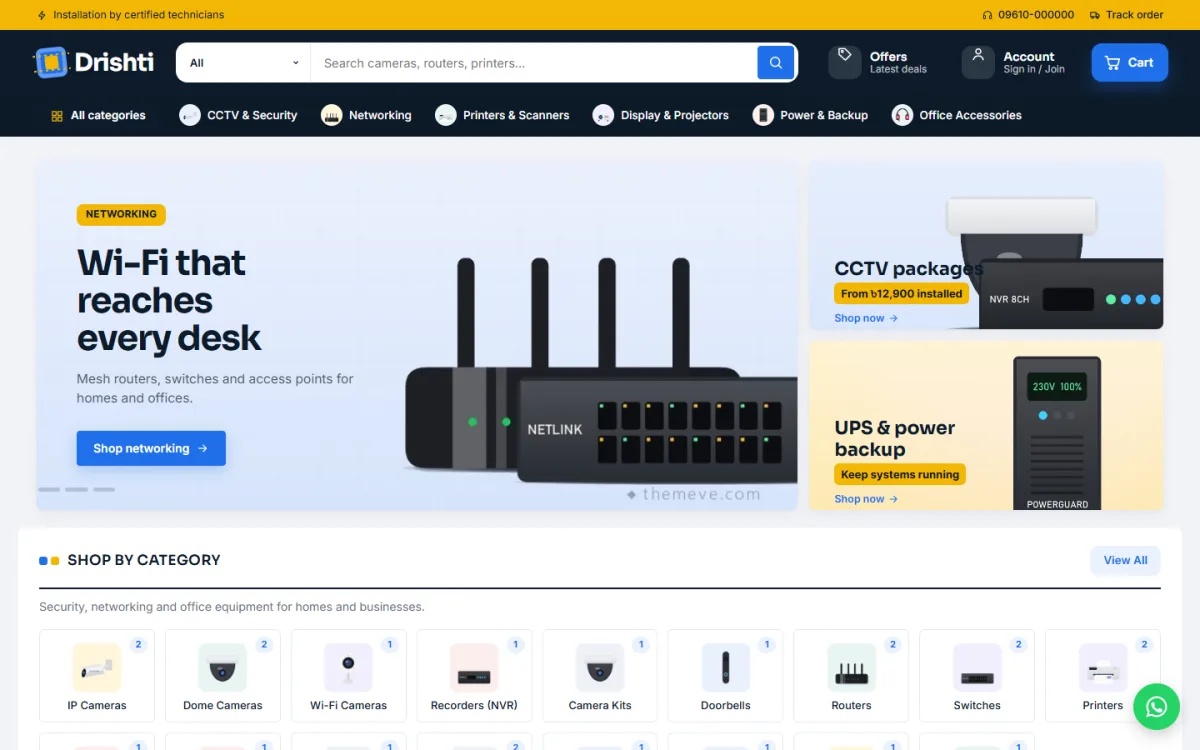
In the demo, the slider shows a networking slide about Wi-Fi reaching every desk, while the side banners promote CCTV packages and UPS and power backup. A Shop by category grid follows with picture tiles for IP cameras, dome cameras, Wi-Fi cameras, recorders, camera kits, doorbells, routers, switches and printers, and each tile carries a small badge with its product count. The look is calm and business-like rather than flashy, which suits clients spending company money.
Three departments on one homepage
The heart of the homepage is three department blocks. Each pairs a wide banner with a set of products and has its own settings in Theme Options. In the demo they cover CCTV, networking and printing, so a visitor looking for a dome camera sees cameras, recorders and kits together, while an office buyer scrolls on to printers and scanners. Around them sit up to 19 homepage blocks that you can switch off or reorder, with arrows when editing on a phone.
Square cards and spec-first product pages
Product cards are square, with key specs on the card itself, so a buyer can check resolution, port count or print speed before opening anything. Product pages group specifications into sections and show warranty details beside them. Reviews sit in a fold, with a popup inviting the first one, and a Compare page sets two cameras or two routers side by side. That alone can save you a lot of explaining on the phone.
Choosing a CCTV Website Template That Works on Phones
Most enquiries start on a phone, often while the client is standing in the shop or office that needs cameras. A good CCTV website template has to keep search, categories and contact details easy to reach on a small screen. Check that the product specs are readable without zooming and that the cart and checkout work with one thumb. Test the pages on an ordinary Android handset, not only on your own new phone.
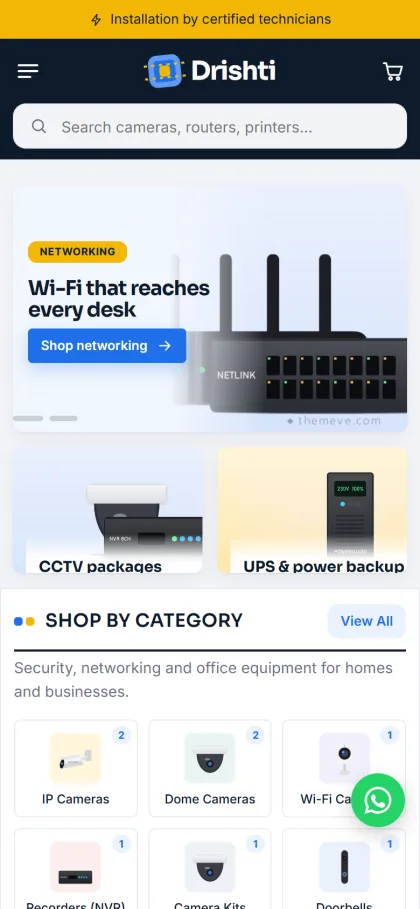
On a phone, the Drishti demo header becomes a menu icon, the logo and the cart, with a full-width search box for cameras, routers and printers right below. The two side banners sit under the slider as a pair of tiles, and the category grid drops to three columns with its count badges still visible. Product cards also turn compact. A round WhatsApp button appears in the corner of the demo, which is handy for quick questions.
Setting Up Your CCTV Business Website With Drishti
Drishti needs WordPress 6.0 or newer and PHP 7.4 or higher, and it is tested up to WordPress 7.1. Upload the zip in Appearance, Themes, Add New, Upload Theme and click Activate. Open Drishti, Setup and install the bundled Themeve Commerce plugin in one click; it handles cart, checkout, payments, couriers and orders. Then activate your licence in Drishti, License with the key from My Account, Licenses on Themeve, so updates appear in your dashboard.
Run Drishti, Demo Import to load 23 products from 6 invented brands, covering IP, dome and Wi-Fi cameras, an NVR, camera kits, a doorbell, routers, mesh Wi-Fi, switches, printers, a scanner, a projector, a monitor, UPS, a surveillance disk and office accessories. Department sections, menus and pages such as Warranty Policy, Return & Exchange, Compare and Track Order come with it. Swap every sample brand and picture for your own range before launch.
Then work through Drishti, Theme Options, starting with Homepage layout and moving on to colours, typography, header and menu, product cards, product page and footer. Five palettes are ready, Signal blue, Teal ops, Steel, Forest and Crimson, or you can set each colour yourself, and eight font pairs are included. If WordPress is new to you, the WordPress documentation explains menus, pages and media in plain steps.
Before you decide, open the live demo on your phone and try to find a dome camera, a recorder and a router the way a client would. Then visit the demo dashboard to see where products, orders and department settings live. Fifteen minutes of testing shows whether the structure fits your own range.
Payments, Paperwork and Delivery in Bangladesh
Drishti's checkout is a single page, with sign in and registration in a popup and an Order placed popup at the end. Customers can pay with bKash, Nagad, SSLCommerz, cash on delivery or manual payment. Boxed items go out through Steadfast or Pathao courier, and buyers follow parcels on the Track Order page. Wishlist, coupons, offers, back-in-stock and returns are included as well.
Company clients often ask for paperwork, and Drishti includes invoices for that. For installation jobs, many sellers take an advance by mobile payment or bank transfer before buying cable and booking technicians, then collect the balance after handover. Write that policy clearly on your installation page. SMS and OTP help with customer messages, Telegram alerts tell you about new orders, and Facebook Pixel with the Conversion API shows which ads bring real buyers.
Common Mistakes in a CCTV Business Website
The first mistake is listing products without any service information. A CCTV business sells peace of mind, so say who installs, which areas you cover and what happens when a camera fails. The second is copying supplier photos and specs word for word, which makes you look like every other seller. Shoot a few photos of real installations, with the client's permission, and write short descriptions in your own words.
Another mistake is hiding all prices behind phone calls while competitors show clear packages. Even if large jobs need a quote, standard kits and single items should be easy to buy or at least easy to compare. Finally, forgetting basic search setup costs you local visitors. Google's Search Central documentation explains page titles and descriptions simply, and a little care there helps people in your area find you.
Frequently Asked Questions
Is Drishti only for CCTV cameras?
No. It suits any mix of security, networking and office equipment. The demo covers cameras, NVRs, routers, switches, printers, scanners, projectors, UPS and office accessories, so you can grow from cameras into networking and office supply without changing themes.
Can I tell visitors about installation and site surveys?
Yes. The demo includes Delivery & Installation and Setup Guides pages, the About the store block lets you list your service in a few lines with ticks, and a wide banner can promote a site survey offer, as the demo shows. Rewrite each one with your real coverage and timing.
Do I need code to rearrange the homepage?
No. Switch any of the 19 blocks on or off and drag them into order in Drishti, Theme Options. On a phone, arrow buttons do the same job, so you can adjust the page between site visits, for example lifting networking higher during an office-fit-out season.
What if I sell general electronics as well?
If your range leans towards a broad electronics and gadget shop rather than security and office gear, compare Tech Bazer – Electronics Store WordPress Theme. Drishti is the better fit when cameras, networking and office equipment are your main lines and installation is part of the job.
Final Thoughts
Growing a CCTV business is about trust: honest specs, clear packages, a visible installation process and quick replies to every enquiry. An online catalogue gives clients a place to check all of that before they call, so your conversations start closer to a yes. If you want a serious, department-based CCTV website template with spec cards, invoices and local payments ready, start with Drishti – CCTV Shop WordPress Theme and publish your first three packages.