If you want to learn how to sell antivirus online, start with one simple fact: your customers are trusting you with their computers, phones and personal data. They are not just buying a code. They want to be sure the key is genuine, that it covers all their devices, that it activates without trouble and that someone will help if it does not. Get those four things right and security software becomes a steady, repeat business.
This guide is for computer shops that already sell protection with new laptops, resellers of security licences, IT freelancers who manage small offices, and anyone planning a digital store for antivirus, VPN, password managers and backup tools. We look at sourcing, plan matching, delivery, renewals and trust first, then at how a store built for this niche handles each step.
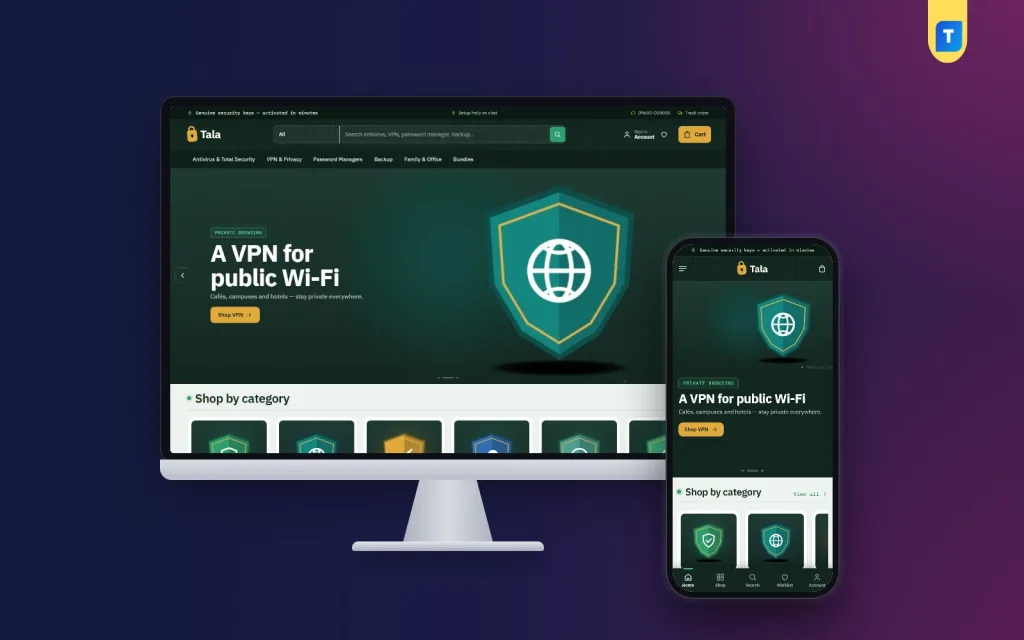
The store design used as an example is Tala – Antivirus Store WordPress Theme, made for shops that sell antivirus and total security, VPN and privacy tools, password managers, backup, and family and office plans. Tala means lock, and its forest vault look, deep green with a fine line grid and mint and amber accents, is built to feel careful and serious.
Why Security Software Is a Good Online Business
Almost every new laptop, office PC and phone in Bangladesh needs some kind of protection, and most licences last one year. That means a buyer who trusts you today will come back next year, and the year after. Families add devices, small offices add staff, and people who started with basic antivirus often move to a VPN, a password manager or backup later. A single good customer can be worth many orders over time.
The challenge is confusion. Buyers rarely know the difference between antivirus and total security, how many devices a plan covers, or whether a key works on a Mac. Shops that sell in chat spend hours answering the same question: which one do I need? A store that answers that question on its own, clearly and honestly, saves you time and wins trust at once.
How to Sell Antivirus Online the Right Way: Sourcing
Everything starts with genuine keys. Buy from the brand's official distributors or authorised partners in Bangladesh, keep the invoices, and ask about the reseller terms for each product. Grey-market keys may look cheaper, but they can be blocked months later, and your customer will lose protection while blaming your shop. Never sell cracked software or shared keys. In security, one bad key can ruin a reputation built over years.
Know every licence inside out
For each product, write down the platforms it supports, how many devices it covers, its validity, its region and how activation works. These details will become the facts on your product pages. They also protect you from disputes, because a buyer who saw that a plan covers three devices cannot reasonably complain that it would not install on a fourth.
Plan for renewals and support
Keep a record of when each customer's licence expires, and remind them a few weeks before. Prepare short activation guides for each brand, with screenshots, in English and Bangla if your buyers need it. Decide your refund rule for keys that have already been revealed or activated, and publish it before your first sale.
Matching Each Buyer to the Right Plan
This is where Tala is different from a general software key store. Its How many devices? block has four steppers: Windows PCs, Macs, Android phones and iPhones. A family might set two PCs, one Mac and three phones. Tala then picks the cheapest plan that covers them all and supports those platforms, shows the price per device and offers one button to buy it, so nobody pays for a ten-device plan when five will do.
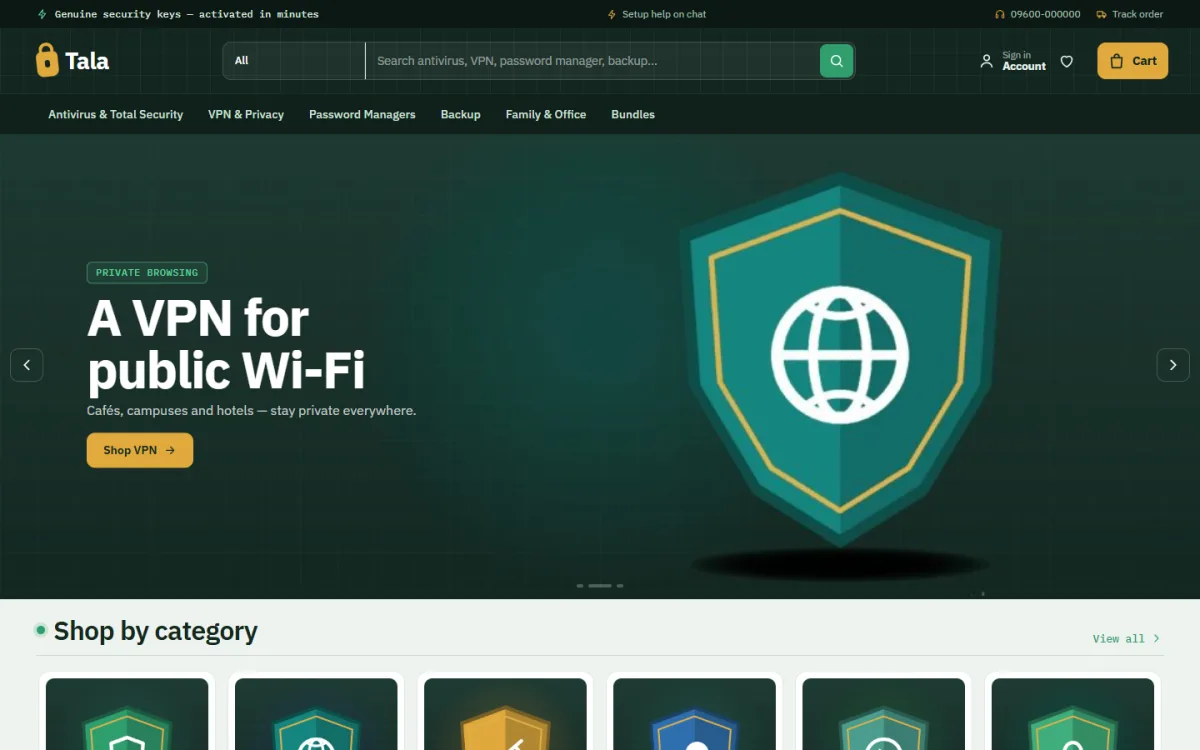
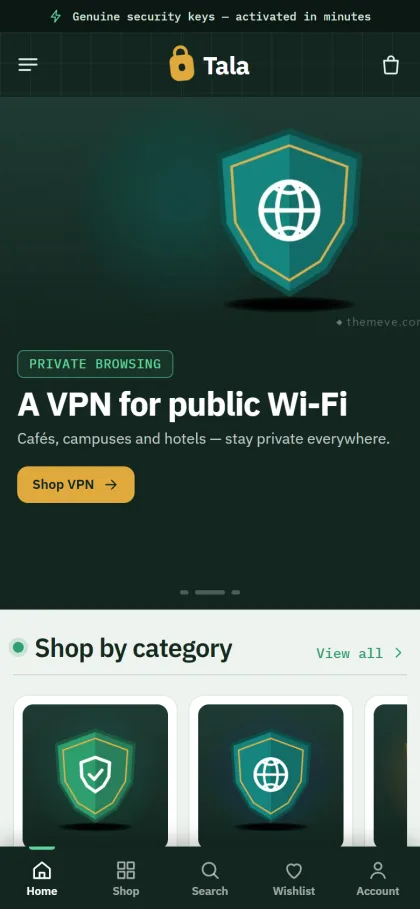
The screenshot shows how the store is organised. The menu splits the range into Antivirus and Total Security, VPN and Privacy, Password Managers, Backup, Family and Office, and Bundles, and the search bar invites buyers to look for any of them. The demo hero promotes a VPN for public Wi-Fi, and below it Shop by category starts with shield tiles, one per product type.
The second helper is the safety check. The How safe are you online? block asks five yes or no questions, the answers fill a score ring, and each risky answer comes with its fix. It is a friendly way to start a sale, because the shopper sees the problem before they see a price, and it gives you a reason to suggest a password manager or backup to someone who only came for antivirus.
Delivering Licence Keys Without Confusion
Security buyers want facts first. Each Tala product page opens with quick facts for platform, validity, devices, licence and delivery, followed by a clear part on how delivery works. Licence keys go out by email and WhatsApp with an activation guide, so the buyer knows what to do once the key arrives. Checkout is online, with no address to type.
Payments come from the bundled Themeve Commerce plugin: bKash, Nagad, SSLCommerz and manual payment. Coupons, invoices, SMS and OTP, a Track Order page and new-order alerts on Telegram are part of it too. Invoices are worth using even for small orders, because office buyers often need one for their accounts. Shoppers sign in or register in a popup, and an Order placed popup confirms each purchase.
On a phone, verified-strip product cards turn compact and the header becomes menu, logo and cart. Wishlist and one-page checkout are included, along with Facebook Pixel and Conversion API for shops that run ads. Reviews sit in a fold on the product page, with a popup inviting the first one, and honest reviews about smooth activation are among the strongest trust signals you can earn.
Building the Store: Setup Steps
Upload Tala under Appearance, Themes, Add New, Upload Theme and activate it. Open Tala, Setup and install Themeve Commerce in one click. Then run the demo import, which adds 21 products from 6 invented makers across antivirus, VPN, password managers, backup, family and office plans, plus the device planner, safety check, safety guides, menus and pages such as How Delivery Works, Replacement and Refund, Safety Guides, Our Stores and Track Order.
You can explore the live demo and the demo dashboard first. Every brand and image in the demo is a sample, so replace them with the products you are authorised to sell. The WordPress documentation covers the basics of pages, menus and users if you are new to the platform.
Then set up the details in Tala, Theme Options, which also works on a phone. Adjust the device planner and safety check, pick one of five palettes such as Forest vault, Steel blue or Graphite, and choose a font pair. The 17 homepage blocks can be switched off and re-ordered. Renewal offers runs a countdown with stock bars, handy when yearly plans come up for renewal, and Protect by need gives four cards for shoppers who start from a worry rather than a brand.
Selling Security Software in Bangladesh
Many buyers here still prefer to ask a person before paying, so keep your phone number and messaging channels visible and reply quickly. Use the site to answer the routine questions and save your time for activation help. Office customers often buy several licences at once and want an invoice, so make it easy to contact you for bulk orders.
On Facebook, post short, useful safety tips rather than scary warnings: how to spot a fake bank message, why public Wi-Fi needs a VPN, how to back up family photos. Link each post to a Safety guides article on your site. The Safety guides block lists your latest three posts on the homepage, so every tip also helps your store look active and knowledgeable.
Time your promotions around new laptop sales, the start of university terms and the end of the financial year, when offices renew software. If you later widen your range beyond security products into a general software key store, keep the same habits: genuine keys, clear licence facts and fast help.
Mistakes to Avoid When Selling Antivirus
The worst mistake is selling keys you cannot trace to a legitimate source. The second is overselling: pushing a ten-device plan on a student with one laptop. It may raise one order, but it loses the renewal. The third is sending a bare key with no instructions, which leads to failed activations and angry messages that a short guide would have prevented.
Other common errors are leaving demo brand names on the live site, forgetting renewal reminders, and promising activation help at hours when nobody is available. Part of knowing how to sell antivirus online is knowing what not to promise. Be specific about delivery and support times, and keep to them.
Frequently Asked Questions
How does the device planner choose a plan?
The buyer sets how many Windows PCs, Macs, Android phones and iPhones they have. Tala picks the cheapest plan that covers that many devices and supports those platforms, and shows its price per device. One button then adds that plan to the cart, so the buyer does not have to compare plans alone.
How do customers receive their licence key?
Licence keys are sent by email and WhatsApp with an activation guide, and the product page explains how delivery works, so buyers know what to expect before they pay. Keep each guide up to date when a brand changes its installer.
Which payment methods are supported?
bKash, Nagad, SSLCommerz and manual payment, all through the bundled Themeve Commerce plugin. Office buyers may prefer a card or bank payment with an invoice for their accounts team. You can read about the wallet itself on the bKash website.
Is Tala only for antivirus, or can it work as a software key store?
Tala is built for security software: antivirus, VPN, password managers, backup, and family and office plans. If you mainly sell other software licences, a store built around those products may suit you better, but security sellers get the device planner and safety check.
Final Thoughts
Learning how to sell antivirus online is mostly about trust: genuine keys, honest plan advice, clear licence facts, fast delivery and help with activation. A store that matches buyers to the right plan and explains every licence plainly makes that trust easier to earn. If that is the shop you want to run, take a closer look at the Tala – Antivirus Store WordPress Theme and start with the products you are authorised to sell.