If you are wondering how to sell electronics online in Bangladesh, the honest answer is that a big catalogue needs a big-store layout. This guide is for showroom owners, appliance dealers and growing Facebook sellers who stock ACs, TVs, fridges, phones, laptops and kitchen gadgets, and who want buyers to find the right model without calling first. We look at catalogue planning, specifications, delivery and payments, then at the theme that puts it together.
Electronics shoppers behave differently from fashion or grocery buyers. They compare. They read the capacity of a fridge, the tonnage of an AC and the battery size of a phone before they ever press a button. They also want to know who delivers a heavy item, whether installation is part of the deal and what the warranty covers. A store that answers those questions on the page sells more and spends less time on the phone.
Our example store throughout is Jontro – Electronics Marketplace WordPress Theme. It follows the layout Bangladeshi shoppers already know from the leading local electronics sites: a sky-blue header with a wide live search, a category list with sub-category panels, a banner carousel and seven product rows. Before we open it, though, let us plan the store itself.
Why Electronics Need a Marketplace-Style Layout
A shop with twenty T-shirts can live on one homepage grid. A shop with air conditioners, televisions, refrigerators, washing machines, kitchen appliances, computers and accessories cannot. Buyers arrive with a department in mind, so the first screen has to show every department at once and let them drill down. That is why the biggest local electronics sites all put a category list on the left and offers on the right. People have learned that pattern, and copying it saves them from learning a new one.
The second reason is trust, and it shapes how to sell electronics online more than any banner does. Electronics are expensive, so a buyer needs signals that the shop is real: a clear brand name on every product, warranty details, an EMI option for larger items and a delivery promise. A marketplace-style layout has space for all of these in fixed places, so a customer sees them on every page instead of hunting for a policy link buried in the footer.
Single Store or Multi Vendor Ecommerce Website?
Many sellers ask whether they should build a multi vendor ecommerce website, where outside shops list their own products, or a single store that simply looks like a marketplace. For most Bangladeshi dealers the second option is the safer start. You control stock, prices, warranty and delivery, and customers deal with one name. A true multi vendor ecommerce website adds seller onboarding, commission rules, payouts and disputes, which is a separate business on its own.
Jontro is built for the first route: one store with a big-marketplace look. Its product page shows the brand and the seller, and the My Account area works like a large marketplace for the buyer. The facts we have do not describe vendor dashboards or seller payouts, so if you plan to sign up outside sellers, ask Themeve before you buy. If you sell your own stock across many departments, the layout fits well from day one.
How to Sell Electronics Online: Plan the Catalogue First
Start with departments, then sub-categories, then brands. A practical tree might be Air Conditioner, Smartphones, Television, Refrigerator, Washing Machine, Kitchen Appliances, Mobile Accessories, Computers, Computer Accessories and Lifestyle, which is exactly the list shown in the demo. Under Television you might split by screen size, and under Air Conditioner by tonnage and inverter or non-inverter. Keep names plain, because buyers type plain words into search.
Write specifications once, in a fixed pattern
Specifications are where electronics stores win or lose. Decide on groups such as General, Display, Battery, Performance and Warranty, and use the same groups for every product in a category. Copy the model number from the box, not from memory. A buyer who sees two TVs with matching spec tables can compare them in seconds, and that comparison is often what turns a browser into a buyer instead of a lost visitor.
Plan delivery and installation for heavy items
A phone fits in a courier pouch. A 1.5-ton AC or a side-by-side fridge does not. Decide early which items you deliver yourself inside Dhaka, which go by courier and which need an installation visit. Write a Delivery & Installation page and a Return & Replacement page before launch. Shoppers read these pages on big purchases, and vague answers send them to a showroom instead.
How Jontro Sets Up a Big Electronics Store
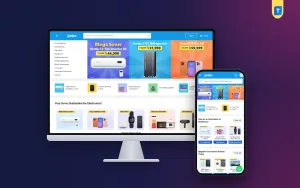
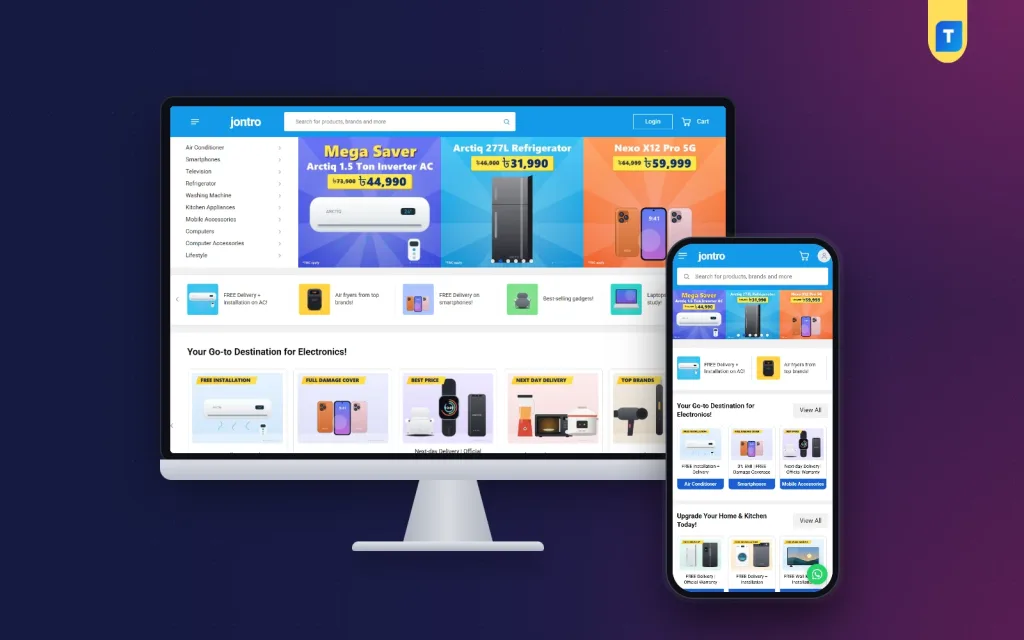
Open the live demo and the first screen looks familiar at once. A single sky-blue bar holds a menu button for all categories, the wordmark, a wide search that shows live results, a Login button and the cart. Under it, the category list sits beside a three-up banner carousel. In the demo the banners promote an inverter AC, a refrigerator and a 5G phone, so each slide speaks to a different department.
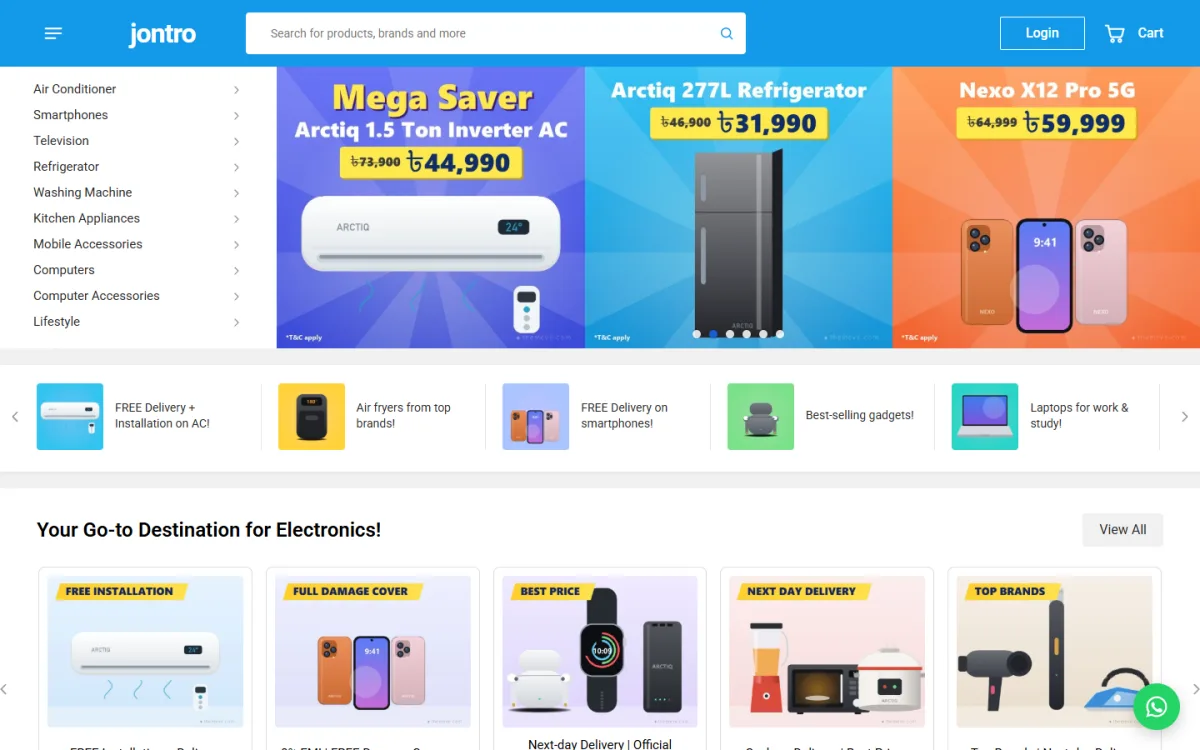
Below the banners, offer shortcut tiles slide sideways. The demo uses them for lines like free delivery and installation on ACs, air fryers from top brands and laptops for work and study. Next comes a row of category cards under the heading Your Go-to Destination for Electronics, each with a picture, a short line and a blue label. Yellow corner tags in the demo read Free Installation, Full Damage Cover, Best Price and Next Day Delivery, which is a neat way to put a selling point on every department.
37 homepage blocks, 14 switched on
Jontro carries 37 homepage blocks. Fourteen are on by default and the rest wait until your catalogue needs them. Seven product rows each take their own title, category and source, such as best sellers, on sale, newest or top rated. Just For You adds a large grid with Load more. Extra blocks cover departments, shop by budget, shop by need, brand spotlight, tech tips, how it works and six folding FAQ items. Every block can be switched off and moved.
Product cards and grouped specs
Product cards follow the marketplace style: an orange discount tab, an Express tag, a blue price beside the old price, orange stars with the review count and a round cart button. The product page adds vertical thumbnails, the brand and seller, EMI per month, warranty, compare, available offers and a why buy from us card. Specs are typed as simple Label: value lines; a line without a colon starts a new group, and the page shows a two-column grouped table.
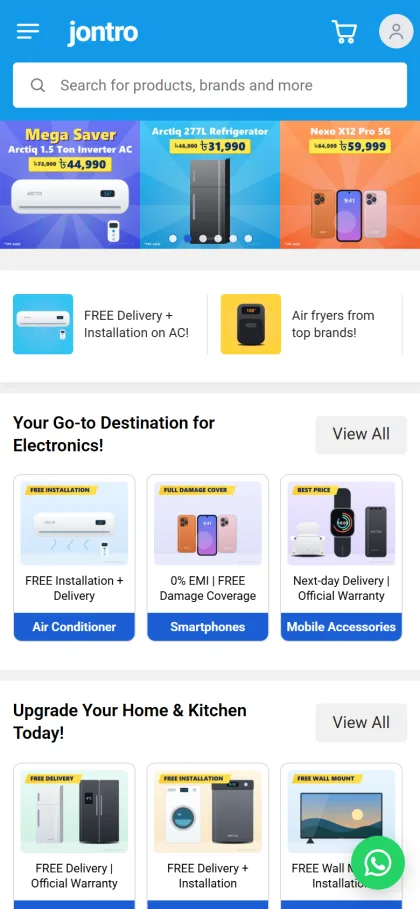
On phones the header turns into menu, logo, cart and account, and the search field moves just under the bar, which is where thumbs expect it. Category cards stack three across, and the demo adds a second row titled Upgrade Your Home & Kitchen Today for fridges, washing machines and TVs. A round WhatsApp chat button also floats in the corner of the demo screenshots. Category pages bring folding filters for category, price, highlights and attributes, sorting and a four-column grid.
Payments, EMI and Delivery Zones for Bangladesh
The store side runs on the bundled Themeve Commerce plugin, installed from Jontro, Setup in one click. Buyers can pay with bKash, Nagad, SSLCommerz, cash on delivery or manual payment, and orders ship through Steadfast or Pathao courier. An Order placed popup confirms each purchase and the Track Order page follows it. A wishlist, the compare page, coupons and invoices are included.
Checkout uses delivery zones for inside Dhaka and outside Dhaka, plus free delivery over an amount you set. Use that free delivery line carefully on heavy goods. A free-delivery promise on a fridge going to Rangpur can eat your whole margin. Many dealers set the threshold high and handle large appliances with their own van inside Dhaka. Explain EMI terms on the Payment & EMI page, because card EMI rules differ between banks and buyers ask about them often.
Cash on delivery remains popular, and electronics are a common target for fake orders. Call to confirm every high-value COD order, and ask for a small advance by bKash or Nagad on large items. Jontro sends new-order alerts on Telegram, and SMS and OTP help with customer messages, so confirmation calls happen within minutes instead of the next morning.
Setting Up the Store Step by Step
Jontro needs WordPress 6.0 or newer and PHP 7.4 or higher, and it is tested up to WordPress 7.1. Upload the zip under Appearance, Themes, Add New, Upload Theme and activate it. Open Jontro, Setup to install Themeve Commerce, then activate your licence under Jontro, License using the key from My Account, Licenses on Themeve. The WordPress documentation covers menus and pages if this is your first site.
Next, run Jontro, Demo Import. It loads a full electronics marketplace: 50 products from 12 invented brands, with variants, grouped specs, the banner carousel, category and brand cards, product rows, guides, menus and every page, including Compare, Payment & EMI, Delivery & Installation, Return & Replacement and Tech Tips. All artwork and brand names are samples, so swap them for your own stock before launch. You can also look around the demo dashboard first.
Finally, open Jontro, Theme Options. The homepage takes six banners and six shortcut tiles. Choose one of six palettes, Sky & orange, Royal blue, Teal, Crimson, Purple or Green, and one of four font choices. A settings search, export, reset and a sticky save bar make long editing sessions easier. No code is needed to switch blocks on or off or drag them into order.
Common Mistakes When You Sell Electronics Online
The first mistake is thin product pages. A photo, a price and the word Original is not enough for a TV. Fill in the grouped specs, the warranty period and the delivery line for every model. The second mistake is mixing grey-market and official stock without saying which is which. Be clear about warranty source on each listing, because one angry buyer with a dead unit can cost you more than the sale was worth.
The third mistake is ignoring search, a step many guides on how to sell electronics online skip. Buyers type model numbers, so put the exact model in the product name and the first line of the description. Google explains how it reads product pages in its Search Central documentation. The last mistake is letting banners go stale. If Eid offers are still on the carousel in October, buyers assume the shop is asleep. Review banners and shortcut tiles every week.
Frequently Asked Questions
Is this approach suitable for a store with hundreds of products?
Yes. Jontro is built like a large marketplace, with a category list and sub-category panels, seven product rows, a Load more grid and category pages with folding filters. That structure is what lets a shop add new departments over time without redesigning the homepage every few months.
Can I charge different delivery inside and outside Dhaka?
Yes. Checkout has delivery zones for inside Dhaka and outside Dhaka, and you can set free delivery over an amount you choose. For bulky appliances, write your installation and delivery rules on the Delivery & Installation page so buyers know what to expect before they pay.
What if I mainly sell home appliances or gadgets?
If your range is mostly fridges, fans and kitchen items, compare Ujjal – Home Appliance WordPress Theme. If you run a smaller shop for trending gadgets, Jhalak – Gadget Shop WordPress Theme is a closer fit. Jontro suits the store that covers every electronics department at once.
Do I need a developer to change the homepage?
No. Banners, shortcut tiles, product rows, colours and fonts are set in Jontro, Theme Options, and blocks are switched on or off and dragged into order. Most owners can run seasonal campaigns themselves once the first setup is done.
Final Thoughts
Learning how to sell electronics online comes down to a few habits: a clear department tree, honest specs, real warranty details, delivery rules that match heavy goods and payment choices buyers trust. Get those right and the website becomes your busiest showroom. If you want a store that already looks like the big local electronics sites, start with Jontro – Electronics Marketplace WordPress Theme and build your first departments on it.