A madrasah management system brings the registers, fee books and result sheets of a madrasah into one place, so the muhtamim, teachers and accountant work from the same records. This guide is for principals, madrasah committees and administrators in Bangladesh who run Qawmi, Hifz, Alia or Noorani institutions and want to understand how such software handles students, daily Hifz lessons, attendance, fees and results before they choose one.
Most madrasahs still run on paper and memory. A teacher keeps the daily sabak in a notebook, the office keeps admission forms in a file, and the accountant writes fees and donations in a ledger. That works with forty students. With three hundred students across several departments, a hostel and a canteen, it becomes slow and error-prone, and parents who live far away hear about their child's progress only at the end of the term.
As a working example we use the Madrasa Management Software – Website, Admin & Parent App, a standalone web application that works in Bangla by default and has a full English mode. It is not a WordPress plugin. The Themeve team installs it on your own hosting and domain, so you start with a working system. We first look at what the madrasah needs, then at how this software answers each need.
Why Paper Registers Struggle in a Growing Madrasah
Paper is not the enemy; scattered paper is. When the Hifz teacher, the class teacher, the hostel supervisor and the accountant each keep their own book, nobody sees the full picture of a student. A guardian calls asking whether their son is attending regularly and how many para he has finished, and the office has to walk to three rooms to find the answer. Meanwhile dues pile up because nobody noticed which families stopped paying.
Results are another pain point. Teachers write marks on sheets, someone types them into a spreadsheet, and the tabulation is checked by hand late at night before the result day. One wrong formula or a misread mark means reprinting everything. Donations and funds such as Zakat and Lillah also need careful separate records, because committee members and donors rightly expect to see where every taka went.
Planning Your Move to a Madrasah Management System
Before installing anything, sit with the muhtamim, the accountant and a senior teacher and list your departments, classes, sections and academic year. Decide who will do what in the new system: who enters students, who takes attendance, who writes Hifz reports and who collects fees. A madrasah management system works best when each person has a clear job and a login that shows only the pages they need.
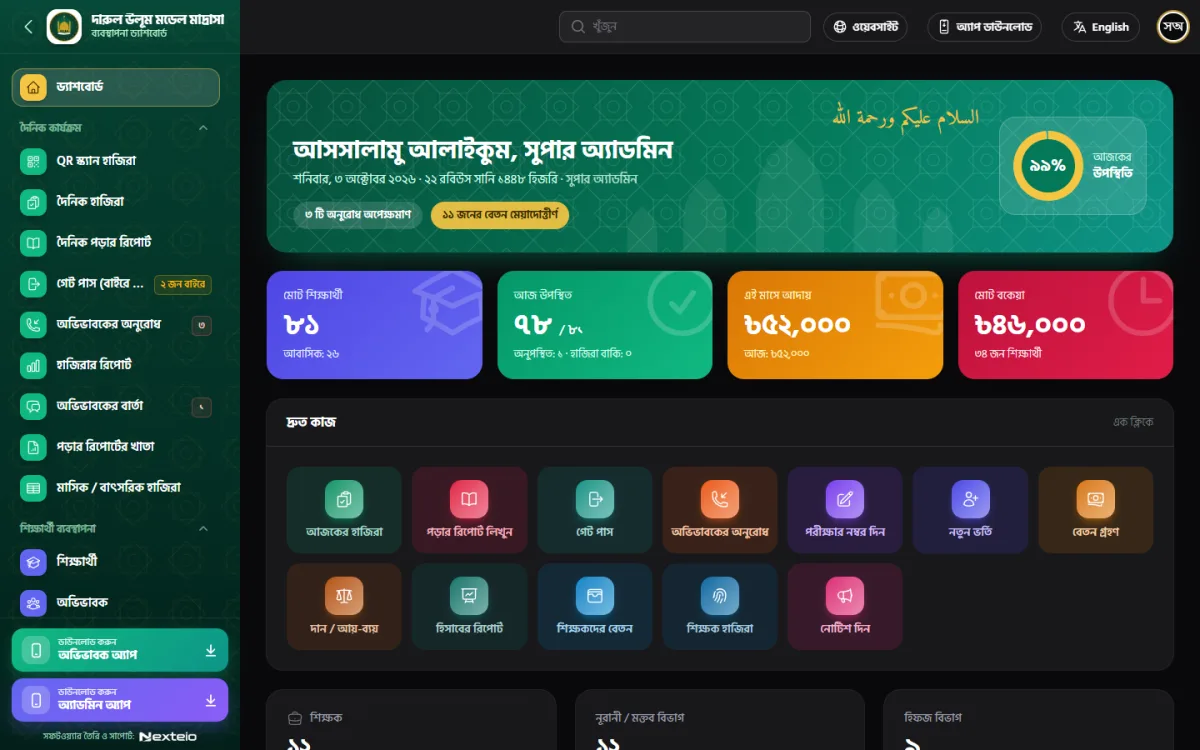
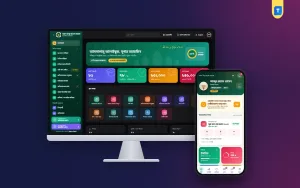
The example software has four department types built in: Hifz, Qawmi Kitab, Alia and Noorani or Maktab. Under each one you add your own classes, sections, student groups, subjects and academic years. One install serves one madrasah. Super admin, principal, accountant, teacher and guardian each get their own login, and each role sees only its own pages. As the dashboard screenshot shows, the home screen opens with a greeting, the Hijri date, today's attendance rate and cards for students, collections and dues.
Students, Departments and Residential Life
Every record starts with the student. In this system, a student profile holds the photo, guardian and class details. Residential students get rooms and meal bills, which matters for madrasahs with a hostel. At year end you can promote a whole class in one step instead of editing each student. ID cards, testimonials and transfer certificates print with a serial number and a QR code, which makes them harder to fake.
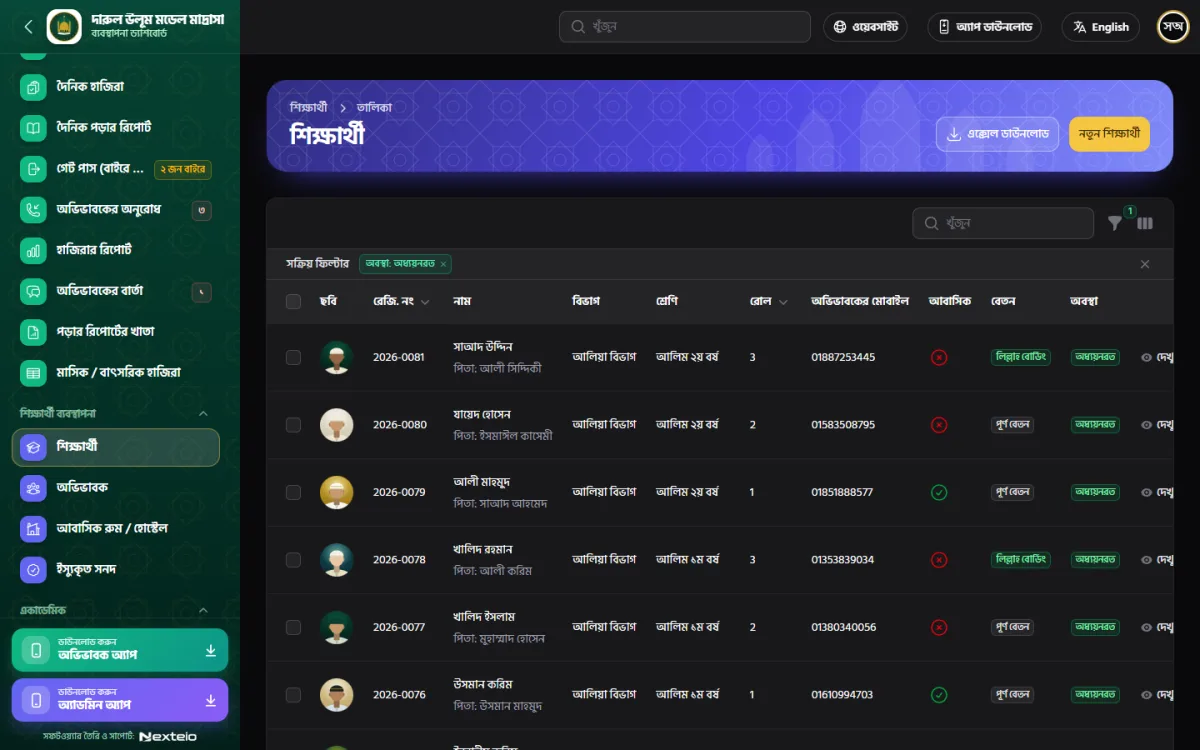
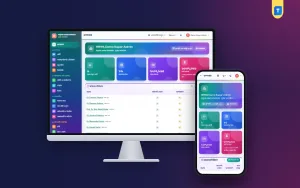
The student list in the screenshot is a good example of what clear records look like. Each row shows the registration number, name with father's name, department, class, roll, guardian mobile number, whether the student is residential, the fee category and the study status. There is a search box, filters and buttons to download the list to Excel or add a new student. For an office that used to search through files, that alone saves hours each month.
Hifz Lesson Reports and Daily Attendance
Hifz is where a generic school system usually falls short, because it has no idea what sabak, sabqi and amukhta mean. Here, teachers write a daily lesson report for each Hifz student: the sabak with para, sabqi, amukhta or manzil, mistakes, quality, behaviour and a remark for the parent. The lesson register keeps the full history, so a new teacher can see exactly where a student stands without asking anyone.
Attendance takes a few taps per class, and an absent student can trigger an SMS to the guardian. You can also take attendance by scanning QR cards with a phone camera, which is quicker at the gate in the morning. Staff have their own attendance register, with monthly and yearly sheets. For a madrasah that cares about discipline and punctuality, this daily routine becomes the backbone of the whole madrasah management system.
Residential madrasahs also need to know who has left the campus. The gate pass records when a student goes out and when they come back. The system checks every five minutes and sends an alert when a student is late returning. Guardians can send requests to talk to their child, meet a teacher or ask for leave, and once a teacher approves the request, the guardian is told.
Exams, Befaq and Result Processing Software
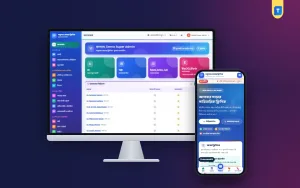
Exams are where good result processing software saves the most time. In this system you set up exams and the exam schedule, enter marks, build the tabulation sheet and publish results. Final results can merge several exams, so a yearly result can combine the half-yearly and annual marks. Admit cards and report cards print straight from the dashboard, and the screenshot shows a button to print every report card in a class at once.

Grading follows the Mumtaz and Jayyid style for Qawmi classes and GPA for Alia, so you do not need to bend one grading scale to fit both. Students and parents can search published results on the madrasah website, which cuts down on crowds and phone calls on result day. For students sitting the Befaq board, the software keeps Befaq registration, marks and a Befaq report in the same place as internal results.
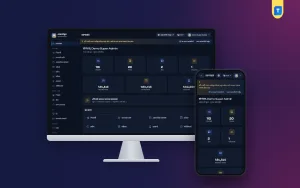
Several other academic records live alongside exams: the class routine, library, daily amal records and teacher work reports. The sidebar in the screenshot lists amal ranking, library books and book issue and return next to exams and results. Keeping all of this in one madrasah management system means a principal can review a student's studies, conduct and attendance together before a parent meeting.
Fees, Accounts, Donations and Salary
Money needs the clearest records of all. The software creates monthly fee invoices on the first day of each month. Collecting a fee prints a receipt and sends the guardian an SMS, and a daily reminder covers dues. You set the fee types and concessions yourself, which matters in madrasahs where many students study on Lillah support or at a reduced fee. Parents can pay with bKash from the parent app once your own bKash merchant account is connected.
The accounts module keeps income and expense in separate funds such as Zakat, Lillah and Sadaqah. It has a cash book, printable vouchers and a donor list, and the website has a donation page for online gifts. Staff salary payments come with printable salary slips. A canteen module tracks products, stock, purchases, sales on cash or due, and suppliers, and an audit log shows who changed which money record, which helps committees trust the figures.
Website, Parent App and Teacher App
Every copy comes with a public madrasah website. It has a banner slider, departments, teachers, notices, gallery, events, results search, online admission, donations and certificate verification. You edit banners, gallery, events and notices from the dashboard, and admission forms arrive there for review. For many madrasahs this replaces a separate website project, and it keeps notices and results in sync with the office records automatically.
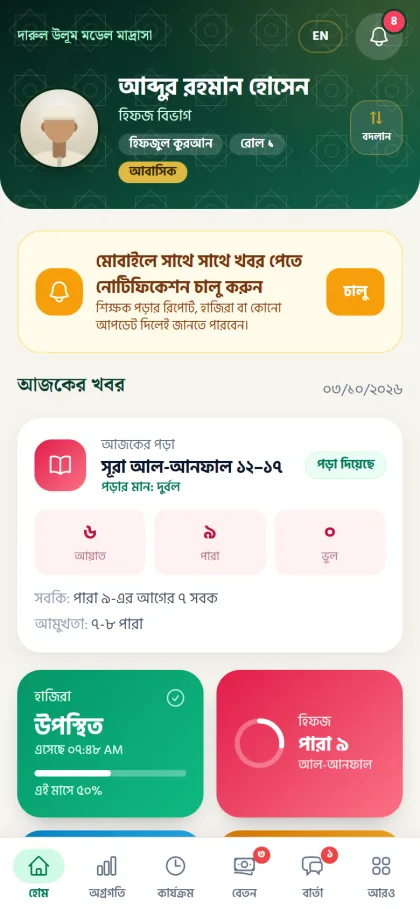
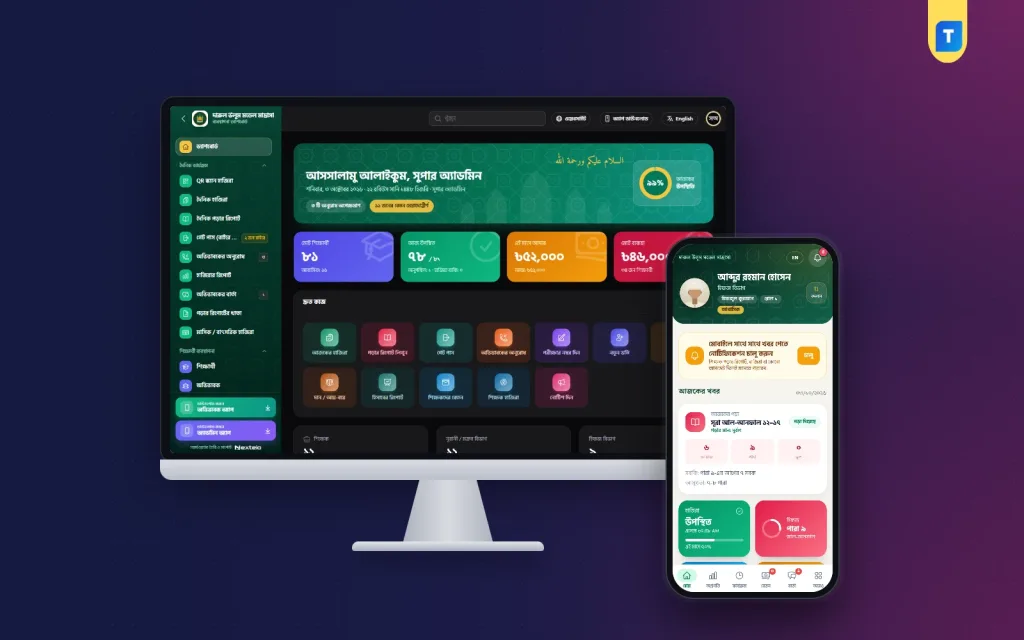
The parent app is a mobile web app with Home, Progress, Activities, Fees and Messages. Guardians with more than one child switch between them and see only their own children. Login works with a password or a six-digit SMS code. As the screenshot shows, a parent can see today's surah, the number of ayat, para and mistakes, the lesson quality, attendance with arrival time, and how far the child has reached in Hifz.
The teacher app shows today's attendance, classes still pending, Hifz reports done, who is outside and new messages, with quick buttons for daily work. Both apps can be added to the phone home screen. The Themeve team also builds two Android apps for your domain, one for staff and one for parents, which open these web apps, so a change on your website shows up in the apps right away.
Getting Started: Demo, Installation and Data Entry
Start with the live demo of the public website, then open the demo login page, where you can sign in with one click as admin, principal, accountant, teacher or parent. The demo resets every 30 minutes, so try anything you like. Ask your accountant and a Hifz teacher to test their own roles, because they will use the system daily.
You get a lifetime single licence for one madrasah and one domain. You buy your own hosting and domain, and the Themeve team installs the software with your licence activated. Ongoing help comes through a monthly paid support plan, and updates are delivered while your licence is active. A backup runs every night, and you can download or restore it from settings. Two-factor login with Google Authenticator, QR login and a login history protect staff accounts.
Plan the first month carefully. Enter departments, classes and fee types first, then students, then staff. Start daily attendance and Hifz reports in one department before rolling out to all. Hold a short training for teachers on their phones. If you also run a general school or a school section, compare the School Management Software – Website, Dashboard & Parent Portal, which is built for that setting.
Common Mistakes When Going Digital
The biggest mistake is trying to enter everything on the first day. Old fee history, five years of results and every library book can wait. Start with current students and this month's fees. The second mistake is giving everyone the super admin login. Use the role system properly, so a teacher cannot change accounts and an accountant cannot edit results. The third is skipping parent onboarding, which leaves the parent app unused.
Do not forget the human side either. Some senior teachers may be uncomfortable with phones at first, so pair them with a younger colleague for a few weeks. Keep a printed backup of key reports during the first term. And keep your hosting, domain and support plan renewed on time, because a madrasah management system only helps when it is online every morning.
Frequently Asked Questions
Does this madrasah management system work in Bangla?
Yes. The software works in Bangla by default and has a full English mode. The dashboard, student list, results and parent app in the screenshots are all in Bangla, and staff can switch to English from the top bar.
Can it handle Hifz, Qawmi and Alia in one madrasah?
Yes. Four department types are built in: Hifz, Qawmi Kitab, Alia and Noorani or Maktab. Grading follows the Mumtaz and Jayyid style for Qawmi classes and GPA for Alia, and Hifz students get daily lesson reports.
Is it useful as result processing software for Befaq students?
It keeps Befaq registration, marks and a Befaq report alongside internal exams. Internal results are built from marks entry and tabulation, can merge several exams, and can be searched by parents on the madrasah website.
Can parents pay fees online?
Parents can pay with bKash from the parent app once your own bKash merchant account is connected. Every fee collected in the office also prints a receipt and sends the guardian an SMS.
Final Thoughts
A madrasah runs on trust: parents trust you with their children, and donors trust you with their money. Clear records of lessons, attendance, results and funds strengthen that trust. Plan your departments and roles, test every role in the demo, and move one department at a time. If you want a Bangla system built around Hifz, Qawmi and Alia, look at the Madrasa Management Software – Website, Admin & Parent App.