Starting a marketplace from scratch used to mean months of custom development and a budget most small companies in Bangladesh simply do not have. A ready multi vendor website template changes that. Sellers can open their own stores, list products and get paid, while you set the rules, earn a commission and focus on growth. This guide is for founders planning their first marketplace, traders with a network of suppliers, and agencies building one for a client.
We will walk through the decisions you should make before launch, what a good template must include, a practical launch checklist and the local details, from bKash and Nagad to courier delivery and seller recruitment, that decide whether people keep using your marketplace after the first week.
Our example throughout is Cartapp – Multi-Vendor Marketplace WordPress Theme. It is designed as an everything-store for Bangladesh, from phones and groceries to baby care and cricket bats, with seller stores, a Sell With Us page, flash sales, a Voucher Center and an app-style layout for phones. The marketplace module is switched on from the start, so you are not stitching plugins together.
Why Start With a Multi Vendor Website Template
A marketplace has many moving parts: seller registration, store pages, commission, payouts, a large catalogue, search, vouchers, checkout and delivery. Building each one yourself is slow and expensive, and testing how they work together takes even longer. A template that already connects these pieces lets you launch in weeks and spend your money on what really matters at the start, which is finding good sellers and the first thousand buyers.
It also lowers risk. You can open with a small group of sellers, learn what buyers search for and which departments sell, then grow. If the idea needs changes, you adjust settings and content rather than paying a developer to rewrite code. For a first marketplace, speed of learning matters more than a perfect custom design.
Plan the Business Before You Launch
Pick a focus, even in an everything-store
A multi vendor website template may support dozens of departments, but your launch does not have to. Choose two or three where you already know reliable sellers, for example mobiles, groceries and beauty, and fill them properly. A department with five good products looks better than an empty one. Add more as sellers join and you see real demand in your search and sales reports.
Set commission and payout rules
Decide how much commission you take, whether it changes by category and when sellers get paid. Many local marketplaces pay out weekly or every fifteen days for delivered orders, after the return window closes. Write down who bears the cost of failed deliveries and returns. Sellers compare marketplaces carefully, so clear, fair terms are a selling point of their own.
Write seller rules and quality checks
List what sellers may and may not sell, the photo and title standards you expect, how fast they must ship and what happens after repeated complaints. Plan to review new sellers before their stores go live. A marketplace's reputation is the sum of its worst sellers, so a little checking at the start saves a lot of refunds later.
What Cartapp Gives You on Day One
Cartapp turns those plans into working pages. Each seller gets a store page, and the Sell With Us landing page explains your offer and brings new sellers in. You set the commission, sellers get a dashboard of their own and you manage the payouts. On product cards, a Verified badge and a FAST tag for quick delivery help buyers choose, while an official store badge marks your own products.
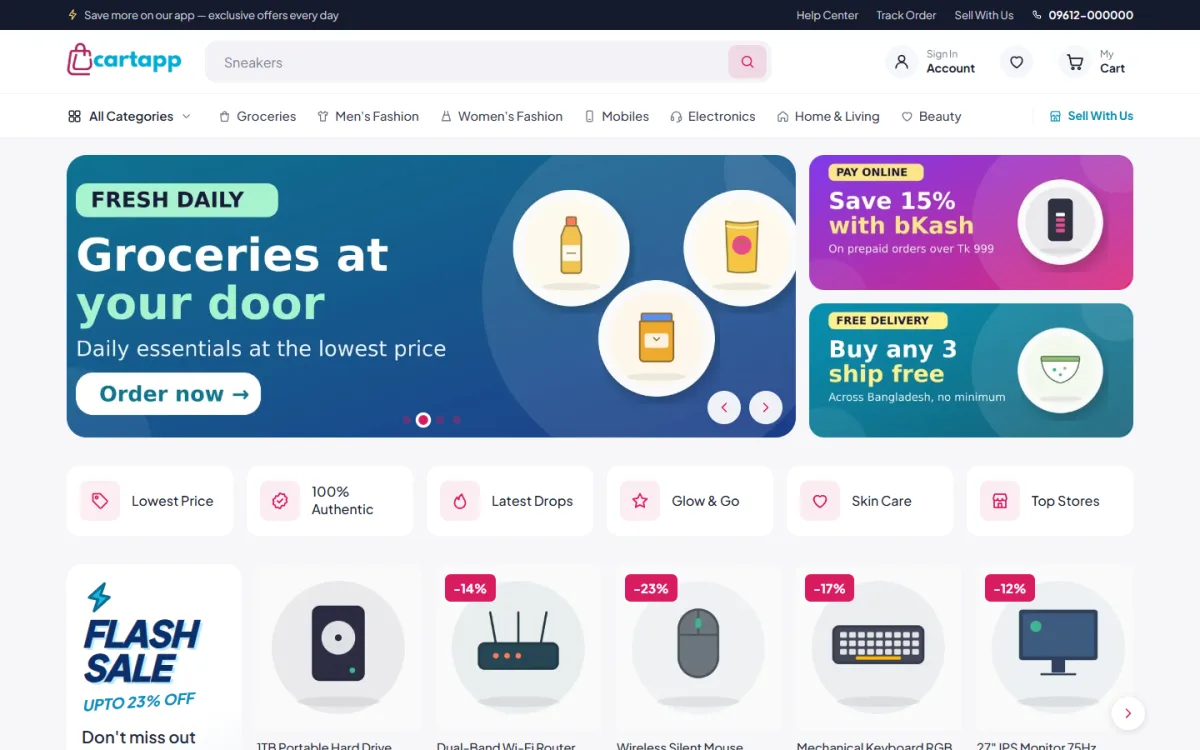
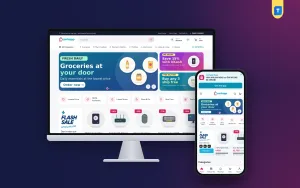
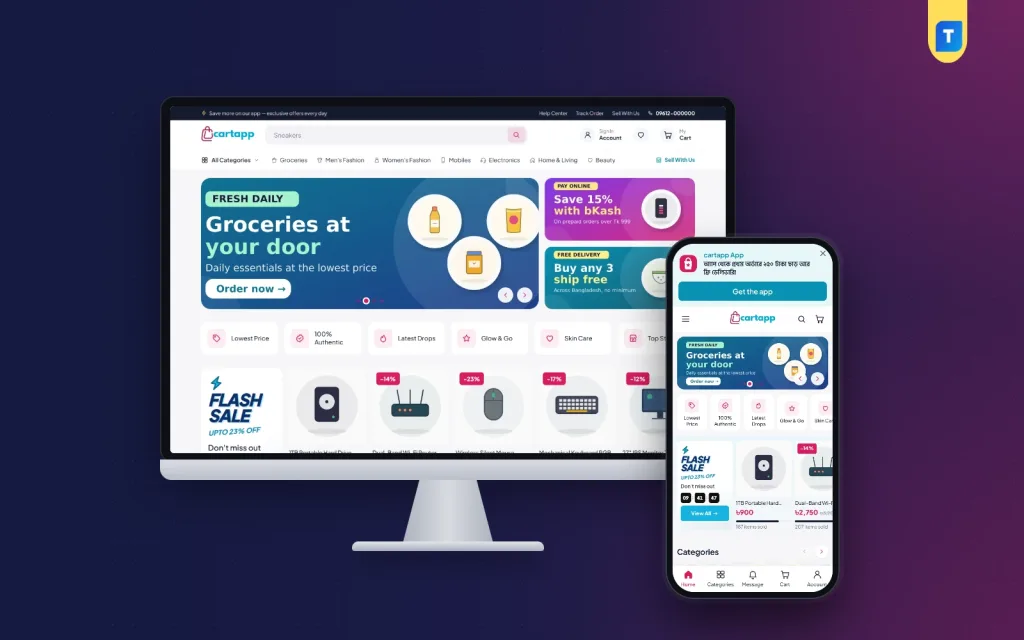
The desktop screenshot shows how busy the homepage feels. A top strip links Help Center, Track Order and Sell With Us. The menu runs from All Categories through Groceries, Men's Fashion, Women's Fashion, Mobiles, Electronics, Home & Living and Beauty. A grocery slide sits beside two promo tiles shown in the demo, then a row of quick tiles such as Lowest Price, Latest Drops and Top Stores, then a flash sale with gadgets.
A homepage that reads like a bazaar
After the hero slider and promo tiles come a category row, a flash sale with a countdown timer and items-sold bars, Deals You Can't Miss, Best Sellers, category rows, Top Brands and Latest Drops. Just For You closes the page with an endless feed and a Load More button. You set the order of these sections in the Customizer with a live preview, so the flash sale can move to the top before a big sale.
Search that copes with a big catalogue
Marketplaces live or die by search. The header search suggests products as the shopper types, lists Popular Right Now keywords and remembers recent searches. An All Categories menu opens the full tree, and a two-pane categories page shows every group with round tiles. Category, brand and search pages filter by brand and price, with sort order and quick filter chips.
An App-Like Experience on Phones
Most marketplace visits in Bangladesh come from phones, and Cartapp is built mobile first. It has a sticky header, an app-style bottom menu and swipeable product rows. Product cards stay compact so more items fit on each screen, filters open as bottom sheets, and sign in, register and forgot password all open in a popup so nobody loses their place in a long product list.
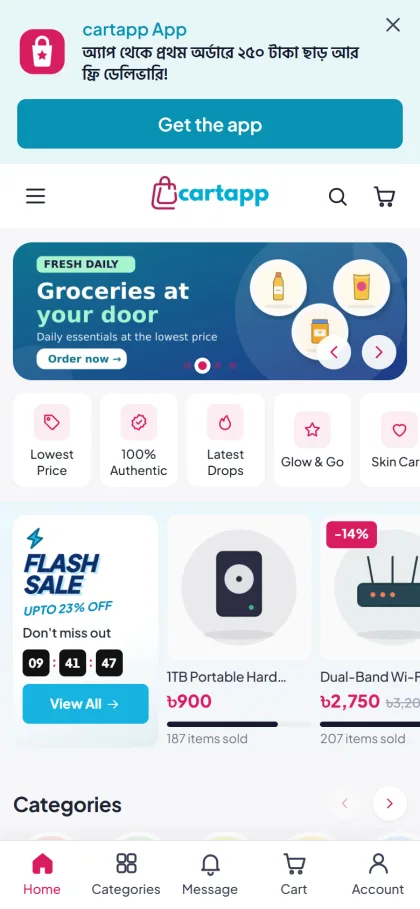
The mobile screenshot shows a Get the app banner written in Bangla at the top. App links are a setting in Customize, Cartapp, so use that banner only if you really have an app. Below come the grocery slide, the quick tiles and a flash sale with a running countdown and items-sold bars under each product. The bottom menu shown in the demo holds Home, Categories, Message, Cart and Account.
Product pages answer questions early. Each one shows image zoom, vouchers, delivery time, returns and warranty details, with reviews in a fold and a popup asking for the first review when a product has none. A sticky Buy Now bar keeps the main button in reach while the shopper scrolls, which matters on a small screen.
Launch Checklist: From Install to First Seller
Go to Appearance, Themes, Add New, Upload Theme, choose the Cartapp zip and activate it. Cartapp, Setup opens next; click Install & Activate on Themeve Commerce, which comes bundled and handles products, cart, checkout, orders and payments, so you do not need a separate shop plugin. Enter the license key from My Account, Licenses to switch on updates. The WordPress documentation covers basics like pages and menus.
Under Demo Content, click Import demo content. It loads 85 products, 136 categories, 12 brands, 3 seller stores, banners, pages, a blog, menus and all settings. When you are ready to go live, Remove demo content deletes exactly what was imported and restores your earlier settings. That makes the demo a safe sandbox for learning your new multi vendor website template before real sellers arrive.
Everything visual lives in Customize, Cartapp: colours, logo, header, slider, tiles, home section order, product page texts, vouchers, app links and footer. Pages stay light because CSS and JavaScript are minified, styles load only where needed and icons share one sprite. Cartapp needs WordPress 6.2 and PHP 7.4 or higher and is tested up to WordPress 6.8. Explore the live demo as a buyer and the demo admin as the owner.
Before launch day, invite three to five trusted sellers to set up their stores, add real products and place test orders end to end. Fix anything confusing in your seller rules or Sell With Us page, then open registration more widely.
Payments, Couriers and Sellers in Bangladesh
Buyers pay with bKash, Nagad, SSLCommerz, cash on delivery or manual payment. Parcels go out through Steadfast or Pathao courier, and SMS and OTP keep customer contact reliable. Checkout fits on one page and ends with an Order placed popup, and a Track Order page lets buyers follow their parcel without calling you.
Customer accounts hold orders, returns, cancellations, reviews, vouchers and the wishlist in one place, and a Help Center with quick actions and FAQs answers common questions before they reach your team. Vouchers collected in the Voucher Center are used at checkout, which gives you an easy tool for welcome offers and campaign days. New orders can reach your team on Telegram, and invoices are ready for every order.
Finding sellers is mostly offline work at first. Visit the markets and wholesale areas you know, talk to Facebook page sellers who already have loyal buyers and show them your Sell With Us page on your phone. For buyers, run Facebook ads by department rather than for the whole store. The Facebook Pixel with Conversion API and tag manager support tell you which campaigns bring orders, not just clicks.
Mistakes to Avoid in Your First Months
Opening every department at once is the classic mistake; empty categories make a new multi vendor ecommerce website look abandoned. Another is accepting every seller who applies. Review stores before they go live and remove sellers who ship late or list copies. Paying sellers late, even once, spreads quickly through seller circles and makes recruitment much harder.
Watch cash on delivery closely as well. Confirm larger orders by phone and track refusals per seller and per area. Keep campaign tiles current, because an expired offer on the homepage damages trust. Finally, test checkout on a budget Android phone on mobile data every time you change something, since that is how most of your buyers will see the store.
Frequently Asked Questions
Can other sellers really open shops on my site?
Yes. Cartapp runs with the marketplace module switched on, so each seller gets a store page and a dashboard of their own. The Sell With Us page brings new sellers in, and you set the commission and manage payouts from your admin.
Do I need WooCommerce or another shop plugin?
No. The bundled Themeve Commerce plugin handles products, cart, checkout, orders and payments. It installs with one click from Cartapp, Setup, so there is nothing extra to buy or configure before you start. Seller stores, vouchers and payments all run from that one plugin.
What if I will run all sellers myself?
If you prefer to list products for each seller and settle with them outside the website, a managed-marketplace theme such as Ganj – Multi-Seller Marketplace WordPress Theme may fit better. If you only sell your own clothing, Haat – Fashion Megastore WordPress Theme is built for one big fashion store.
Can I remove the demo products later?
Yes. Remove demo content deletes exactly what the import added and restores the settings you had before, so you can practise with the demo and still launch with a clean store. It is a good way to train staff and test sellers first.
Final Thoughts
A marketplace succeeds on the strength of its sellers, the fairness of its rules and the trust buyers feel at checkout and delivery. The right multi vendor website template gives you the stores, commission, payouts, search and mobile experience on day one, so your energy goes into people rather than code. To start a seller-run marketplace in Bangladesh this year, begin with Cartapp – Multi-Vendor Marketplace WordPress Theme.