−50%
−50%
Security Center – WordPress Security Plugin
 −50%
−50%
✦ Key features
- Blocks an IP after 5 failed logins
- Block lasts for a while, then lifts
- Failed login attempts logged
- X-Frame-Options header
- X-Content-Type-Options header
- Referrer-Policy header
- Switch off XML-RPC
- One simple settings screen
- Works on any WordPress site
- Light, no heavy dashboard
Overview
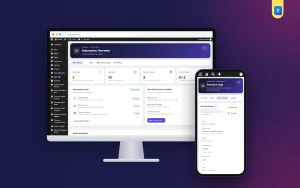
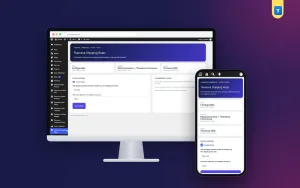
Security Center is a simple WordPress security plugin that limits login attempts, logs failed logins, adds security headers and lets you switch off XML-RPC.
Security Center is a simple WordPress security plugin for site owners who want the basics done properly without a complicated dashboard. It blocks an IP address for a while after five failed logins, logs failed login attempts, adds three common security headers and lets you switch off XML-RPC.
It works on any WordPress site, from a small blog to a busy online shop.
Why the login page needs protection
Every WordPress site has a login page, and automated bots know where to find it. They try common usernames and passwords again and again, hoping one works. Even when they fail, thousands of attempts waste server resources and can slow your site for real visitors.
A strong password is your first defence. Limiting how many times someone can guess is the second.
Limit login attempts
After five failed logins from the same IP address, Security Center blocks that address for a while. A real person who mistyped their password a few times can try again later. A bot guessing hundreds of passwords is stopped after five.
Failed login attempts are logged, so you can see when someone has been trying to get in and how often. That helps you decide whether to change usernames, strengthen passwords or ask your host for more protection.
Security headers
Security headers are small instructions your site sends to browsers. Security Center adds three of the most common ones.
X-Frame-Options stops other sites from loading your pages inside a frame, which protects against tricks where visitors click on something they cannot see. X-Content-Type-Options tells browsers not to guess file types, which closes a class of attacks. Referrer-Policy controls how much of your page address is shared when visitors follow a link to another site.
Switch off XML-RPC
XML-RPC is an older way for apps to talk to WordPress. Most sites no longer use it, but it remains a popular target for password-guessing bots. If you do not use apps or services that need it, switch it off with one setting.
What this WordPress security plugin is, and is not
Security Center covers login protection, headers and XML-RPC. It is not a malware scanner and it is not a firewall. For a small site, these basics close common doors; for a high-traffic site, combine them with protection from your hosting provider.
Good habits still matter most: strong, unique passwords, regular updates of WordPress, themes and plugins, and backups you have tested.
Pair it with visibility and access control
Knowing what happens on your site is part of security. Activity Log records logins, failed logins, content changes and plugin activation with user and time. User Role & Access Manager helps you give staff only the access they need.
For WordPress's own security advice, see the WordPress documentation.
Basic habits that work with it
Use long, unique passwords for every admin and editor, and never use admin as a username. Give each staff member their own account, so you can remove access when someone leaves. Keep WordPress, your theme and every plugin updated, and delete plugins you no longer use.
Give freelancers a temporary account instead of your main login, and remove it when the job is done. Keep backups somewhere other than your hosting, and test that one can be restored. These habits plus a light WordPress security plugin close most of the doors bots try every day.
Who it suits
Shop owners who handle customer orders and personal data. Bloggers and news sites with several authors. Business sites that are rarely updated and easy to forget. Anyone who wants a clear, light WordPress security plugin instead of a heavy suite with dozens of screens.
A quick example
A small shop owner notices the site is slow every night. After installing Security Center, the failed login log shows hundreds of attempts from a handful of addresses. Each address is blocked after five tries, and the owner also switches off XML-RPC. The night-time slowdowns ease, and the owner changes the admin username for good measure.
Licence, updates and setup
Security Center needs an active Themeve licence key. Without it, no protection is applied and only the lock screen and License screen open. Enter the key from My Account › Licenses and the settings become available. Updates arrive in Dashboard › Updates while the licence is active.
Settings live under Settings › Themeve Security Center. Turn on the login limit and security headers, decide about XML-RPC, and check your site afterwards.
With those three steps done, your WordPress security plugin is quietly guarding the front door every day.
Reviews
0.0
Write a review
★★★★★
0 reviews from buyersNo reviews yet — be the first to share your experience after buying.
Frequently Asked Questions
01How many failed logins are allowed?
Five. After five failed logins, the IP address is blocked for a while.
02Can I see failed login attempts?
Yes. Failed login attempts are logged.
03Which security headers are added?
X-Frame-Options, X-Content-Type-Options and Referrer-Policy.
04Should I switch off XML-RPC?
If you do not use apps or services that need it, switching it off removes a common target for password-guessing bots.
05Is it a malware scanner or firewall?
No. It covers login protection, headers and XML-RPC.
06Does it work with any theme?
Yes. It works on any WordPress site.
07Does it need a licence?
Yes. Without an active Themeve licence key no protection is applied and only the lock and License screens open.
Delivery & Support
1Place your orderAdd to cart, sign in and pay with bKash, Nagad or Rocket.
2Payment verified automaticallyEnter your Transaction ID — the payment is matched automatically, usually within seconds.
3Get your productYour license key and download appear in My Account → Licenses.
- Secure automatic payment verification
- Delivery to your account & e-mail
- Friendly WhatsApp support
Refund Policy
This policy applies to every product in our store.
You get a refund when the product does not work as described and we cannot fix it, when your license will not activate your website, or when a manually delivered product is late and you cancel before delivery. A working license, or a single license already used on a live domain, is not refundable. Approved refunds go back to the number you paid from within one working day, minus the Send Money charge.
More items
View all →