−50%
−50%
Stock Alerts – Low Stock Alert Plugin
 −50%
−50%
✦ Key features
- Your own low stock level
- Low stock notice at the top of the admin
- Product name and quantity left
- Edit link straight to the product
- Clears itself after restock
- No list to clean by hand
- Works on WooCommerce and Themeve Commerce
- Helps you pause ads before stock runs out
- Simple setup in one screen
- Uses the stock you already track
Overview
Stock Alerts is a low stock alert plugin for WooCommerce and Themeve Commerce. Set your own low level and see a notice with the product, quantity left and an edit link.
Stock Alerts is a low stock alert plugin that tells you, inside your admin, when a product is about to run out. Set the stock level that counts as low for your shop.
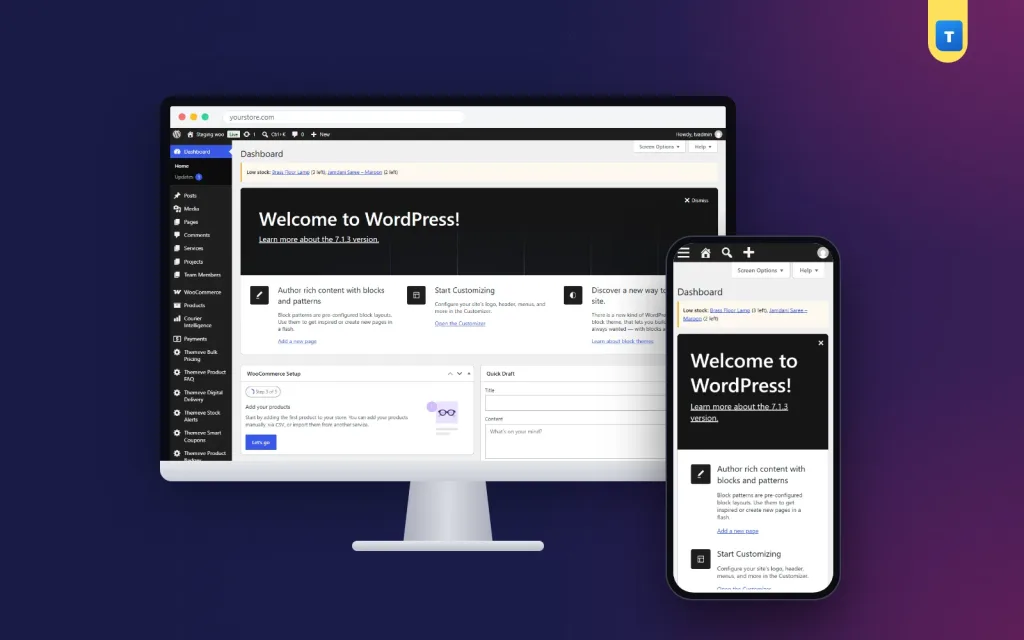
When any product falls to that level a Low stock notice appears at the top of the admin with the product name, the quantity left and a link to edit it.
It works on WooCommerce and Themeve Commerce, and the notice clears itself as soon as you restock.
Why running out costs more than you think
An out-of-stock product loses more than one sale. Your Facebook ad keeps running and sends people to a page they cannot buy from. Buyers who were ready to order go to a competitor and may never come back.
If you sell on cash on delivery, you might even take an order by phone for something that is no longer on the shelf.
Most of these problems are avoidable with a few days of warning. That warning is what this plugin gives you.
Set your own level in this low stock alert plugin
Open Themeve Stock Alerts from the left admin menu and enter the number that means low for your shop. A small boutique might choose 2. A grocery shop that sells dozens a day might choose 20. Pick a number that gives you enough time to reorder from your supplier before the shelf is empty.
What the notice shows
When a product's stock falls to your level, a Low stock notice appears at the top of the admin. It names the product, shows how many are left and gives you an edit link, so you can update stock or pause ads in one click.
Clears itself after restock
When new stock arrives and you update the quantity above your low level, the notice disappears on its own. There is no list to clean and nothing to dismiss by hand. The admin always shows what needs attention right now, and nothing else.
That keeps the notice meaningful. If you see it, something really is running low.
Who it suits
Fashion shops with limited sizes, where the last two pieces of a popular colour disappear fast. Grocery and cosmetics shops with fast-moving items. Gadget sellers who import in batches and need time to reorder. Handmade and small-batch sellers who need to know when to start the next batch.
Any shop that tracks stock in WooCommerce or Themeve Commerce can use this low stock alert plugin to stay ahead of empty shelves.
Pair it with a reorder routine
Decide who acts on the notice and how. For example: the manager checks the admin each morning, places supplier orders for anything marked low, and pauses ads on products with very little left. A simple routine turns the alert into action.
Before a big campaign
Raise your low level a week before Eid or a large Facebook campaign, so warnings arrive earlier while sales are fast. After the campaign, set it back. Five seconds of planning can save a weekend of out-of-stock messages.
How it fits with other tools
To see which products sell fastest, Order Analytics shows top products for any date range, which helps you set the right low level. Smart Order Automation runs rules on new orders, such as emailing the admin about large orders that may need extra stock.
To learn how stock management works in WooCommerce, see the WooCommerce documentation.
What it does not do
Stock Alerts shows an admin notice. It does not send emails or SMS. Stock must be tracked in your shop system for the plugin to see quantities, so turn on stock management for the products you want to watch.
A quick example
A cosmetics shop sets its low level to 5. On Thursday, a popular face wash drops to 4 after a busy morning. The owner opens the admin, sees the notice with the product name and quantity, and calls the supplier. New stock arrives on Saturday, the owner updates the quantity, and the notice disappears.
The weekend Facebook campaign runs without a single out-of-stock complaint. That is the everyday job of a low stock alert plugin: small warnings that protect big sales days.
Licence, updates and setup
Stock Alerts needs an active Themeve licence key. Without it, no notice is shown and only the lock screen and License screen open. Enter the key from My Account › Licenses and the settings become available. Updates arrive in Dashboard › Updates while the licence is active.
After activation, set your low level, make sure stock management is on for your products, and check the admin. Any product already at or below the level will show up straight away.
Reviews
0.0
Write a review
★★★★★
0 reviews from buyersNo reviews yet — be the first to share your experience after buying.
Frequently Asked Questions
01How do I choose the low level?
Pick a number that gives you enough time to reorder before the shelf is empty. Fast sellers need a higher number.
02Does it send emails or SMS?
No. It shows a notice at the top of the admin.
03What does the notice show?
The product name, the quantity left and an edit link.
04Do I need to dismiss the notice?
No. It clears itself when you restock above your low level.
05Does it work on Themeve Commerce?
Yes. It works on WooCommerce and Themeve Commerce.
06Why is a product not showing?
Stock must be tracked for that product. Turn on stock management and enter a quantity.
07Does it need a licence?
Yes. Without an active Themeve licence key no notice is shown and only the lock and License screens open.
Delivery & Support
1Place your orderAdd to cart, sign in and pay with bKash, Nagad or Rocket.
2Payment verified automaticallyEnter your Transaction ID — the payment is matched automatically, usually within seconds.
3Get your productYour license key and download appear in My Account → Licenses.
- Secure automatic payment verification
- Delivery to your account & e-mail
- Friendly WhatsApp support
Refund Policy
This policy applies to every product in our store.
You get a refund when the product does not work as described and we cannot fix it, when your license will not activate your website, or when a manually delivered product is late and you cancel before delivery. A working license, or a single license already used on a live domain, is not refundable. Approved refunds go back to the number you paid from within one working day, minus the Send Money charge.
More items
View all →