 −50%
−50%
Order Analytics – WooCommerce Sales Report Plugin

✦ Key features
- Sales value, orders and average order value
- Completed, in-progress and cancelled or returned counts
- Presets from today to this month
- Custom date range
- Source filter: WooCommerce, Themeve Commerce or both
- Sales trend chart by day
- Order status breakdown
- Top products and payment method panels
- Recent orders table with links
- CSV export of any range
- Drafts and cancelled orders left out of sales
- Settings: default range, table size, product panel
- No data sent to outside services
Overview
Order Analytics is a WooCommerce sales report plugin that shows sales value, orders, average order value, top products and payment methods for any date range, with CSV export. It reads WooCommerce and Themeve Commerce orders.
A WooCommerce sales report plugin should answer the questions you ask every evening without making you open a spreadsheet. Order Analytics does that on one screen. It shows your sales value, number of orders, average order value and order health for any date range. It reads orders from WooCommerce, from Themeve Commerce, or from both at once.
The plugin is built for small and mid-size online shops in Bangladesh and elsewhere. If you sell fashion, groceries, gadgets, books or anything else, and you want clear numbers from the orders you already have, it fits. All figures are worked out on your own server. No order data goes to an outside service.
Who Can Use This WooCommerce Sales Report Plugin
You do not need to be a data person. If you can read a bank statement, you can read this report. These are the people who get the most from it:
- Shop owners who want a quick daily or weekly check of sales and returns.
- Facebook page sellers who moved to a website and want to see which ads bring orders.
- Grocery and food shops that take orders by phone and enter them in the store.
- Gadget and fashion sellers who want to know which products and brands sell most.
- Store managers who report weekly numbers to an owner or a business partner.
- Agencies and freelancers who set up shops for clients and want to hand over a simple report screen.
- Shops moving from WooCommerce to Themeve Commerce, or the other way, that need to watch both systems side by side.
Light, Private and Honest
This WooCommerce sales report plugin is a reporting screen, not a tracking service. It does not add scripts to your shop pages and it does not show anything to your visitors. The work happens inside the WordPress admin when you open the report.
- Every figure is calculated on your own website from your own orders.
- No order data is sent to any outside analytics service.
- Customer names, phone numbers and addresses stay where they are.
- CSV exports are open to administrators only.
A report is only useful when the total is real. So the plugin leaves out unfinished checkout drafts, which means abandoned checkouts never inflate your sales. Cancelled, failed and returned orders are left out of the sales value too. They still appear in their own cards, so you can see them. Refunded amounts recorded by WooCommerce are deducted from sales.
Front End: What Visitors See
Nothing. Order Analytics has no front-end output. Your customers and visitors never see it, and it adds no weight to your shop pages. This is a back-end tool for you and your team.
Back End: The Report Screen of the WooCommerce Sales Report Plugin
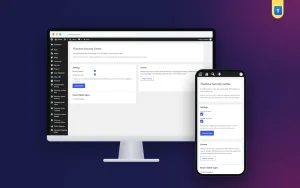
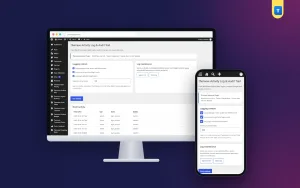
After activation you get a new menu called Order Analytics in the left admin menu. It has the report page and a Settings page. Here is everything on the report page.
Filters at the top
- Date range: choose today, yesterday, last 7 days, last 30 days or this month.
- Custom range: pick a From date and a To date, for example the ten days of an Eid sale.
- Order source: show all systems, only Themeve Commerce, or only WooCommerce.
Every card, chart and table below updates to match the range and source you pick.
Summary cards
- Sales value: the real total of counted orders.
- Total orders: how many orders came in for the range.
- Average order value: sales divided by orders, so you can see if baskets are growing.
- Completed orders: orders that finished the whole journey.
- In-progress orders: orders still being handled.
- Cancelled or returned orders: the count of orders that did not stick.
Sales trend chart
A chart shows order value by day across the selected period. You can see good days, bad days and the effect of a campaign. If sales jump on the day you posted an offer, you will see it here.
Status breakdown
This panel shows how many orders sit in each status. A growing pile of pending orders is the early sign of a problem. You can spot it here before buyers start calling to ask where their parcel is.
Top products
The top products list ranks items by sales value. It tells you what to restock, what to promote and what to drop. You can hide this panel in Settings if you do not need it.
Payment methods
This panel shows orders by checkout method. If most buyers pay by cash on delivery, you see the share in numbers instead of guessing. It helps when you plan advance-payment offers or discuss courier cash handling.
Recent orders table
At the bottom, a table lists the latest orders inside the range. The columns are order number, source, date, customer, payment, status and total. Each order links straight to its edit screen. You move from a number on the report to the order behind it in one click.
CSV export
Export the selected range as a CSV file. The export respects your date range and order source. Open it in Excel or Google Sheets and send it to your accountant or partner.
Back End: The Settings Screen
The Settings page is short on purpose. It changes how the report looks when you open it. It does not change your orders.
- Default date range: pick last 7 days, last 30 days, this month or today. This range loads each time you open the report.
- Recent orders shown: choose 10, 20, 30 or 50 orders in the table.
- Top products panel: turn the product performance section on or off.
- Data and privacy notes: a short panel that explains how the numbers are worked out.
Currency Rules You Can Trust
Some shops sell in more than one currency. The plugin does not convert currencies, because a guessed exchange rate gives a wrong number. When a range mixes currencies, the plugin hides the combined money totals instead of showing a misleading figure. Order counts still show.
WooCommerce, Themeve Commerce or Both
The source filter is useful during a platform change. Say you run an old WooCommerce shop and start a new Themeve Commerce shop on the same site. Choose all systems to see one combined report. Choose one source to compare them. When the move is done, the report keeps working on whichever system you keep.
It also works as a plain WordPress sales report on a normal WooCommerce store. You do not need any other Themeve product to use it.
How It Helps You Run the Shop
A report matters only if you act on it. Here are practical ways shop owners use this WooCommerce sales report plugin.
- Weekly review: every Saturday, open the last 7 days. Note sales value, orders, average order value and cancelled or returned orders. Compare with the week before.
- Ad check: look at the days before and after a Facebook ad. If orders did not rise, change the ad before you spend more.
- Returns check: if sales rose but returns rose faster, open the top products and payment methods to find the cause.
- Stock planning: the top products list shows what to reorder before it sells out.
- Campaign result: set a custom range for an Eid, Pohela Boishakh or 11.11 sale and compare it with a normal period.
- Payment mix: see how many buyers choose cash on delivery and plan your cash flow.
Setup Steps
- In your WordPress admin, go to Plugins, then Add New, then Upload Plugin. Choose the plugin zip and click Install Now.
- Click Activate.
- Open Order Analytics in the left menu. The report loads with the default range.
- Open Settings and choose your default date range and how many recent orders to show.
- Back on the report, pick a source: all systems, WooCommerce or Themeve Commerce.
- Try a preset such as last 30 days, then a custom range for your last campaign.
- Export a CSV once, to check that the file opens in your spreadsheet program.
Requirements are simple. You need WordPress 6.0 or newer and PHP 7.4 or newer. It is tested up to WordPress 7.1, and it works with WooCommerce and Themeve Commerce.
Why Choose It Over the Default Reports
The built-in reports of most stores are spread over several screens. They mix unfinished drafts with real orders and give no clear picture of returns. This WooCommerce sales report plugin puts the key figures on a single page and cleans the data first.
- One screen instead of many.
- Drafts and cancelled orders are kept out of sales.
- Cancelled and returned orders still get their own card.
- Works with two order systems, together or apart.
- Custom date range and presets on every panel.
- CSV export of any range.
- No external service, so no order data leaves your site.
If you want a simple wordpress sales report that your whole team can read, this is a good starting point. It does one job and keeps the screen clear.
Works Well With Other Tools
Order Analytics tells you what happened. Other Themeve plugins help you act on it. Smart Order Automation can run rules on new and changed orders, such as emails, notes and status changes. Courier Intelligence records delivered and returned parcels per phone number. You can use any of them alone.
What Is Included
- The WooCommerce sales report plugin zip, ready to upload.
- Sales value, orders and average order value cards.
- Completed, in-progress and cancelled or returned counts.
- Date presets and a custom date range.
- Sales trend chart and status breakdown.
- Top products and payment methods panels.
- Recent orders table with links.
- CSV export for any range.
- A Settings page for default range, table size and the product panel.
- Updates from your dashboard for the life of your account.
- Documentation after purchase.
- Support for six months.
Install it today and see your real sales, orders and returns from the orders you already have.
Order Analytics is built on the official WordPress documentation standards, and you can browse more of our WordPress plugins.
Reviews
0.0
Write a review
★★★★★
0 reviews from buyersNo reviews yet — be the first to share your experience after buying.
Frequently Asked Questions
01What is the best use of a WooCommerce sales report plugin?
Check sales value, orders, average order value and returns for a chosen range, for example every Saturday. Then compare with the week before.
02Does this WooCommerce sales report plugin work without WooCommerce?
Yes, if you use Themeve Commerce. It reads WooCommerce orders, Themeve Commerce orders or both.
03Are cancelled orders counted in sales?
No. Cancelled, failed and returned orders are left out of the sales value but shown in their own count. Unfinished checkout drafts are left out too.
04Can I see a custom date range?
Yes. Use a preset such as last 30 days or set your own From and To dates.
05Can I export the report?
Yes. Export the selected range as a CSV file. Only administrators can export.
06Is my order data sent anywhere?
No. All figures are worked out on your own website.
07What if I sell in two currencies?
Currencies are not converted. When a range mixes currencies, the combined money totals are hidden so you never see a wrong figure.
Delivery & Support
1Place your orderAdd to cart, sign in and pay with bKash or Rocket.
2Payment verified automaticallyEnter your Transaction ID — the payment is matched automatically, usually within seconds.
3Get your productYour license key and download appear in My Account → Licenses.
- Secure automatic payment verification
- Delivery to your account & e-mail
- Friendly WhatsApp support
Refund Policy
This policy applies to every product in our store.
You get a refund when the product does not work as described and we cannot fix it, when your license will not activate your website, or when a manually delivered product is late and you cancel before delivery. A working license, or a single license already used on a live domain, is not refundable. Approved refunds go back to the number you paid from within one working day, minus the Send Money charge.
More items
View all →You may also like
−50%
 −50%
−50%
 −7%
−7%
 −50%
−50%
