−50%
−50%
Frontend Login & Registration – WordPress Frontend Login Plugin

✦ Key features
- Login form by shortcode
- Registration form by shortcode
- Password reset form by shortcode
- Account page by shortcode
- Uses your theme's styling
- Open or close registration
- New user role: Subscriber or Contributor
- After login redirect URL
- Password minimum 12 characters
- Security token on every form
- Never creates administrators
- Works with any WordPress theme
Overview
Frontend Login and Registration is a WordPress frontend login plugin with four shortcodes for login, sign-up, password reset and account pages, so users stay on your own branded pages.
Frontend Login and Registration is a WordPress frontend login plugin that lets your members, students and customers sign in without ever seeing the plain WordPress login screen. You place simple shortcodes on normal pages. The login, registration, password reset and account forms then appear inside your own design.
The plugin does a small set of jobs and does them clearly. It adds four shortcodes and one settings page. It works with any theme, with or without a shop, and it never gives a new user more than a basic role.
Who can use this WordPress frontend login plugin
Any site where people other than your staff need to sign in. The plugin does not depend on your theme or your niche.
- Coaching centres and schools that give students a login to see notices and material.
- Membership and community sites with a members-only area.
- Online shops that want customer login pages in the same style as the rest of the site.
- Agencies and businesses with a client area.
- Bloggers and magazines that let readers register as contributors.
- Developers who want a clean, small login base for client projects.
Why the default login screen is not ideal
The standard WordPress login page is made for administrators. It shows the WordPress logo, looks nothing like your site and feels like a back door. When customers or students land there, many are unsure whether they are in the right place.
A login page that matches your header, footer and colours feels trustworthy. It keeps visitors inside your brand from the first click.
Front-end forms in this WordPress frontend login plugin
Each form has its own shortcode. You can place them on separate pages or combine them on one page.
Login form
- Shortcode: [themeve_login].
- Fields: username or email, and password.
- Users stay signed in on their device, because the form uses the "remember me" behaviour by default.
- A failed attempt shows a short, neutral message, so it does not reveal which part was wrong.
- If the user is already logged in, the form shows nothing.
Registration form
- Shortcode: [themeve_register].
- Fields: username, email and password.
- Usernames accept letters, numbers, underscores and hyphens, from 3 to 60 characters.
- Passwords must have at least 12 characters, which is stronger than many default forms.
- The form appears only when you have switched public registration on.
- If the username or email is already in use, the user sees a general message to try other details.
Password reset form
- Shortcode: [themeve_password_reset].
- One field for username or email.
- WordPress sends its normal reset email with a secure link.
- The message on screen is the same whether the account exists or not, which keeps account names private.
Account area
- Shortcode: [themeve_account].
- For visitors who are not signed in, it shows the login form, the password reset form and, when allowed, the registration form.
- For signed-in users, it shows "Signed in as" with their display name, an Edit profile link and a Log out link.
- After logging out, the user returns to the page they were on.
How the forms look
The forms use plain HTML and your theme's own styling. They pick up your fonts, input styles and button colours instead of bringing their own heavy design. That keeps them consistent with the site and light to load.
It also means the final look depends on your theme. After adding a shortcode, check the page and adjust the layout in the page editor if needed. Each form carries a security token, so form posts from other sites are rejected.
Back-end settings, option by option
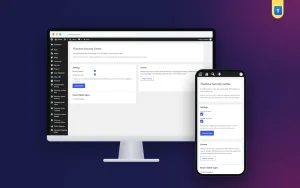
The settings page is under Settings in the WordPress admin menu. Only administrators can open it. It has two cards.
Registration settings card
- Allow public registration on shortcode form. A checkbox. When it is off, the registration form is hidden everywhere and the register shortcode shows nothing.
- New user role. A drop-down with two choices, Subscriber and Contributor. Every new account gets the role you pick.
- After login URL. A web address field. Users go there after a successful login. If you leave it empty, they return to the page they came from.
- Save settings. A button that stores the form.
Shortcodes card
- A reference list of the shortcodes: account, login and register, with a short note on what each does.
- A reminder to use HTTPS on live sites.
- A note that registration creates only Subscriber or Contributor accounts, never administrators.
Licence screens
- A lock screen appears when the licence is missing or expired.
- A License screen lets you activate the plugin once.
- Updates arrive in Dashboard, Updates, while the licence is active.
Safe by design
- New accounts can only be Subscriber or Contributor. The plugin cannot create an administrator.
- Every form uses a one-time security token.
- Input is cleaned before it is saved.
- The reset message does not reveal whether an account exists.
- Registration is off until you switch it on.
Open registration only when you need it, such as during an enrolment period, and close it again afterwards. Review new accounts regularly and remove fakes. Make sure your site's emails arrive, because password reset messages are useless if they land in spam.
Frontend login WooCommerce plugin use
You can use this plugin on a shop as a frontend login WooCommerce plugin for pages outside the standard account area. Put the login shortcode in a landing page for returning buyers, or in a sidebar page for wholesale customers. The forms work with WordPress accounts, which WooCommerce also uses.
The plugin does not replace the WooCommerce My Account page, and it does not change checkout. It gives you matching login and sign-up pages that you control. Choose the Subscriber role for plain members. If you want new sign-ups to be shop customers, set the role by hand or with a role tool after review.
What this plugin does not do
- It does not add social logins such as Google or Facebook.
- It does not add extra profile fields to the registration form.
- It does not build a full profile editor. The Edit profile link opens the standard WordPress profile screen.
- It does not restrict content by itself. Use a role and access tool for members-only pages.
Stating this plainly helps you choose well. If you need only clean login and sign-up pages, this is the right size.
Page ideas for your WordPress frontend login plugin forms
- Put the login form and the registration form side by side in two columns of one page, so new and returning users find their form at once.
- Add a line above the login form that says who the page is for, for example "Students sign in here".
- Link to the password reset page right under the login form.
- Add the account shortcode to a page called My Account, and link it from your header.
- Place a short privacy note under the registration form to explain how you use the email address.
Practical examples
- Coaching centre. Create Login, Register and Forgot Password pages. Open registration with the Subscriber role, and send students to a Notices page after login.
- Membership site. Send members to a members-only page after login. Close registration when the group is full.
- Client area. Create the account page, and share the link with clients so they sign in on your branded page.
- Bangla site. Write page titles and help lines in Bangla. Short, friendly words make the pages welcoming to first-time users.
Setup steps
- In your WordPress dashboard, go to Plugins, Add New, then Upload Plugin, and choose the zip file.
- Click Install Now, then Activate.
- Open the License screen and enter your licence to switch the plugin on.
- Create pages called Login, Register, Forgot Password and My Account.
- Paste the matching shortcode into each page and publish them.
- Open Settings and choose Frontend Login and Registration.
- Choose whether registration is open, pick the new user role and add the After login URL.
- Click Save settings and test every page with a new account, on a phone and a computer.
Add Login and Register links to your main menu or header. Write a short line above each form to explain what users get.
Requirements
- WordPress 6.2 or newer, tested up to WordPress 7.1.
- PHP 7.4 or newer.
- Any theme. WooCommerce is optional.
- Working site email, for password reset messages.
- An active licence, so the shortcodes can run and updates can arrive.
Why choose this over the default screen
- Your logo, menu and colours stay around the form, which is the main reason to pick a WordPress frontend login plugin over the default page.
- Students and customers never see the WordPress admin look.
- You choose who may register and what role they get.
- Four shortcodes cover login, sign-up, reset and account.
- Small and clear, with no extra scripts for visitors.
A heavy membership suite brings many settings you may never use. If you only need clean forms, a simple WordPress frontend login plugin gives you less to learn and less to maintain.
What is included
- The plugin zip file, ready to upload in Plugins, Add New.
- Four shortcodes: account, login, register and password reset.
- One settings page for registration, role and redirect.
- Documentation after purchase.
- Updates in Dashboard, Updates, while your licence is active.
- Six months of support, with help on WhatsApp.
Pairs well with other tools
User Role and Access Manager lets you add capabilities to a role or hide admin menus for a role. Contact Form gives visitors who cannot log in a simple way to reach you. Both are optional and sold separately.
Frontend Login & Registration is built on the official WordPress documentation standards, and you can browse more of our WordPress plugins.
Reviews
0.0
Write a review
★★★★★
0 reviews from buyersNo reviews yet — be the first to share your experience after buying.
Frequently Asked Questions
01What does a WordPress frontend login plugin like this do?
It puts login, registration, password reset and account forms on normal pages with shortcodes, so users never see the default WordPress login screen.
02Is it a good WordPress frontend login plugin for beginners?
Yes. Create pages, paste a shortcode, and set three options on one settings page.
03Can I use it as a frontend login WooCommerce plugin?
Yes, on pages outside the My Account area. It uses WordPress accounts, which WooCommerce also uses. It does not replace the WooCommerce My Account page.
04Which roles can new users get?
Subscriber or Contributor. The plugin never creates administrators.
05Can I close registration?
Yes. Untick the registration checkbox and the register form disappears.
06Does it support social login?
No. It handles username or email login, registration, password reset and the account area.
07Will the forms match my theme?
They use your theme's styling. Check each page after adding the shortcode.
Delivery & Support
1Place your orderAdd to cart, sign in and pay with bKash or Rocket.
2Payment verified automaticallyEnter your Transaction ID — the payment is matched automatically, usually within seconds.
3Get your productYour license key and download appear in My Account → Licenses.
- Secure automatic payment verification
- Delivery to your account & e-mail
- Friendly WhatsApp support
Refund Policy
This policy applies to every product in our store.
You get a refund when the product does not work as described and we cannot fix it, when your license will not activate your website, or when a manually delivered product is late and you cancel before delivery. A working license, or a single license already used on a live domain, is not refundable. Approved refunds go back to the number you paid from within one working day, minus the Send Money charge.
More items
View all →