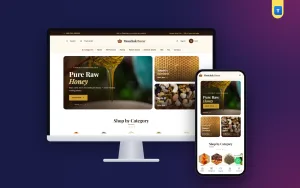
 −29%
−29%
Grocery
Mouchak – Grocery Website Template WordPress for Honey & Healthy Food
৳2,500
৳3,500Save −29%

✦ Key features
Sodai is a complete grocery store website source code package built with Laravel, made for one shop that sells vegetables, fruit, fish, meat, rice, oil, spices and daily groceries online. You get the storefront, the customer account and a full admin panel in one self-hosted application, with Cash on Delivery, bKash, Nagad, Rocket and SSLCommerz payments and Steadfast, Pathao and REDX courier booking.
The design is fresh green (#0f7a3d) with a warm yellow accent, rounded Quicksand headings and clean product cards. It is a single-shop system: there are no sellers to manage, so every menu in the admin panel is about your own store.
The demo comes with 207 products in 12 categories, about 60 sample orders, reviews, offers and blog posts.
Sodai suits a business that wants its own grocery website instead of a page on someone else's app:
It is grocery ecommerce software, not a design file. The cart, checkout, payments, couriers, stock and reports already work, and you change only the products, photos and settings.
The header has a top bar with your support phone, a large search box and quick links to categories, offers and order tracking. On a phone the header stays slim, and a bottom tab bar keeps Home, Categories, Cart and Account under the thumb.
The homepage opens with a hero and a product search, then featured category tiles, three promo banners (a swipe slider on phones), popular products with category tabs, daily best sells, deals of the day with countdowns, four product lists, a delivery banner, a trust strip, a FAQ in two columns and the latest blog posts. Every block is turned on, off or moved in Admin → Website → Homepage.
Most grocery orders come from a phone, often late in the evening for the next morning. In this grocery store website source code the phone layout was designed on its own: a full-width hero, two products per row with large add buttons, a search panel with suggestions and a side menu for categories. Nothing scrolls sideways.
Grocery buyers decide fast, so cards stay simple. Cards show the photo, pack size, price, old price, rating and an add button. The product page has a photo gallery, variants such as 1 kg or 5 kg, tier prices for bulk buyers, reviews and questions, and frequently bought together items.
A grocery store website source code package should cover the weekly shopping habit, and these tools are there for exactly that.
Good grocery ecommerce software has to bring buyers back every week. Coupons work on the whole cart or chosen products. Offers add more ways to sell: combo deals, buy X get Y, spend and save, and free shipping over an amount. Offers and vouchers can stack, and the product card shows an offer badge.
Flash sales run with a live countdown. Loyalty points build with every order and turn into a personal voucher, which brings families back each week. Reseller and wholesale accounts get their own discount once you approve them.
Checkout asks for a phone number and an address with district and upazila, so delivery charges follow your zones, including separate inside and outside Dhaka rates. Buyers can sign in or check out as guests.
You can ask for an advance on Cash on Delivery orders: the delivery charge or a percentage. The order cannot be confirmed until the advance is paid, and the courier collects only the rest. A repeat-order guard also blocks the same phone from placing many orders in a short time.
Steadfast, Pathao and REDX are built in. Add your own merchant keys in the admin panel, then book a parcel from the order page. Courier status updates come back to the order, so you and the buyer see where the parcel is.
You can also ship by hand with your own rider and mark each step yourself. Shipping zones work by district or by upazila and thana, so a zone for Dhanmondi and Mirpur can have its own charge.
Everything a grocery owner needs sits in one admin panel:
A floating WhatsApp button lets buyers message your number with a ready first line, which you set in Admin → Branding. Order emails go out by SMTP, and SMS works with your provider's send link.
Selling groceries online is a numbers game, so the system gives you the tools to watch and grow them.
Each tool can stay off until you need it, so a small shop starts simple and adds more as orders grow.
A shop that takes payments needs to stay safe. Staff accounts use roles, so a packer sees orders while only you see settings and money. Two-factor sign-in protects admin accounts, and an activity log shows who changed what and when.
Backups of the database and files run from the admin panel or a command. API keys and signed webhooks let a developer connect the shop to an accounting tool or a mobile app later without opening the database to anyone.
The admin sign-in sits on its own private path, separate from the customer pop-up, which keeps bots away from the staff login.
Sodai is a Laravel 13 application, so this grocery store website source code is yours to host. You own the copy you install, the data stays on your server, and a developer can extend it like any Laravel project. It runs on a VPS or on hosting that supports modern PHP, with MySQL in production.
Upload the files, copy .env.example to .env, set the database, then run the key, migrate and install commands. The install command creates the first admin with a random password printed once and creates your shop. Then activate the licence key in the admin panel.
The shop stays locked on a live domain until the licence is active. Local test sites stay open. The licence also brings updates.
Sodai is built on Laravel, the open-source PHP framework. See all our Laravel projects for more ready shops and systems.
Any shop that talks to payment and courier companies needs real accounts. Online gateways, SMS and couriers need your own live merchant keys; the code follows each provider's API, but they cannot be tested without real accounts. The site is in English. The sale file is a fresh install, so the demo products and photos are not included, and you add your own catalogue.
Plan your first week before launch: load the products you sell most, set delivery zones and charges, test one Cash on Delivery order and one Send Money order from your own phone, and book one parcel with your courier. Shops that test the full path once before opening have far fewer problems with their first real buyers.
If you need help, the documentation walks through each setting in order, from shop details to payments, couriers and homepage blocks.
That is the value of a finished grocery store website source code package: you add your products and prices, connect payments and couriers, and start taking orders.
No reviews yet — be the first to share your experience after buying.
No. Sodai is a self-hosted Laravel application with its own storefront and admin panel. It does not need WordPress or WooCommerce.
No. It is built for one shop. Seller sign-up is off, and all menus are about your own store.
Yes. Manual Send Money works at once. The bKash, Nagad and SSLCommerz gateways work after you add your merchant keys.
Steadfast, Pathao and REDX, with your own keys. Manual delivery with your own rider also works.
Yes. Turn blocks on or off, reorder them and change banners and menus in the admin panel.
Yes. You get the full Laravel source, so a developer can add features or change the design.
No. Localhost test sites stay open. A live domain needs an active licence.
No. The sale file is a clean install. You add your own products, photos and banners.
You get a refund when the product does not work as described and we cannot fix it, when your license will not activate your website, or when a manually delivered product is late and you cancel before delivery. A working license, or a single license already used on a live domain, is not refundable. Approved refunds go back to the number you paid from within one working day, minus the Send Money charge.
−29%
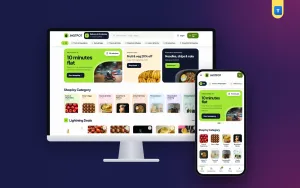 −34%
−34%
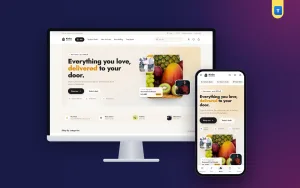 −48%
−48%
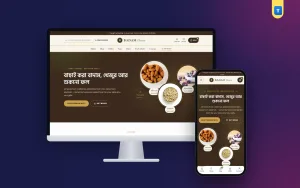 −34%
−34%
