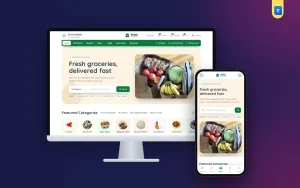
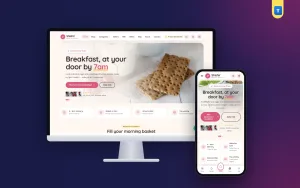
An online ordering system for grocery store owners is more than a website with a cart. It has to handle hundreds of small items, pack sizes, fresh stock that changes every morning, delivery zones, Cash on Delivery and buyers who order the same things every week. This guide explains how such a system works, what to plan before you build it and how to run it well in Bangladesh.
The ideas apply whether you run one corner shop or a supermarket with several thousand products.
What an online ordering system for grocery store owners does
At its core, the system does five jobs:
- Shows the catalogue with prices, pack sizes and stock.
- Takes the order through a cart and checkout.
- Takes the payment, or records that the buyer will pay on delivery.
- Moves the order from new to packed to shipped to delivered.
- Brings the buyer back with reminders, offers and an easy reorder.
A Facebook page with a phone number can do the first job. Everything after that falls on the owner's memory and a notebook, which breaks as soon as orders grow past twenty a day.
Grocery is different from other online shops
Clothes or gadgets sell a few items per order at a higher price. Grocery sells many cheap items per order, often fifteen or twenty lines. That changes the design:
- Search has to be fast and forgiving, because buyers type "piyaj", "onion" and "peyaj" for the same thing.
- The add button must work from the product card, without opening each product.
- Pack sizes matter: 500 g, 1 kg and 5 kg of the same rice are different prices.
- Stock changes daily for fish, meat, vegetables and fruit.
- Delivery time matters more than delivery price. People cook tonight.
Plan for these from the start, and the rest of the system becomes much easier to use.
Plan your catalogue first
Write a list of every product with its name, category, pack sizes, price and a photo. Keep categories close to how people shop in a market: vegetables, fruit, fish, meat, rice and dal, oil and ghee, spices, snacks, drinks, cleaning, baby care.
Names buyers recognise
Use the name people say aloud, and add the English name too: "Potato (Alu) 1 kg". Add common spellings as search words where the system allows it.
Photos
Shoot products on one plain background in daylight. A tidy grid of real photos builds more trust than a mix of stock pictures from the internet.
Tier prices for bulk buyers
If 10 kg of rice costs less per kilo than 1 kg, show it as a tier price on the same product. Restaurants, hostels and small shops will notice and order in bulk.
The buyer's path from search to doorstep
Walk through an order as a buyer would, on a cheap phone:
- Open the site and search or pick a category from the home page.
- Add items from the cards, adjusting the quantity with plus and minus buttons.
- Open the cart, apply a coupon and see the delivery charge.
- Enter a phone number and an address with district and upazila.
- Choose Cash on Delivery or a mobile payment and place the order.
- Get a confirmation and a link to track the order.
Every extra step loses people. If a buyer must create an account and confirm an email before ordering onions, many will close the tab. Allow guest checkout with a phone number, and offer an account after the first order.
Delivery zones and charges
Delivery is where grocery shops win or lose money. Decide your zones before launch:
- Inside your area: same-day or next-morning delivery with your own rider.
- Inside the city: a fixed charge, often different for each thana.
- Outside the city: a courier, with longer times and only items that travel well.
A good online ordering system for grocery store delivery lets you set charges by district, and better still by upazila or thana. Show the charge in the cart before checkout, not as a surprise at the end. A free-delivery amount, such as orders over a set total, raises the average order.
Couriers
For orders outside your own area, Steadfast, Pathao and REDX are the usual choices in Bangladesh. A system that books the parcel from the order page and brings the courier status back saves hours of copying phone numbers into another website.
Payments and Cash on Delivery
Most grocery buyers still pay cash at the door. Others prefer bKash, Nagad or Rocket. Offer both:
- Cash on Delivery for trust and habit.
- Send Money to your number with the transaction ID, which you check before packing.
- A payment gateway such as SSLCommerz, or a wallet's merchant service, for automatic online payment.
Fake and prank orders
Every COD shop meets fake orders. Two simple rules cut them down. First, ask for a small advance, such as the delivery charge, on COD orders from new buyers or far zones. Second, block the same phone number from placing many orders in a short time. Call new buyers for large orders before packing.
Packing, stock and the morning rush
A system is only as good as the shop floor behind it. Print a packing list per order, grouped by shelf, so the packer walks the shop once. Mark items as out of stock the moment they run out; nothing annoys a buyer more than a call saying half the order is missing.
For fresh items, update stock every morning before the first orders. For seasonal goods such as hilsa or mangoes, a pre-order option lets you take orders before the stock arrives and buy exactly what you sold.
Back-in-stock alerts help too: a buyer who found something sold out leaves an email and gets a message when it returns.
Must-have and nice-to-have features
Feature lists can be long, so sort them into two groups before you compare options. The must-haves are the things without which an online ordering system for grocery store work simply fails on day one.
Must-have
- Fast search and add-to-cart from the product card.
- Pack sizes or variants with their own prices and stock.
- Delivery charges by zone, shown before checkout.
- Cash on Delivery and at least one mobile payment.
- Guest checkout with a phone number.
- Order statuses the buyer can see, and an admin list you can filter.
- A phone layout that works with one thumb.
Nice to have
- Courier booking from the order page.
- Tier prices, combo offers and loyalty points.
- Pre-orders and back-in-stock alerts.
- Delivery time slots.
- Incomplete-order lists that show who left at checkout.
- Tracking codes for Facebook and Google ads.
Start with the must-haves working perfectly. A shop that loads fast and never loses an order beats one with fifty half-working extras.
Staff, roles and the daily routine
Once orders arrive every day, more than one person will use the system. Give each person only what they need: a packer sees orders and packing lists, a rider sees deliveries, and only the owner sees payments, settings and reports. Roles stop mistakes and protect your money.
A simple routine keeps things smooth. In the morning, update fresh stock and prices. Before noon, confirm new orders and check Send Money payments. In the afternoon, pack and hand parcels to riders or couriers. In the evening, look at the day's orders, returns and search terms. An online ordering system for grocery store staff should make each of these steps one screen, not five.
Protect admin accounts with two-factor sign-in and keep regular backups. Losing a month of orders and customer phone numbers is far worse than a slow day.
Bring buyers back every week
Grocery is a habit business. The first order costs the most to win; the tenth costs almost nothing. Build for repeat orders:
- Order history and reorder so last week's list is one tap away.
- A wishlist for items the buyer wants to remember.
- Loyalty points that turn into a voucher after a few orders.
- Offers such as combo packs, buy one get one, spend and save, or free delivery over an amount.
- A WhatsApp button so buyers can ask a quick question without calling.
Watch the search terms people type that return nothing. They are a free list of products to add.
Measure what matters
You cannot improve what you do not watch. Check a few numbers every week:
- Orders per day and the average order value.
- Repeat buyers: how many people ordered more than once this month.
- Cancelled and returned orders, and why.
- COD refusals: parcels the buyer did not accept at the door.
- Search terms with no results, which tell you what to stock next.
- Delivery time from order to doorstep.
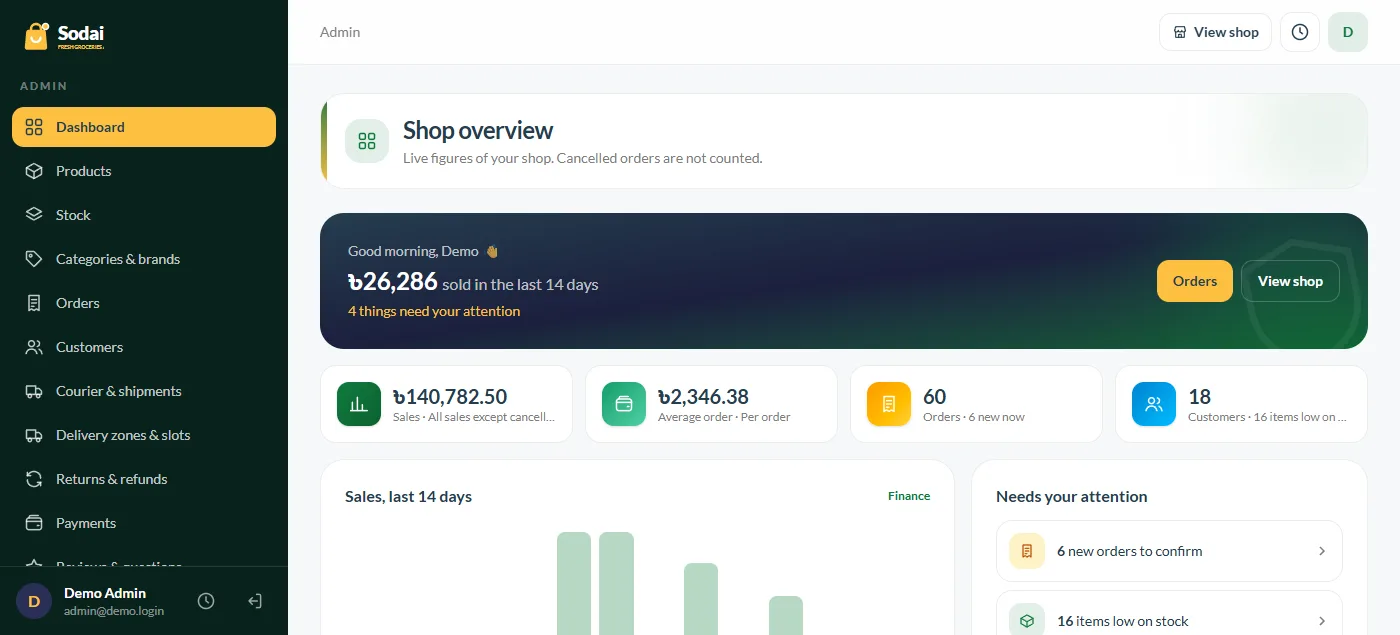
A good online ordering system for grocery store reports shows most of these on its dashboard. If yours does not, export the orders to a spreadsheet once a week and count them by hand. The habit matters more than the tool.
Common mistakes to avoid
New grocery sites tend to fail in the same few ways:
- Too few products at launch. Buyers want to fill a whole bag, not buy three items.
- Hidden delivery charges. A charge that appears only at the last step loses the order.
- Wrong stock. Selling items you do not have leads to calls, refunds and bad reviews.
- Slow pages. Huge photos and heavy scripts make the shop crawl on mobile data.
- No reply on WhatsApp. If buyers ask and nobody answers, they order elsewhere.
- Delivering too far too soon. Late, warm fish ruins trust faster than anything.
Fix these first. Most grocery shops that fail online do not fail because of design; they fail because the basics of stock, delivery and replies were not ready.
Template, hosted service or your own system?
There are three common routes:
- A hosted service is quick to start but charges every month, and you are bound by its rules and fees.
- A grocery delivery website template looks finished but is often only a design. Check whether the cart, checkout, payments and courier booking really work before you pay.
- Your own self-hosted system costs more effort to set up, but you own the data, the design and the buyer list, and there is no fee per order.
Whichever route you choose, ask for a live demo and place a test order from a phone. If you cannot find the delivery charge, the payment options and the order status in two minutes, your buyers will not either.
Hosting, speed and setup
A self-hosted online ordering system for grocery store sales needs a home on the internet. Shared hosting can carry a small shop, but a VPS gives you more room once orders, photos and staff grow. Look for modern PHP, a MySQL database, enough disk space for product photos, a free SSL certificate and daily backups from the host.
Speed matters more than most owners think. Compress every product photo before upload, keep the homepage to the sections that sell, and avoid adding many outside scripts for chat, ads and pop-ups at once. Test the shop on mobile data, not on office Wi-Fi.
Domain and trust
Use a short domain that matches your shop name, and show your real address, phone number and trade licence details in the footer. Buyers who have never seen your shop look for these before their first order.
Who sets it up
If you are not technical, budget for a developer for the first setup: hosting, domain, mail, payment and courier keys, and a test order. After that, daily work such as products, prices, banners and orders should be possible from the admin panel without code.
A launch checklist for an online ordering system for grocery store sales
- At least 150 to 200 products with real photos and correct prices.
- Delivery zones and charges set and tested.
- Cash on Delivery and one mobile payment tested with real small orders.
- A courier account connected, or your own rider ready.
- A phone number and WhatsApp shown on every page.
- Return and refund rules written in plain words.
- Every page checked on a phone, with no sideways scrolling.
- A first offer ready for launch week.
Ask two or three friends to place real orders before you announce the shop. Watch them use it on their own phones without helping, and note every place where they stop or ask a question. Those moments show you exactly what to fix first.
Start in a small area where you can deliver fast, then grow the zone as orders grow.
Content that brings buyers
Simple recipes, seasonal buying guides and "what is fresh this week" posts bring visitors who are already thinking about food. Link each post to the products it mentions. Google's guide to helpful, people-first content explains why useful, honest writing like this earns more trust than keyword-filled pages.
Running your shop with Sodai
All of these parts come ready in Sodai, the Laravel grocery store website source code. It is built for one shop, with a green storefront, quick add buttons, pack sizes, tier prices, pre-orders, back-in-stock alerts, wishlist, compare and bulk order. Checkout takes district and upazila addresses, guest orders, Cash on Delivery with an optional advance, Send Money with transaction ID, and bKash, Nagad and SSLCommerz gateways.
Steadfast, Pathao and REDX booking, offers, coupons, flash sales, loyalty points, reseller accounts, a blog and a WhatsApp button are included, and the admin panel edits the homepage blocks without code. It is a full system rather than a grocery delivery website template, so you add your products and start selling.
Frequently asked questions
What is an online ordering system for grocery store owners?
Software that shows your products and prices, takes orders and payments, and tracks each order until delivery, so you do not take orders by phone or chat.
How much does an online ordering system for grocery store use cost?
Hosted services charge monthly or per order. A self-hosted system is a one-time cost plus hosting, and custom builds cost the most.
Can buyers pay cash on delivery?
Yes. Most grocery systems in Bangladesh offer COD, often with a small advance for new buyers to stop fake orders.
Which couriers work in Bangladesh?
Steadfast, Pathao and REDX are the common ones. Many shops use their own rider inside the city and a courier outside it.
How many products do I need to start?
Around 150 to 200 everyday items is enough for a first launch. Add more as you learn what people search for.