A smartwatch online shop does not need a hundred products to make money. Many gadget sellers in Bangladesh do best with one well-chosen watch, a steady ad budget and a single page that answers every question before the buyer reaches for the order button. This guide is for gadget importers, Facebook gadget pages and resellers who want their own order page instead of an endless inbox.
We will cover how to pick a model you can stand behind, how to plan colours, warranty and delivery, and what the page itself must say. The example tool is Kobji – Smartwatch Landing Page WordPress Theme, a one-page theme with tap-to-open feature dots, a strap colour picker and an order form built into the page. Most of the work, though, happens before any theme is installed.
Why One Page Works for a Smartwatch Online Shop
Gadget ads get clicks quickly, but the buyer who taps is usually on a phone, half distracted and curious about one watch only. Send that person to a busy catalogue full of chargers, cables and other models, and many of them simply leave. A single page keeps attention on the product they saw in the ad, and every scroll answers the next question: what it does, what comes in the box, how it compares, and what delivery costs.
One page is also easier to run. You write one set of answers, test one offer and track one product. When the watch sells well, you can open a second page for earbuds or a fitness band. When it stops selling, you switch the product without rebuilding a whole site. For a small team, that focus is worth more than a large menu.
Choosing the Watch You Will Sell
Your page can only be as honest as the product. Before you order stock, wear a sample for a full week. Check how long the battery really lasts with notifications on, whether calls through Bluetooth are clear, how the companion app behaves on both Android and iPhone, and whether Bangla notifications display properly. Note every problem, because buyers will find them too, and it is better that you find them first.
Specs you can prove
Supplier sheets often promise more than the watch delivers. Water resistance ratings, battery days and health readings are where most complaints start. Only print a spec on your page if you have tested it or the brand documents it clearly, and describe health features as general wellness tracking, not medical measurement. A buyer who gets slightly more than you promised becomes a reviewer. A buyer who gets less becomes a complaint in your comments.
Colours, packages and warranty
Decide which strap colours you will stock and keep enough of each, because running out of the popular colour mid-campaign wastes ad money. Plan your packages, such as the watch alone or the watch with an extra strap, and write down exactly what is in the box. Then set a warranty rule you can keep: how long it lasts, what it covers, and how a buyer sends a faulty watch back to you.
What a Landing Page for Facebook Ads Must Say
A landing page for Facebook ads has one job: turn a curious tap into an order. The top of the page needs a clear headline, the product photo, a short list of what matters, and an order button. Below that, explain the features one by one, show real photos, compare the watch with what the buyer already knows, share reviews, list delivery charges and state your guarantee. The form comes last and stays short.
Every smartwatch online shop gets the same handful of questions: does it take calls, how many days does the battery last, which colours are there, and what happens if it stops working. If the page answers those four, your inbox gets quieter and your COD orders get more serious. Write in plain Bangla or simple English, avoid long spec tables at the top, and show the watch on a real wrist wherever you can.
How Kobji Sets Up the Page
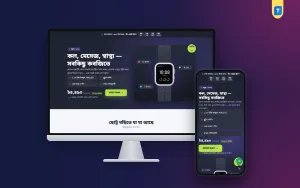
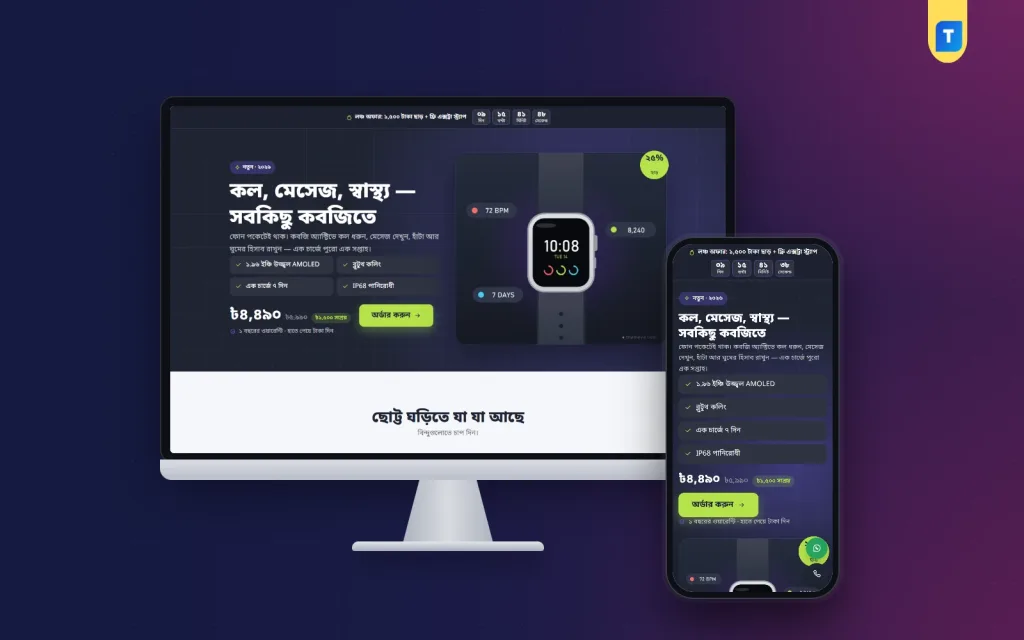
Kobji is a one-page theme for gadget sellers who push one product with Facebook and Google ads. The buyer lands on a long page with no site header or footer, reads about the watch, picks a strap colour and orders from the form inside the page. The style is bold and techy: a graphite poster hero with a violet glow, thin grid lines and lime buttons that are hard to miss.
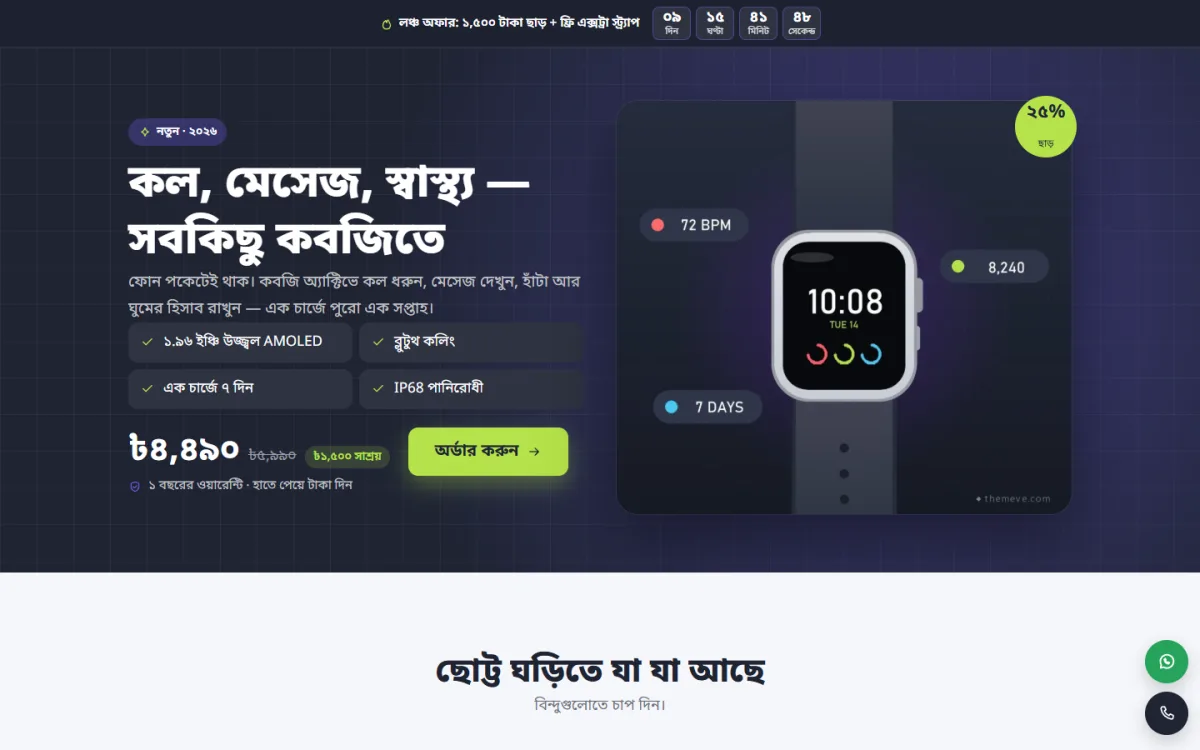
The demo hero shows a Bangla headline, four sample feature chips for things like the screen, calling, battery and water resistance, and a warranty note under the order button. Those specs and the warranty line are sample text shown in the demo, not promises from the theme, so replace them with what your own watch and policy really offer. The offer line with its countdown at the very top is a theme feature you control.
Feature hotspots
Numbered dots sit on the product picture. When a buyer taps one, it opens a short note about that part, such as the screen, the side button or the sensor on the back. It turns a flat photo into a small tour, which works far better on a phone than a long spec list that most people skip.
Strap colour picker
Each package that has its own picture becomes a colour swatch. Tapping one swaps the photo to that strap colour, and one button picks it in the order form. The demo watch comes in four strap colours, so buyers see each option before they choose, and fewer of them message you to ask how the blue one looks.
Sixteen sections in the order you choose
Kobji has 16 sections: hero, hotspots, problem and answer, benefits, strap colours, specifications, photos, comparison, video, packages, review wall, steps, delivery charges, guarantee, FAQ and the order form. In the "Landing page" box on the page editor you can turn any of them off or move them. Got a strong unboxing video? Move it near the top. No comparison ready yet? Hide it until you have one.
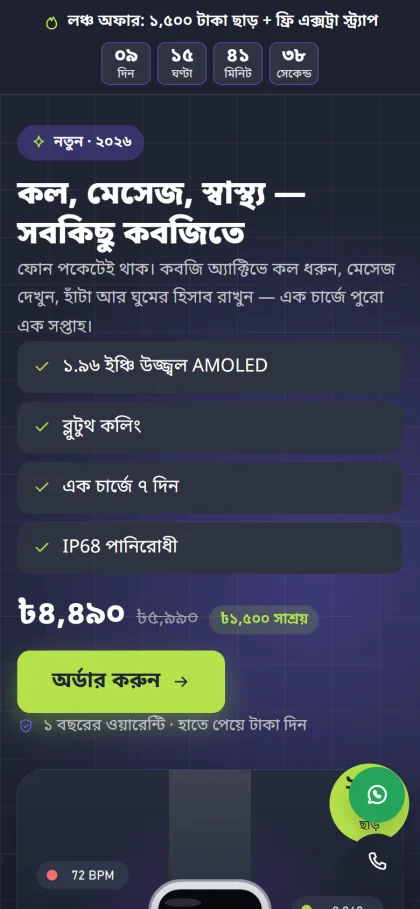
Ad traffic is mostly mobile, and the page is built for it. After the buyer scrolls past the hero, a sticky order bar appears and stays until the form is on screen. Floating call and WhatsApp buttons catch buyers with quick questions about battery or warranty, and the review wall gathers buyer feedback in one block lower down.
Orders, Payments and Delivery
Packages are product variations. Kobji shows them as cards and again as a picker inside the order form, and the checkout of the bundled plugin updates the price and delivery charge live as the buyer switches. The form asks for name, mobile, address and district. Buyers choose cash on delivery or send money by bKash or Nagad to your own numbers, and each order appears under Shop in your WordPress dashboard.
Themeve Commerce comes bundled with the theme. It adds Telegram alerts for new orders, SMS and OTP, invoices, coupons and an order tracking page, plus Steadfast and Pathao courier for delivery. Connect the Facebook Pixel and the Conversion API, and your ad account learns which campaigns produced real orders, which makes it easier to cut weak ads early and move budget to the ones that sell.
Setting Up Kobji Step by Step
Kobji runs on WordPress 6.0 or newer with PHP 7.4 or newer, and it is tested up to WordPress 7.1. Upload the zip under Appearance, Themes, Add New, Upload Theme and activate it. Open Kobji, Setup to install Themeve Commerce in one click, then enter your license key from My Account, Licenses on themeve.com under Kobji, License. The WordPress documentation helps if pages and settings are new to you.
Run Kobji, Demo Import to load the watch in four strap colours with photos and reviews, the landing page as your front page, and pages for privacy, terms, and returns and replacement, plus order tracking, checkout and thank-you pages. Then edit the page in Pages, write your own text in the "Landing page" box, add your hotline and WhatsApp numbers, and put your bKash and Nagad numbers in the store's payment settings.
Kobji, Theme Options has 4 palettes, Night lime, Ocean, Coral sport and Mono, and you can set each colour yourself. Fonts come as Noto Sans Bengali, Anek Bangla with Hind Siliguri, or Mina with Hind Siliguri. To see it working, open the live demo on your phone and tap the hotspots, then visit the demo dashboard to see the product and orders.
Selling Gadgets in Bangladesh: Practical Tips
Cash on delivery brings most first orders, and it also brings fake ones. Call to confirm before you hand a watch to the courier, and for orders far from Dhaka consider asking for the delivery charge in advance through bKash or Nagad. Record a short video of each watch powering on before you seal the box. If a buyer later says it arrived dead, that video settles the matter calmly.
For your landing page for Facebook ads, test two or three angles instead of one. One ad might focus on calls, another on fitness tracking, another on looks with a particular strap. Keep the page the same and let the Pixel tell you which angle sells. Reply to comments quickly, pin a comment with the order link, and post real buyer photos when people send them.
Mistakes That Hurt a Smartwatch Online Shop
The biggest mistake is copying the supplier's spec sheet without testing it. Claims about water resistance or week-long battery life that do not hold up lead straight to returns and angry reviews. Another is having no written warranty, which turns every fault into an argument. Using only supplier renders is a third, because buyers have seen those exact pictures on ten other pages and no longer trust them.
Sellers also send ads to the Facebook page inbox instead of an order page, then lose buyers who did not want to wait for a reply. Some forget the phone entirely and design for a laptop. Finally, many let the offer timer keep running for weeks, which teaches buyers that the deadline is fake. Set a real end date and change the offer when it passes.
Frequently Asked Questions
Can I sell earbuds or a fitness band with Kobji?
Yes. Kobji is set up for a smartwatch, but any page can become a landing page for any product. A second gadget only needs a new page and its own product, not a new site, so you can test a new item without touching the page that already sells.
Should I build a full gadget shop instead?
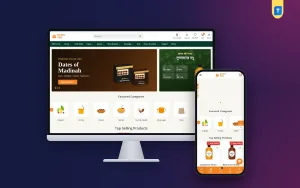
If you stock many models, chargers and accessories and want buyers to browse, a full store theme such as Chomok – Smart Gadget Shop WordPress Theme suits you better. For one hero product driven by ads, a single page usually converts better because nothing competes with the watch.
Is there a similar page for summer gadgets?
Yes. Batash – Fan Landing Page WordPress Theme follows the same one-page idea for a rechargeable fan, with a backup calculator instead of feature hotspots. Many gadget pages run both during the hot months.
Final Thoughts
A successful smartwatch online shop rests on a tested product, honest specs, a clear warranty and a page that answers the buyer's four big questions on a phone screen. Get those right and your ads have somewhere useful to land. If you want one page with feature hotspots, a strap colour picker and a built-in COD, bKash and Nagad form, start with Kobji – Smartwatch Landing Page WordPress Theme.