Good apparel website design starts with one simple question: can a stranger understand what you sell, trust you and place an order from a phone in a few minutes? Clothes are a personal product. People worry about fit, colour, fabric and delivery, and your website has to answer those worries without a salesperson standing next to them.
This guide is for small clothing sellers in Bangladesh who want to move from a Facebook page to a proper online shop. It covers planning, page structure, photos, size information, payments, couriers, speed and a launch checklist. You can follow it whether you build the site yourself, hire a freelancer or use a ready-made theme.
What good apparel website design includes
Many sellers think apparel website design means colours and a logo. For a clothing shop it means much more. A good site is a set of small decisions that help a buyer choose and pay.
A solid clothing shop needs these parts:
- A clear homepage that shows your best products in the first screen.
- Menus that match how people shop: men, women, kids, new arrivals, sale.
- Product pages with several photos, a size guide, price and delivery information.
- A short cart and checkout that works on a small screen.
- Payment methods people already use, such as bKash, Nagad and cash on delivery.
- A page for returns, exchanges and contact details.
If any of these is missing, buyers send a message on Messenger instead. That is fine for a few orders a day, but it does not scale.
Start with your customer and your catalogue
Before you open any design tool, write down who buys from you. A student who buys hoodies has different habits from a mother who buys shawls for the family. Answer these questions on paper:
- Who is my main buyer, and what age group is she or he?
- How do they find me today: Facebook, Instagram, friends, a shop visit?
- What do they ask me most often before they order?
- Which five products sell the most?
- What is my price range, and do I run offers?
The answers decide your layout. If most questions are about size, the size guide must be easy to find. If buyers always ask about delivery time, put it next to the price.
Then count your products. A shop with 20 items can show everything on the homepage. A shop with 300 items needs filters, categories and search.
Plan the structure of your apparel website design
A clean structure is the base of every apparel website design. Draw it as boxes on a sheet of paper before you build anything. Keep it shallow: a buyer should reach any product in three taps.
A simple site map for a clothing shop looks like this:
- Home
- Shop, with categories such as Women, Men, Kids and Accessories
- New arrivals
- Offers
- Size guide
- About us
- Delivery and returns
- Contact
What to put on the homepage
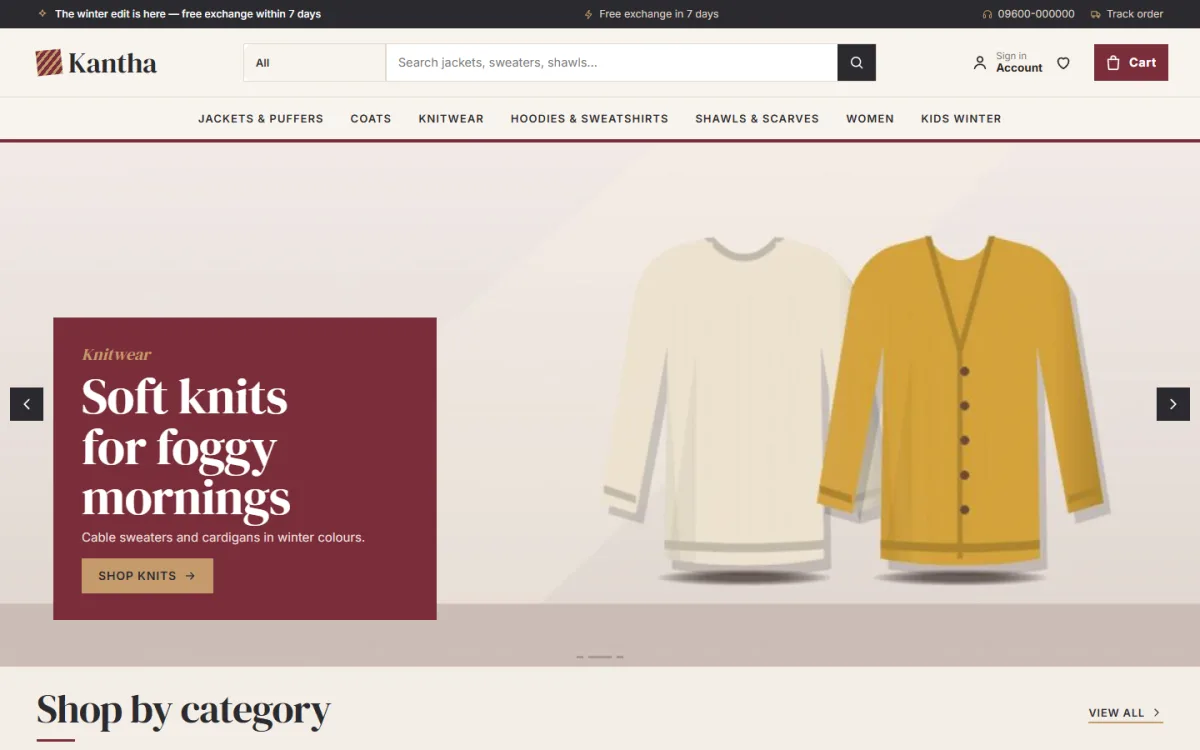
The homepage should work like a shop window. Use this order from top to bottom:
- A banner with one strong photo and one button.
- Category tiles so people can jump to what they want.
- New arrivals, shown as a row of product cards.
- Best sellers.
- One offer block with an end date.
- Customer reviews or photos.
- A short delivery and payment strip.
- Footer with contact, social links and policies.
Do not add everything at once. Each block should have a job. If you cannot say what it does, remove it.
Photos that make clothes look real
Photos are the biggest part of apparel website design. Buyers cannot touch the fabric, so the picture has to do that work.
Use this photo set for each product:
- A front view on a plain background.
- A back view.
- A close-up of the fabric and stitching.
- A photo on a person, with height and size noted in the caption.
- One lifestyle photo, if you have time.
Keep the same background, light and crop across the whole catalogue. A grid of matching photos looks like a real brand. A grid of mixed photos looks like a market stall.
Shoot in daylight near a window. Use your phone, but clean the lens first. Resize images before you upload them, so product pages stay quick on mobile data.
Size, fit and returns information
Wrong size is the main reason clothes come back, so good apparel website design treats fit as a core feature. Every extra exchange costs you courier charges both ways, so clear fit information pays for itself.
What a useful size guide shows
- A table in inches or centimetres for chest, waist, length and shoulder.
- Instructions on how to measure a similar piece the buyer already owns.
- A note on how the item fits: slim, regular or loose.
- The model's height and the size she or he is wearing.
Put a link to the size guide on every product page. Add your return rule in plain words: how many days, who pays the courier and what condition the item must be in. Short and honest rules build trust.
Colour, fonts and layout
In apparel website design, choose two or three colours and use them everywhere. One colour for buttons, one for headings and a neutral background is enough. Strong contrast between text and background matters, because many buyers read on bright screens outdoors.
For fonts, pick one for headings and one for body text. Keep body text at 16 pixels or larger. Product names should be easy to read in a grid of small cards.
Leave white space around products. Crowded pages feel cheap, and clothes need room to look good. Use the same card style for every category so people learn the pattern fast.
Design for the phone first
Most of your buyers open your link from a Facebook or Instagram post on a phone. So test every page on a small screen first, then check desktop. Mobile comes first in modern apparel website design.
A phone-friendly clothing shop has:
- A simple header with menu, logo and cart.
- Product cards that fit two in a row.
- Buttons big enough for a thumb.
- Filters that open in a drawer, not a long list.
- A sticky Add to cart button on the product page.
- A checkout with few fields and no forced account creation.
Test on a cheap Android phone with a weak connection. If the page feels slow there, it is slow for many of your buyers.
Payments and delivery for Bangladesh
A clothing shop in Bangladesh has to match local habits. Many buyers will not pay online before they see the parcel, and many prefer bKash or Nagad.
Offer these options:
- Cash on delivery, with a small confirmation step to reduce fake orders.
- bKash and Nagad, either by payment gateway or by manual Send Money with a transaction ID field.
- Card payment through a gateway such as SSLCommerz, if your volume justifies it.
For delivery, show charges by area before checkout. Inside Dhaka and outside Dhaka usually have different rates. Connect a courier such as Steadfast or Pathao if you can, so you book parcels and track them from one place instead of copying addresses by hand.
Tell the buyer the expected delivery date on the product page. It removes one more question from your inbox.
Speed and basic search visibility
A slow shop loses buyers. Speed is part of apparel website design, not an extra. Keep the site light: compress photos, avoid heavy sliders and use a good host. Do not install ten plugins when two will do.
For search visibility, do the basics well:
- Write a clear title for each product, such as "Wool Cardigan for Women, Camel".
- Add a short, original description. Do not copy supplier text.
- Give every image a plain alt text.
- Use simple page addresses without long numbers.
- Add your shop to Google Business Profile if you also have a physical store.
Good habits help, but no one can promise a position on Google. Build the shop for buyers first.
Seasonal ranges and a winter wear website design template
Many clothing shops sell by season. Winter jackets, sweaters and shawls sell for a few months and then slow down. A good winter wear website design template can change quickly, and a seasonal shop needs a layout that can change quickly: new banners, new offers and new category order without rebuilding the site.
If you sell cold-weather clothes, look for a winter wear website design template that helps buyers judge warmth. In Bangladesh a buyer in Dhaka and a buyer in the north need very different coats. Useful features include:
- A warmth rating on every product card.
- A guide that matches the temperature to the type of clothing.
- A way to combine a base layer, a mid layer and an outer layer in one order.
- Offers with a countdown for the cold weeks.
The same thinking works for any season. Eid collections, wedding wear and monsoon ranges all benefit from blocks you can switch on and off.
A ready-made option for clothing shops
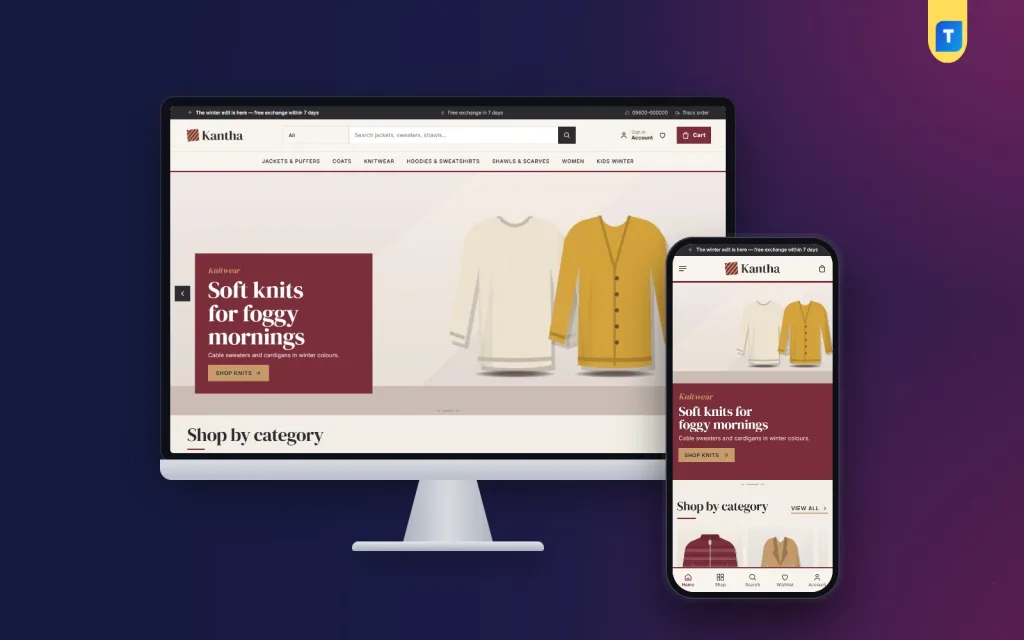
If you do not want to design every part from nothing, a ready-made theme can save weeks. One example is Kantha, a WordPress theme for jacket, knitwear, coat and shawl shops. It follows the structure described above.
What it includes, based on the product page:
- A warmth bar from 1 to 5 on every product card.
- Temperature tabs from mild evenings to freezing nights.
- A layer builder that adds a base, mid and outer piece to the cart.
- A fit meter and delivery date on product pages.
- 24 homepage blocks that you can switch on, off and re-order.
- Five colour palettes and four font pairs.
- A one-click demo with 28 products.
- bKash, Nagad, SSLCommerz and cash on delivery, with Steadfast and Pathao courier support.
The demo is only an example, and you can use the design for any clothing store. If you want to see how a full shop looks before you decide, open the live demo from the Kantha product page.
Common mistakes in apparel website design
Most weak clothing sites fail in the same few ways. Avoid these:
- Dark, blurry photos taken in a room with one lamp.
- No size guide, so every order starts with a message.
- Hidden delivery charges that show up only at checkout.
- Too many popups on the first visit.
- A homepage with ten banners fighting for attention.
- Menus with 40 items.
- No contact number or address, which makes buyers nervous.
- Copying another shop's layout without checking that it suits your products.
Fix the photos and the size information first. Those two changes usually bring the biggest improvement.
Pre-launch checklist
Before you share the link, go through this list one item at a time:
- Place a test order on your own phone, using each payment method.
- Check that the order email or dashboard notice reaches you.
- Open every product page and look for missing photos or prices.
- Read the size guide, return rule and delivery page aloud for mistakes.
- Check the site on two phones and one computer.
- Test the contact form and the WhatsApp or phone link.
- Set up a backup and an SSL certificate.
- Prepare the first Facebook post with a direct link to the new shop.
Treat apparel website design as ongoing work. After launch, watch which pages visitors use and which products they ignore. Small changes each week add up to a strong shop within a few months.
If you want to read more on the technical side, the official WordPress documentation is a good, reliable reference.
Frequently asked questions
How much does apparel website design cost in Bangladesh?
A freelancer may charge from a few thousand taka for a simple shop to a much larger sum for a custom build. A ready-made theme costs less and gives you a working layout on day one. Add yearly hosting and domain costs to your budget.
What is the best platform for a clothing website?
WordPress with a shop plugin is a common choice because it is flexible and affordable. Pick a theme that already includes a cart, checkout and local payment options so you do not stitch them together yourself.
How many photos should each product have?
Three to five is a good target: front, back, fabric close-up and one photo on a person. More is fine for premium items.
Do I need a size guide on every product?
Yes, or at least a link to one. Fit questions are the main cause of exchanges, and a clear guide reduces them.
Which colours work best for a clothing shop?
Choose colours that match your products and brand. Use a calm neutral background, one accent colour for buttons and strong contrast for text.
Should I offer cash on delivery?
For most Bangladeshi buyers, yes. Pair it with a phone or message confirmation to cut fake orders, and offer bKash or Nagad for those who prefer to pay first.
How long does it take to launch a clothing store?
With ready photos and a ready-made theme, a small shop can go live in a few days. Taking and editing photos usually takes longer than the technical setup.