The best supermarket website design makes a huge shop feel small: every shelf is easy to find, every price is clear and every order arrives as promised. Looks help, but they are not the main thing. Structure, speed and trust decide whether people come back.
This guide is for owners of supermarkets, grocery chains and food shops in Bangladesh who want an online store that sells. It explains what to build, in what order, and what to avoid. A launch checklist and answers to common questions close the guide.
What makes a supermarket site good
A good site is judged by what shoppers can do with it, not by how it looks in a screenshot. A strong supermarket site lets a person:
- Find any product in under a minute
- Add many items without opening many pages
- See the final price, including delivery, before paying
- Pay in a way they know, such as bKash, Nagad, card or cash on delivery
- Know when the order will arrive
- Trust that the food is fresh and real
Write this list on a card and keep it near your desk. Test every design choice against it.
Learn from how people shop in your store
Your physical shop is your best research tool. Spend an hour near the entrance and the counter, and note what people do.
- Which three departments do most people visit first?
- What do they ask the staff?
- Which items do they pick up together?
- Where do they stop, confused?
The answers show you what the site should put first. If many people ask whether the honey is pure, your site needs a clear answer to that question. If they ask about delivery to a certain area, show it early.
Best supermarket website design begins with structure
Before colours and fonts, plan the structure. A supermarket site is a tree: departments, then aisles, then products. Keep it shallow, so that any product is no more than three taps away.
A tidy structure for a full supermarket could be:
- Fresh: fruit, vegetables, meat, fish
- Dairy and eggs
- Staples: rice, dal, oil, flour, sugar, spices
- Honey, ghee and natural food
- Snacks, tea and drinks
- Bakery
- Baby and personal care
- Household and cleaning
Use names your shoppers use in daily speech. Add Bangla names or alternate spellings in the product tags, so that search finds "ghee" and "ghi".
Write a homepage that points the way
The homepage is a signpost. It should send people to the right department in one tap.
A layout that works well:
- Header with logo, search, account, cart and phone number
- A banner with one offer
- Department tiles with real photos
- Best sellers and new arrivals
- A block that shows why the food can be trusted
- Delivery information in two or three lines
- Customer reviews
- Footer with branches, hours and payment icons
Keep the first screen light, as the best supermarket website design does. Put the search bar where the eye lands first. Do not hide the phone number, because many Bangladeshi buyers want a human voice before the first order.
Make product pages complete and honest
On a supermarket site, a product page replaces the shelf label and the shop assistant. It must answer questions.
- Clear photos from more than one angle for important items
- Name, brand and pack size
- Price and price per kilo or litre
- Origin, shelf life and storage
- Ingredients or a short description
- Weight options that change the price automatically
- Stock status
If weight changes after packing, explain how you handle it. A single sentence on the page prevents many arguments later.
Show the date for fresh items
For honey, ghee, oil and fresh food, a harvest or packing date builds trust more than any claim. Add it to the product page and to the order email.
Write short, useful descriptions
Long stories do not sell groceries. Short, factual text does.
- Start with one line on what the product is and who it suits.
- Add three or four bullet points: size, origin, use, storage.
- Mention how to use it, for example "mix one spoon in warm milk".
- Avoid big claims that you cannot prove.
Write in the same simple style for every product. Shoppers learn the pattern and find facts faster, which is the quiet strength of the best grocery website design.
Best supermarket website design needs proof of quality
Anyone can write "100% pure" on a label. Customers have heard it before, and some have been fooled. If your supermarket sells natural food, proof is the strongest part of the design.
Ways to show proof:
- A map or list of where each product comes from
- Lab test results for each batch, shown as a short report
- A simple purity test that the customer can try at home
- Photos from the farm or the packing room
- A clear refund promise that you will keep
Use only real results. If a report is a sample, say so. Honest proof wins in the long run, and a false claim can end a food business.
Plan search and filters for a big range
With a large range, the search bar does most of the work.
- Put it in the header on every page.
- Show suggestions while the shopper types.
- Accept common spelling differences.
- Filter by department, brand, price and pack size.
- Put out-of-stock items last or hide them.
Once a month, read the search terms that returned nothing. Each one is a free hint about a product you could add or a name you should tag.
Keep checkout short
A supermarket order is big, so a hard checkout is costly. Keep it to a few steps.
- Review the cart.
- Enter name, phone and address.
- Pick the delivery area and time.
- See the total with the delivery fee.
- Choose bKash, Nagad, card or cash on delivery.
- Press one clear confirm button.
Allow guest checkout. For large cash-on-delivery orders, you may ask for a small advance to protect yourself from fake orders. Say why, in plain words, and most real buyers will understand.
Deal with fake and failed orders
Cash on delivery brings fake orders and refused parcels. Plan for them before they happen.
- Call or message new cash-on-delivery buyers to confirm large orders.
- Ask for a small advance by bKash or Nagad above a set amount.
- Keep a list of numbers that refused parcels more than once.
- Write your refusal and refund rules on the delivery page.
These steps protect your riders and your stock, and they do not bother honest buyers. The best grocery website design includes rules like these, not just pretty pages. Write them down once, share them with your staff and keep them in the same place on your site, so that every rider and every support person gives the same answer to a worried customer.
Delivery that matches the promise
The best supermarket website design cannot rescue late deliveries. Plan the real service first, then show it on the site.
- List the areas you serve and the fee for each.
- Set a minimum order and a free-delivery level.
- Offer time slots that your riders can keep.
- Decide who delivers: your own riders or a courier such as Steadfast or Pathao.
- Send status messages at each step.
- Give buyers a tracking page.
Delivery information deserves its own page, written in short lines, because it is one of the most read pages on any food site. Be careful with promises such as "delivery in one hour". Promise what you can do on a rainy day with traffic, not on your best day.
Pack and label for the road
Your site promises something; your packing must keep it.
- Use sealed jars or bottles for honey, ghee and oil, with a tamper strip.
- Print the packing date and batch number on each label.
- Wrap glass well and mark the box fragile.
- Keep cold items in an insulated bag with an ice pack.
- Include a small card with your phone number and a note on how to report a problem.
Take a photo of a packed box and show it on your delivery page. Buyers like to see how their order will arrive.
Design for phones first
Most orders will come from phones, often from Facebook links. Start your design on the small screen.
- Fold the header to a menu, logo and cart.
- Use two product cards per row.
- Keep buttons large and spaced apart.
- Keep the cart one tap away.
- Show the add button on every card.
Keep the site light as well. Resize photos, avoid heavy builders and plugins, turn off fonts you do not use, and load images only when needed. A quick page on a weak signal brings more orders than a fancy page that stalls.
A ready-made option
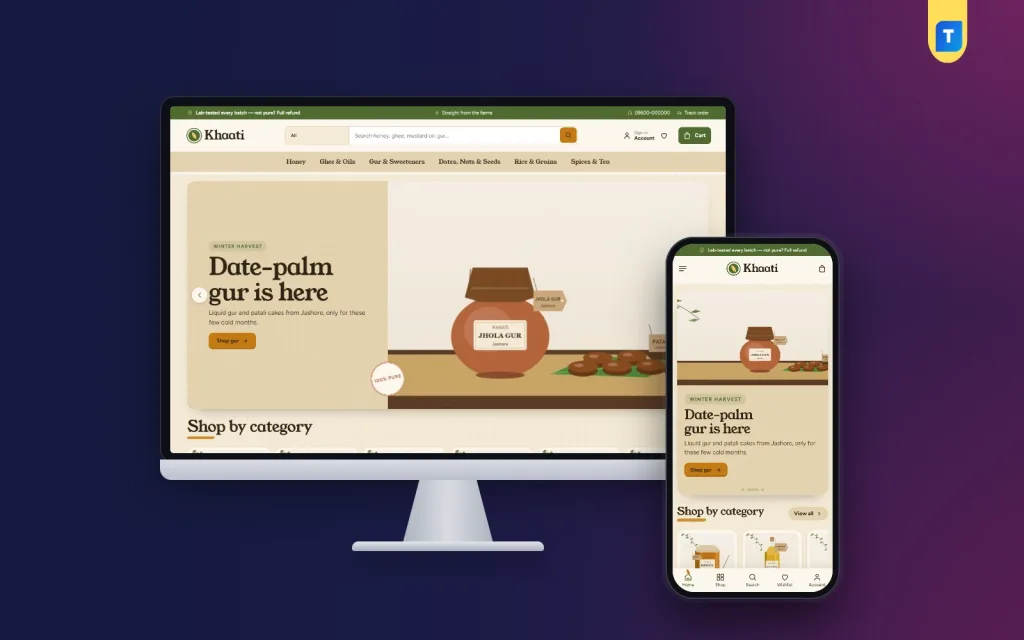
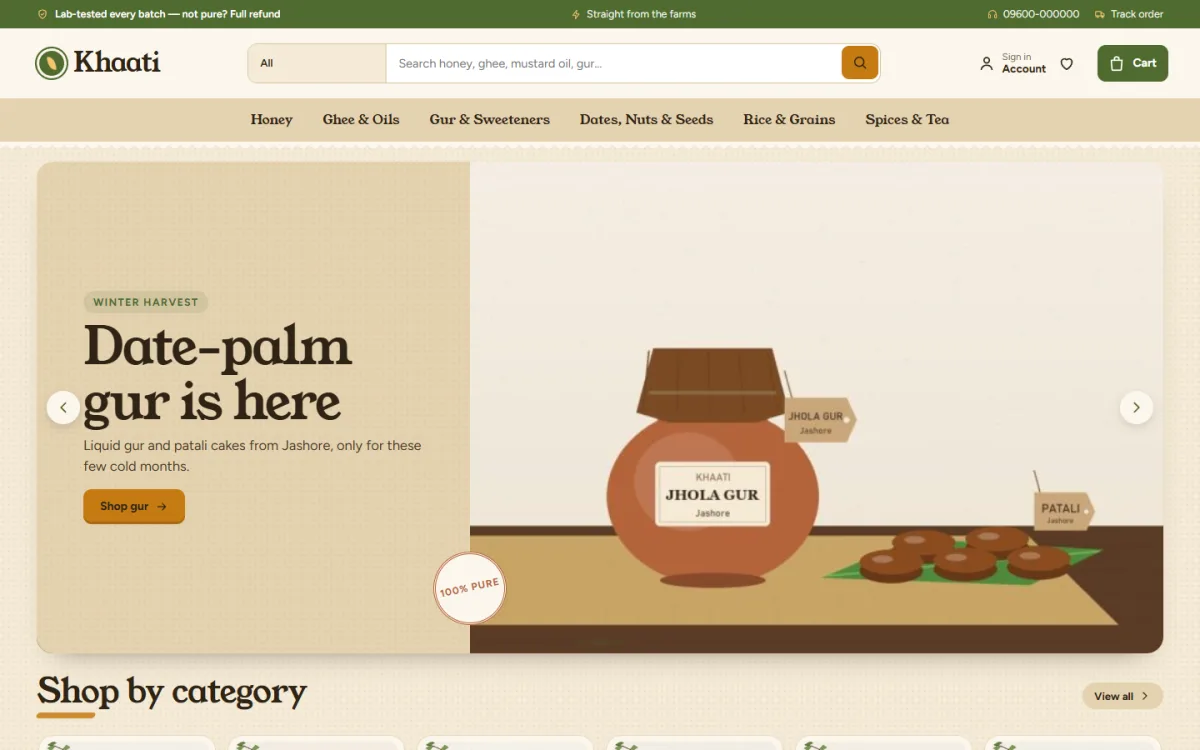
If you sell natural food, honey, ghee, oils, gur, grains, nuts, spices or tea, a theme built for trust can save weeks. Khaati is an organic food ecommerce website template for WordPress.
What it includes, from the theme itself:
- A Bangladesh origin map with seven farm pins
- Batch lab reports with a PASSED stamp
- A simple at-home purity test beside each report
- Weight options that change the price
- Harvest and delivery date on every product
- 24 homepage blocks you can switch and move
- Harvest offers with a countdown and stock bars
- bKash, Nagad, SSLCommerz and cash on delivery
- Steadfast and Pathao courier with order tracking
- A one-click demo with 23 farm products
It runs on our own shop plugin, so WooCommerce is not needed. The demo uses sample lab reports, so you must replace them with your own results. If you only resell branded packets, you will use fewer of the trust blocks. You can look at Khaati and its demo, then decide.
Errors that cost sales
Most weak sites share the same problems:
- Thousands of products with poor photos
- Prices without units
- Hidden delivery fees
- Claims of purity with no proof
- Out-of-stock items left on display
- Too many banners and pop-ups
- No test orders before launch
Any of these can ruin the best supermarket website design. Fix the ones that touch the most shoppers first.
Launch checklist
Run through this list before you share the link.
- Place test orders with cash on delivery, bKash and card.
- Check the confirmation emails and messages.
- Check that stock numbers go down after each order.
- Read every page on a phone for spelling and broken links.
- Check each area, fee and time slot.
- Replace every sample text, photo and report with your own.
- Add phone, WhatsApp and store addresses.
- Set up daily backups.
- Add analytics.
- Announce on your Facebook page and pin the post.
After launch, look at orders weekly. Note which departments sell, what people search for and where they leave the checkout.
Improve a little each week
No site is ever finished. Move the best sellers higher. Remove products that never sell. Ask each buyer for a short review. Send one polite reminder to regular buyers before the month ends. These small steps add up faster than a full redesign.
If you want to read more on the technical side, the official WordPress documentation is a good, reliable reference.
Frequently asked questions
What is the best supermarket website design for a small shop?
A simple one: clear departments, fast search, clean product cards, a short checkout and honest delivery information. Start small and add features as orders grow.
How many products should a new supermarket site have?
Begin with the items you can always keep in stock, often between 50 and 200. You can grow the range once your delivery runs smoothly.
Which colours suit a supermarket site?
Choose one main colour and one accent. Green and warm earth tones suit natural food. Keep product cards white so that photos stand out.
What is the best grocery website design for trust?
Show proof. Real photos, origin details, test results, dates and a clear refund policy do more than slogans. Add reviews from real customers as they arrive.
Do I need WooCommerce to run a supermarket site on WordPress?
No. WooCommerce is one option, and some themes come with their own shop plugin. Pick the one that supports your payments, couriers and number of products.
How do I test the best supermarket website design before launch?
Place test orders with every payment method on a real phone, ask a few friends to try the site without your help, and fix whatever confuses them.