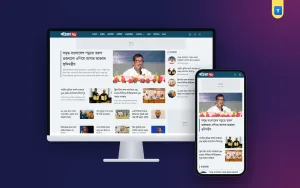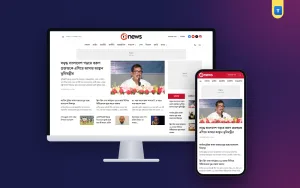
If you want to start a Bangla news site but have no budget for hosting, servers or developers, this guide shows how to make a news website for free with Google's Blogger. You will plan your sections, set up the blog, give it a newspaper design, publish your first stories and learn how to keep the site growing without monthly bills.
Blogger is owned by Google, hosts your site at no cost, handles security and keeps your posts safe. Many local newspapers, district news desks and student reporters in Bangladesh already run their online editions on it. With the right template and a clear plan, a Blogger site can look and work like a real daily.
Why Blogger Works for a Small News Site
A news site has three basic needs: a place to publish stories fast, a front page that shows many sections at once, and enough speed to load on mobile data. Blogger covers the first and third out of the box. Posting takes a minute in the browser or the Blogger app, and Google's servers deliver pages quickly across the country.
The front page is where most free setups fail. A plain Blogger theme shows one long list of posts, which looks like a diary, not a newspaper. The fix is a news template that builds category sections from your labels. We will come back to this in the design step.
Blogger also costs nothing to run. There is no hosting fee, no database to maintain and no plugin updates to worry about. If you later buy a domain such as yournews.com, you can connect it to the same blog, and Google gives it a free HTTPS certificate.
Plan Your News Site Before You Build
Good news sites are planned around their readers. Before you open Blogger, write down who you serve and what they want to read every day. A district paper in Rajshahi needs local news, education, agriculture and sports. A tech news site needs gadgets, apps, telecom and jobs.
Turn that list into eight to fifteen sections. These become your Blogger labels and your menu. Keep names short and familiar, such as জাতীয়, রাজনীতি, অর্থনীতি, সারাদেশ, খেলা and বিনোদন. Readers should know at a glance where each story belongs.
Decide your publishing rhythm too. A small team can manage five to ten stories a day. It is better to publish fewer stories on time than many stories now and then, because readers and search engines both reward a steady flow.
Finally, pick a name that is easy to say, spell and remember. Check that no other newspaper or TV channel already uses it, and avoid names that copy a famous brand. A unique name protects you later when you register the site or sell ads.
How to Make a News Website for Free on Blogger, Step by Step
Open blogger.com and sign in with a Google account that belongs to your news organisation, not a personal one, so the team can keep control if someone leaves. Click "New blog", enter your newspaper's name as the title and choose a blogspot address. Short addresses are easier to share.
Next, open Settings. Set the language to Bangla, choose Bangladesh time (GMT+6) and set posts on the main page to a number that suits your template. Turn on HTTPS redirect. Under Comments, choose whether readers can comment and whether you approve comments first.
In Settings, also fill in the blog description, which appears in search results, and add an email address for the team. If you have a domain, connect it under Publishing and follow Google's DNS steps with your domain seller.
Now add team members under Settings → Permissions. Invite reporters as authors so they can write posts, and give editors admin rights so they can publish, edit others' posts and change the design.
Give Your Blog a Real Newspaper Look
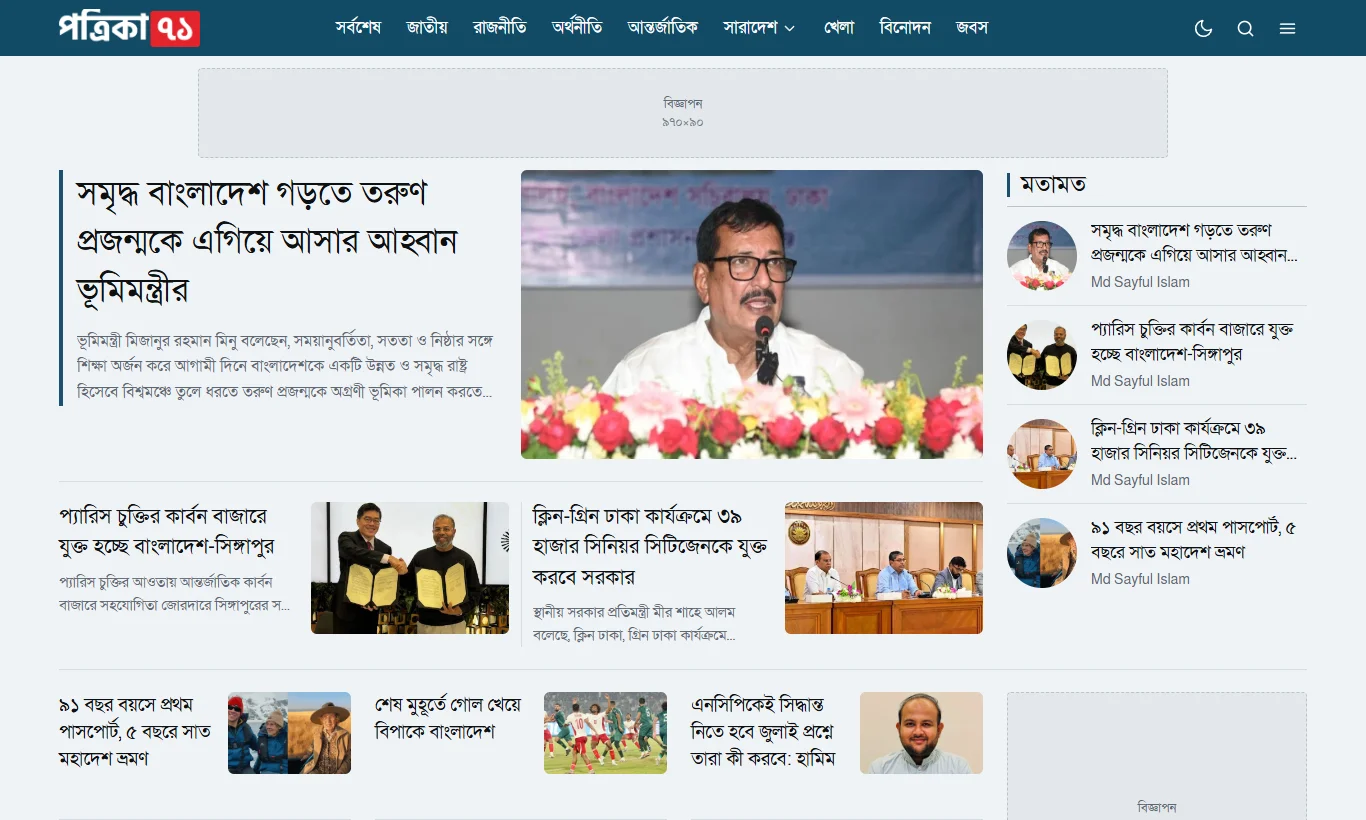
This is the step that turns a blogger news website into something readers trust. You need a template built for news: a header with your logo and menu, a lead story at the top, category sections below it, ad places and a clean story page.
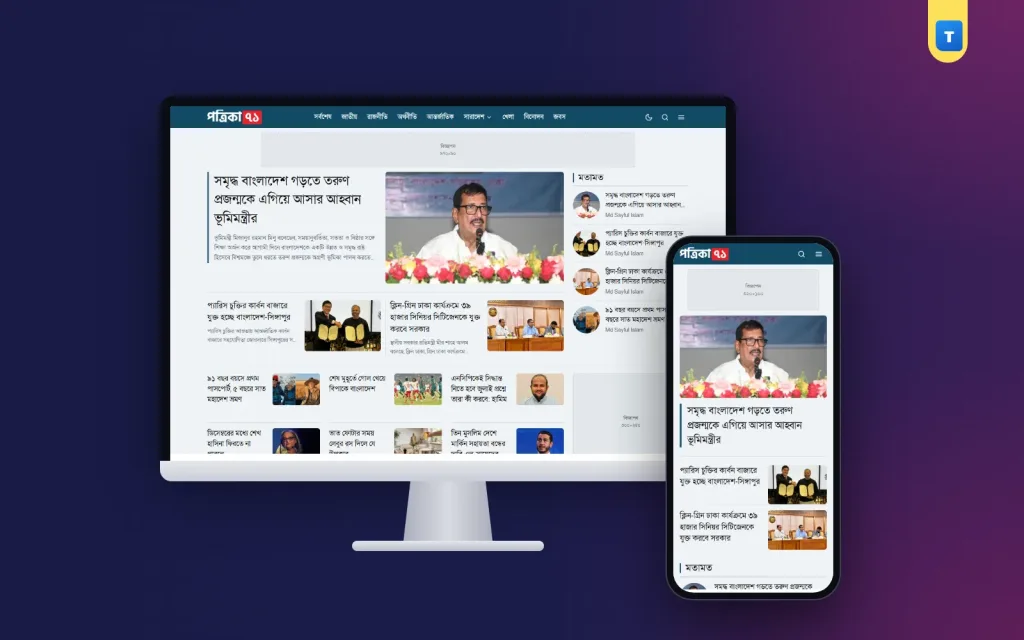
Our Bangla News Portal Blogger template was made for this job. Each home page section is a gadget whose title is a label, so stories appear in the right section as soon as you publish them. It has a lead story with an opinion column, a tabbed national block, district news, sports, international, entertainment, video and split blocks that pair two categories side by side.
Installing a template takes a few minutes. In Theme, click the arrow next to Customize, choose Backup to save the old theme, then Restore to upload the new XML file. After that, open Layout to set your logo, menu, home sections and ads. A good template comes with documentation that lists the code of every section, so you can rebuild the demo front page exactly.
Spend time on the logo too. A simple wordmark in your newspaper's colour looks more professional than a crowded image. Save it as a transparent PNG about 300 pixels wide, so it stays sharp on phones and computers and does not show a box behind the letters.
Publish Your First Stories the Right Way
Start with ten to twenty stories so the front page looks full on day one. For each story, write a clear headline that says what happened, a first paragraph that answers who, what, where and when, and short paragraphs after that. Bangla readers on phones prefer two to four lines per paragraph.
Add one strong photo at the top of every story. Use your own photos or images you have the right to publish, and resize them to about 1200 pixels wide before uploading. Write a short caption that names the people and place.
Give every story one main label that matches a home page section. You can add a second label for related topics, but keep the first label consistent, because the template uses it to place the story. Fill in the search description in the post settings, since Google often shows it under your headline.
Before publishing, read the story once on your phone using Preview. Check names, numbers and spelling. Accuracy is the reason readers come back, and one wrong fact can cost you their trust.
Bring in Readers From Search and Social Media
New sites grow slowly at first. Add your blog to Google Search Console and submit the sitemap at yourblog/sitemap.xml so Google finds new stories fast. Write headlines with the words people actually search, such as the place name and the event, instead of clever wordplay.
Create a Facebook page with the same name and share every important story with a short summary and the link. Most Bangla news traffic still comes from Facebook, so post at the times your readers are online, usually early morning, lunch time and late evening.
Local partnerships help too. Ask schools, clubs, upazila offices and local businesses to send you their news and events. When you publish their stories, they share them with their own followers, and your readership grows.
Earn Money Without Hurting the Reader Experience
Once you publish regularly and have steady traffic, apply for Google AdSense. Place ads where readers expect them: a banner under the menu, a box beside the lead story, one ad between home sections and one inside long stories. Too many ads slow the page and push readers away.
Local advertisers are often worth more than AdSense. Shops, coaching centres, clinics and real estate firms in your district want to reach local readers. A template with clear ad places lets you sell a banner for a month and paste their image with a link in minutes.
Keep advertising separate from news. Mark sponsored stories clearly, and never change a story because an advertiser asks. Your credibility is what makes the ads valuable in the first place.
Keep the Site Healthy as It Grows
Download a backup of your theme from Theme → Customize → Backup after every big change, and export your posts from Settings → Back up content once a month. Store both files in a safe place, such as a shared Google Drive folder.
Review your sections every few months. If a section gets few stories, merge it with another. If readers love a topic, give it its own section on the home page. Because sections in a label-based template are just gadgets, these changes take minutes.
As traffic grows, think about a custom domain, a team email, a privacy policy page, a contact page and an "about us" page with your editor's name and address. These pages help readers trust you and are often required by ad networks. You can see how a finished front page looks in the live demo.
Writing Headlines Readers Click
A headline has one job: tell the reader what happened in a few words. Put the most important fact first, use the place name when the story is local, and keep it under about 70 characters so it fits on a phone screen and in Google results.
Avoid misleading or shouting headlines. Readers who feel tricked leave fast, and Facebook and Google both push down pages that use clickbait. A plain, accurate headline with a strong photo earns more trust and more repeat visits over time.
Test small changes. Try two headline styles on Facebook for similar stories and compare the clicks after a week. Keep what works and share it with the whole team.
Common Mistakes to Avoid
The first mistake is copying stories from other sites. Copied news hurts your search ranking, can break copyright law and gets AdSense applications rejected. Rewrite facts in your own words, add local details and name your sources.
The second mistake is using photos found on the internet without permission. Take your own pictures, ask local photographers for permission, or use free photo libraries that allow commercial use. Credit the photographer in the caption when you can.
The third mistake is a messy label system. If one reporter uses "খেলা" and another uses "খেলাধুলা", stories split into two sections and the front page looks empty. Agree on one fixed list of labels and share it with the whole team.
The fourth mistake is ignoring phones. Most readers in Bangladesh read news on a phone, often on slow data. Check every new design change and every long story on a phone before you share it.
The last mistake is giving up too early. A new blogger news website usually needs three to six months of steady publishing before search traffic grows. Track your numbers in Search Console every week and keep going.
A Simple Weekly Checklist
Every Monday, look at last week's most-read stories and plan follow-ups on the topics readers cared about. Check that every home section received new stories, and ask reporters to fill the empty ones.
Midweek, review your Facebook page: which posts brought clicks, which times worked best and which headlines failed. Adjust your sharing times and headline style based on what you learn.
At the end of the week, back up your theme, check for broken links or missing photos on the front page, and reply to reader messages. Small habits like these are how to make a news website for free into a site readers return to every day.
Frequently Asked Questions
Is it really possible to learn how to make a news website for free?
Yes. Blogger hosting is free, so you only need a Google account and time. A paid domain and a premium template are optional upgrades.
How long does it take to make a news website for free on Blogger?
Setting up the blog and installing a template takes about an hour. Adding sections, ads and your first stories takes one or two days.
Can several reporters post on one Blogger site?
Yes. Add them as authors in Settings → Permissions. Admins can review and publish their posts.
Can I use my own domain name?
Yes. Buy a domain from any seller and connect it in Settings → Publishing. Blogger adds a free HTTPS certificate.
Will Google AdSense accept a Blogger news site?
Yes, if the site has original content, regular posts and the basic pages such as about, contact and privacy policy.