A courier delivery history plugin keeps the one fact your online shop usually forgets: whether the buyer actually accepted the parcel. This courier delivery history plugin guide is for Bangladeshi shop owners who send cash on delivery orders through couriers every day and want to stop shipping to the same people who keep sending parcels back.
We will cover why delivery records matter, how to collect them without extra work, how to use them when a new order arrives, and how Courier Intelligence keeps those records inside WooCommerce or Themeve Commerce.
Order history is not delivery history
Your store records orders. It knows the name, address, phone number and items. What it does not know, unless someone tells it, is what happened at the door. An order marked completed in the shop may have been refused by the buyer and returned by the courier days later, and nobody updated the status.
For a cash on delivery shop, that missing fact is the expensive one. Every refused parcel costs a delivery charge and often a return charge. It also ties up stock and can damage packaging. A buyer who refused twice last month is likely to do it again, but only if you remember.
Know your Steadfast Pathao return rate
Most owners have a rough feeling for their returns. Fewer can tell you their real Steadfast Pathao return rate for the last month, broken down by buyer. Your courier dashboard shows each parcel, but it does not link that parcel back to the customer inside your store, and it does not warn you when that customer orders again.
Start by measuring. Take last month's courier reports and count delivered, returned and cancelled parcels. Then group them by phone number. You will usually find that a small group of numbers causes a large share of returns. Those are the numbers worth checking every time.
Collecting delivery records without extra work
The best record is the one your team actually keeps. Choose a moment in your weekly routine, for example every Saturday morning, to download the courier report and add the results. If your volume is small, entering a few records by hand after each delivery round is enough.
Keep the fields simple: courier, tracking number, status, date and a short note. The note is where you write things like buyer switched off phone or wrong address. Those notes are often more useful than the status itself when you decide whether to call before the next shipment.
How the courier delivery history plugin works
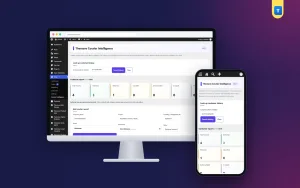
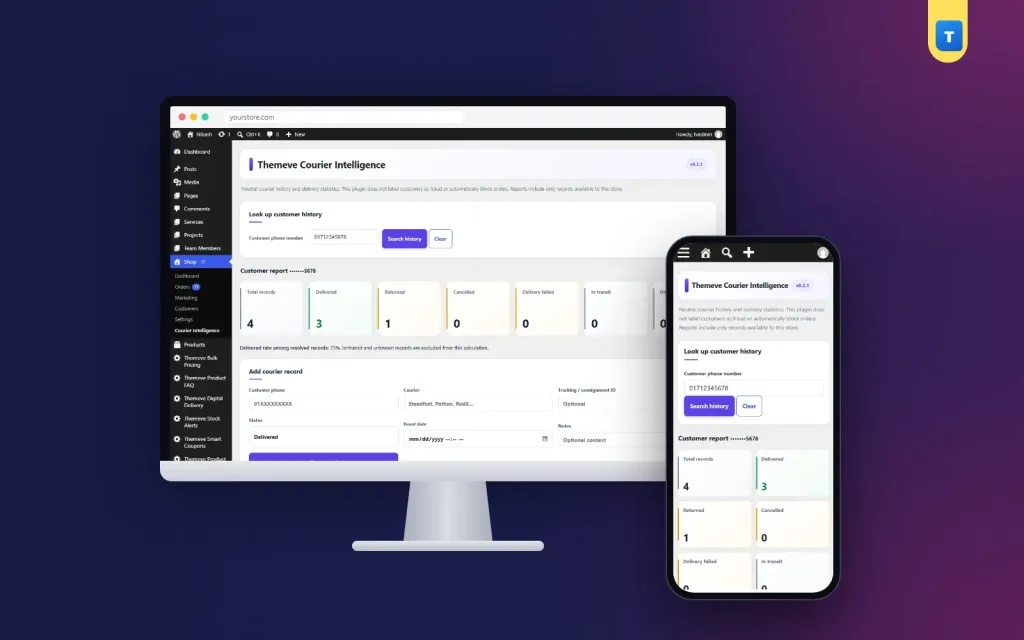
Courier Intelligence stores a delivery record for each parcel, grouped by the buyer's phone number. Each record holds the courier name, the tracking number, the status, the date and a note. The status can be delivered, returned, cancelled, in transit, failed or unknown. Duplicate tracking numbers are refused, so the same parcel is never counted twice.
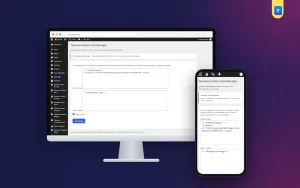
You can add records one by one from the plugin screen, or import them from a CSV file. A sample CSV is included so you can see the columns and match them to your courier report. CSV import is new in this version, so try the sample and a small batch of your own rows first. You can export all records as CSV at any time.
Lookup before dispatch
Type a phone number and the plugin shows delivered against returned counts, with the matching records underneath. This is the check to do before an expensive parcel leaves. A clean record means ship as normal. A record full of returns means call the buyer, ask for an advance, or politely decline.
History box on each order
On every WooCommerce and Themeve Commerce order screen, a history box shows the buyer's delivery record. Your packing team sees it while confirming the order, without opening another page. On Themeve Commerce stores the plugin screen sits inside the Themeve Commerce menu; on WooCommerce sites it has its own menu.
Privacy and access
A list of customer phone numbers is sensitive. Courier Intelligence stores each number as a secure hash plus its last four digits, not as the full number, and the CSV export never contains full numbers. Lookups still work because the number you type is hashed the same way and matched.
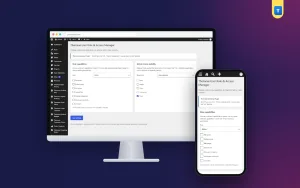
Only store administrators can open the plugin. Keep it that way, and do not share exports in public groups. If your team includes part-time helpers, give them access to orders but leave delivery records to the owner or manager.
What it does not do
Courier Intelligence does not connect to courier company systems. Records come from you, by hand or by CSV. That is a deliberate choice. It works with any courier, it never sends your customer data to an outside service, and nothing changes if a courier changes its dashboard. If you want order history from your own site in the same decision, add Fraud Shield, which counts completed, cancelled and returned orders by phone number.
Setting it up
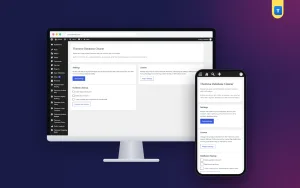
Upload the zip from Plugins, Add New, Upload Plugin, and activate it. The plugin needs an active Themeve licence key. Until the key is entered, nothing runs and only the lock screen and License screen open. Paste the key from My Account, Licenses on the License screen, and every feature becomes available. While the licence is active, new versions arrive in Dashboard, Updates.
Next, open the plugin and add a handful of records from your latest courier report. Look up one of those numbers to see the result, then open a matching order and find the history box. If you want to learn more about how WooCommerce stores orders, the WooCommerce documentation explains it well.
Using the numbers to make decisions
Records only help if you agree on what to do with them. A simple policy works best. For example: ship normally if the buyer has no returns; call first if there is one return; ask for a bKash or Nagad advance if there are two or more returns in recent months. Write the policy down and share it with every staff member.
Look at the big picture too. If one area or one courier shows many returns, talk to the courier, or change who delivers there. If your Steadfast Pathao return rate rises during sales, plan extra confirmation calls for that period. Order Analytics can show how cancelled and returned orders affect your sales for the same dates.
A weekly routine that keeps records fresh
A routine beats good intentions. Pick one person who owns delivery records. Once a week, that person downloads the reports from each courier you use and prepares a CSV with the same columns as the sample file. Import it, then spot-check three or four numbers to be sure the counts look right. The whole job takes about fifteen minutes for a small shop.
During the week, the packing team uses the history box on each order. They do not edit records; they only read them. If something looks wrong, such as a parcel marked returned that the buyer says was delivered, they leave a note for the record owner instead of changing it themselves. This keeps the data clean and avoids arguments later.
Once a month, export all records and look at the totals. Which couriers delivered best? Which areas returned the most? Which buyers became loyal after a slow start? These answers help you choose couriers, plan advance-payment rules and decide where to spend your Facebook ad money. Small shops that look at these numbers monthly usually see returns fall within a season.
Common mistakes
The most common mistake is entering records only when there is a problem. If you record returns but not deliveries, every buyer looks risky. Record both. Another mistake is letting records go stale. A buyer who refused once two years ago may be a loyal customer today, so read dates as well as counts.
A third mistake is treating the lookup as a final judgement. A courier delivery history plugin gives you facts, and a short phone call still settles most doubts. Finally, do not import a huge file on day one. Start small, check the results, then add the rest.
Frequently asked questions
Can I use it with any courier?
Yes. Because records are entered by hand or from a CSV file, it works with Steadfast, Pathao and any local courier you use.
Can staff see full phone numbers in the plugin?
No. Numbers are stored as a secure hash with the last four digits, and the export never contains full numbers.
Does the order box appear on Themeve Commerce orders?
Yes. The history box appears on both WooCommerce and Themeve Commerce order screens.
What happens to a duplicate tracking number?
It is refused, so the same parcel cannot be counted twice.
Courier Delivery History Plugin guide: final thoughts
Returns are part of cash on delivery, but repeat returns from the same buyers do not have to be. Keep a delivery record, check it before you ship, and agree on a simple policy for risky numbers. If you sell on WooCommerce or Themeve Commerce, Courier Intelligence keeps that record next to your orders, private and easy to read.