Digital store ecommerce website design is different from designing a shop that sells shoes or sofas. There is no parcel, no courier and no delivery address. The buyer pays, then receives a file, a link or an account. Every page of the store has to explain that process clearly, because the buyer cannot judge the product by holding it.
This guide shows how to plan and build such a store, step by step. It is written for small sellers and agencies in Bangladesh, with local payment and trust points included. Use the checklists as you work, and keep the page list close at hand.
Decide what kind of digital store you are building
Not every digital store works the same way. Choose your model first, because it changes the design.
- Single-seller store: you sell your own templates, plugins, fonts or courses.
- Curated shop: you list products from a few makers, each with a name and a logo.
- Reseller store: you sell access, plans or codes that you buy in bulk.
- Full marketplace: many sellers add their own items and you take a share.
Also decide what you will sell at launch. Ten well-described items beat a hundred thin ones. Start with the products you know best, write full details for each, and add more once the first orders show what buyers want.
A beginner should start with one of the first three. A full marketplace needs seller accounts, payouts and moderation, which is a large project. You can grow into it later.
Map the buyer's journey first
Write down the path a buyer takes from first click to downloaded file. Each step is a place where you can lose them.
- They arrive from Facebook, Google or a friend.
- They scan the homepage and pick a category.
- They open a product and look for proof that it fits.
- They pick a licence or a plan.
- They go to checkout and pay.
- They receive the product and try to use it.
- They come back with a question, or with a second order.
Your design should make each step obvious. Ask at every step: what could confuse this person, and what single piece of information would remove the confusion?
Digital store ecommerce website design starts with the page list
Many owners begin with colours. Begin with pages instead. A strong digital store ecommerce website design needs only a handful.
- Homepage: what you sell, featured items, how buying works.
- Category pages: items grouped by type, such as themes, plugins, templates or fonts.
- Product page: preview, details, licence or plan and the Buy button.
- Cart and checkout: short and free of address fields.
- Thank-you page: download links and next steps.
- Account area: past orders, downloads and updates.
- Help pages: licence terms, refunds, contact, privacy.
Keep the main menu to six or seven items. Long menus are hard to use on a phone.
Let buyers try before they buy
For downloads such as themes, templates and landing pages, a preview does more selling than any paragraph. Buyers want to see the real thing.
- Add a live preview link or a large browser-window screenshot.
- Show the version number and the date of the last update.
- List the tools needed, for example a page builder or a code editor.
- Show what is inside the download: file types, folders, documentation.
- Add a few screenshots of the admin side if the product has one.
An item that shows its own version and last update feels maintained. An item with no dates feels abandoned.
Digital store ecommerce website design for the product page
The product page is where the decision is made, so give it most of your effort. Put the answers in the order a buyer asks the questions.
- Product name and a one-line summary of what it does.
- A preview image or live preview link.
- The licence or plan picker, with a price on each option.
- One clear Buy button.
- A short list of what is included.
- Version, last update and tools needed.
- Longer description, then questions and answers.
Use the same layout for every product. Once a visitor has read one page, they know where to look on all the others.
Price your items with care
Pricing is easier when you keep it simple. Look at what similar items cost, add up your own costs, and offer two or three levels instead of many. Show the price before the buyer clicks anything. If you sell the same item under three licences, make the difference between them obvious and keep the lowest price easy to find.
Change prices only after a few weeks of orders. Constant changes confuse repeat buyers. Avoid fake "old prices", because visitors notice and trust drops.
Explain licences in plain words
Licence questions stop more sales than price does. A buyer who is unsure whether they can use a template on a client site will often leave.
Put a short licence guide on the site and link to it from every product. A common layout has three levels:
- Regular: one project for the buyer's own use.
- Agency: several client projects for a studio.
- Extended: use inside a product that is sold or distributed.
Write what each level allows and what it does not, in short sentences. Then show the price of each level on the product page itself. Do not hide the licence under a long terms page that nobody reads.
Keep checkout short, because nothing ships
The most common fault in digital store ecommerce website design is copying a physical shop. A street address, a city and a postcode add friction and give you nothing. Ask for only what you need.
- Name
- Mobile number
- Email address
- Payment method
For downloads, deliver the file right after payment on the thank-you page and also in the confirmation email. Keep a copy in the buyer's account so they can download again later.
In Bangladesh, offer bKash and Nagad first. Add a card gateway for card holders and a manual option for people who send money and enter a transaction number. Cash on delivery does not apply to a download.
Digital marketplace website design Bangladesh sellers can trust
If you plan a store with items from several makers, digital marketplace website design Bangladesh buyers can rely on needs a few extra elements.
- A maker name and logo on every item.
- A rating and sales count that you can verify.
- Clear support rules: who answers questions, you or the maker.
- A simple rule for refunds that applies to all makers.
- A page that explains how new makers can apply.
Show who the makers are. A short profile with a photo or logo, a few lines about their work and a link to their other items gives each item a human face. Buyers trust people more than they trust catalogues.
Be honest about numbers. A small store with ten real reviews is more trusted than a store with a thousand obviously fake ones.
Show trust signals in the right places
Trust is built by many small details. Place them where doubt is strongest: near the price and near the pay button.
- A real contact page with a phone or WhatsApp number and working hours.
- Payment logos only for methods you accept.
- A clear refund statement beside the Buy button.
- A changelog or update note for products that receive updates.
- Reviews with dates and names.
- The same shop name on the site, in emails and on social pages.
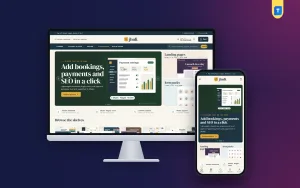
A ready-made option for download sellers: Jhuli
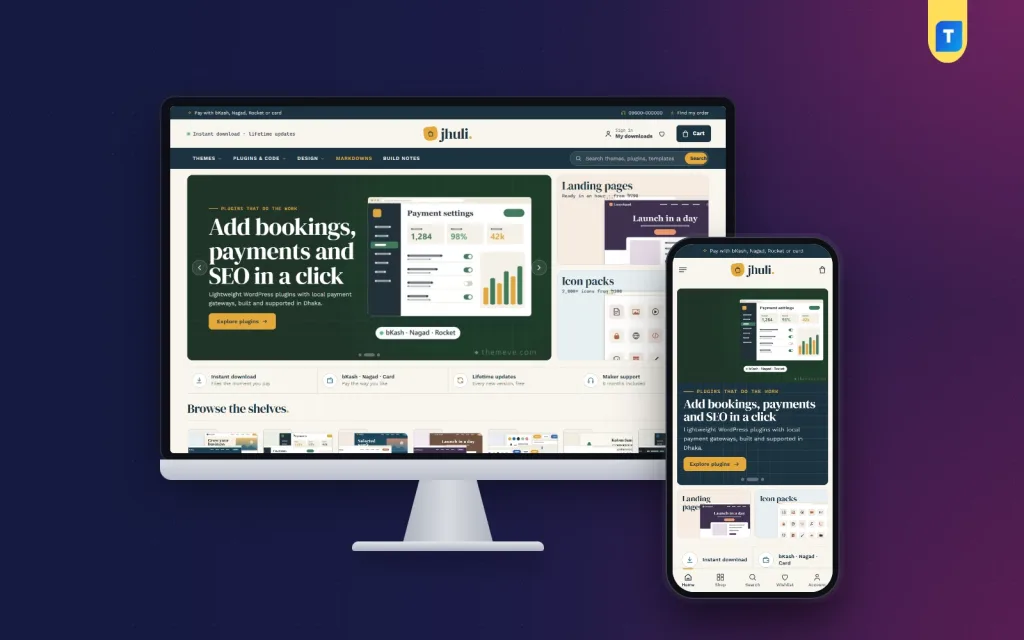
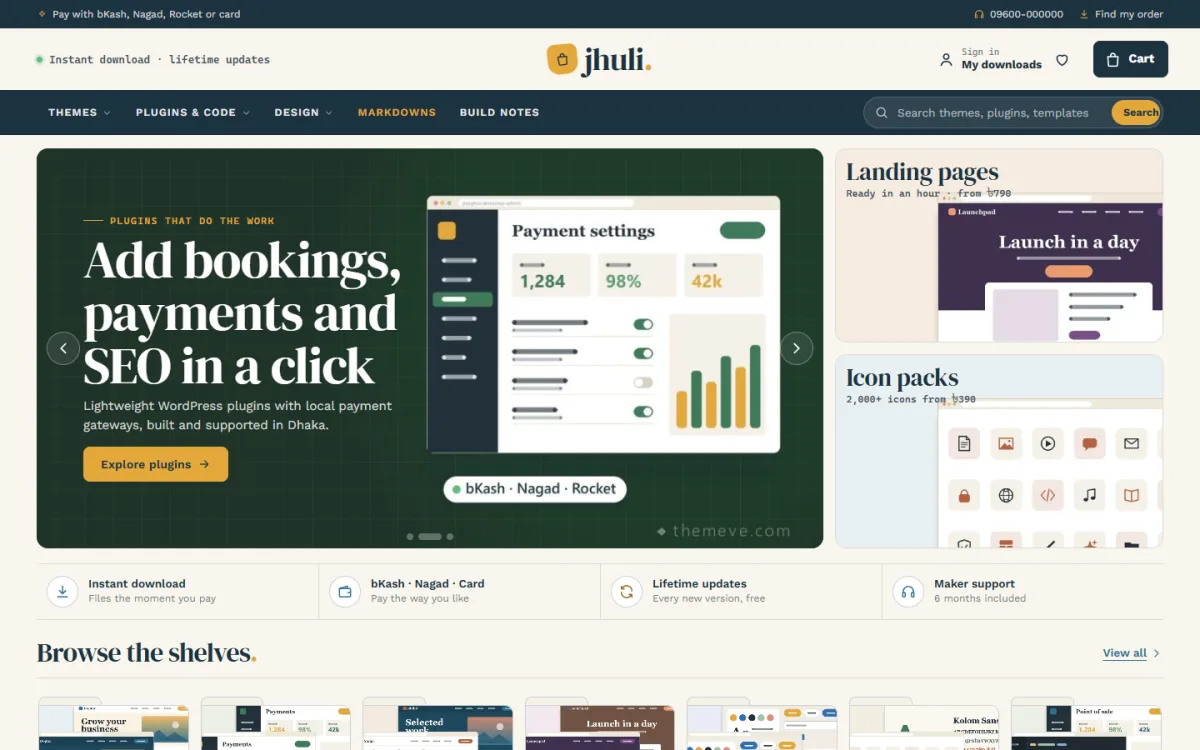
If you sell themes, plugins, templates, UI kits, icons, fonts or scripts, a theme built for this exact job saves weeks. Jhuli is a WordPress theme for download shops and small marketplaces.
These are the parts that match the advice above:
- A live-preview showcase with format tabs, so buyers can flip through items on the homepage.
- A licence guide for Regular, Agency and Extended, written by you in Theme Options.
- Licence plans with prices on every product.
- A fresh updates changelog block.
- A "what's inside" file list on product pages.
- Address-free checkout with instant download.
- Version and tool chips on cards.
- Payment through bKash, Nagad, SSLCommerz and manual payment.
- 29 homepage blocks, 6 colour palettes and 4 font pairs.
There is also a one-click demo with 31 items, so you can see a working store before adding your own. Read the details on the Jhuli theme page.
Plan for phones, speed and search
Good digital store ecommerce website design treats the phone as the main screen, not as an afterthought.
Most visitors from Facebook will use a phone. Check the whole journey on one before you launch.
- Use large, well-spaced buttons.
- Compress every image and preview.
- Pick a small set of fonts and avoid heavy effects.
- Choose reliable hosting with an SSL certificate.
- Give each product a clear title and a short description that uses the words people search for.
Search traffic comes slowly, and nobody can promise a position. A clean structure, helpful pages and fast loading give your store a fair start.
Plan your support and after-sale service
Selling a download does not end at payment. Buyers return with questions about installing, updating or using the file. Decide how you will answer before they ask.
- Publish a short help page with the ten most common questions.
- Give a support email or WhatsApp number and say when you reply.
- Keep a changelog so buyers can see what changed in each version.
- Tell buyers how to get updates, and for how long they are included.
- Write the refund rule once and apply it the same way every time.
Fast, polite replies turn a first-time buyer into a repeat buyer. They also produce honest reviews, which bring in new visitors.
Test the store before you announce it
Run this checklist on a phone and a laptop before launch.
- Buy one item with each payment method.
- Check that the download link works and the file opens.
- Check that the confirmation email arrives and does not land in spam.
- Try to open the file address while logged out. It should be blocked.
- Read every licence and refund page as a new buyer.
- Make sure the prices match on cards, product pages and the cart.
- Ask two friends to buy something while you watch where they hesitate.
After launch, review orders weekly. Write down repeated questions and answer them on the product pages. Over a few months this makes the store clearer without any new design work.
Mistakes to avoid
- Asking for a shipping address. It is useless and slows checkout.
- Hiding licence terms. Put them near the price.
- No preview. Buyers want to see what they get.
- Old items with no dates. Show versions and updates.
- Too many homepage sections. Keep the ones that help the sale.
- Untested downloads. A broken link after payment costs trust.
- No support contact. Give at least one way to reach you.
If you want to read more on the technical side, the official WordPress documentation is a good, reliable reference.
Frequently asked questions
What does digital store ecommerce website design involve?
It covers the page list, product pages, licence or plan choices, a short checkout, delivery by download or email, and trust details. Nothing ships, so the design focuses on clarity and speed.
Do I need a shipping address field?
No. Ask for a name, mobile number and email. Remove every field that does not help deliver the product.
How is digital marketplace website design Bangladesh sellers use different from a single store?
A marketplace shows several makers, so it needs maker names, ratings, a shared refund rule and clear support roles. A single store can skip these.
Which payment methods should I add?
bKash and Nagad first, then a card gateway, then a manual option. Cash on delivery does not suit downloads.
How do I protect my downloadable files?
Keep files behind the order, limit downloads per purchase and avoid public file links. Also state your licence terms clearly, since no technical method is perfect.
Can WordPress handle a digital store?
Yes. WordPress is flexible and widely supported. A theme made for download shops removes much of the setup work, and it is a good base for digital store ecommerce website design.