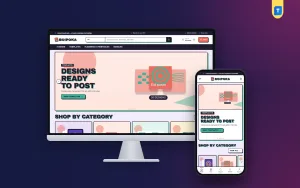
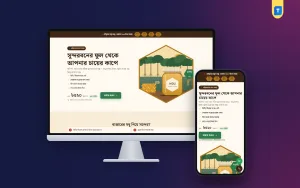
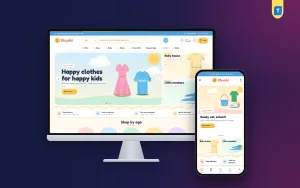
A good ebook store website design template gives you the pages, the layout and the checkout you need, so you can spend your time on the books and not on code. If you write ebooks, make planners or sell study guides, the design of your shop decides how many visitors become buyers.
This guide shows what a shop for ebooks and printable files must include, how to arrange it, and how to pick a template that fits. It also covers payment and delivery for Bangladesh, plus a checklist you can use before you launch.
What an ebook shop must do well
An ebook is a file. The buyer cannot flip through it in a shop, so your website has to replace that moment. Everything on the page should help someone decide, quickly, that this file is worth paying for.
A good ebook shop does five things:
- Shows what the book is about in one clear sentence.
- Lets the buyer see a few pages before paying.
- States the format, page count and language.
- Takes payment in a way local buyers trust.
- Sends the file at once, with no waiting.
If any of these is weak, you will lose sales. Keep this list near you as you plan the site.
What to sell besides ebooks
Most small sellers do better with a shelf of related files than with one single book. A buyer who likes your ebook may also want the worksheet, the template or the planner that goes with it.
Files that sell well together:
- Ebooks and short guides.
- Design templates, such as CVs, social media kits and wedding cards.
- Planners and study trackers.
- Printable worksheets for children.
- Checklists and cheat sheets.
- Bundles that group several of the above.
Keep the range close to one audience. A shop for students, for example, can mix notes, planners and CV templates. A shop that sells recipe books, car manuals and wedding cards will confuse visitors.
How to choose an ebook store website design template
Do not choose a template by its colour alone. Choose by what it lets you show. Use this list when you compare options.
- Preview feature: can the buyer look inside the file?
- File details: is there space for format, pages and language?
- Bundles: can buyers group items and get a discount?
- Checkout: is it short, with no address?
- Payments: does it support bKash and Nagad?
- Speed: does it load fast on a phone?
- Control: can you change colours, fonts and block order without code?
- Language: can it show Bangla as well as English?
Score each template from one to five on every line. The one with the highest total, not the prettiest demo, is usually the right pick.
Plan your pages
Good ebook store ecommerce website design starts with a short page list and a clear path from the home page to the checkout. Every extra page is one more place for a buyer to get lost.
An ebook shop needs only a handful of pages. Resist the urge to add more.
- Home: your best sellers, categories, bundles and a few reviews.
- Shop or category page: a clean grid with cover, title, price and a short line.
- Product page: the preview, details, price and button.
- Cart and checkout: short and clear.
- My account: past orders and download links.
- About and contact: who you are and how to reach you.
- Policy page: refunds and usage terms in plain words.
Write the about page honestly. Readers of ebooks like to know the person behind the words.
Ebook store website design template: the product page
The product page is the most important page in the shop. A visitor decides here. Build it with care.
The cover
Use a large, sharp cover. It is the first thing the buyer sees. For printables and templates, use a clean mock-up that shows the actual file.
The look inside preview
Let the buyer open a few pages. A page-turner with small thumbnails works well. For a template, show the full layout, not just a corner.
The file details
List the format, number of pages, language and what the buyer may do with the file. Be honest. If it is a PDF for printing on A4, say so. If the book has an answer key, a bonus template or a second edition, mention that too. Small facts like these remove doubt, and doubt is what stops a payment.
The price and button
Put the price and one button close together. Add a short line about delivery: for example, a download link arrives by email right after payment.
Sell bundles and raise the order size
Bundles are one of the easiest ways to raise the value of each order. A student who came for one planner may add two more files if the saving is clear.
Simple ways to build bundles:
- Group three related files at a lower price.
- Offer a code that applies when the cart reaches a set number of items.
- Show a small progress meter, such as add two more to reach the bundle code.
- Let buyers tick the files they like and add all of them with one button.
The last two ideas save you from building a fixed bundle for each season. The buyer builds their own. Make sure any code you show is a real working coupon, not just a banner.
Write product descriptions that help
Think of the description as the shop assistant who would normally stand next to the shelf. It should answer the questions a customer would ask out loud: Is this for beginners? Can I print it? Is it in Bangla? How many pages are there?
Your words matter more than your layout. A buyer should know in ten seconds what the file is, who it is for and what they can do with it.
A simple formula:
- One sentence: what it is and who it is for.
- Three to five bullet points: what is inside.
- Format, pages, language.
- One line on how it arrives.
- One line on what to do if there is a problem.
Avoid long praise. Say what the file does, and let a few real reviews do the praising for you.
Take payment the way buyers in Bangladesh pay
Payment is where many shops lose a sale. Most buyers here pay by mobile wallet, so wallets must be easy to find.
- bKash and Nagad as the first choices.
- SSLCommerz for card and mobile payment through a gateway.
- Manual Send Money for bKash, Nagad, Rocket and Upay, with a transaction ID.
Show payment logos on the product page and in the cart, so the buyer knows before checkout that their wallet works. Cash on delivery is not useful for a file, so skip it.
Keep checkout short and deliver at once
There is nothing to post, so the checkout should ask only for the basics: name, mobile number and email. No address and no delivery charge.
After payment, three things must happen quickly:
- The buyer sees a clear thank-you page.
- An email with the download link arrives within minutes.
- The order appears in the buyer's account, so the link can be found again.
People lose emails all the time. An account page with past orders saves you from sending the same file again and again.
Design tips for a bookish look
Choosing a theme is also part of ebook store ecommerce website design, so treat the look as a working tool and not as decoration. It should make covers stand out and make buying feel simple.
An ebook shop can be warm and personal. You do not need a cold corporate style. Pick a look that matches your books.
- Use two or three colours and stay with them.
- Use one bold font for headings and one plain font for text.
- Let the covers be the main colour on the page.
- Leave space around each cover.
- Use the same button shape and colour everywhere.
- Check that text stays readable on a small phone screen.
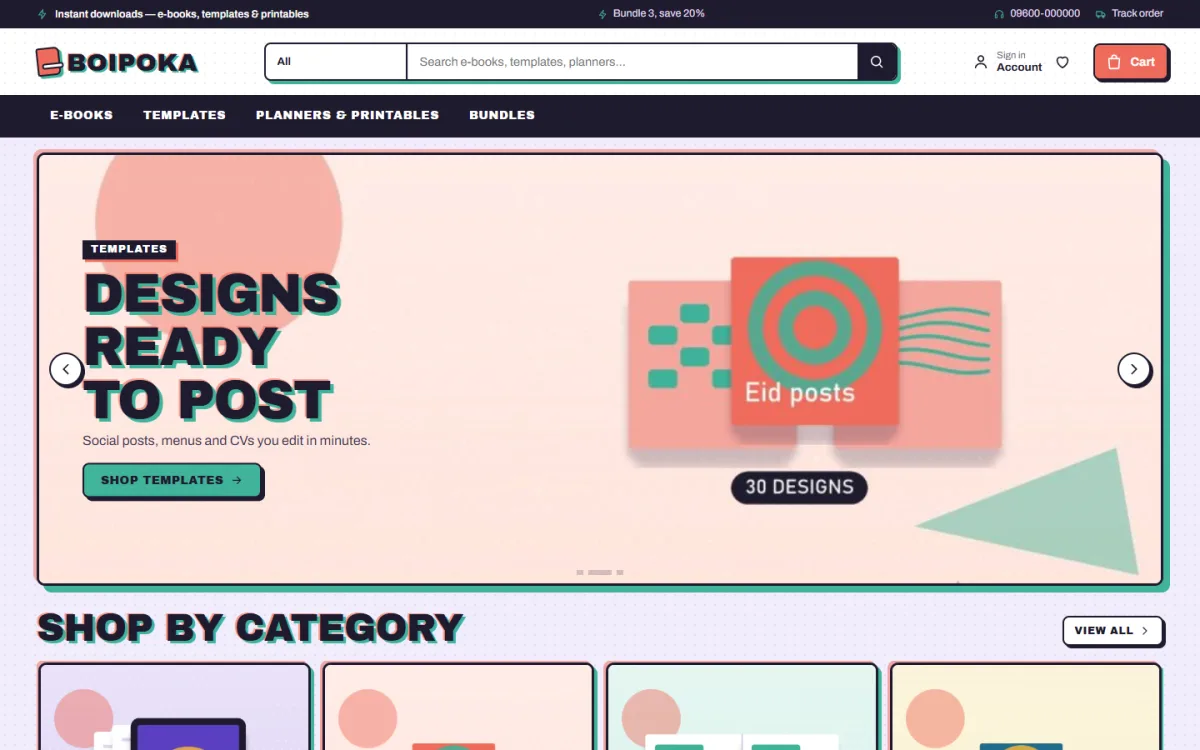
A distinctive style, for instance a printed-zine look with halftone dots, helps your shop stay in a buyer's memory.
Make the site fast on a phone
This point is easy to skip because the shop looks fine on your own computer. Open it on an older phone before you launch, and you will often find slow images or tiny buttons.
Many of your visitors will arrive from a Facebook post on a mobile phone. If the page is slow, they will leave.
- Compress cover images before you upload them.
- Load images only when they come into view.
- Limit web fonts, or allow them to be switched off.
- Avoid auto-playing videos at the top of the page.
- Test the shop on mobile data, not only on Wi-Fi.
Your hosting plan matters as well. A cheap plan that is crowded with other sites can slow down downloads on busy days. Pick a reliable host, switch on caching, and check your pages again after each new plugin or large upload.
Speed does not need special skills. Smaller images and fewer add-ons fix most problems.
A ready-made option on WordPress
If you use WordPress, you can start from a theme built for this job. Boipoka is made for shops that sell ebooks, templates, planners, printables and bundles.
Main features, in short:
- A bundle builder with tick boxes and a meter toward the real BUNDLE3 and BUNDLE5 coupons.
- A look inside page-turner with thumbnails.
- File details for format, pages and language on each product.
- 17 homepage blocks you can switch off or re-order.
- Instant download links by email and a checkout with no address.
- bKash, Nagad, SSLCommerz and manual payment.
- An English and Bangla switch.
- 5 palettes, 4 font pairs and a one-click demo with 21 sample products.
The Themeve Commerce plugin comes with it, so you do not need WooCommerce. The sample products are invented, so you replace them with your own. Read more on the Boipoka page before you decide.
Common mistakes to avoid, and a launch checklist
Sellers repeat the same errors. Check your plan against this list.
- No preview, so the buyer has to trust the cover alone.
- Missing file details such as page count or language.
- An address field on a file-only checkout.
- Too many categories for a small catalogue.
- Large uncompressed images.
- No refund or usage rule.
- Copying another author's text or cover design.
On the last point, sell only files that you made or that you have the right to sell. Say clearly on the page what the buyer may do with the file.
Launch checklist
- Three to ten products, each with a cover, preview and file details.
- One bundle or coupon that works.
- A full test order using each payment method.
- Download email checked on a phone.
- Refund rule and contact number visible.
- Shop speed checked on mobile data.
- A post prepared for your Facebook page and groups.
Keep a simple notebook or sheet of what you change each week. Small, steady changes are easier to judge than a big redesign.
After launch, watch which products people open but do not buy. Often a clearer preview or one more detail line fixes it.
If you want to read more on the technical side, the official WordPress documentation is a good, reliable reference.
Frequently asked questions
What is an ebook store website design template?
An ebook store website design template is a ready layout for selling ebooks and other files online. It includes shop pages, a cart, a checkout and places for previews and file details, so you do not start from a blank page.
Do I need WooCommerce to sell ebooks?
No. Boipoka runs on the Themeve Commerce plugin, which handles cart, checkout, coupons, invoices and orders. It installs in one click from the Setup screen.
Can I use one ebook store website design template for other files too?
Yes. The same shop can sell templates, planners, printables, courses and gift cards. Each product has its own details line, so you can show platform or validity instead of pages.
Which payment methods should an ebook shop offer?
Offer bKash and Nagad first. Add SSLCommerz for card and mobile payment, and keep manual Send Money with a transaction ID as a backup.
How should I deliver the file?
Send a download link by email right after payment and keep the order in the buyer's account. Fast delivery is the most common thing buyers praise in reviews.
Can I show Bangla as well as English?
Yes. Boipoka has an English and Bangla switch, which suits shops with readers in both languages.