Fashion website design is the work of turning a small clothing brand into a shop that people trust, enjoy and buy from. It is not only about looks. It is about how fast the page opens, how clear the sizes are and how easy it is to pay.
This guide is written for Bangladeshi brands that sell on Facebook or Instagram and want their own website. It covers planning, layout, photos, payment, delivery and the common mistakes. You can follow it step by step, whether you build the site yourself or work with a freelancer.
What fashion website design includes
Many people think of a logo and a few colours. A real shop needs more. Fashion website design covers six parts:
- Structure: which pages exist and how people move between them.
- Layout: where pictures, text and buttons sit on each page.
- Visual style: colours, fonts and the mood of the photos.
- Shopping tools: filters, size guides, cart and checkout.
- Speed: how quickly pages load on a mobile network.
- Trust: reviews, contact details and clear policies.
A weak part in any of these will hurt the others. A beautiful page that takes eight seconds to load will lose the visitor before they see anything.
Know your customer and plan the site map
Different buyers want different things. A college student looking for a hoodie shops in a different way from a mother looking for an Eid outfit.
Write short answers to these questions:
- What is the age range of your buyers?
- What is their usual budget for one order?
- Do they browse on a phone or a laptop?
- Where do they first meet your brand?
- What stops them from ordering online?
The last answer matters most. In Bangladesh the usual fears are fake shops, wrong sizes and no refund. Your design can answer each fear with a visible size chart, real customer photos and a clear returns page.
Plan the site map
Keep the first version small. A shop with ten well-built pages beats a shop with forty thin ones.
A good starting site map looks like this:
- Home
- Shop, with categories such as tops, bottoms, shoes and accessories
- Product pages
- Cart and checkout
- Size guide
- Delivery and returns
- About us
- Contact
Limit the main menu to five or six items. If a visitor needs more than two taps to reach a product, simplify the menu.
Fashion website design for the homepage
The homepage should answer three questions in the first screen: what do you sell, who is it for and where do I click next.
Use this order of blocks:
- A large hero with one short line and one button.
- Category tiles with clear pictures.
- New arrivals.
- Best sellers or most viewed pieces.
- A strip that lists delivery time, cash on delivery and exchange.
- Customer photos or reviews.
- A footer with contact details, payment icons and social links.
Resist the urge to add everything. Each block should have a reason. If you cannot explain why a block is there, remove it.
Photos that sell clothes
People buy what they can picture on themselves. Poor photos are the most common reason a good product does not sell.
Use this simple setup:
- Shoot in soft daylight near a window or outdoors in the shade.
- Use one background style for the whole shop.
- Take a front view, back view, detail of the fabric and one on a model.
- Keep the same crop and ratio for every photo.
- Compress each file to a small size before uploading.
For your first shoot, a phone camera is fine. Clean the lens, hold the phone steady and shoot at eye level. Edit only brightness and crop. Heavy filters change the colour of the cloth and cause returns.
Colours, fonts and mood
Style is the part of fashion website design that people notice first, so choose it with care. It should match the brand, not the trend of the week. A calm boutique and a loud street label need different pages.
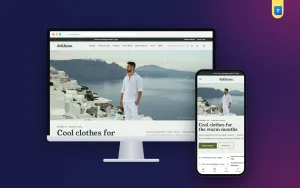
- Calm and premium: light backgrounds, serif headings, thin lines, lots of space.
- Friendly and family: rounded fonts, soft colours, small icons.
- Bold and young: dark backgrounds, condensed capital type, strong accent colours.
Use no more than two fonts and three main colours. Keep button colour the same across the site so that people learn where to click.
Streetwear design ideas that work online
Streetwear sells on energy and limited supply, and the site should show both. These streetwear design ideas are simple to apply, even for a small label:
- A drop countdown on the homepage for the next release.
- A "pieces left" bar on limited items.
- A top-five list of the most wanted items.
- Outfit blocks that show how pieces are worn together.
- A photo grid of real customers wearing your clothes.
- Large condensed type in the headings.
- Sticker-style labels for new, sold out or restock.
Be honest with stock numbers. If a bar says three left, it should be true. Buyers in a small market talk, and one false claim can damage a young brand.
Words on the page: names, descriptions and labels
Text is part of the design. Short, clear words help buyers decide, and they also help Google understand what you sell.
- Name each product with what it is: "Oversized heavyweight tee, black", not "Night Vibe 01".
- Write two or three lines about fabric weight, fit and length.
- Use the same words for sizes everywhere: S, M, L, XL, or measurements in inches.
- Label buttons with actions: "Add to cart", "Check size guide", "Track order".
- Write a few lines at the top of each category page, using words people really search, such as "cargo pants for men" or "hoodie price in Bangladesh".
Avoid long stories on product pages. A buyer on a phone reads in short bursts. Put the most useful facts first and the brand story on the about page.
Check spelling twice, in both English and Bangla if you use both. A single typo in a price or size can lead to a wrong order and an angry message.
Fashion website design for phones: speed and ease
Most orders come from phones, many over mobile data. Speed is part of design.
Use this short list when you test:
- Open your shop on a mid-range phone, not only on your own.
- Check that the header is simple: menu, logo, cart.
- Make sure buttons are large enough to press with a thumb.
- Keep product cards compact, so two sit side by side.
- Lazy-load images below the first screen.
- Avoid heavy sliders, page builders and many plugins.
Good fashion website design shows the product first and the decoration second. If the page feels slow, remove something.
Product pages that answer questions
The product page is where the sale happens. Everything the buyer would ask in a message should already be on it.
- Title and price near the top.
- Large photos with a zoom option.
- Size and colour choices as buttons.
- A short fabric and care note.
- The model's height and the size she or he wears.
- Stock status and expected delivery time.
- A link to the size guide.
- Reviews, if you have them.
Keep the add to cart button visible without long scrolling. On a phone, a button that stays at the bottom of the screen helps.
Payment and delivery for Bangladesh
Local habits shape checkout. Offer what buyers already use. Fashion website design in Bangladesh should treat payment as a main feature, not a last step.
- bKash and Nagad: show clear instructions, or connect a gateway so payments are matched automatically.
- SSLCommerz or cards: useful for buyers who prefer to pay online with a card.
- Cash on delivery: still very popular. Many shops ask for a small advance on expensive items to reduce fake orders.
For delivery, use a courier that gives tracking numbers, such as Steadfast or Pathao. Put the delivery charge on the product or cart page, never at the last step. List separate times for Dhaka and outside Dhaka. Explain who pays the return charge and how many days a buyer has to ask for an exchange.
A ready-made option: Jhor
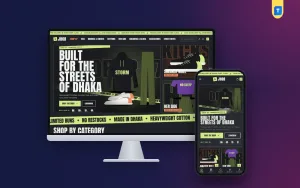
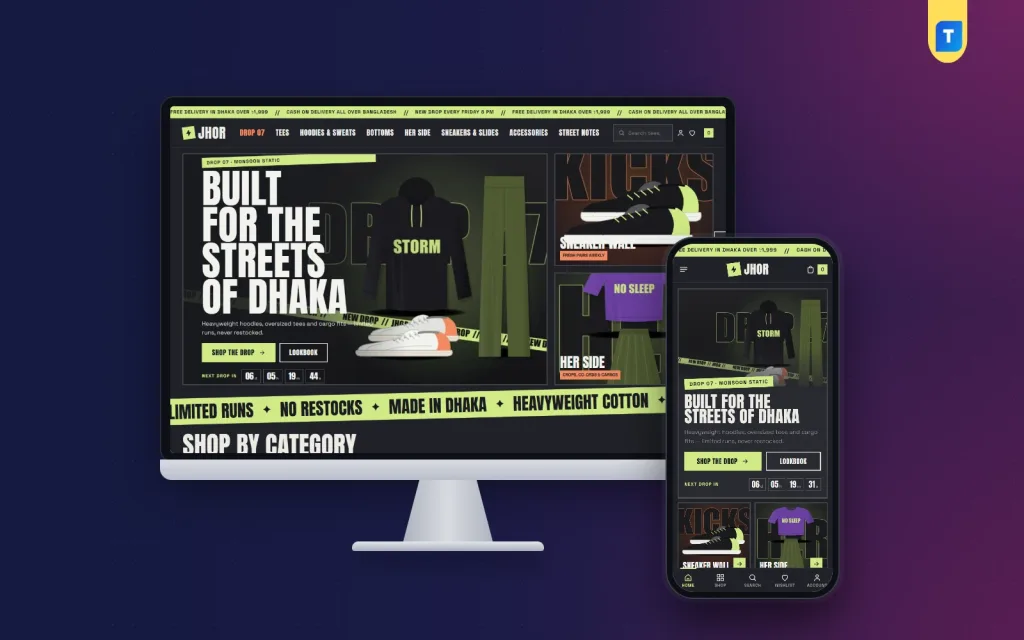
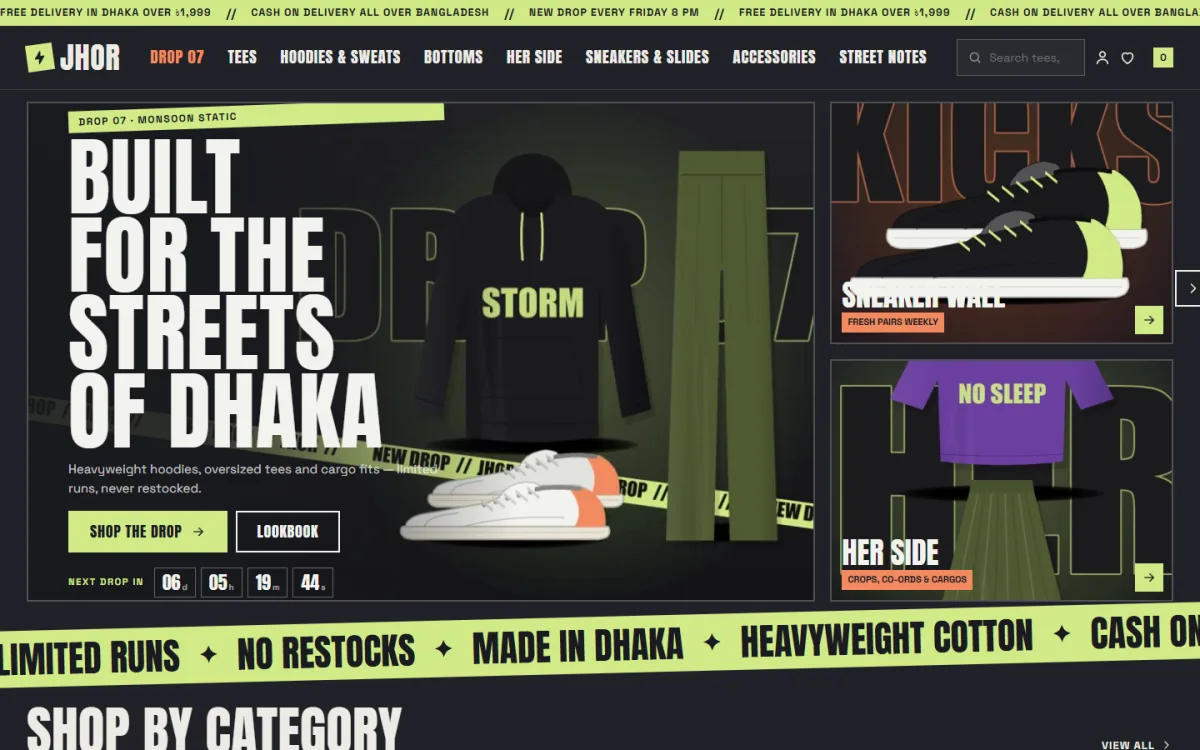
If your label sells on drops, Jhor is a WordPress theme built for that style. It is dark, loud and made for streetwear, though it also has light palettes for calmer shops.
From the theme's own feature list:
- A drop hero with a countdown and two side tiles.
- A limited run block with stock-left bars.
- A most hyped top five with giant numbers.
- A fits of the week outfit block and a Spotted in Dhaka photo grid.
- 19 homepage blocks that you can switch off and re-order.
- Six palettes and four font pairs.
- No jQuery, with one stylesheet and one script file.
- bKash, Nagad, SSLCommerz and cash on delivery, with Steadfast and Pathao.
- The Themeve Commerce shop plugin included, plus a one-click demo with 46 products.
You do not need to run drops to use it. The blocks can be switched off, and the light palettes give the same layout a softer mood.
Build trust on a new site
A new domain has no history, so you must show you are real. In fashion website design, trust signals work like a shop sign and a shopkeeper's face combined.
- Put a phone number, WhatsApp link and email on the contact page.
- Add your Facebook and Instagram links so people can check your posts.
- Show real customer photos, with permission.
- Write a short about page with your name, city and story.
- Use https on every page.
- State your return and exchange rules in plain words.
Small signs add up. A buyer who sees a real face, a real number and a clear policy is much more likely to order the first time.
Common mistakes and a launch checklist
Common mistakes in fashion website design
Most failing shops repeat the same errors. Compare your site to this list.
- Too many fonts, colours and moving parts.
- Photos with different backgrounds and sizes.
- No size chart or a chart without measurements.
- Delivery charges revealed only at the end.
- Forced account creation before checkout.
- Slow pages caused by large images.
- No testing on a real phone.
- Copying text and photos from other brands.
Launch checklist
Before you tell anyone about the site, walk through every step as a customer.
- Place a test order with each payment method.
- Check that order emails or SMS alerts reach you.
- Test the courier booking and tracking link.
- Read all pages on a phone for typing errors.
- Check that every product has a size, price and stock count.
- Add the Facebook Pixel so you can learn from visits.
- Submit your sitemap to Google Search Console.
- Make a backup and store the login details safely.
After launch, look at the numbers weekly. See which pages people leave. Small changes to a photo or a size note often fix a lot. A steady habit of review is what makes fashion website design work over time. For a drop-based brand, you can also reuse a streetwear layout such as Jhor for every new release.
If you want to read more on the technical side, the official WordPress documentation is a good, reliable reference.
Frequently asked questions
How long does fashion website design take?
With a ready-made theme and ready photos, a small shop can go live in a week. A custom build from scratch can take a month or more. Photos and product data usually take longer than the design itself.
Do I need WooCommerce for a fashion shop?
No. Many themes now bring their own shop plugin. Choose one that supports bKash, Nagad, cash on delivery and local couriers, because those are the features your buyers use.
What is the best colour for a fashion website?
There is no single best colour. Match the mood of your clothes. White or ivory backgrounds suit premium labels. Dark backgrounds suit streetwear. Keep one accent colour for buttons.
How many products should a new shop have?
Ten to fifteen products with good photos are enough to start. Add more as you test what sells.
Can I do fashion website design without a developer?
Yes. With a good theme you can pick colours, fonts and homepage blocks in settings, then add products yourself. A developer is needed only for custom features.
What streetwear design ideas suit a small brand?
Start with a countdown for the next drop, a limited stock bar and a customer photo grid. They are cheap to set up and tell the story of a limited run.
Should I keep my Facebook page after the website goes live?
Yes. Use Facebook for reach and talk with customers. Use the website for the full catalogue, checkout and tracking. Link to product pages in every post.