Learning how to sell digital products on WordPress takes an afternoon, but doing it well takes a little planning. You need a theme, a way to take payment, a way to deliver the product and a few pages that build trust. Get those four things right and a small shop can run for months with very little daily work.
This guide covers the whole path, from choosing what to sell to checking your first live order. It is written for small sellers in Bangladesh, so it includes local payment and delivery points. The steps work anywhere, though. Follow them in order and tick off the checklists as you go.
What counts as a digital product
A digital product is anything the buyer receives online instead of in a parcel. The list is longer than most people expect.
- Downloads: ebooks, templates, fonts, presets, printable files, WordPress themes and plugins.
- Access: course videos, members-only pages and private communities.
- Subscriptions: monthly or yearly plans for apps, tools and streaming services that you resell or manage.
- Codes: gift cards, game credit and software activation codes.
- Services with a file: a logo pack or a custom report delivered by email.
Pick one type to start. A shop that sells a single clear thing is easier to explain, easier to support and easier to rank in search.
Check that you can legally and fairly sell it
Before you build anything, make sure you have the right to sell what you plan to sell. This protects you and your buyers.
- Sell only what you made, or what you have written permission to resell.
- Read the terms of any service you resell. Some forbid account sharing.
- Write down what the buyer is allowed to do with the product.
- Be honest in your description. If an account is shared, say so.
Clear terms prevent most disputes. A short "what you can and cannot do" box on each product page is enough.
How to sell digital products on WordPress: the simple plan
Here is the whole process in seven steps. The sections that follow explain each one.
- Choose a domain name and reliable hosting.
- Install WordPress and a theme built for digital goods.
- Add your products with clear prices, plans and details.
- Set up payment methods your customers already use.
- Decide how the product is delivered, and test it.
- Write the trust pages: contact, refund, privacy and terms.
- Place test orders, then open the shop.
Keep this list nearby. Most problems in new stores come from skipping step five or step seven.
Choose a domain and hosting
Pick a short domain that is easy to say aloud and easy to spell. If your Facebook page already has a name people know, use it. Avoid numbers and hyphens because they cause typing mistakes.
For hosting, look for these basics:
- A server with a free SSL certificate, so the site opens with https.
- Enough storage for your files. Downloads can be large.
- Daily backups, or an easy way to make your own.
- Support that replies in a few hours, in a language you are comfortable with.
- A data centre close to your buyers, or a CDN that speeds up pages.
Cheap hosting is fine for a new shop. You can move to a bigger plan when traffic grows.
Pick a theme made for selling downloads and plans
The theme decides how your products look and how easily people can buy. A normal blog theme will make you build the shop pages by hand. A theme made for digital goods already has product cards, plan pickers and a short checkout.
When you compare themes, check these points:
- Does checkout work without a delivery address?
- Can one product have several plans, such as monthly and yearly?
- Does it load quickly on a phone?
- Can you change colours and fonts without code?
- Does it support the payment methods you need?
- Is there a demo you can click through?
Spend time on the demo. Add a product to the cart, go to checkout and see how many fields you have to fill in. If it feels slow for you, it will feel slow for a buyer.
Set up your products with the right details
Each product needs more than a title and a price. Digital buyers cannot touch the item, so the details do the selling.
- A clear title that names the product and the plan.
- The price for each plan or edition.
- What is included, in a short bullet list.
- How and when it is delivered.
- Any limits, such as the number of devices or users.
- A preview, sample page or screenshot when it is useful.
Make the product files private. Anyone who guesses the file address should not be able to download it for free. Most WordPress shop tools protect downloads behind the order, but check this yourself with a test.
Digital product page design that turns visitors into buyers
Strong digital product page design is simple. The buyer should understand the product, the price and the next step in a few seconds.
Use this order from top to bottom:
- Product name and a one-line benefit.
- Plan picker with the price beside each option.
- A delivery note such as "Sent to your email within 30 minutes".
- One clear Buy button.
- What is included, as a short list.
- A longer description for people who want more.
- Questions and answers, then the refund policy.
Place the button where a thumb can reach it on a phone. Avoid more than one primary button on the page. Two competing buttons make people hesitate.
Set fair prices and plans
Pricing is where many new sellers freeze. You do not need a perfect number, only a sensible one that you can adjust later.
- Look at what similar products cost in Bangladeshi taka and in dollars.
- Add up your own costs: the product itself, payment fees, hosting and your time.
- Offer two or three plans, not ten. Too many choices slow the decision.
- For subscriptions, show the monthly price and the saving on longer plans.
- Round prices to numbers that are easy to remember and easy to pay by mobile wallet.
Change a price only after you have a few weeks of orders to look at. Constant changes confuse repeat buyers and make your shop look unreliable.
Many sellers also add a small discount for the first order or for a bundle. Use discounts sparingly, and never show a fake "old price". Buyers notice, and it harms trust. A calm, steady price list is part of how to sell digital products on WordPress in a way that lasts.
Take payments that your customers actually use
A store that cannot take the payment method a buyer prefers will lose that buyer. In Bangladesh, mobile wallets matter most.
- bKash and Nagad: the first choice for most shoppers.
- Card payments: through a local gateway, for people who prefer cards.
- Manual payment: the buyer sends money and enters a transaction number, and you confirm it.
Skip cash on delivery. There is no delivery, so it only invites fake orders.
Show the accepted methods near the Buy button and in the footer. Then place a test order with each method. A payment button that fails on launch day is a costly mistake.
Decide how the product reaches the buyer
Delivery is where digital shops win or lose trust. You have three common options.
- Instant download: the file appears on the thank-you page and in the email. Best for templates, fonts and ebooks.
- Email delivery: you or the system sends a code, a link or login details. Best for gift cards and subscriptions.
- Manual delivery: you set up the account and then message the buyer. Best for managed services.
Tell the buyer which one applies before they pay. If delivery is manual, give honest working hours. "Within 30 minutes, 10 am to 10 pm" is better than "instant" followed by a long silence.
A ready-made option for subscription sellers: Megh
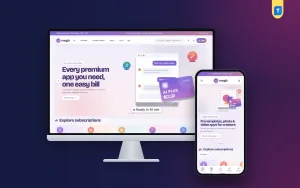
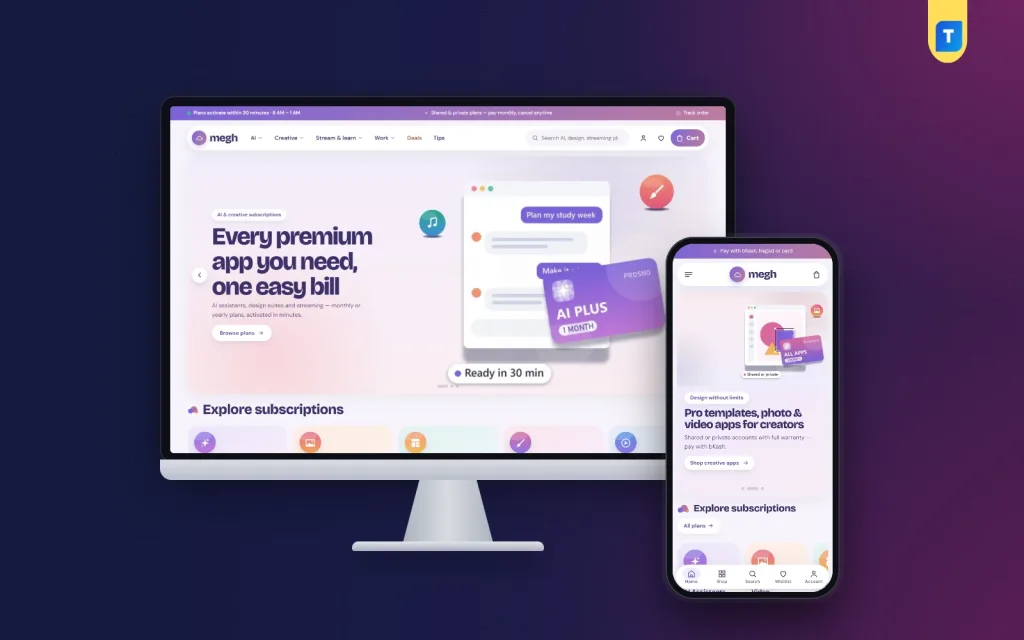
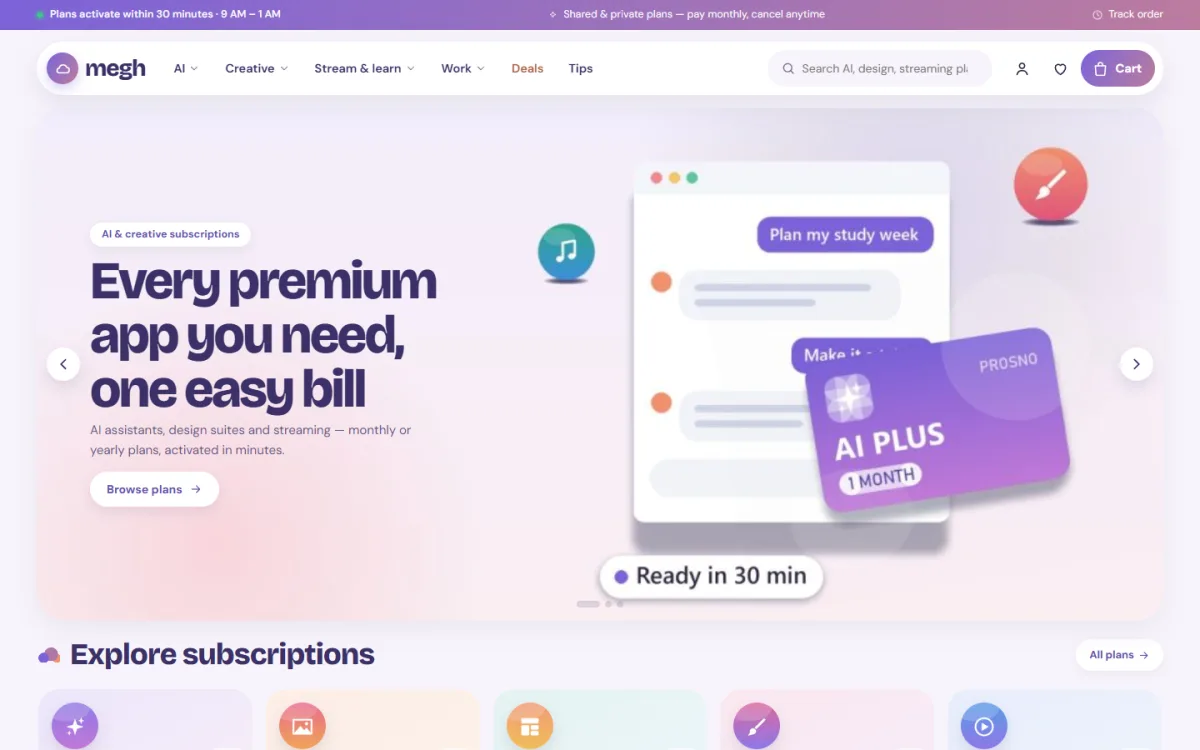
If you sell plans rather than single files, a theme that already understands plans saves a lot of setup. Megh is a WordPress theme for shops that sell monthly or yearly access to creative and productivity apps, streaming, courses, cloud tools and similar plans.
These are the parts that matter for this kind of shop:
- A plan board with a switch for monthly, 3-month and yearly prices.
- "Save %" badges and the price per month on each plan.
- A stack builder that adds several apps to the cart at once.
- Account-type chips: private, shared or your own email.
- An address-free checkout that asks for a delivery email.
- Payment through bKash, Nagad, SSLCommerz and manual payment.
- A one-click demo with 46 plans, so you can see a full shop first.
You can read the full feature list on the Megh theme page. If you sell a single downloadable file instead, any clean shop theme with a short checkout will also work.
Write the pages that build trust
Buyers who have never heard of your shop look for proof that a real person runs it. Anyone learning how to sell digital products on WordPress should add these pages before launch.
- Contact: a phone or WhatsApp number, an email and your working hours.
- About: who you are and why you sell this product.
- Refund policy: when you refund and when you do not, in plain words.
- Privacy and terms: short, readable and honest.
- Delivery information: what happens after payment.
Link all of them in the footer. Real reviews help too, but only add reviews you can verify.
Test everything before you open
A test order shows problems no theme demo can show. Run through this checklist on a phone and a laptop.
- Add each product type to the cart and complete checkout.
- Pay with every method you offer.
- Check that the confirmation email arrives and is not in spam.
- Open the download link or delivery message. Does it work?
- Try to open the file address while logged out. It should be blocked.
- Read the thank-you page as if you were a new buyer.
- Check the site speed on mobile data.
Fix each fault, then test again. It takes an hour and can save you many refunds.
Bring your first visitors
A new shop has no traffic, so plan how people will find it.
- Share product links on your Facebook page and in relevant groups, following each group's rules.
- Answer questions on social posts with a link to the matching product page.
- Write a few helpful blog posts about the problems your product solves.
- Ask happy buyers for an honest review.
- Add your shop link to your profile, your email signature and your invoices.
Search traffic builds slowly. Treat it as a long-term gain, not a quick fix, and do not expect results in the first week.
After launch: how to sell digital products on WordPress month after month
Once you are live, a short weekly routine keeps things healthy.
- Update WordPress, the theme and the plugins after taking a backup.
- Read new orders and look for failed payments.
- Reply to support messages the same day.
- Check that the product files still open.
- Note the questions buyers ask and add the answers to the product page.
Common mistakes to avoid
Most beginners repeat the same errors. Check your plan against this list before you publish.
- Asking for a shipping address. It slows checkout for a product that never ships.
- Leaving files public. Test the download link while logged out.
- Vague delivery promises. State the real time.
- Too many products at launch. Start small and add more later.
- No refund policy. Buyers read it before they pay.
- Skipping mobile tests. Most of your visitors use a phone.
If you want to read more on the technical side, the official WordPress documentation is a good, reliable reference.
Frequently asked questions
How to sell digital products on WordPress as a complete beginner?
Get a domain and hosting, install WordPress, add a shop theme, create your products, connect payment methods and test an order. The seven-step plan above covers each part.
Do I need a plugin to sell digital products on WordPress?
You need a shop system that handles carts, payments and downloads. Some themes include these features, so check what your theme provides before you add more.
Which payment methods work best in Bangladesh?
bKash and Nagad are the most used. Add a card gateway for card holders and a manual option for bank transfers.
How should I design a digital product page?
Show the name, the plan prices, the delivery time and one Buy button at the top. Put details and questions below. Keep the layout the same on every product.
Can I sell subscriptions as well as downloads?
Yes. Use plans such as monthly and yearly on the same product. Make clear whether the account is private or shared.
How do I stop people from sharing my files?
Keep files behind the order, limit the number of downloads per purchase and avoid putting direct file links in public pages. No method is perfect, so also state your terms clearly.