Internet download manager price in BD is a search that comes up whenever a Windows user gets tired of broken downloads and wants a proper tool. The question sounds simple, but the answer has a few parts: the type of plan, the seller, the payment method and what you get after you pay.
This guide explains what a download manager does, what decides the cost, and how to buy safely from Bangladesh. It also covers common mistakes and gives you checklists you can follow step by step. You can read it from top to bottom or jump to the part you need.
What an internet download manager does
A browser can download files, but it does so in a basic way. It starts one connection, and if that connection drops, the download often fails. You then start again from zero.
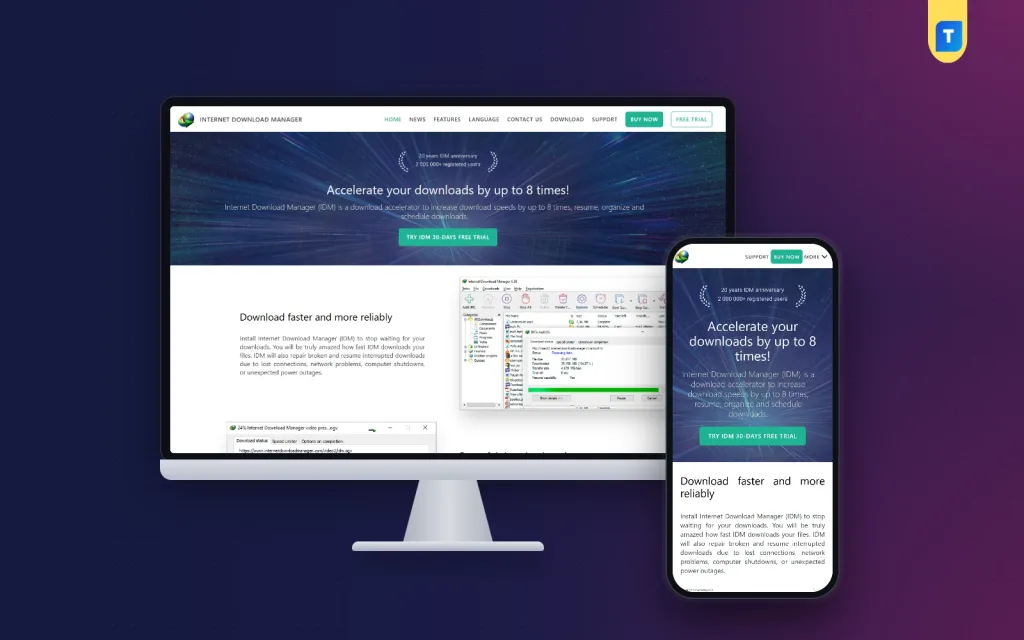
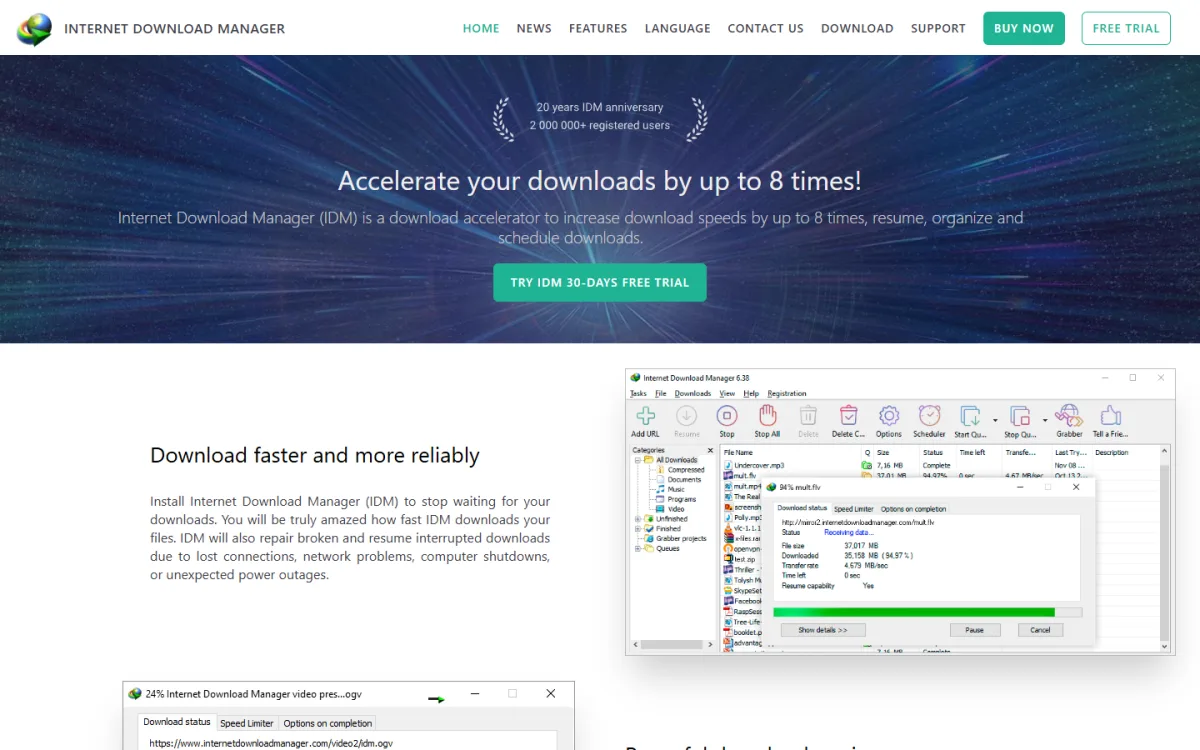
A download manager adds tools on top of the browser. The main ones are:
- Faster downloads. It splits a file into parts and downloads the parts together.
- Resume. If the connection drops or the power goes, you continue from where you stopped.
- Scheduling. You can start big downloads at night, when the line is quiet.
- Queues. You add many files and let them download one after another.
- Browser capture. It catches video and file links as you browse.
- Organised folders. Files are sorted by type, such as video, music and documents.
It cannot make a slow server fast, and it cannot give you more speed than your internet plan allows. What it does is use your line better and save you from restarting.
Who really needs one
Not everyone needs a download manager. Use this list to decide.
- Students who download books, notes and course videos.
- Freelancers who receive large design, audio or video files.
- Office staff who download software and reports every week.
- Gamers who handle big installers and updates.
- Families on a weak or unstable connection.
- Anyone whose downloads often fail halfway.
If you download only a few small files a month, your browser is enough. If you download large files weekly, the time you save pays back the cost quickly.
Internet download manager price in BD: what decides the cost
There is no single price that applies everywhere. Several things change the amount you pay.
- Plan type. A one-time lifetime plan costs more at the start than a yearly or monthly plan, but you pay only once.
- Seller. An official purchase is priced in dollars. A local seller prices in taka.
- Exchange rate. If the price is in dollars, the taka amount moves with the rate.
- Card and bank fees. International card payments often add charges.
- Number of computers. Some plans cover one computer and some cover more.
- Offers. Sellers run discounts, so the price today may differ from last month.
When you compare, always compare the same thing: the same plan type, the same time period and the same number of computers.
Internet download manager subscription price or a lifetime plan
This is where many buyers get confused. A subscription means you pay again every month or every year. A lifetime plan means you pay once and keep access.
The internet download manager subscription price looks lower at first, because the first payment is smaller. The total grows with each renewal. Do a quick calculation:
- Write the yearly cost of a subscription.
- Multiply it by the number of years you expect to use the tool.
- Compare that total with the one-time price.
If you plan to use the software for three years or more, a lifetime plan usually costs less in total. If you need it for one project only, a short plan is cheaper. Check what the lifetime plan includes, such as updates, before you decide.
A quick comparison table you can write yourself
Offers are easy to compare if you put them side by side. On a sheet of paper, make one row for each offer and fill in these columns.
- Plan type: lifetime, yearly or monthly.
- Price in taka, including any fees.
- Number of computers covered.
- Updates included or not.
- Delivery time.
- Refund and support terms.
After two or three rows, the better offer is usually clear. Do not judge by the price column alone.
An example calculation
Say a yearly plan costs a small amount each year, and a lifetime plan costs about three times that amount once. Over one year the yearly plan looks cheaper. By the fourth year, you have paid more than the lifetime price. This is why you should decide how long you will really use the tool before you pay.
How to compare the internet download manager price in BD across sellers
When you look at the internet download manager price in BD on several websites, the numbers will not match. Some of the gap is real, and some of it is hidden in the small print. Work through these questions for each seller.
- Is the price final, or do fees get added at checkout?
- Is it a lifetime plan or a time-limited one?
- Does the plan cover updates, or only the current version?
- How soon will you get your order details?
- What happens if the software will not activate?
- Can you contact a real person before you pay?
A seller who answers these clearly is usually safe. A seller who avoids them is not.
Why many Bangladeshi buyers struggle to pay
Paying for global software from Bangladesh is harder than it should be. Common problems are:
- The bank card is not enabled for international payments.
- The yearly dollar limit has already been used.
- The payment fails with no clear message.
- Bank charges make the final cost higher than expected.
- Many people do not have a card at all.
Because of this, a lot of people turn to cracked copies from file sites. That is risky. Those files often carry unwanted programs, show pop-ups, or break after a Windows update. A paid copy from a trusted seller is safer for your computer and your data.
How to check a seller before you pay
Local sellers are a good option when they are honest. Use this checklist.
- The seller has a real website with an order system, not only a social media page.
- The product page states exactly what you receive.
- The price is shown openly, with no hidden extras.
- The delivery time is written on the page.
- There is a clear refund policy.
- Support is available on WhatsApp or e-mail.
- Your order is saved in an account, so you can find it later.
Be careful with very low prices. If a price looks too good, ask why before you pay.
How to buy step by step
The steps are similar for most local sellers.
- Pick the plan and read what it includes.
- Add it to your cart and sign in.
- Pay with bKash, Nagad or Rocket.
- Enter your transaction ID.
- Wait for the order details, which arrive in your account and by e-mail.
- Install the software and enter the details you received.
- Restart your browser and test a download.
Keep your payment screenshot and transaction ID until everything works. If you get stuck, message support with your order number.
A ready-made option
If you want to pay in taka and avoid cards, one option is Internet Download Manager (IDM) Lifetime Access on Themeve. The listing describes full features, lifetime access and support for all major browsers. It handles many file types, from videos to software.
You pay with bKash, Nagad or Rocket, and your activation details arrive in My Account and by e-mail. WhatsApp support is available. The current price and any saving are shown on the IDM product page, so check it there before you order, because prices can change.
Install and set it up properly
A tool is only useful when it is set up well. After you install it, do these checks.
- Install it on the drive that has the most free space.
- Choose a download folder you can find easily.
- Allow the browser extension when your browser asks.
- Turn on the option to catch video links, if you need it.
- Set the number of connections to a sensible level for your line.
- Test with a medium file before you start a large one.
If the download bar does not appear in your browser, check that the extension is enabled and restart the browser.
Download habits that save time
Good habits matter as much as the tool.
- Schedule big files for late night, when the network is less busy.
- Use queues, so you do not start ten files at once.
- Pause downloads when you need the line for a video call.
- Check the file size and the source before you click.
- Scan every installer you download.
- Delete old files you no longer need.
On a slow home line, ten parallel downloads can make everything slower. Two or three at a time is usually better.
Common problems and quick fixes
The download bar does not show up
Enable the extension in your browser and restart it. If you use a private window, check that the extension is allowed there.
A download stops at 99 percent
Wait a minute, then resume it. If it still fails, the server may have a problem, so try again later.
The software asks for activation again
Check that you entered the details exactly as sent. If it still fails, contact the seller with your order number.
Speed is not what you expected
Your speed is limited by your internet plan and by the source server. Test the same file in your browser to compare.
Is it worth paying at all
Some people ask whether a paid tool is worth it when browsers have a built-in downloader. The honest answer is that it depends on your use. Think about the value of your time. If a failed download costs you an hour each week, a one-time payment is small by comparison.
Think also about risk. A work file that fails to download before a deadline can cost you a client. For students, a missed course video can cost a whole evening. Seen this way, the internet download manager price in BD is a small cost next to the time and stress it removes.
Here is a short test. Count the files you download in a normal week that are larger than 100 MB. Count how many of them fail or stall. If the second number is above zero, you have a real problem that a download manager can ease. If both numbers are zero, you do not need to spend anything.
If you download rarely, skip it. Spend the money only where it solves a problem you really have.
Mistakes to avoid
- Choosing only on price. The cheapest offer is not always the safest.
- Using a cracked copy. It risks your files and your computer.
- Skipping the refund policy. Read it before you pay.
- Ignoring the plan type. Know whether you are buying a lifetime plan or a subscription.
- Not testing. Run a test download on the same day you buy.
- Losing the order details. Save the e-mail and your account details.
If you want to read more on the technical side, the official website is a good, reliable reference.
Frequently asked questions
What is the internet download manager price in BD?
It depends on the plan type and the seller. A local seller shows the taka price on the product page. Compare the same plan type and length before you decide.
Is a lifetime plan better than a subscription?
For long-term use, usually yes, because you pay once. A subscription can be cheaper for a short project. Do the yearly calculation shown above.
How does the internet download manager subscription price compare?
The first payment is lower, but renewals add up. Over three years or more, a lifetime plan often costs less in total.
Can I pay with bKash or Nagad?
Yes, local sellers accept bKash, Nagad and Rocket. Enter your transaction ID after payment, and wait for the order details.
Will it work with my browser?
Most major browsers are supported. Install the extension when asked and restart the browser.
Will it make my internet faster?
It uses your connection better, but it cannot raise your plan speed. The server you download from also affects the result.
What if it does not activate?
Message the seller's support with your order number. A good seller replies quickly and follows a written refund policy.