Mobile shop website design is about helping people choose a phone with confidence. A buyer wants to see the real price, the storage and colour options, the warranty and the delivery time, and they want to trust the shop before they pay. If your site shows these clearly, the sale is much easier.
This guide is for owners of phone shops and phone boutiques in Bangladesh who want to sell online. It covers the pages you need, how to show phones and accessories, trade-in, payments, couriers and common mistakes. A ready-made option is shown near the end.
What mobile shop website design needs to do
Phones are personal and costly. People spend days comparing models, reading reviews and asking friends. Your website has to take part in that decision, not just list prices.
A good phone shop site should:
- Show each phone clearly, with true colours and photos from all sides.
- List the key facts: display, camera, battery, memory and chip.
- Show the price for each storage size and colour.
- Tell the buyer about warranty and where the phone is from.
- Offer an EMI line if you have instalments.
- Give a safe, short checkout with local payments.
- Make it easy to call or message you.
When these seven points are covered, the visual style can be simple. A calm, clean page often feels more trustworthy than a loud one.
Know what kind of phone shop you are
Your site should match your shop. A volume dealer and a boutique need different designs.
- Volume dealer. Sells many brands at low margins. Needs fast search, filters by price and brand, and strong offers.
- Brand store. Sells one or two brands. Needs rich pages that show each model's features and the full range.
- Boutique. Sells fewer phones with personal service. Needs a calm design, advice, trade-in and good photos.
- Accessory-heavy shop. Sells cases, chargers, earbuds and power banks. Needs good category pages and bundles.
Write one line that describes your shop and the customer you want. Every design choice in your mobile shop website design should support that line. For example: "A friendly shop for students who want a good phone under 25,000 taka." That line tells you which brands to show first, which words to use and which offers to feature.
Plan the pages and the menu
Keep the structure easy. Most phone shops need only a handful of pages:
- Home
- Phones, split by brand and by price band
- Accessories
- Offers
- Compare
- Trade-in or exchange
- Delivery and payment
- Warranty and returns
- Shop locations and contact
- Order tracking
In the top menu, use short words: Phones, Accessories, Offers, Trade-in, Contact. Price bands such as "Under 15,000" and "15,000 to 30,000" help budget buyers a lot, because most people in Bangladesh decide on a budget first and a brand second.
Design the homepage around the buyer's first questions
A phone buyer arrives with one of three thoughts: "I want this model," "I have this much money," or "I do not know what to buy." Give each of them a clear path in the first scroll.
A good homepage order:
- Header with logo, search, phone number and cart.
- Main banner for your best offer or newest model.
- Brand tabs or logos.
- Shop by budget.
- New arrivals and best sellers.
- A helper block for people who cannot decide.
- Trade-in or exchange offer.
- Accessories and bundles.
- Delivery, warranty and payment notes.
- Reviews, shop address and map.
Keep the banner honest. If the offer ends on Friday, say Friday. If stock is limited, show the real number.
Think of the homepage as the front of your shop. A customer who walks in wants to find the counter, see the new phones and ask a question. The same three things should be easy to find on screen, and a good mobile shop website design makes them obvious.
Phone product pages that answer everything
The product page is where a good mobile shop website design earns money. Put the most useful items at the top so that nobody has to hunt:
- Model name and brand
- Four key facts in tiles: display, camera, battery and chip
- Variant buttons for storage and colour, with the price changing as the buyer picks
- Price, old price and a monthly EMI line
- Warranty length and type
- Stock status and delivery estimate
- Add to cart and a call or message button
Photos that show the real phone
Use clear photos from the front, back, side and in the hand. Show each colour as it looks in real light. Buyers get unhappy when the phone in the box looks different from the picture. If you can, show the phone at its true size next to others in the same range.
Specs in plain words
Do not paste a long table at the top. Put four key facts first, then the full list below. Use real units: inches, mAh, megapixels, GB. Add a short line about who the phone suits, such as "good for photos" or "good for long battery life."
Help undecided buyers choose
Many visitors do not know which phone to buy. A helper block can act like your best salesperson. A simple design is a brand line-up: the buyer taps a brand tab, sees that brand's phones drawn side by side, and reads four facts under each one.
Drawing phones at their true relative size is a nice detail, because screen size is one of the main things people compare. A 6.1-inch phone should look smaller than a 6.8-inch one.
Other helpers that work well:
- A compare page for up to three or four phones.
- A "shop by budget" row with clear price bands.
- A short guide such as "Which phone for photos under 30,000 taka?"
- A chat or call button that is easy to find.
Trade-in and exchange
Many customers hold an old phone and want to upgrade. A trade-in page can bring them to your shop. It also gives you a reason to build trust.
Simple ways to offer it online:
- List the old phone models you accept and a starting value for each.
- Show the new phones with the price after credit.
- State that the final value depends on a check of the phone in the shop.
- Give a clear list of what you check: screen, battery, body, accounts logged out.
- Invite them to visit or send photos on Facebook or WhatsApp.
Be fair and clear. Buyers remember shops that give an honest value and avoid shops that surprise them at the counter. A short note such as "Bring the phone and the charger, and we will confirm the price in five minutes" removes the fear of a bad surprise.
Sell accessories with every phone
Cases, screen guards, chargers, earbuds and power banks bring good margin. On a phone product page, show a small block called "Goes well with this phone" that lists compatible items.
Ideas:
- A bundle price for phone, case and screen guard.
- A cart reminder: "Add a charger for 600 taka."
- Accessory category pages sorted by phone model.
- Photos of the accessory on the phone.
Do not push too hard. One helpful suggestion is enough. If a suggestion does not match the phone, remove it. Keep an eye on which accessories sell with which phones, and update the suggestions every month. In a good mobile shop web design, the accessory block feels like friendly advice, not an advertisement.
Mobile shop website design for buyers who browse on phones
The people who buy phones usually browse on phones. Many arrive from your Facebook page. So the mobile view must be perfect, not an afterthought.
Check these things on a real handset:
- The header is simple: menu, logo, cart.
- The search box is easy to reach.
- Product cards are compact and the price is easy to read.
- Variant buttons are big enough for a thumb.
- Add to cart stays in view as you scroll.
- The checkout is one page and asks for few details.
- Pages load in about three seconds on mobile data.
To keep pages light, resize all photos before upload, use caching and avoid heavy sliders. A mobile shop web design that loads slowly will lose buyers on the first screen, and no clever feature fixes that.
Payments, delivery and returns in Bangladesh
A phone costs a lot, so payment trust is important. Offer the methods your customers already use:
- bKash and Nagad
- Cash on delivery, with a small advance for costly phones if you need it
- Card or banking through a gateway like SSLCommerz
- Manual payment with a transaction number field
Use Steadfast or Pathao for delivery and give customers a tracking page. State your charges inside and outside Dhaka and the expected days. For phones, say clearly whether the buyer can open and check the box on delivery.
Write a simple returns page. Explain what happens if the phone is faulty, how many days the buyer has, and who handles the warranty. If you have more than one branch, add a store locator so people can pick up or visit for service.
Build trust before the first order
Fake phones and cheated buyers are common stories, so new shops must work to earn trust. Small honest details help:
- State whether each phone is an official or unofficial import and what that means for warranty.
- Show your real shop address, photos of the shop and a working number.
- Show real reviews with names and dates, with permission.
- Let buyers ask to see the IMEI or the box contents before they pay.
- Add back-in-stock alerts so buyers do not need to call you.
Never use fake timers, fake discounts or copied reviews. They hurt a young shop far more than they help. Trust grows slowly and breaks quickly, so treat the first hundred orders with extra care: reply fast, pack well and follow up after delivery.
A ready-made option: Alap
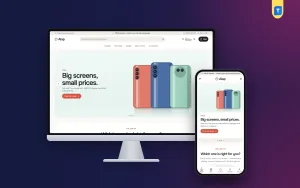
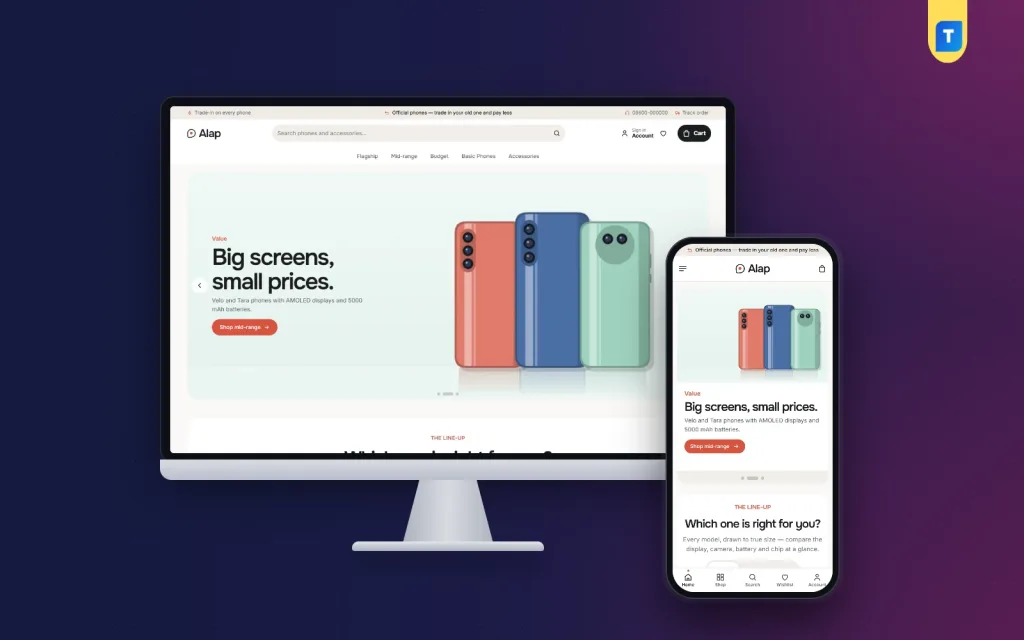
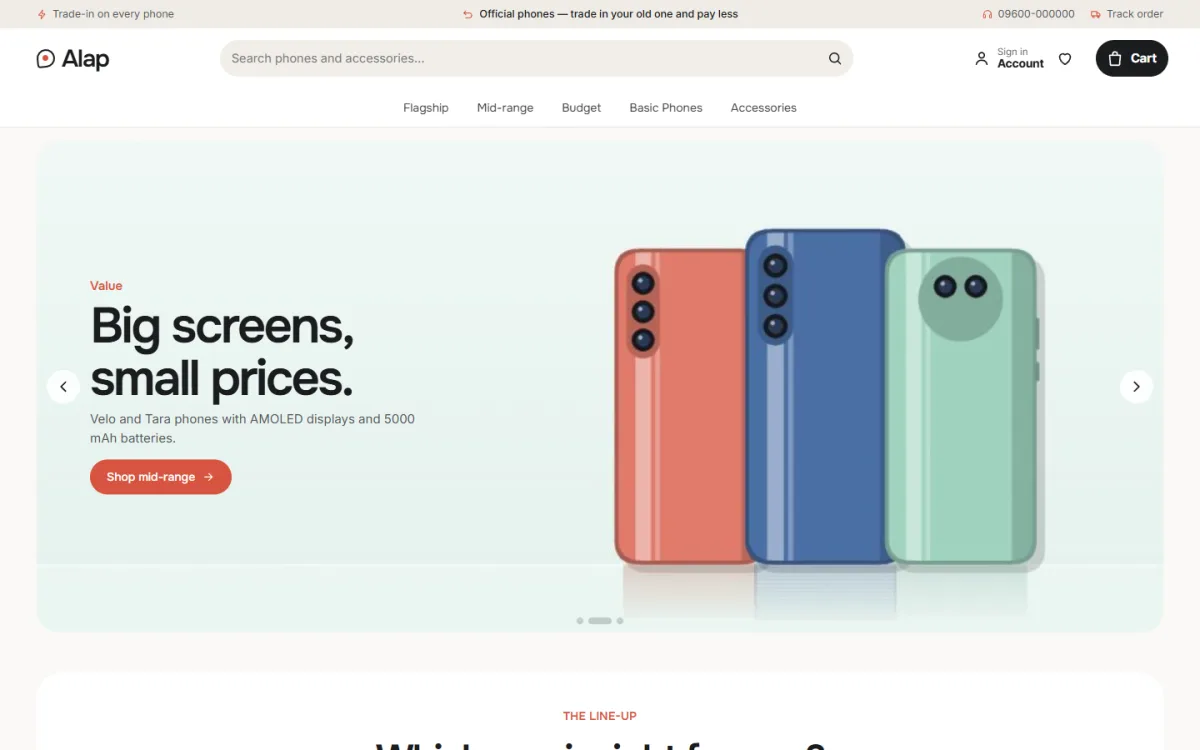
You can create all of this from scratch, but a theme saves time. Alap is a WordPress theme made for phone boutiques and brand stores, and it follows the ideas in this guide.
What it includes:
- A brand line-up that draws each phone at its true relative size, with colour dots, starting price and four key facts.
- A trade-in estimator that shows the price after credit.
- Colour-wash product photos from every side.
- Storage and colour variants with stepped prices.
- Key-spec tiles, a warranty line and a 0% EMI line.
- 24 homepage blocks, 17 on by default, plus back-in-stock, offers, returns and a store locator.
- Five palettes, four font pairs and a Theme Options dashboard that works on a phone.
- The Themeve Commerce shop plugin with one-page checkout, bKash, Nagad, SSLCommerz, cash on delivery, Steadfast and Pathao.
The demo holds 22 products from five brands, including cases, chargers, a watch and power banks. It is one good option; compare it with others using the checklists above.
Common mobile shop website design mistakes
These problems cost phone shops many orders:
- Showing "price on call" instead of a clear price.
- One price for all storage sizes, or separate listings for each size.
- Stock photos that do not match the real colours.
- No mention of warranty or import type.
- A checkout that asks for too many fields.
- Pop-ups that cover the page on a small screen.
- Prices that change in the cart.
- No test order before launch.
A launch checklist
- Add your first 20 phones with photos, key facts, variants and prices.
- Set bKash, Nagad and cash on delivery, and test each one.
- Connect your courier and book a test parcel.
- Publish the warranty, return and delivery pages.
- Check the site on two phones.
- Take a backup, then share the link on your Facebook page.
After launch, review orders and questions every week and improve one thing at a time. If you use Alap, you can switch blocks, change colours and fix prices from the Theme Options on your phone.
If you want to read more on the technical side, the official WordPress documentation is a good, reliable reference.
Frequently asked questions
What does good mobile shop website design include?
Clear photos, key facts, storage and colour variants with prices, warranty details, an EMI line, local payments and a short checkout that works well on a phone.
How much does mobile shop website design cost?
It depends on the tool. A ready-made WordPress theme costs far less than a custom build. You will also need a domain, hosting and time to add products.
Does mobile shop web design need WooCommerce?
No. Some themes include their own shop plugin with cart, checkout, payments and orders, so WooCommerce is not needed.
Should I show unofficial phones on my website?
Yes, if you sell them, but label them clearly and explain the warranty. Honesty protects your name and reduces disputes.
How do I take payments for phones online?
Use bKash, Nagad, cash on delivery and a card gateway like SSLCommerz. For costly phones, a small advance with the rest on delivery is common.
How many phones should I list at launch?
Start with 20 to 30 well-described phones and your top accessories. Add more once the first orders show what sells.
Can I manage the shop from my phone?
You can handle orders and small edits from a phone. Do your main design work on a computer, then check the result on a handset.