Choosing a news magazine WordPress theme instead of a plain news layout is really a decision about how your readers spend their time. A straight news layout is built for speed and volume: many headlines, short summaries, constant updates. A magazine layout gives more room to pictures, features and sections that people browse at leisure. This guide helps Bangladeshi publishers, bloggers and freelancers decide which one fits, and how to set it up well.
We compare the three common formats, look at the signs that point towards a magazine design, and plan the content a magazine front page needs. Then we walk through the Digital Newspaper Plus Theme 2025, a premium Bangla news theme built for online newspapers, Bangla magazines and media websites, whose demo shows a photo-led front page that sits between a daily paper and a magazine.
News Layout, Magazine Layout or Blog: What Is the Difference?
A plain news layout puts recency first. The homepage is mostly lists: latest stories, a ticker and category blocks full of headlines with small thumbnails. Readers come several times a day to check what is new. It suits portals that publish dozens of short reports daily, where the main job of the design is to show as many fresh headlines as possible in a small space.
A magazine layout puts presentation first. Large photos, headlines laid over images, mosaic grids and clear section bands invite the reader to browse. Stories tend to be longer and stay relevant longer: features, interviews, explainers, travel and lifestyle pieces. Readers may visit less often, but they stay longer and open more pages per visit, which advertisers like to see.
A news blog theme is the simplest of the three. It usually shows posts in one stream, newest first, with a sidebar. It works for a single writer or a small niche site covering, say, local cricket or tech news. It struggles once you have many sections, because there is no natural place to show politics, sports and entertainment side by side on the homepage.
Signs a News Magazine WordPress Theme Suits Your Site
The first sign is your photo supply. If you have a photographer, good agency pictures or strong original images, a magazine design shows them off. If most of your stories use small stock photos, big image tiles will expose that weakness. The second sign is your story mix. When features, analysis and opinion make up a large share of what you publish, a magazine front page gives them the space they deserve.
The third sign is your audience. Readers of entertainment, lifestyle, sports and culture content often browse in the evening, scrolling for something interesting rather than checking the latest update. A news magazine WordPress theme fits that habit well. The fourth sign is your business model. If you plan to sell sponsored features or branded sections, strong visual sections make those placements look premium rather than squeezed in.
Many Bangladeshi sites sit in between: they report daily news but also run features and photo stories. For them, a hybrid works best, with a ticker and latest list for fresh news plus a photo-led lead area and visual section blocks for everything else. That hybrid is exactly what the demo discussed further down shows.
When a Plain News Layout or News Blog Theme Is Enough
A magazine design is not always the right answer. If your team publishes thirty or more short reports a day, mostly text with a single photo, a dense news layout will serve readers better, because they can scan more headlines per screen. Big tiles would push most of the day's news far down the page, where few people scroll.
Likewise, a solo writer or a two-person team covering one subject may be happier with a news blog theme. It is easier to fill, needs fewer photos and puts the focus on the writing. You can always move to a magazine layout later, when the team, the sections and the photo library have grown. Switching too early often leaves big, empty-looking blocks on the homepage.
Planning Content for a Magazine-Style Front Page
A magazine front page is only as good as what fills it. Plan five lead slots: one big story and four supporting ones, each with a strong wide photo. Decide who chooses them and how often they change, for example twice a day for the lead and once a day for the others. Fixed routines keep the top of the page fresh without making it chaotic.
Next, decide your visual sections. Politics, economy, sports, entertainment and lifestyle each need a steady stream of stories with decent photos. Set a simple image rule: the same ratio, a minimum width and no text burned into pictures, since headlines are laid over the image. Write captions and credits every time. Using photos copied from other news sites without permission is a fast way into trouble.
Finally, think about evergreen content. Magazine readers enjoy explainers, how-to pieces, profiles and photo stories that stay useful for months, and these also bring steady search traffic. Keep a list of ideas linked to seasons and events, such as Eid shopping, the national budget, exam results and the cricket calendar, so features are ready before readers start looking for them.
How Digital Newspaper Plus Theme 2025 Handles the Magazine Look
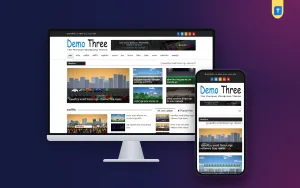
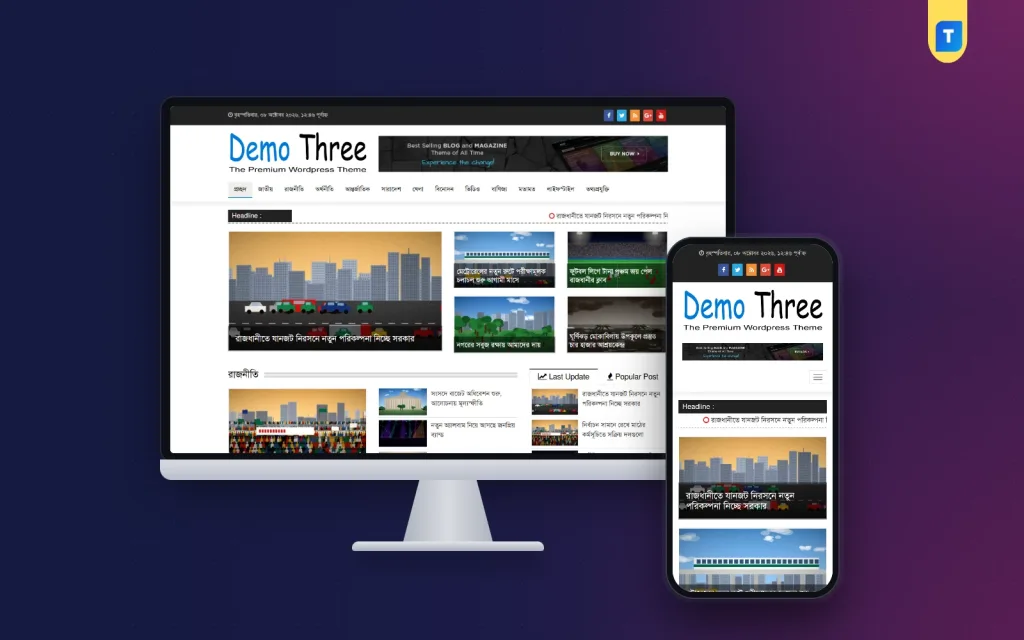
The demo of this theme shows the hybrid approach clearly. A dark top bar carries the date and time in Bangla on the left and coloured social buttons on the right. Below it, the logo sits beside a wide banner space, and a clean menu lists sections such as national, politics, economy, international, countrywide, sports, entertainment, video, business and opinion, with the home item underlined.
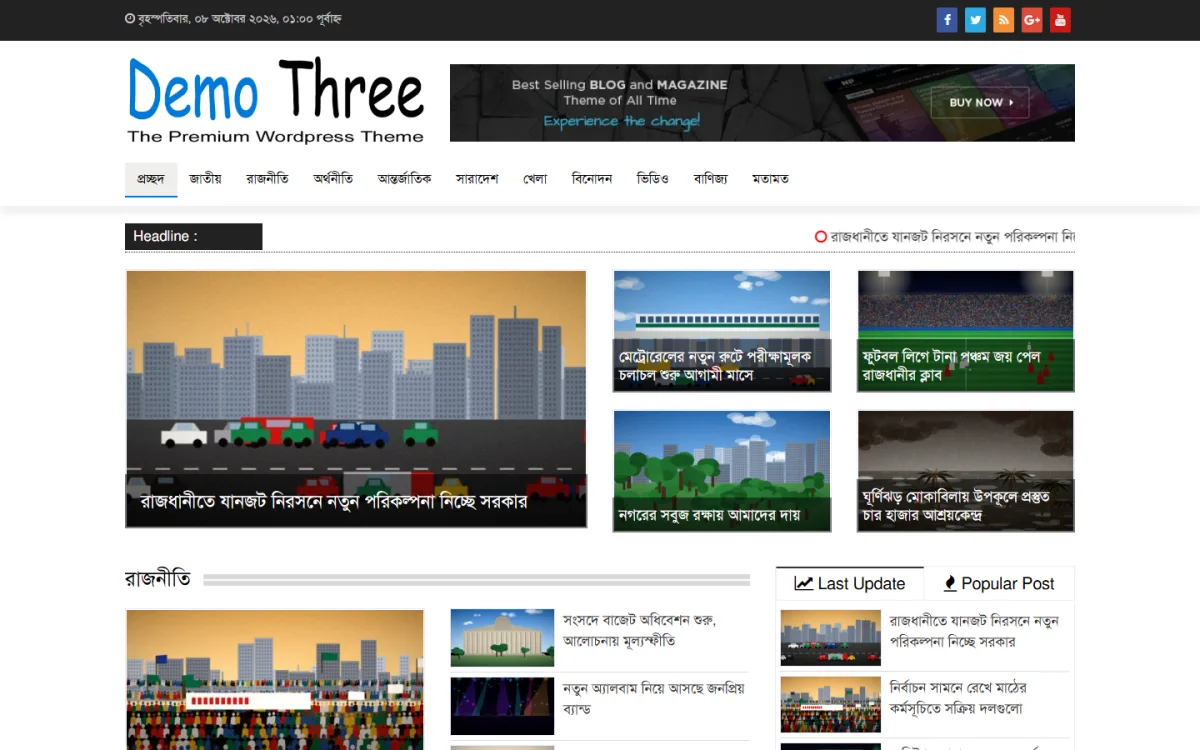
Under the menu, a Headline ticker runs across the page for breaking news. Then comes the magazine part: one large lead photo with its headline laid over the image, and four smaller tiles in the same style beside it. Further down, section bands such as Politics open with a large photo and a list of stories with thumbnails, while a tabbed widget switches between Last Update and Popular Post.
Behind the look, the product facts list breaking news tickers, featured sliders, category-based news blocks and multimedia gallery integration for photos and videos. The one-click demo import sets up a ready layout with sections for breaking news, featured posts, videos and photo galleries. Fonts, colours and footer credits change from the WordPress dashboard, so your magazine does not have to look like the demo for long.
On mobile the theme is fully responsive. The mosaic turns into a column of full-width photo cards, each with its headline over the image, which suits thumb scrolling well. The code is clean and lightweight, and the theme is Google AdSense optimized with ad areas that adapt to each screen size, so banners do not break the photo-led layout on small screens.
Setting Up a Magazine Front Page Step by Step
Install the theme in WordPress under Appearance, Themes, Add New, Upload Theme, and activate it. Run the one-click demo import to get the full layout, then replace the demo logo and set your fonts and colours from the dashboard. Change the footer credits to your own name. If your team is new to WordPress, the official WordPress documentation explains themes, menus and categories clearly.
Create your categories to match the section plan, assign them to the homepage blocks, and fill each block with at least six stories that have proper photos. Choose your first lead and four supporting stories carefully, because they set the tone. Then test on a phone: open the homepage, scroll the photo cards, open a story and check that ads stay in their spaces without covering text.
For promotion, a magazine site does well on Facebook and Instagram, where strong photos travel far. Share features with a short Bangla teaser and a cropped image, and post photo stories as albums that link back to the site. When local brands want sponsored features, agree on clear labels and fair rates, and accept payment through familiar options such as bKash, Nagad or bank transfer.
Mistakes to Avoid With a Magazine Layout
The most common mistake is choosing a magazine design and then filling it with weak images. Blurry or mismatched photos look much worse in big tiles than in small thumbnails. Another is letting the lead area go stale: if the same five stories sit on top for three days, regular readers stop checking. A third is piling sliders, galleries and widgets onto the page until the phone version becomes slow.
Also avoid mixing too many styles. A front page with three different tile designs, two sliders and a ticker in every colour looks noisy rather than rich. Keep headline fonts and colours consistent, keep ads in fixed spaces, and never use nulled copies of themes. If after a few months your traffic is mostly quick checks for breaking news, be honest and consider a denser news layout.
Frequently Asked Questions
Is a news magazine WordPress theme slower than a plain news theme?
Not necessarily. Speed depends mostly on image sizes, hosting and plugins. A lightweight, clean-coded theme with well-compressed photos can be fast even with large tiles. Resize every image before upload, use caching, and test the homepage on a mid-range phone using mobile data rather than office Wi-Fi.
Can I use a magazine layout for daily breaking news?
Yes, if it includes news tools. In this theme a Headline ticker sits under the menu and a tabbed Last Update and Popular Post widget lists fresh stories, so breaking news has a clear place while the photo tiles carry the bigger stories and features of the day.
How is this different from a simple blog layout?
A blog-style theme usually shows one stream of posts with a sidebar. This theme has a photo-led lead area, category-based news blocks, sliders, a ticker and photo and video galleries, so many sections can share the homepage. It suits a growing site with several sections rather than a single-topic blog.
Which related themes should I look at?
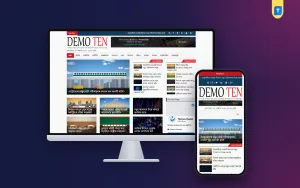
Compare the Digital Newspaper Plus Theme – Ultra-Fast & SEO Optimized, which opens with a slider-led front page, and the Latest Bangla News Theme 2025, which uses a headline-and-summary layout. Opening the three side by side helps you see which front page suits your content.
Final Word
Pick a news magazine WordPress theme when your photos, features and reader habits support it, and a plain news layout or a simple blog when speed and volume matter more. Many Bangla sites need a bit of both, which is why a hybrid with a ticker, latest lists and photo-led sections works so often. If that mix suits your plans, take a closer look at the Digital Newspaper Plus Theme 2025 and test it with your own stories.