A newspaper front page design for school project work looks hard at first, but it becomes easy when you break it into small steps. You need a plan, a clear layout, a few good stories and some neat finishing. This guide takes you through each step, from choosing a topic to handing in the final sheet.
It works for class work on paper, for a poster board, and for a digital page made on a computer or phone. You do not need special skills. You need a pencil, a ruler, some patience and a few good ideas.
What teachers look for in a front page
Before you start, read the task sheet again. Most teachers mark the same few things.
- A clear newspaper name and masthead at the top
- A main headline that tells the biggest story
- Several stories with headlines, bylines and short text
- Pictures with captions
- Neat layout with columns and no crowded areas
- Correct spelling and grammar
- Creative ideas that match the project theme
If the task sheet gives a word limit, a date or a topic, follow it exactly. Marks are lost more often for missing instructions than for weak drawing.
Parts of a newspaper front page
Learn the names of each part, so you can plan with confidence.
- Masthead: the name of the newspaper in large letters, often with a small logo.
- Date line: the date, the issue number and sometimes the price.
- Headline: the big title of a story. The lead headline is the largest on the page.
- Byline: the name of the writer.
- Lead story: the most important story, placed at the top.
- Column: a vertical strip of text.
- Photo and caption: a picture with one or two lines that explain it.
- Sidebar or box: a small separate item, such as weather or a quiz.
- Index or teaser: a short note that tells readers what is inside.
Choose a theme for your school newspaper
A theme gives the page a focus and makes writing easier. Pick one that you can explain in a sentence.
- A school day or a school event, such as sports day or science fair
- A historical event, such as Language Movement Day or Victory Day
- A class topic, such as climate, health or technology
- An imaginary town or a story from a book
- A year-end summary of your own class
Choose a topic that has enough facts for five or six short stories. If you cannot find material in an hour, change the topic.
Steps for a newspaper front page design for school project
Follow these steps in order. Do not skip the planning stage, because it saves the most time.
- Pick the name. Use a short and memorable name that suits your theme.
- List the stories. Write six to eight story ideas. Keep the best five.
- Rank them. Decide which story is the lead and which are smaller.
- Draw a rough layout. Use a small sheet. Make boxes for the headline, pictures and columns.
- Write the text. Keep each story short, about 60 to 120 words.
- Collect pictures. Draw them, take photos or print safe images that you may use.
- Make the final page. Copy your layout to a large sheet or build it on the computer.
- Check and fix. Read every word aloud and fix mistakes.
Draw a layout that looks like a real paper
A real front page follows a few simple rules. Use them and your page will look professional.
Use a grid
Divide the page into four or five equal columns with light pencil lines. Every story should fit inside whole columns. This keeps edges neat.
Place the lead story high
Readers look at the top first. Put the lead headline and its picture in the upper half, across three or four columns.
Balance the page
Do not put all the pictures on one side. Spread them out, and leave small gaps between stories so the page can breathe.
Vary the headline sizes
Use one very large headline, two medium ones and a few small ones. This guides the eye and shows what is most important.
Write headlines and stories that are easy to read
Good news writing is short and direct. Use these simple rules.
- Put the most important fact in the first sentence.
- Answer who, what, where, when and why in the first paragraph.
- Use short sentences and simple words.
- Write headlines in the present tense, with strong verbs.
- Keep headlines under ten words.
- Quote at least one person in a story, even an imaginary one.
- Avoid your own opinion in a news story. Keep opinion for a column.
Example: instead of "Our school had a very big sports event", write "Class Nine wins school sports day title". It is shorter, clearer and more like a real headline.
Colours, fonts and pictures
A newspaper is usually simple. Too much colour makes the page look like a poster.
- Use black text on a white or cream background.
- Pick one accent colour, such as red or blue, for the masthead and small boxes.
- Use one bold font for headlines and one plain font for body text.
- Write body text neatly in the same size. Use a ruler for guide lines.
- Add a caption under every picture.
- Do not use too many stickers or borders.
If you print pictures from the internet, check the rules of your school, and write the source on the back of the page. Drawing your own is always safe.
Making the page on a computer or phone
Many schools now accept digital work. You can use a word processor, a slide program or a free design tool.
- Set the page to A3 or A4 size, portrait.
- Turn on the grid or guides.
- Type the masthead first, then the lead headline.
- Insert text boxes for each column.
- Add pictures and resize them to fit the columns.
- Check the spelling.
- Save a copy as a PDF before printing.
Always keep a backup on a second device or a cloud folder. Many students lose work because they forget to save.
What is online news website design, and how does it relate?
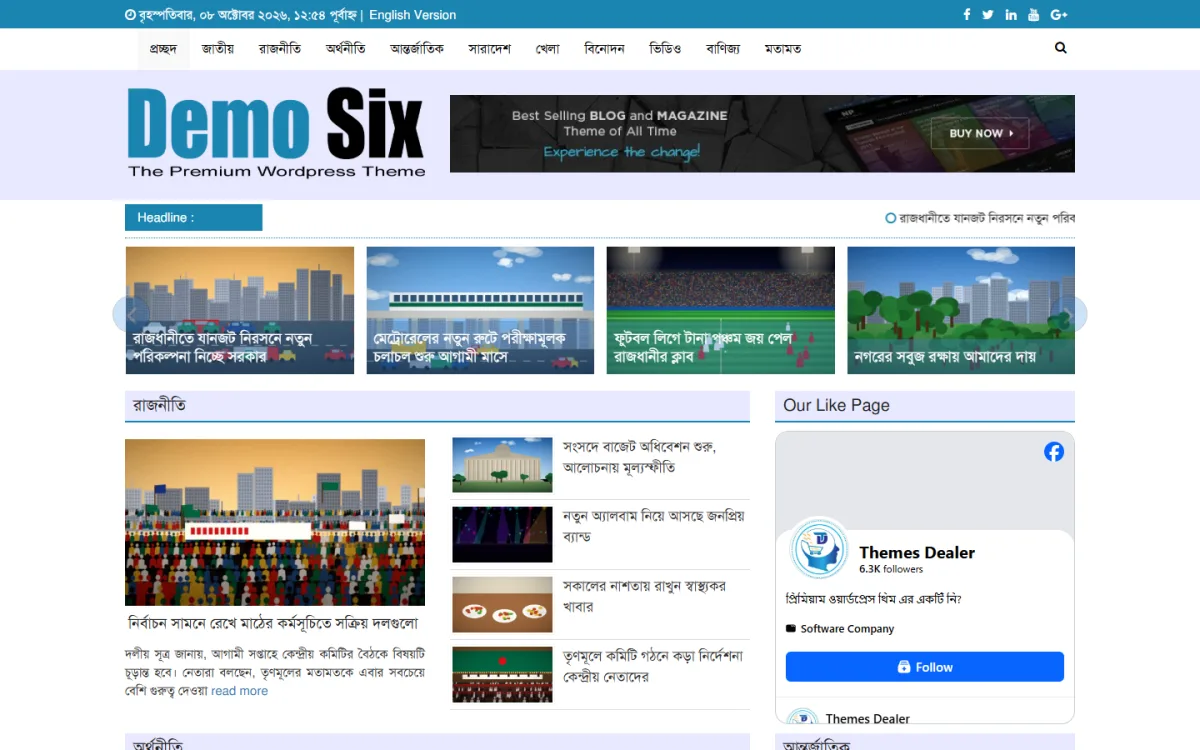
Some students ask: what is online news website design, and is it different from a printed page? The idea is the same, but the format changes. An online news site shows stories on a screen, and readers scroll or tap to move around. The home page works like a front page. The lead story sits at the top, smaller stories follow, and menus lead to other sections.
Learning the printed front page helps you understand the online page. If your teacher asks for a digital project, you can plan the same way: masthead, lead story, columns, pictures and captions. The difference is that screens also need a menu, a search box and a layout that fits a phone.
A ready-made option for an online school paper
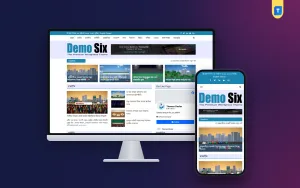
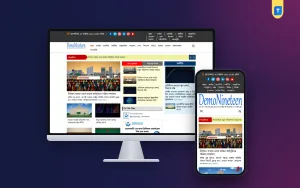
Some schools and clubs want to turn a class project into a real online newspaper. In that case, a WordPress theme can save a lot of time. Ajker Potrika Theme is a news and magazine theme made for Bangla sites. It is not needed for a paper project, but it can help if your club plans to publish regularly.
- Ready home page with breaking, trending and featured widgets
- Photo and video galleries
- Fully responsive layout for phone, tablet and desktop
- One-click demo import
- Editable colours, fonts, logo and footer credit
- Use on unlimited websites
A teacher or an older student would need to set up hosting and manage the site. Details are on the Ajker Potrika Theme page. For a normal class assignment, paper and a ruler are enough.
Checklist before you submit your newspaper front page design for school project
- The newspaper name and date are at the top.
- There is one clear lead story with the biggest headline.
- You have four to six stories in total.
- Every story has a headline and a byline.
- Every picture has a caption.
- Columns line up and margins are even.
- No spelling mistakes remain.
- Your name, class and roll number are on the back or in a corner as the teacher asked.
- The page is clean, with no smudges.
Ideas to make your front page stand out
Once the basics are right, a few extra touches can lift your work above the rest of the class. Keep them simple and relevant.
- Add a weather box. A small box with a sketch of the sun or rain makes the page feel real.
- Include a short quiz or puzzle. A five-line crossword or a riddle fits in a corner.
- Write a mini interview. Ask a classmate or teacher two questions and print the answers in a box.
- Add a cartoon. A small drawing with a one-line joke shows creativity.
- Use a pull quote. Take one strong sentence from a story and print it larger inside the column.
- Create an advertisement. A small ad for a school fair or book shop gives the page a true newspaper look.
- Add an index box. Write "Inside: Sports page 2, Science page 3" to show planning.
Do not add everything. Pick two or three ideas that match your theme. A clean page with a few smart details is better than a busy page with too many.
Sample plan for a school sports day front page
Here is a quick example you can copy and change. It shows how to turn a simple event into a full front page.
- Name: The Daily Bell, with the school logo drawn beside it.
- Lead story: "Class Nine wins sports day title" with a drawing of the winning team.
- Second story: "Relay race ends in last-second finish" with a short quote from the runner.
- Third story: "Parents cheer from the field" with a caption picture of the crowd.
- Small items: a weather box, the medal list and a note about next month's science fair.
- Corner box: an interview with the sports teacher in two questions.
The layout puts the lead across the top three columns, the second and third stories below it, and the small items in the last column. You can use the same shape for any theme, from a national day to a book fair.
Time plan for three days
- Day one: choose the theme and name, write the story list and draw the rough layout.
- Day two: write all the stories, make the pictures and prepare the small boxes.
- Day three: build the final page, check every line and let a friend or parent read it.
Common mistakes to avoid
- Starting without a plan. Always sketch first.
- Too much text. Short stories are easier to read and easier to fit.
- All headlines the same size. The lead must stand out.
- Copying articles word for word. Write in your own words.
- Crowded pages. Leave white space between stories.
- Leaving it for the last night. Give yourself at least three days.
If you want to read more on the technical side, the official WordPress documentation is a good, reliable reference.
Frequently asked questions
How do I start a newspaper front page design for school project work?
Choose a theme, name your paper, list five stories and draw a rough layout on a small sheet. Then write the text and build the final page.
What size should my front page be?
Use the size your teacher gives. If none is given, A3 paper in portrait gives plenty of room. A4 also works for a smaller project.
How many stories should a school front page have?
Four to six stories is a good number. One lead story, two medium stories and a few short items is a balanced mix.
What is an online news website?
It is a website that publishes news stories on a screen, with a home page, categories and article pages. It follows the same ideas as a printed front page.
Can I make a newspaper front page design for school project work on my phone?
Yes. Many free apps let you build a page with text boxes and pictures. Use the same plan: masthead, lead, columns and captions, then export it as a PDF.
Can I use pictures from the internet?
Ask your teacher first. If allowed, use free or school-safe pictures and note the source. Drawing or taking your own photos avoids any problem.